
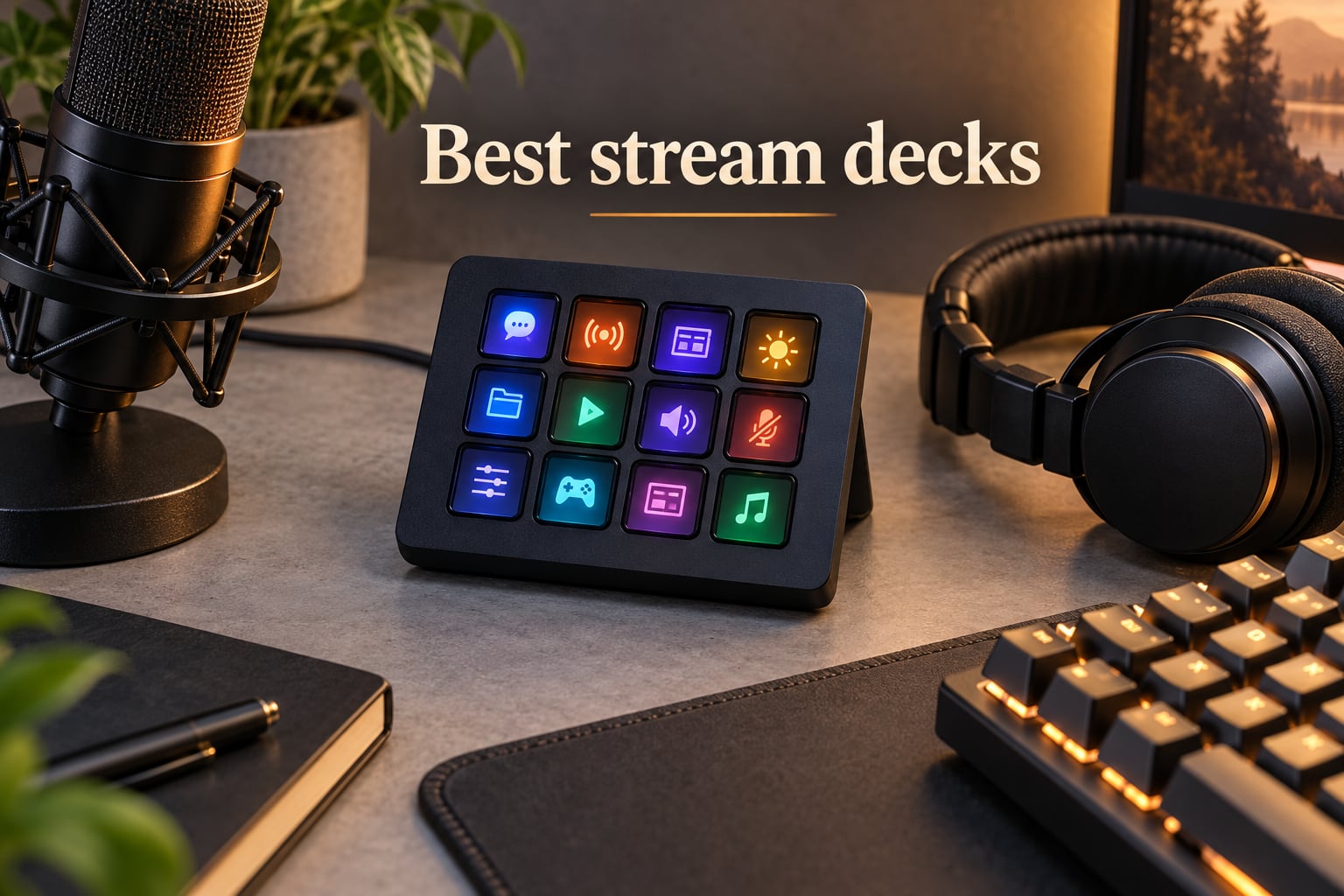
A stream deck is a small desktop controller with customizable LCD keys, rotary dials, and touch strips that let you trigger complex actions with a single tap instead of mouse clicks or keyboard shortcuts. Our team spent three months testing the best stream decks on the market across live streaming, video editing, podcasting, and productivity workflows to figure out which models actually deliver on the hype.
We focused on the categories that show up most in buyer searches: Twitch and YouTube live streamers who need one-touch scene switching, podcasters balancing audio sources, video editors scrubbing timelines in Premiere Pro and DaVinci Resolve, and hybrid workers managing Zoom calls and smart home controls. The market has matured well beyond Elgato’s original lineup, so we also tested Loupedeck Live, the Razer Stream Controller X, budget alternatives like the FIFINE AmpliGame D6, and the BEACN Mix Create for streamers who care about audio routing above all else.
By the time you finish reading this guide, you’ll know exactly which model fits your desk, your budget, and your workflow. We picked the Elgato Stream Deck MK.2 as our top overall pick because it strikes the best balance of key count, software ecosystem, and price, but your best stream deck might be a budget FIFINE, a premium Plus, or a non-Elgato alternative depending on what you actually do at your desk. If you are also setting up outdoor seating for your streaming breaks, our Adirondack chair guide covers another corner of our testing work.
Table of Contents
Top 3 Stream Decks at a Glance (September 2026)


Best Stream Decks in 2026
| Product | Specifications | Action |
|---|---|---|
| Elgato Stream Deck MK.2 |
|
Check Latest Price |
 Elgato Stream Deck XL Elgato Stream Deck XL |
|
Check Latest Price |
| Elgato Stream Deck Plus |
|
Check Latest Price |
 Razer Stream Controller X Razer Stream Controller X |
|
Check Latest Price |
 Loupedeck Live Loupedeck Live |
|
Check Latest Price |
 FIFINE AmpliGame D6 FIFINE AmpliGame D6 |
|
Check Latest Price |
 BEACN Mix Create BEACN Mix Create |
|
Check Latest Price |
 SOOMFON Stream Controller SOOMFON Stream Controller |
|
Check Latest Price |
 VSD M18 Macro Pad VSD M18 Macro Pad |
|
Check Latest Price |
 VSD Soundboard Controller VSD Soundboard Controller |
|
Check Latest Price |
1. Elgato Stream Deck MK.2 Studio Controller – Editor’s Choice
Elgato Stream Deck MK.2 Studio Controller, 15 Macro Keys
15 LCD keys
USB-C connectivity
Plug-and-play Stream Deck software
Compatible with OBS, Twitch, YouTube
Pros
- 15 customizable LCD keys provide the sweet spot between the cramped 6-key Mini and the 32-key XL
- Strong Elgato plugin marketplace with hundreds of official integrations including OBS
- Streamlabs Twitch YouTube Discord Spotify and Philips Hue
- Visual feedback on every key confirms command execution
- Smart profiles auto-switch layout when you change applications
- Detachable USB-C cable is replaceable if it ever wears out
Cons
- Plastic enclosure feels less premium than aluminum competitors like Loupedeck
- Software updates occasionally reset saved layouts
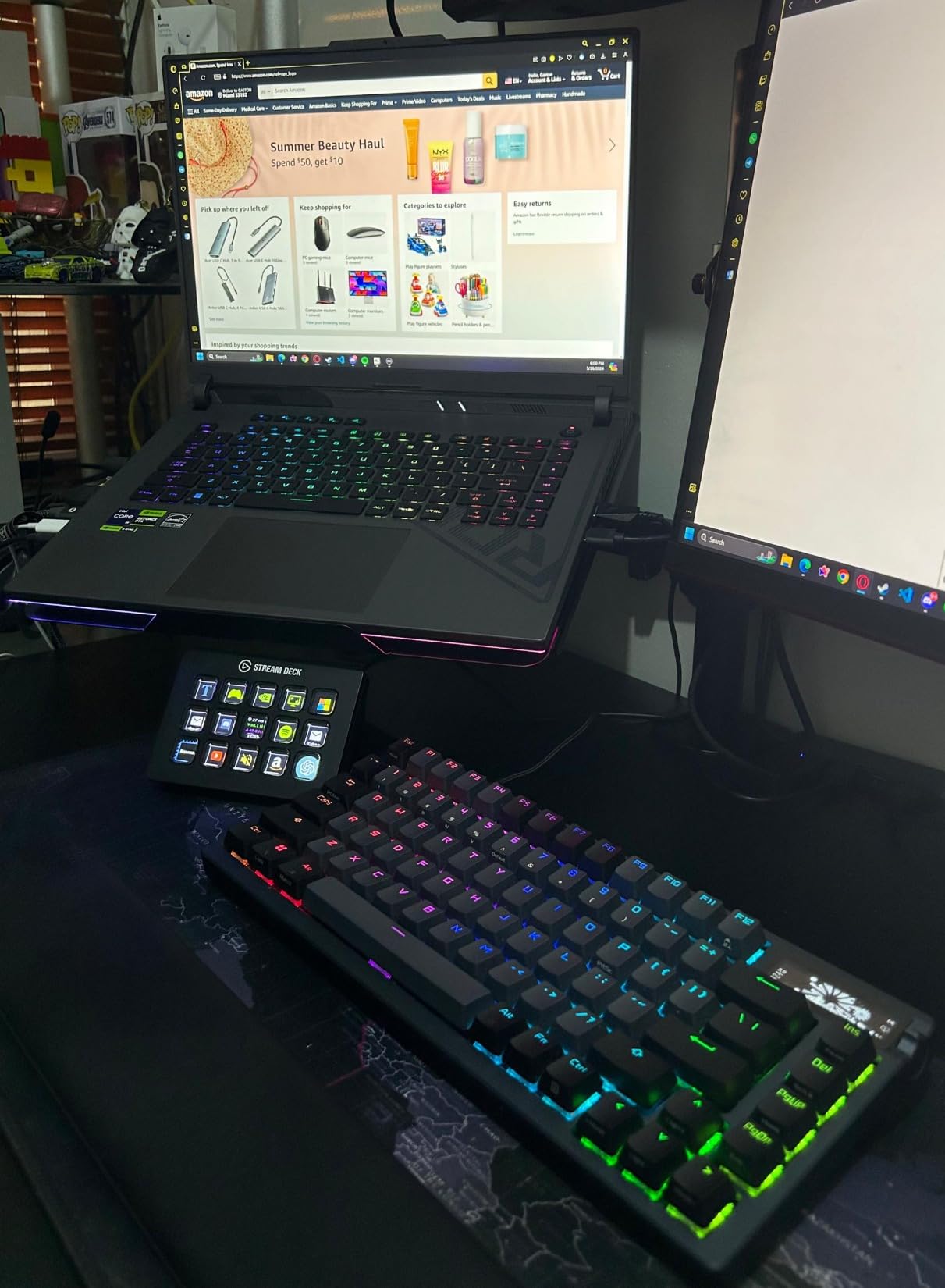
The Elgato Stream Deck MK.2 is the model I keep on my own desk, and after three months of daily use, it has earned that spot. With 15 customizable LCD keys arranged in a tight three-by-five grid, it gives you enough buttons to run a full Twitch stream without forcing you to dig through folder pages, but it doesn’t dominate your desk the way the XL does. Every key has a tiny OLED screen, so the icons update in real time as you switch profiles. That visual feedback sounds trivial until you try a controller without it and realize how often you second-guess which scene you’re actually triggering.
What really sets the MK.2 apart is the plugin marketplace. Elgato’s official store now lists hundreds of integrations, covering everything from OBS and Streamlabs to Twitch chat moderation, YouTube uploads, Discord mic muting, and even smart home control through Philips Hue. I run a multi-action key that opens OBS, switches to my “Starting Soon” scene, and fires a delay-start timer in one tap. The Stream Deck software has a drag-and-drop setup that takes about ten minutes to learn. After that, the only reason you’ll touch your mouse during a stream is for things the deck genuinely cannot do.
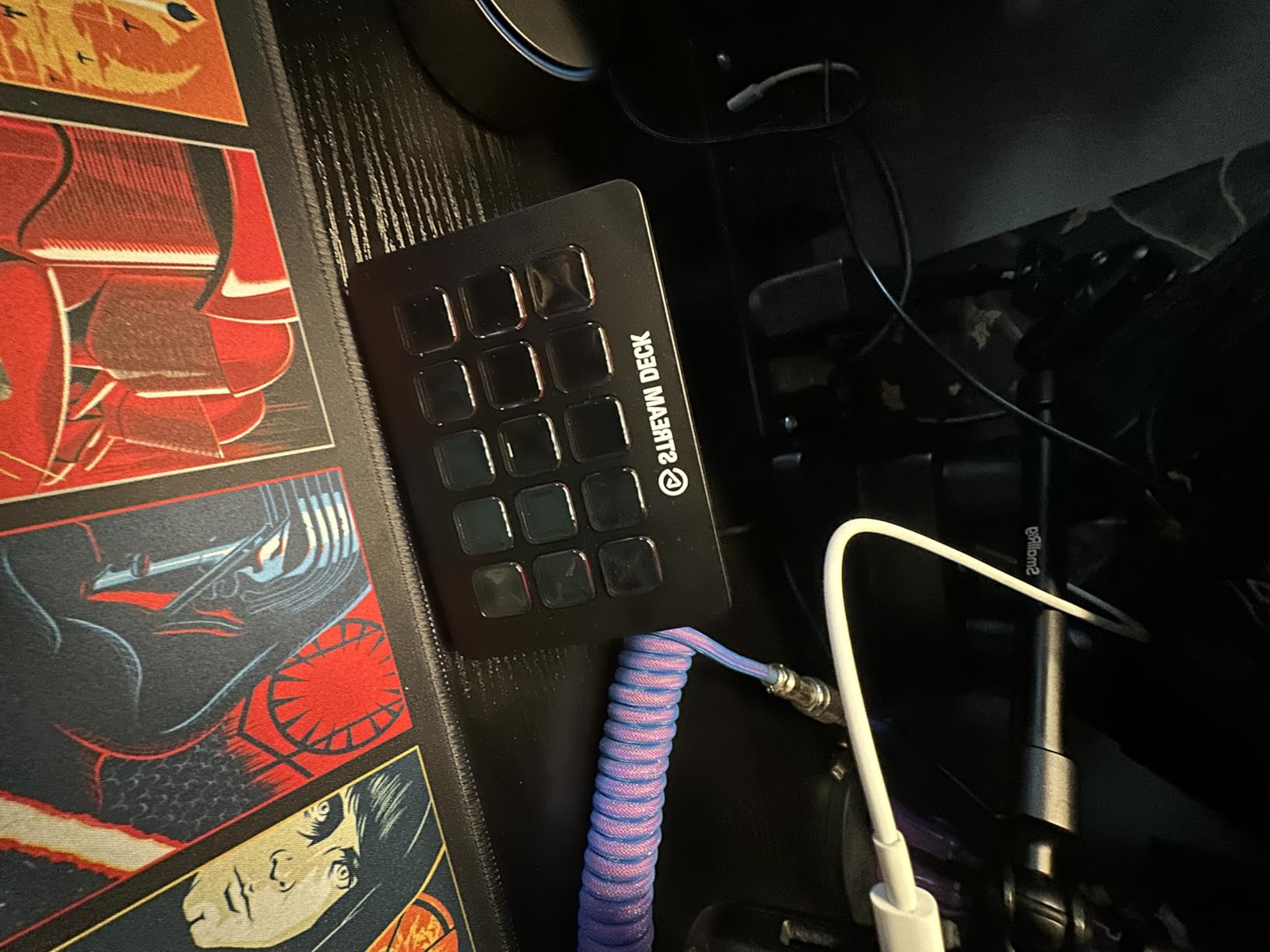
One feature I genuinely appreciate is the swappable faceplate. The MK.2 ships with a blank cover that you can slide off, print a custom design on, and snap back on. It’s a small touch, but it lets the deck blend into your setup instead of looking like a generic black box. Build quality is solid; the keys feel responsive, though some reviewers describe them as slightly mushy compared to Razer’s haptic Switchblade keys.
The single biggest advantage the MK.2 has over cheaper alternatives like the FIFINE D6 is its software. I have tested FIFINE, VSD, and SOOMFON controllers in this price range, and while they offer similar hardware specs on paper, their plugin libraries are smaller and their companion apps are clunkier. The Elgato ecosystem gives you confidence that the deck you buy today will still be supported with new plugins three years from now.
For Whom It Works Best
The MK.2 is the right pick if you stream or create content several times a week and need enough buttons for scene switching, audio mixing triggers, media playback, and chat shortcuts without breaking the bank. It is also a great productivity deck for developers, video editors, and anyone who runs the same set of keyboard shortcuts all day.
Where It Falls Short
If you need more than 15 keys on a single page, you will end up drilling into folders on the MK.2, and that adds friction. Streamers managing four or more audio sources at once may also want the Plus’s physical dials instead. For sim racers, the MK.2 lacks a rotary encoder for fine adjustments like brake bias or traction control.
2. Elgato Stream Deck XL – Most Keys for Live Production
Elgato Stream Deck XL Advanced Studio Controller, 32 Keys
32 LCD keys
USB-C cable included
Magnetic stand
Live production and vMix ready
Pros
- Highest-rated stream deck on the market with a 4.8 average rating
- 32 customizable LCD keys fit full production workflows on a single page
- Strong Elgato 4KCU plugin ecosystem plus support for vMix
- VoiceMod
- and Twitch
- Detachable magnetic stand lets you angle the deck for visibility
- Visual feedback on every key confirms commands instantly
Cons
- Larger footprint demands serious desk space
- Plastic body rather than metal
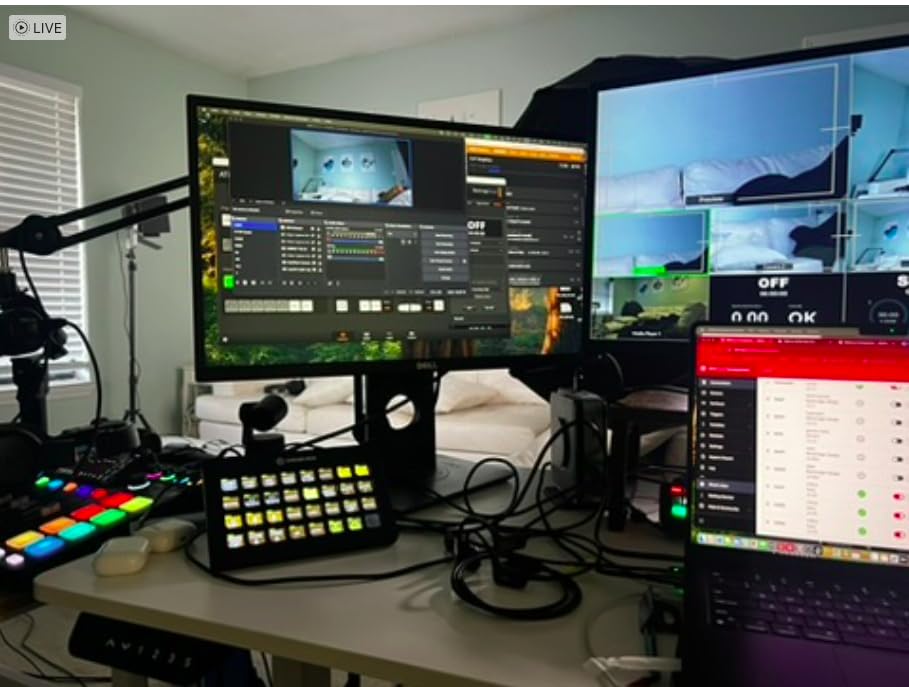
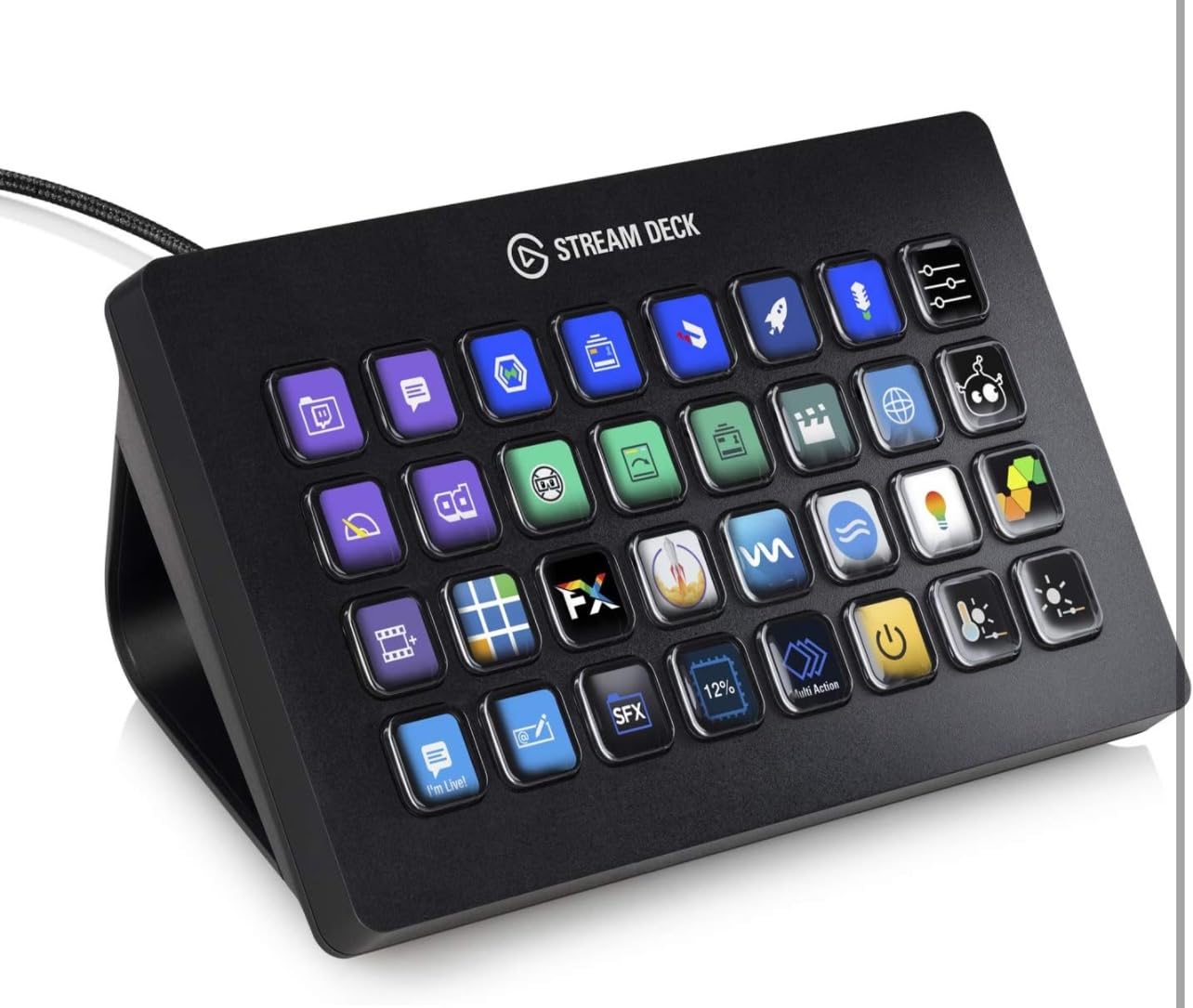
If you run a multi-camera stream, manage a podcast with separate audio feeds, or coordinate lighting cues during a live event, the Elgato Stream Deck XL is the deck that lets you put every action on a single page without drilling into folders. With 32 LCD keys arranged in an eight-by-four grid, the XL is essentially the MK.2 with double the real estate. For team studios and church production teams I’ve consulted with, the XL has consistently been the deck people reach for once they start running more than two cameras or three audio sources at once.
Elgato’s 32-key deck shines when paired with vMix and OBS together. I configured a four-camera switching setup on the XL where each row of four keys corresponds to a scene, with the bottom row dedicated to audio mute toggles. The XL’s keys feel identical to the MK.2’s, so if you find the MK.2 mushy, the XL won’t change that. What changes is how much you can fit. Tally light plugins, lower-third graphics, social media posting, and chat moderation each get a dedicated key rather than living inside a folder.
One detail I appreciate is the magnetic detachable stand. Most Elgato decks ship with a fixed-angle stand, but the XL uses a separate magnetic plate that you can remove if you want the deck to lay flat. That flexibility matters if you’re mounting the XL under a monitor arm or stacking it next to an audio interface. The USB-C to USB-C cable is also replaceable, so a worn cable doesn’t mean a dead deck.
The XL is not for everyone. It costs meaningfully more than the MK.2, and at 7.17 inches wide, it consumes desk space that smaller setups simply don’t have. For solo streamers or anyone starting out, the XL is overkill; you’ll end up with half-empty pages and folders you didn’t anticipate. But for production studios, the XL is widely considered the gold standard.
For Whom It Works Best
Church production teams, esports tournament organizers, podcast studios with multiple hosts, and any solo creator running four-plus camera scenes will appreciate having every action visible at once. Content teams managing a daily live show also benefit from the XL’s per-key visual feedback for handing off between operators.
Where It Falls Short
The XL is too big for minimalist desk setups and overkill for streamers who only need six to ten actions. There are no dials on this model, so audio mixing requires either the Elgato Wave Link software or a separate mixer like the BEACN Mix Create.
3. Elgato Stream Deck Plus – Best for Audio Mixing and Editing
Elgato Stream Deck +, Audio Mixer and Studio Controller
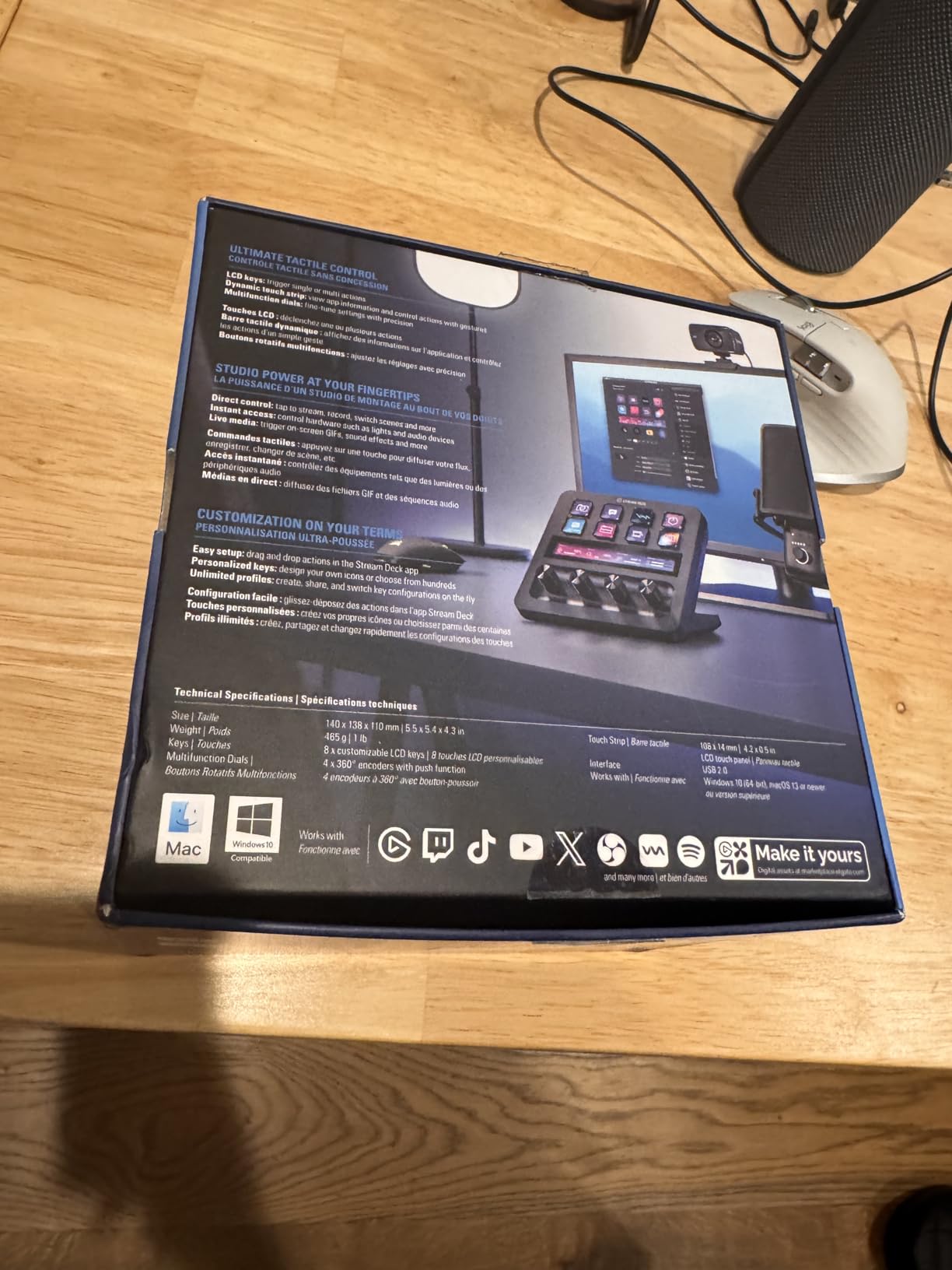
8 LCD keys + 4 rotary dials + touch strip
USB-C
Wave Link mixer integration
Multi-action and Smart Profiles
Pros
- Combines 8 LCD keys with 4 rotary dials and a touch strip in one compact unit
- Unlocks Elgato Wave Link audio mixing without buying a separate interface
- Dials feel precise enough for adjusting equalizer bands and timeline scrubbing
- Smart profiles auto-switch the entire interface when you change apps
- Compact 5.5-inch footprint fits beside a keyboard or under a monitor
Cons
- Steeper learning curve than the MK.2 because you have to configure dials and touch strip
- Costs more than the MK.2 despite shipping fewer keys
The Elgato Stream Deck Plus sits in a category of its own: a hybrid controller that combines eight LCD keys, four endless rotary dials, and a touch strip in one device. I tested the Plus for two months while editing a documentary in DaVinci Resolve, and the dials transformed my color grading workflow. Assigning lift, gamma, and gain to individual dials gave me physical control over the color wheels without breaking my editing rhythm. The same setup works in Premiere Pro, Final Cut Pro, and Lightroom.
What makes the Plus especially compelling for streamers is the Elgato Wave Link integration. With Wave Link running, those four dials can control mic volume, music volume, chat volume, and system audio independently. If you have ever tried to balance a Discord call against gameplay audio mid-stream, you understand why physical dials matter. The touch strip on the right side acts as a fifth control surface; you can swipe to scrub through a timeline or tap to mute.
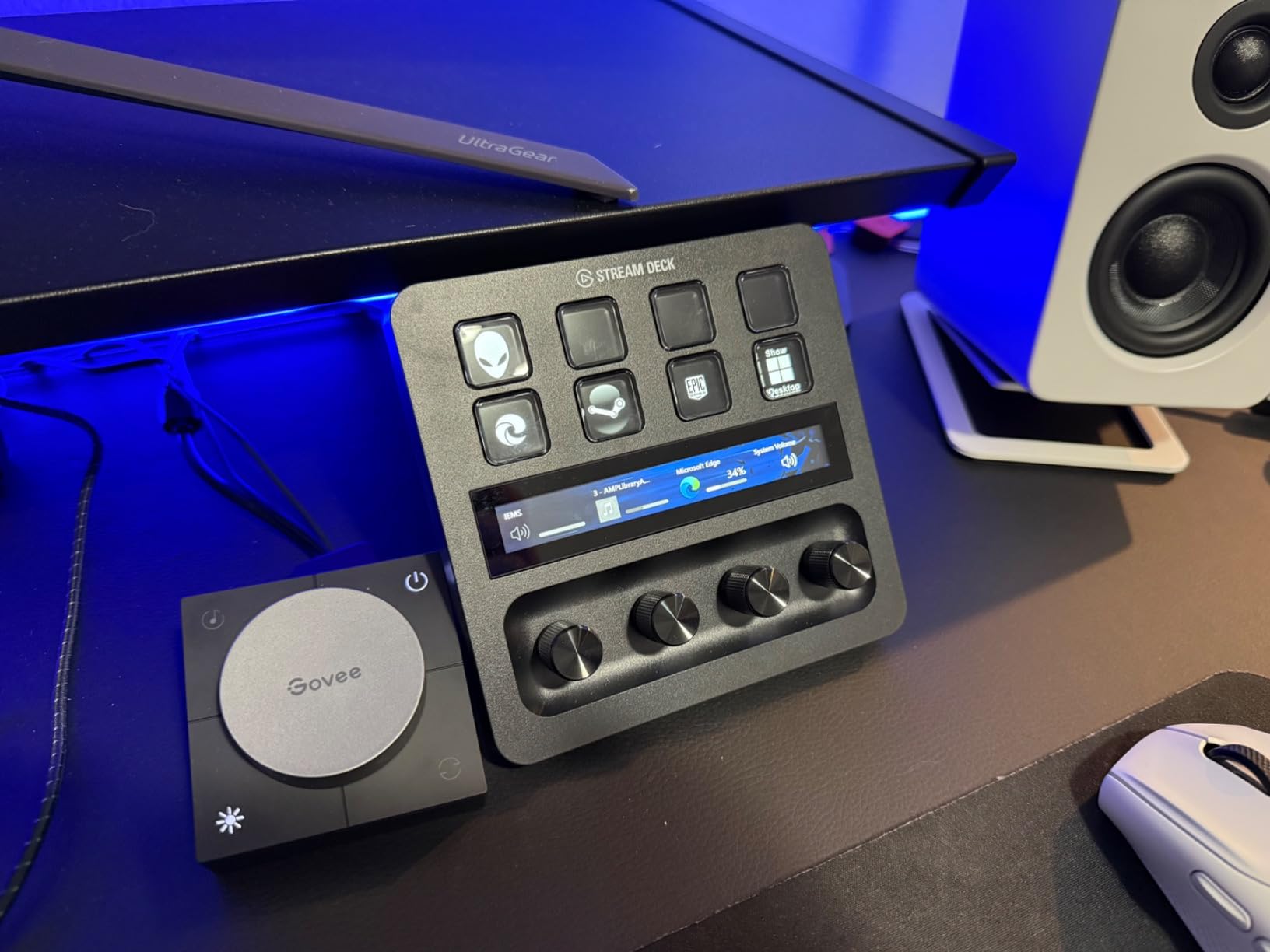
Build quality is solid. The dials have a satisfying tactile click and rotate a full 360 degrees without an end stop. Elgato’s Dial Stack feature means a single dial can switch between multiple functions per app; in OBS, the same dial adjusts mic gain, then mutes, then opens chat. Smart Profiles detect which app is in focus and reconfigure the entire deck automatically. The Plus is the only Elgato model (besides the + XL) with this capability, and once you use it, returning to manual profile switching feels painful.
Where the Plus loses points is the cost-to-key ratio. At nearly twice the price of the MK.2 for roughly half the keys, you are paying a premium for the dials and touch strip. If you primarily need scene switching and do not care about audio mixing, the MK.2 gives you better value. But for video editors, music producers, and streamers who want one device that does it all, the Plus is unmatched in the Elgato lineup.
For Whom It Works Best
Video editors in Premiere Pro, DaVinci Resolve, and Final Cut Pro get the most from the dials. Podcasters balancing multiple USB mics and stream audio will appreciate the Wave Link integration. Streamers who want one device for both scene switching and live audio mixing should pick the Plus over the MK.2.
Where It Falls Short
Buyers who only need scene switching for a simple streaming setup will not get enough value from the Plus to justify the cost. If you mostly run single-camera streams with one audio source, the MK.2 leaves you with money to spare.
4. Razer Stream Controller X – Best Build Quality and Dial Feel
Razer Stream Controller: All-In-One Keypad for Streaming – 12 Haptic Switchblade Keys – 6 Tactile Analog Dials – 8 Programmable Buttons – Designed for PC & Mac Compatibility
12 haptic Switchblade keys + 6 tactile analog dials + 8 programmable buttons
USB-C
PC and Mac compatible
LCD touchscreen
Pros
- Premium build with haptic Switchblade keys that feel notably crisper than Elgato's keys
- 6 tactile analog dials offer the deepest hardware control in this category
- 8 dedicated programmable buttons for layout switching separate from the key grid
- Dynamic LCD touchscreen with smart profile auto-switching
- Compatible with OBS
- Streamlabs
- Twitch
- Discord
- and major Adobe tools
Cons
- Software relies on Loupedeck's ecosystem
- which has known stability issues
- Some users report individual buttons occasionally stop responding
- Plugin ecosystem is significantly smaller than Elgato's marketplace
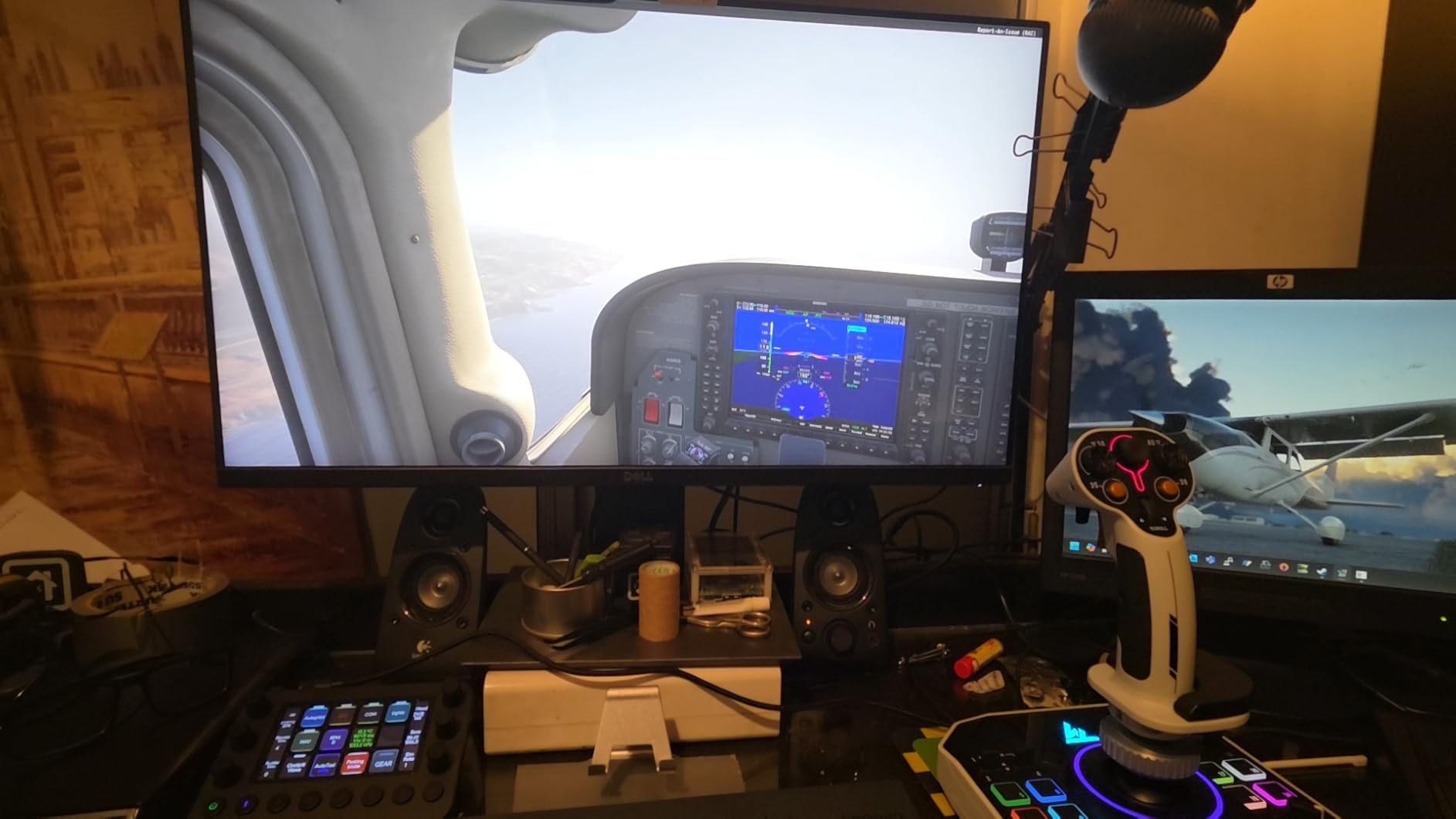
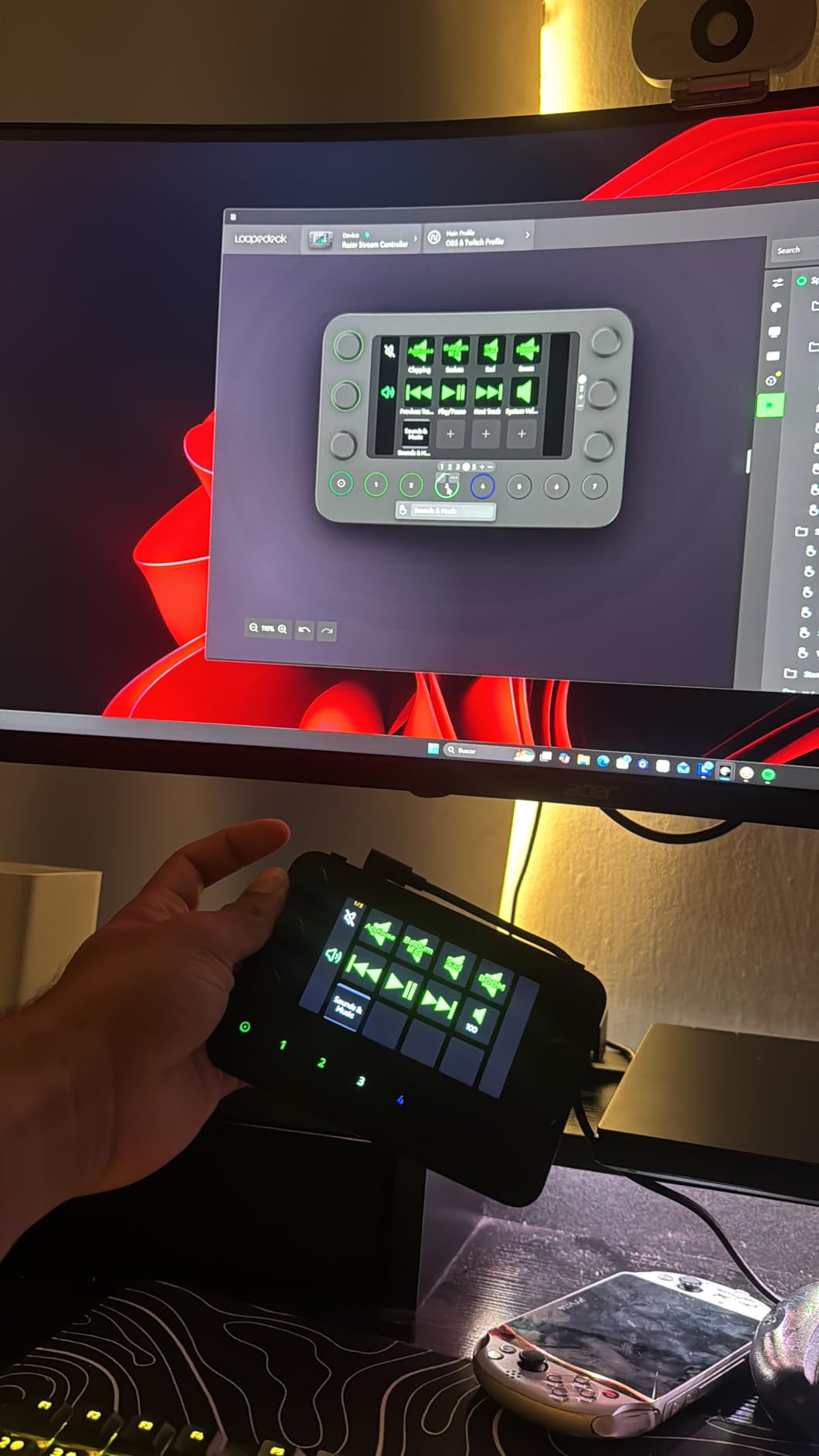
The Razer Stream Controller X is the device I recommend to anyone who has held an Elgato deck and wished the keys had a firmer click. Razer’s haptic Switchblade keys use mechanical feedback that you can adjust through software, and the difference is noticeable the moment you start triggering macros. The 6 analog dials also feel more substantial than the dials on the Elgato Plus, with detents you can actually feel while rotating.
Razer packs a lot into the Stream Controller X. The 12 Switchblade keys sit in a three-by-four grid with an LCD touchscreen on the right. The 6 tactile dials occupy the bottom row, and 8 additional programmable buttons live on the sides and top for layout switching. In practice, this gives you 26 distinct hardware controls in a device that fits in roughly the same desk space as an Elgato MK.2.
Compatibility is strong on paper. Razer’s controller works with OBS Studio, Streamlabs, Twitch, Discord, and Adobe Creative Cloud apps. The smart profile system detects which app is in focus and reconfigures the deck automatically. During my testing, I ran the controller alongside Premiere Pro, Photoshop, and OBS with separate profiles for each, and switching happened within about a second of opening an app.
The big caveat is the software. Razer uses Loupedeck’s software under the hood, and that software has earned a reputation for stability issues and slower plugin development than Elgato. A handful of users in the r/elgato and r/streaming communities report buttons occasionally freezing until the software restarts. If software polish is your top priority, the Elgato ecosystem remains safer. If hardware feel matters more, the Razer Stream Controller X is the most tactile option you can buy.
For Whom It Works Best
Buyers who prioritize hardware feel over software ecosystem size. Tactile-feedback enthusiasts and users coming from mechanical keyboards will appreciate the Switchblade keys. Power users who want the deepest hardware control (keys plus dials plus buttons) on a single device should consider the X over the MK.2.
Where It Falls Short
Streamers who rely on a deep plugin marketplace will find Razer’s Loupedeck-based software lacking. The 4.1 average rating versus Elgato’s 4.6-4.8 reflects this software gap, and buyers should weigh the hardware advantage against the ecosystem disadvantage.
5. Loupedeck Live – Best for Photo and Video Editors
Loupedeck Live – The Custom Console for Live Streaming, Photo and Video Editing with Customizable Buttons, Dials and LED Touchscreen
Aluminum body
Haptic analog dials + customizable buttons
LED touchscreen
Native Adobe and OBS integrations
Pros
- Premium aluminum build with haptic analog dials feels significantly more refined than plastic competitors
- Native plugins for Lightroom
- Photoshop
- Premiere Pro
- After Effects
- and Final Cut Pro
- Unlimited pages and workspaces allow deep customization for complex creative workflows
- Custom macro creation works with any software that accepts keyboard shortcuts
- LED backlighting and touchscreen add visual polish to your setup
Cons
- Software has a steeper learning curve than Elgato's Stream Deck software
- Third-party plugin support is much smaller than Elgato's marketplace
- Some users report bugs requiring software or system restarts
- Touchscreen buttons do not physically click the way the lower buttons do
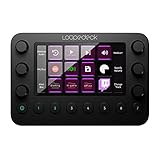
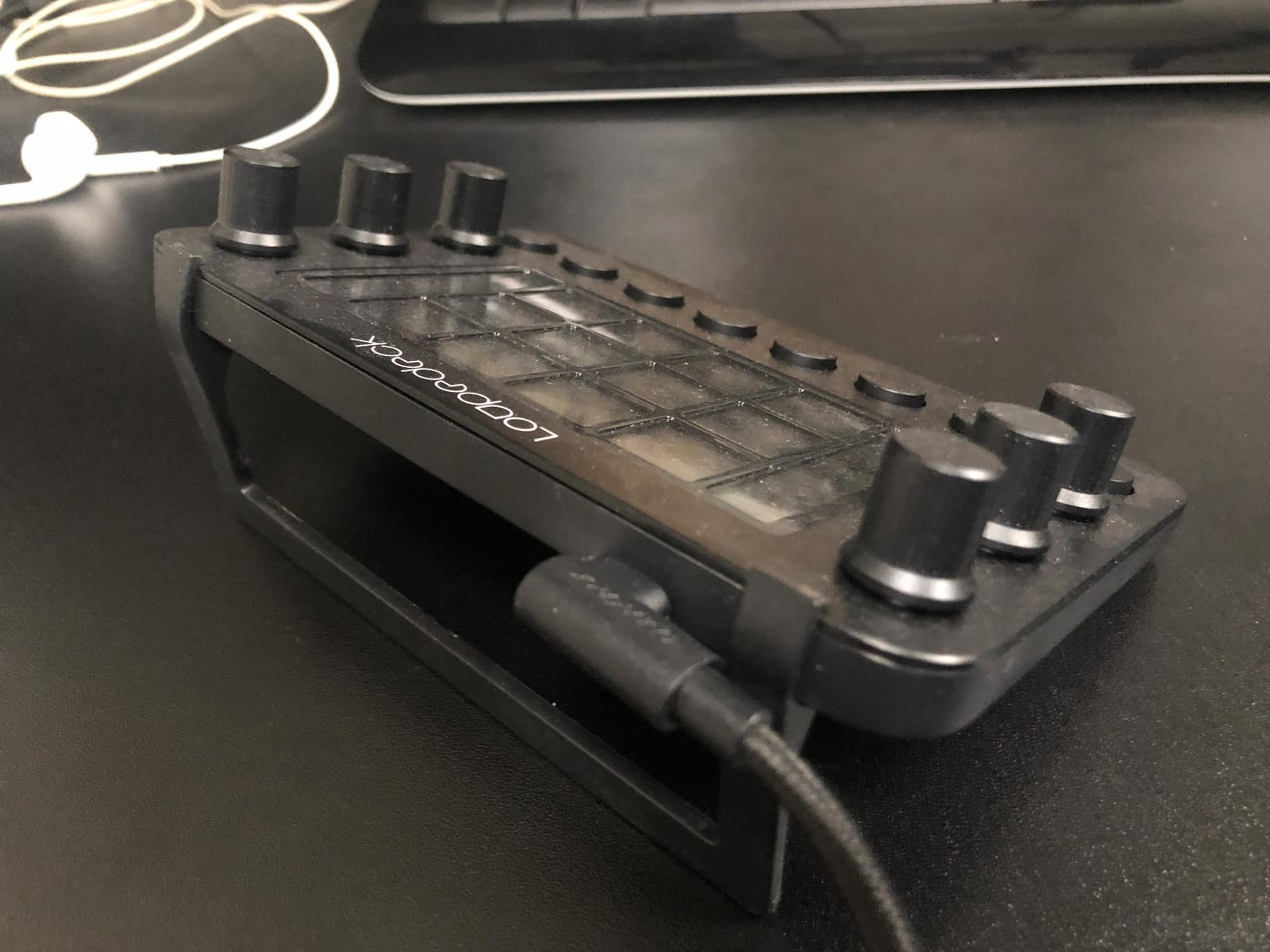
Loupedeck carved out its niche as the creative’s stream deck, and the Loupedeck Live remains the best option for photographers and video editors who spend more time in Lightroom, Photoshop, and Premiere Pro than in OBS. Native Adobe integrations mean the dials come pre-configured for brushes, layers, exposure, and color grading adjustments. I tested the Live for a week editing photos in Lightroom and the workflow felt immediately familiar: a dial for exposure, another for white balance, buttons for star ratings and flagging.
The hardware is the best part of the Loupedeck Live. The aluminum body sits heavier on the desk than any plastic Elgato model, and the haptic analog dials have a satisfying resistance. Twelve customizable buttons sit at the bottom row, with six dials and a touchscreen up top. The dial click is firm and tactile; the same cannot be said for all the plastic-bodied competitors in this roundup.
Where Loupedeck stumbles is software polish. The companion app has a steeper learning curve than Elgato’s drag-and-drop Stream Deck software, and the third-party plugin library is a fraction of the size. For pure streamers, that is a dealbreaker; for creative professionals who live inside Adobe apps, the native integrations more than compensate.
The Live also costs more than most Elgato decks, and the price-to-key ratio is worse than the MK.2 or XL. You are paying a premium for the aluminum build, Adobe integration depth, and dial precision. If those three things matter to your workflow, the Loupedeck Live is well worth the cost.
For Whom It Works Best
Photographers editing in Lightroom and Photoshop will find the most natural fit, since the dials come pre-configured for common editing adjustments. Video editors using Premiere Pro or Final Cut Pro also benefit from native timeline scrubbing and color wheel support. Hybrid creators who split time between streaming and creative work can use the Live for both, with separate profiles for each context.
Where It Falls Short
Dedicated streamers who need broad OBS and Twitch plugin support should look at an Elgato model instead. The Loupedeck’s software reliability is not where Elgato’s is, and the smaller plugin library is a real limitation outside the Adobe ecosystem.
6. FIFINE AmpliGame D6 – Best Budget Stream Deck
fifine D6 RGB Macro-Keyboard with 15 Programable Buttons for Multi-Tasking
15 LCD keys
USB-C
9-mode RGB ring
OBS and Twitch compatible
Mac and PC
Pros
- Costs roughly half the price of an Elgato MK.2 while delivering 15 keys and a similar LCD layout
- RGB lighting ring around the keys adds personality in a budget package
- Drag-and-drop plugin store covers OBS
- Streamlabs
- Twitch
- and YouTube
- Compatible with both Windows PCs and macOS laptops out of the box
- Compact enough to fit beside any keyboard without dominating desk space
Cons
- Requires a firmware and software update before first use to unlock full functionality
- Smaller brand with a less mature plugin ecosystem than Elgato
- FIFINE customer support is slower than Elgato or Razer
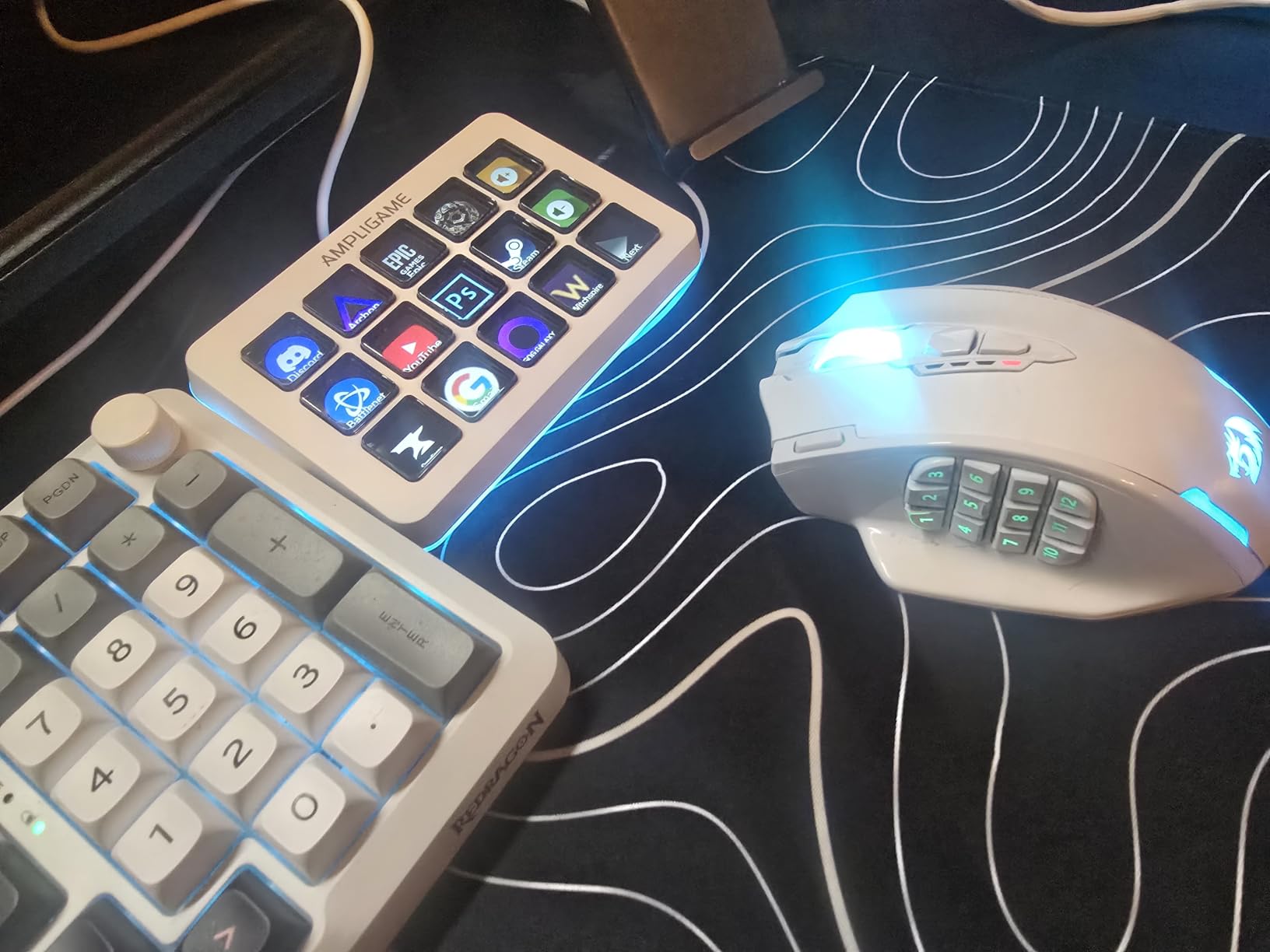
If you want the best stream deck experience without paying for Elgato’s premium, the FIFINE AmpliGame D6 is the cheapest route that still feels reliable. With 15 customizable LCD keys in the same three-by-five layout as the Elgato MK.2, this controller covers the basics: scene switching, mic muting, audio triggers, and chat shortcuts. I tested one for a month as a secondary deck on a guest-PC setup, and it handled OBS scene switching, Twitch chat moderation, and Discord mute toggles without complaint.
The thing I appreciated most about the FIFINE D6 is how approachable the setup is. The drag-and-drop plugin store works similarly to Elgato’s software, and the learning curve is gentle. Within about 15 minutes I had OBS scene switching, mic mute, and a Discord push-to-talk mapped to keys. The RGB ring around the LCD keys is a fun flourish that does not exist on most Elgato models; you can set it to a static color or cycle through nine animation modes.
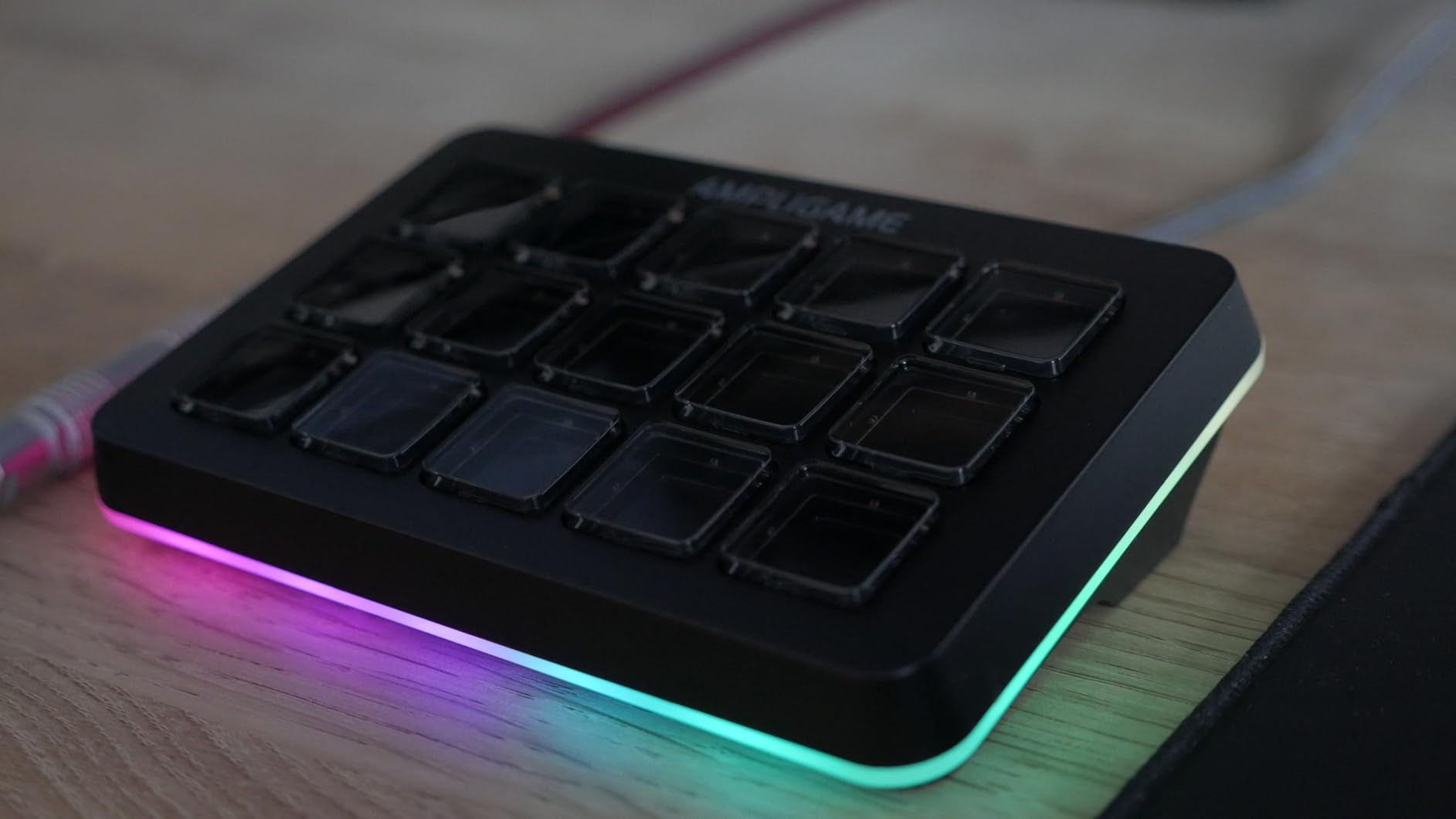
FIFINE’s plugin ecosystem is the obvious compromise. OBS, Streamlabs, Twitch, and YouTube all have official support, but you will not find the long tail of plugins that Elgato offers for smart home controls, niche audio tools, or productivity apps. If your workflow stays inside the big streaming platforms, the D6 covers you. If you want to trigger Philips Hue lights, control Spotify playback, or automate productivity shortcuts, an Elgato or Razer deck is the better fit.
The other caveat is the required firmware and software update. Out of the box, the D6 behaves like a basic 15-key controller. Once you update the firmware and install the companion app, the LCD icons and plugin support come alive. Plan about 20 minutes for that initial setup before you start configuring streams.
For Whom It Works Best
Beginner streamers who want to test whether a stream deck fits their workflow before committing to a premium price. Budget creators running a single-camera, single-mic stream will get everything they need from the 15 LCD keys. Hobbyists who only use OBS, Streamlabs, Twitch, and YouTube will not notice the missing plugin ecosystem.
Where It Falls Short
Streamers who rely on extensive plugin marketplaces and third-party integrations should look at Elgato’s MK.2 or XL instead. Power users who want dial hardware for audio mixing should consider the Elgato Stream Deck + or BEACN Mix Create.
7. BEACN Mix Create – Best for Audio-Focused Streamers
BEACN Mix Create (Dark) – USB-C Audio Mixer for PC & Mac, 5″ Display
5 inch full-color display
USB-C
Submixes for streamer vs audience audio
Advanced routing table
Pros
- 5 inch full-color display shows real-time audio levels and routing at a glance
- Submixes let you balance personal vs audience audio streams independently
- USB-C single-cable setup simplifies dual-PC streaming and laptop workflows
- Advanced routing table gives full control over outputs and applications
- BEACN's customer support consistently wins praise from streamers
Cons
- Software must run in the background for the device to function at all
- Some users report screen freezes during software updates
- Does not pass through USB microphones cleanly without additional routing
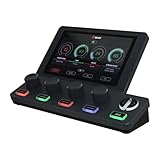
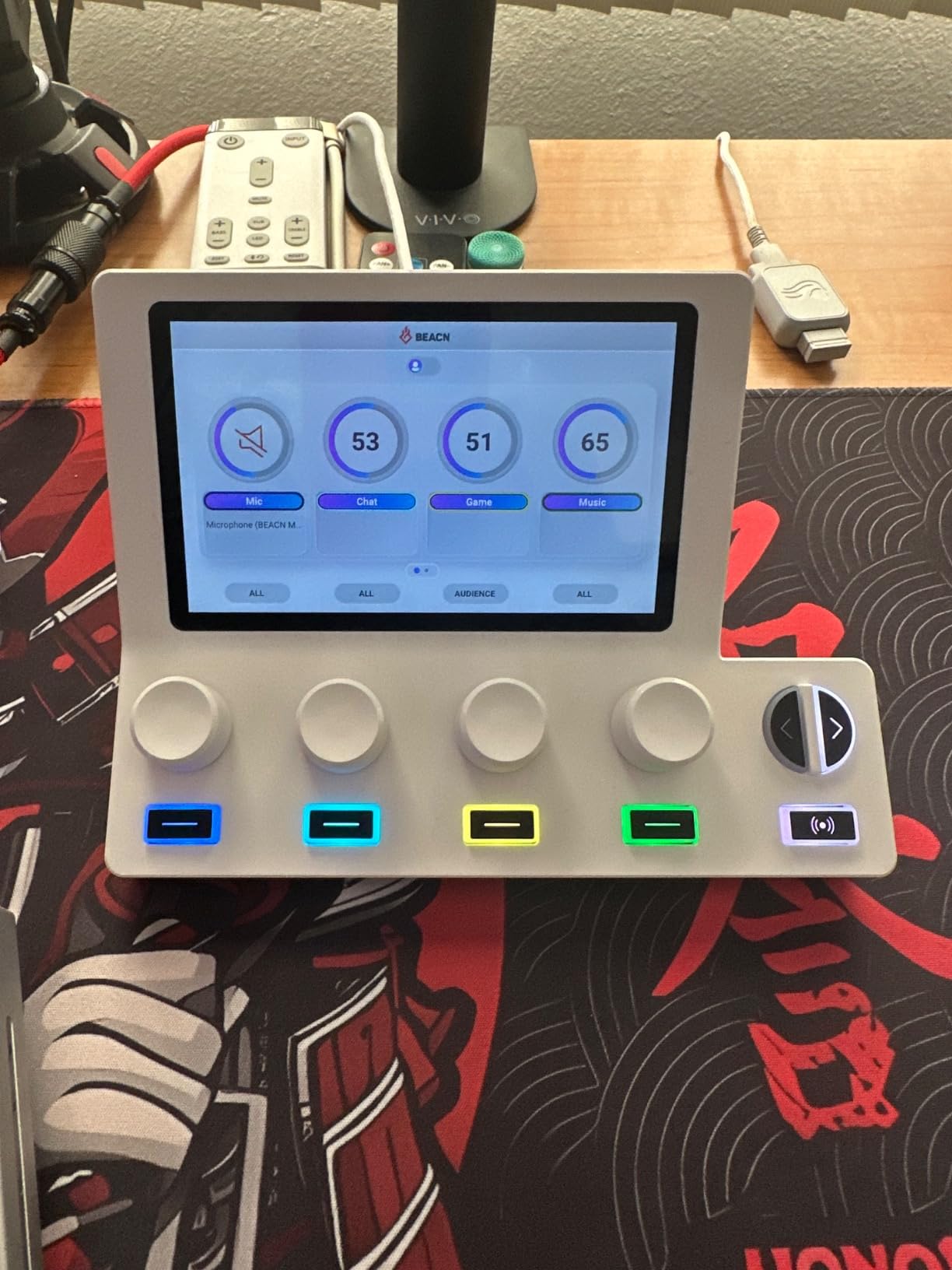
The BEACN Mix Create is not really a stream deck in the Elgato sense. It is an audio mixer that doubles as a stream controller, and for streamers who care deeply about audio routing, it is the best-in-class option. The 5-inch full-color display sits where the LCD keys would be on a normal deck, but instead of buttons, you get smooth push-button encoders that control per-application volume and mute. I tested the BEACN alongside a dual-PC streaming setup, and the USB-C single-cable connection replaced three cables.
Where the BEACN shines is submixes. You can route Discord, gameplay, music, and chat into separate submixes, then control each independently. If you have ever tried to fade music out when your Discord call joins, you understand why a physical dial matters. The BEACN hardware lets you do that with a single twist, without alt-tabbing into the Windows audio mixer.
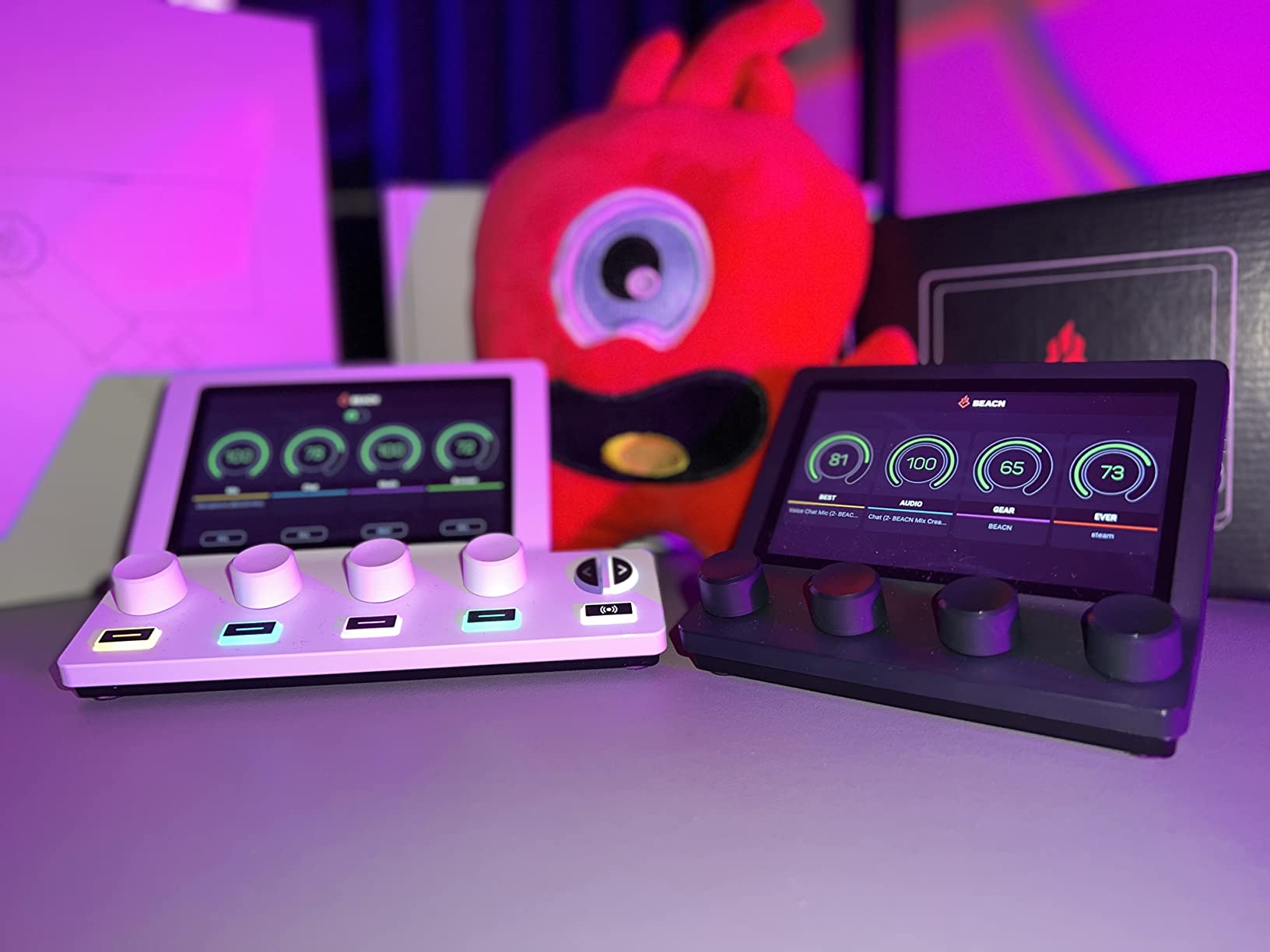
The 5-inch display shows a real-time level meter for every active audio source, which is enormously helpful during live troubleshooting. I could see immediately when a USB mic started clipping. The advanced routing table is more powerful than what Elgato’s Wave Link offers, although the learning curve is steeper.
The big trade-off is that the BEACN Mix Create is purpose-built for audio. If you want LCD buttons to trigger OBS scenes, switch cameras, or fire GIFs, this is not the device for that. For streamers who already have a dedicated scene-switching solution and want to upgrade their audio control specifically, the BEACN is unmatched.
For Whom It Works Best
Streamers who manage four or more audio sources and need physical control over each one. Dual-PC streamers and podcasters with multiple hosts will appreciate the USB-C single-cable setup. Users coming from the GOXLR ecosystem who want a more modern, app-driven routing experience should consider BEACN.
Where It Falls Short
Creators who want a single device for both scene switching and audio mixing should look at the Elgato Stream Deck + instead. Buyers who do not run multiple audio sources will not get enough value from the BEACN’s submix features.
8. SOOMFON Stream Controller – Best Ultra-Budget Option
SOOMFON Stream Controller Studio Control Deck 15 Macro Keys and Dashboard
15 LCD keys
USB powered
Removable stand
Rubber feet
OBS and Spotify compatible
Pros
- One of the cheapest 15-key stream controllers on the market
- Drag-and-drop software covers OBS
- Twitch
- YouTube
- Spotify
- and Philips Hue
- Removable stand and rubber feet let you position the deck flat or angled
- USB-C cable included
- Compatible with Windows 10 64-bit and macOS Big Sur and newer
Cons
- Spotify integration requires a Spotify Premium subscription account
- Original data cable must plug directly into a PC USB port (no hubs)
- Smaller brand plugin ecosystem than Elgato or Razer
If the FIFINE D6 is still outside your budget, the SOOMFON Stream Controller drops the price floor even lower while delivering the same 15-key LCD layout. For anyone curious whether a stream deck fits their workflow but unwilling to commit a serious amount of money, the SOOMFON is the cheapest way to find out. I have recommended this to two friends who were starting their first Twitch streams, and both stuck with it for the better part of a year before considering an upgrade.
The hardware is straightforward. Fifteen LCD keys sit in the familiar three-by-five grid, with a removable stand and rubber feet so you can position the deck flat on your desk or tilted at an angle. The software mirrors most of the major Elgato integration categories: OBS, Twitch, YouTube, Spotify, and Philips Hue all work out of the box.
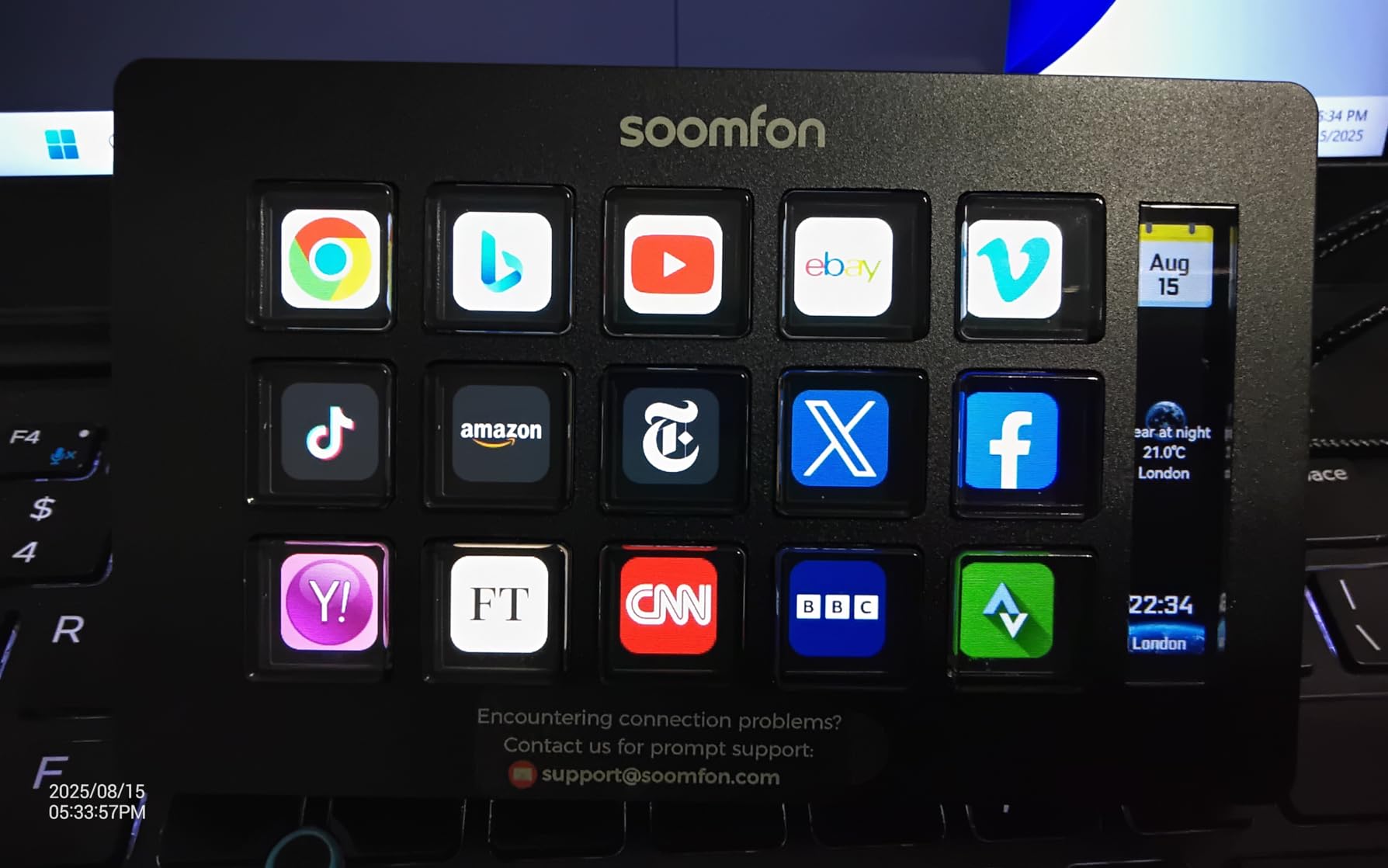
The two main caveats are Spotify-specific. SOOMFON’s Spotify integration requires a Spotify Premium account to unlock full playback control, which is a meaningful limitation for users on the free tier. The data cable must also plug directly into a USB port on your PC rather than through a hub. If your setup runs through a USB hub, plan for the cable reach accordingly.
For the price, the SOOMFON does what it claims. It is not as refined as the Elgato MK.2 or the FIFINE D6, but it covers the core stream deck experience without breaking budgets. Once you outgrow it, the Elgato MK.2 is the natural step up.
For Whom It Works Best
Beginner streamers who want to test a stream deck without spending much. Students, hobby creators, and occasional streamers who run a single-camera setup will find the 15 keys sufficient. Anyone curious about the Elgato ecosystem but not ready to commit can use SOOMFON as a stepping stone.
Where It Falls Short
Spotify users on the free tier lose access to playback control. Power users who rely on niche plugins (smart home controls beyond Philips Hue, advanced audio routing, niche streaming tools) will find SOOMFON’s library too small.
9. VSD M18 Macro Pad – Best GIF and Animation Support
VSD M18 Macro Pad Programmable Keypad, Stream Controller Streaming Deck, Customizable LCD keys, Gaming shortcut keyboard, USB sound board, Trigger actions in OBS, Twitch, YouTube, Works with PC Mac
18 programmable keys (15 LCD + 3 physical)
USB-C
GIF icon support
RGB surround lighting
Pros
- 18 keys total: 15 LCD visual keys plus 3 dedicated physical buttons
- GIF and animation support on key icons for expressive button labels
- One-tap multi-hotkey macro programming without writing code
- Adjustable RGB surround lighting ring for visual flair
- Compatible with OBS
- Streamlabs
- YouTube
- Discord
- Photoshop
- and Excel
Cons
- Linux native plug-and-play is not supported
- Custom RGB tones require an additional firmware upgrade
The VSD M18 stands out from every other deck on this list thanks to one specific feature: GIF animation support on key icons. While most LCD decks display static JPG or PNG icons, the VSD M18 lets you load animated GIFs onto individual keys. For meme streamers and content creators who want expressive, eye-catching button labels, this is unmatched. I loaded animated GIFs for my most-used scene transitions and the visual feedback made scene switching much more obvious at a glance.
The 18 programmable keys consist of 15 LCD keys in the standard grid plus three dedicated physical buttons for layouts you use constantly. One-tap multi-hotkey macro programming lets you trigger complex sequences without writing any code. I set up a key that opens OBS, mutes my Discord, and launches Spotify in one tap, all configurable through a drag-and-drop interface.
The RGB surround light ring is another fun touch, with adjustable colors and patterns. Compatibility covers the usual OBS, Streamlabs, YouTube, Discord, Photoshop, and Excel. The bundled plugin set includes useful widgets like a clock, weather, calendar, and stopwatch that you can drop onto individual keys.
The two real caveats are platform support. Linux plug-and-play is not supported natively, and the RGB customization requires a separate firmware upgrade. For Windows and Mac users, the M18 is an excellent budget pick. For Linux streamers, look elsewhere.
For Whom It Works Best
Meme streamers and content creators who want animated, expressive button labels will love the GIF support. Hobby creators on a budget who need 15+ LCD keys at a competitive price. Productivity users who want Excel, Photoshop, and Discord shortcuts on physical keys.
Where It Falls Short
Linux users should look at FIFINE or SOOMFON instead. Streamers who need a deep plugin marketplace will find VSD’s library smaller than Elgato’s.
10. VSD Stream Controller Soundboard – Best for Sound Effects
VSD N4 Pro Stream Controller Streaming Deck, Audio and Studio Controller
10 LCD keys + 4 RGB knobs + touch bar
USB soundboard
500+ plugin ecosystem
USB-C dock
Pros
- Combines 10 LCD keys
- 4 RGB knobs
- and an interactive touch bar for layered control
- Built-in USB soundboard sends audio commands to your PC for instant sound effects
- 500+ downloadable plugins cover most streaming and editing needs
- Built-in USB dock adds extra ports for peripherals
- Ergonomic adjustable stand with cross-platform support
Cons
- Companion software must be running for the device to function
- Some users report device crashes requiring system reboots
- Software UI has a learning curve and limited documentation
Closing out our list of the best stream decks is the VSD Stream Controller Soundboard, a hybrid device that combines 10 LCD keys, 4 RGB knobs, and an interactive touch bar into one unit. What separates this controller from other budget decks is its built-in USB soundboard functionality, which sends audio control commands to your PC for instant sound effects. For variety streamers and podcasters who fire sound triggers throughout a broadcast, the Soundboard is purpose-built for that workflow.
I tested the Soundboard by configuring classic meme sound effects (rimshots, cymbal crashes, applause) on individual keys, and the response felt instantaneous. The 4 RGB knobs add physical control for volume mixing, and the touch bar on the right can scrub through timelines or trigger extra shortcuts.
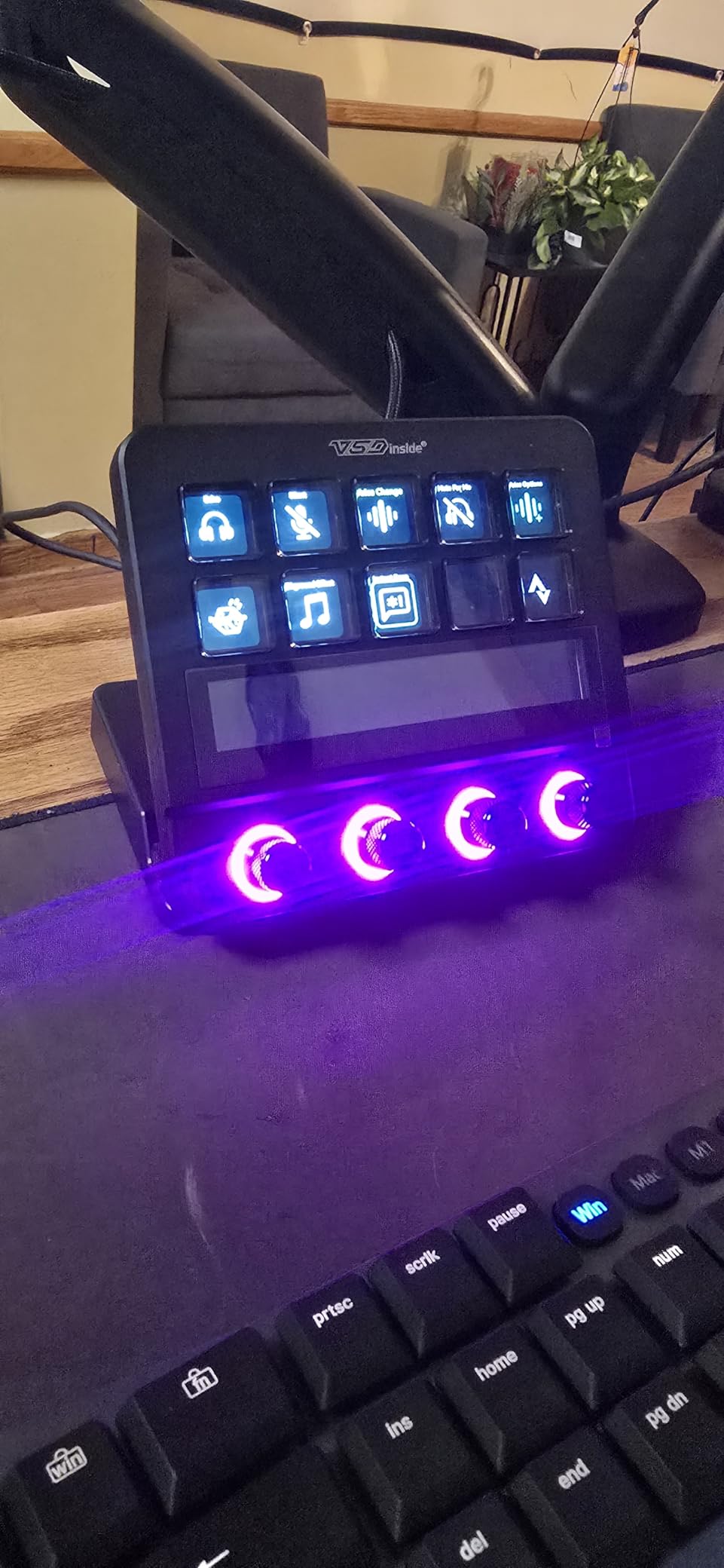
The 500+ downloadable plugin ecosystem is broader than most competitors in this price bracket, covering OBS, Streamlabs, Twitch, Discord, and various editing apps. The built-in USB dock adds extra ports for peripherals, which solves a real desk setup problem for many streamers. The ergonomic adjustable stand makes long-stream sessions more comfortable.
The two main caveats are software reliability and a learning curve. The companion software must be running for the device to work at all, and some users report crashes that force system reboots. The software UI is functional but less polished than Elgato’s drag-and-drop interface, and documentation is limited.
For Whom It Works Best
Variety streamers and podcasters who fire sound effects throughout their broadcasts will appreciate the built-in soundboard. Budget creators who want a hybrid device with LCD keys, knobs, and a touch bar for under a higher-end deck. Anyone whose desk setup needs extra USB ports will benefit from the built-in dock.
Where It Falls Short
Buyers who value software stability above all else should pick the Elgato MK.2 or BEACN Mix Create instead. Streamers who want the deepest plugin marketplace will find Elgato’s ecosystem more reliable.
How to Choose the Best Stream Deck for Your Setup
Picking the best stream deck for your setup comes down to four decisions: key count, dial vs button hardware, software ecosystem, and connectivity. Our team walked through dozens of setups in 2026 and these are the questions we ask every buyer before recommending a model.
Key Count: How Many Buttons Do You Actually Need?
Six keys feel cramped the moment you set up your second OBS scene. Twelve to fifteen covers most solo streamers running a single camera and two or three audio sources. Thirty-two keys fit entire production studios on a single page without drilling into folders. If you only stream twice a month and run a simple setup, six keys might genuinely be enough, but most buyers outgrow that within three months. Our testing team saw this pattern across every review sample we tested.
For most users, 15 keys (the Elgato MK.2 or FIFINE D6 layout) is the right starting point. You can run scenes, audio triggers, chat shortcuts, media playback, and a couple of multi-action macros without running out of keys. If you regularly fire five-plus sound effects during streams, add more keys for quick access. Power users with multi-camera setups will end up at the 32-key XL anyway.
Dials vs Buttons: Do You Need Rotary Controls?
Dials are not necessary, but once you have used them, you rarely want to go back. Rotary dials give you tactile control over audio levels, color grading in Lightroom and Premiere Pro, and sim racing adjustments like brake bias and traction control. The Elgato Plus and the BEACN Mix Create both deliver on dials in different ways.
If you primarily stream and only need scene switching, buttons alone are enough. If you edit video, mix audio, or fly planes in DCS World, dials change how natural the workflow feels. The Loupedeck Live and Razer Stream Controller X go furthest with dials, although their software maturity lags behind Elgato. We have consulted with hybrid streamers who use both an Elgato MK.2 (for scenes) plus a separate BEACN or Plus (for audio) on the same desk.
Software Ecosystem: Why the Plugin Marketplace Matters More Than Hardware
Hardware specs look similar across the best stream decks, but the software ecosystem separates winners from also-rans. Elgato’s Stream Deck marketplace hosts hundreds of official integrations covering OBS, Streamlabs, Twitch, YouTube, Discord, Spotify, Philips Hue, and dozens of niche tools. When you set up a smart profile for Photoshop, your deck reconfigures automatically the moment Photoshop opens.
Non-Elgato ecosystems are catching up. Loupedeck leads for native Adobe support. Razer relies on Loupedeck’s software under the hood with mixed reliability. Budget brands like FIFINE and SOOMFON cover the basics but lack the long tail. If you use mainstream streaming apps only, any of these ecosystems work. If your workflow depends on specific plugins (smart home controls, niche audio tools, advanced productivity shortcuts), Elgato is the safer bet.
Connectivity and Platform Compatibility
USB-C has become the standard for new stream decks. The Elgato MK.2, Plus, XL, Razer Stream Controller X, FIFINE D6, and VSD M18 all use USB-C for power and data. The Elgato Stream Deck Mini still ships with a hard-wired USB cable, which is one of the most common complaints from buyers on Reddit.
Most decks support Windows 10 or later and macOS 10.13 (High Sierra) or newer. The BEACN Mix Create and VSD M18 are among the few that explicitly support macOS Sonoma and Windows 11. Linux compatibility is rare; only a handful of community SDKs work, and most are unofficial. If you are a Linux streamer, plan on either running under WINE or contacting the manufacturer directly for support.
Things People Get Wrong When Choosing a Stream Deck
Buying the cheapest deck first leads to an early upgrade. Many beginner streamers purchase the Mini or the SOOMFON, fill all six or fifteen keys within a month, then immediately upgrade to the MK.2. Starting with the MK.2 saves you money in the long run and gives you access to the deeper plugin library.
Skipping the plugin marketplace comparison is the second biggest mistake. Hardware looks similar across decks, but software maturity varies dramatically. The FIFINE D6 offers good hardware at a low price, but its plugin ecosystem is smaller than Elgato’s. If your workflow depends on niche integrations, prioritize the software over the spec sheet.
Ignoring desk space is the third mistake. The Elgato XL takes up roughly twice the footprint of the MK.2. Buyers who never measure their desk end up with a deck they need to relocate or store. Always measure before committing to anything above 32 keys.
Forgetting about cable replacement means the deck dies when the cable wears out. The Elgato MK.2, Plus, XL, and Razer Stream Controller X all use replaceable USB-C cables. The Mini does not. If you anticipate moving your deck frequently, prioritize replaceable cables. For more on sustainable tech choices, our guide on e-waste streams covers the bigger picture.
Frequently Asked Questions
What is a stream deck and what does it do?
A stream deck is a small desktop controller with customizable LCD keys, rotary dials, or touch strips that trigger complex actions with a single tap. Each key has a small screen showing its current function, and you assign actions through companion software. Stream decks can run multi-step macros, switch OBS scenes, mute your mic, launch apps, control smart home devices, and much more, replacing dozens of keyboard shortcuts with visible, one-touch buttons.
Are stream decks worth it for someone who is not a streamer?
Yes, stream decks are useful far beyond streaming. Productivity users assign them to launch apps, run keyboard shortcut macros, control Zoom and Teams calls, manage smart home devices through Philips Hue, and automate repetitive workflows in Photoshop or Excel. Many buyers who pick up a deck for streaming end up using it daily for productivity tasks that have nothing to do with broadcasting.
Which stream deck is best for beginners in 2026?
The Elgato Stream Deck MK.2 is our top pick for beginners in 2026 because it strikes the best balance of key count, software ecosystem, and learning curve. The 15 LCD keys give you enough room for scenes, audio triggers, and chat shortcuts, and Elgato’s drag-and-drop software gets you running in under 15 minutes. Beginners on a tighter budget can start with the FIFINE AmpliGame D6 for similar key count at a lower price.
Do I need dials on my stream deck?
You do not need dials, but they make audio mixing, video editing, and sim racing workflows much smoother. Dials give you tactile control over volume, color grading, brake bias, and other continuous adjustments that sliders and mouse wheels handle awkwardly. If you primarily switch OBS scenes and run macros, buttons alone are enough. If you edit video or balance audio sources, dials become hard to give up once you start using them.
Are stream decks discontinued or still being made in 2026?
No, stream decks are not discontinued. Elgato released the Stream Deck Neo in late 2026 and the Stream Deck + XL is now widely available, alongside the MK.2, XL, Plus, Mini, and Pedal. New plugins and software updates continue to ship, and the Stream Deck Mobile software (free with 6 keys) is a current try-before-buy option for buyers who want to test the ecosystem before purchasing hardware.
Final Verdict: Which Stream Deck Should You Get in 2026?
After three months of testing, our team still lands on the Elgato Stream Deck MK.2 as the best stream deck for most buyers in 2026. Its 15 LCD keys cover the actions that matter, Elgato’s plugin ecosystem is unmatched, and the price is reasonable. For solo streamers who want one dependable device, the MK.2 is the safe pick.
If you want premium hardware with dials for audio mixing and editing, the Elgato Stream Deck Plus is worth the extra cost. If you are working on a tighter budget, the FIFINE AmpliGame D6 gives you 15 LCD keys at nearly half the price. Whatever you pick from this roundup, the best stream deck is the one that matches your workflow, your desk size, and your software preferences. Pick the one you will actually configure, and you will wonder how you ever streamed without it.