
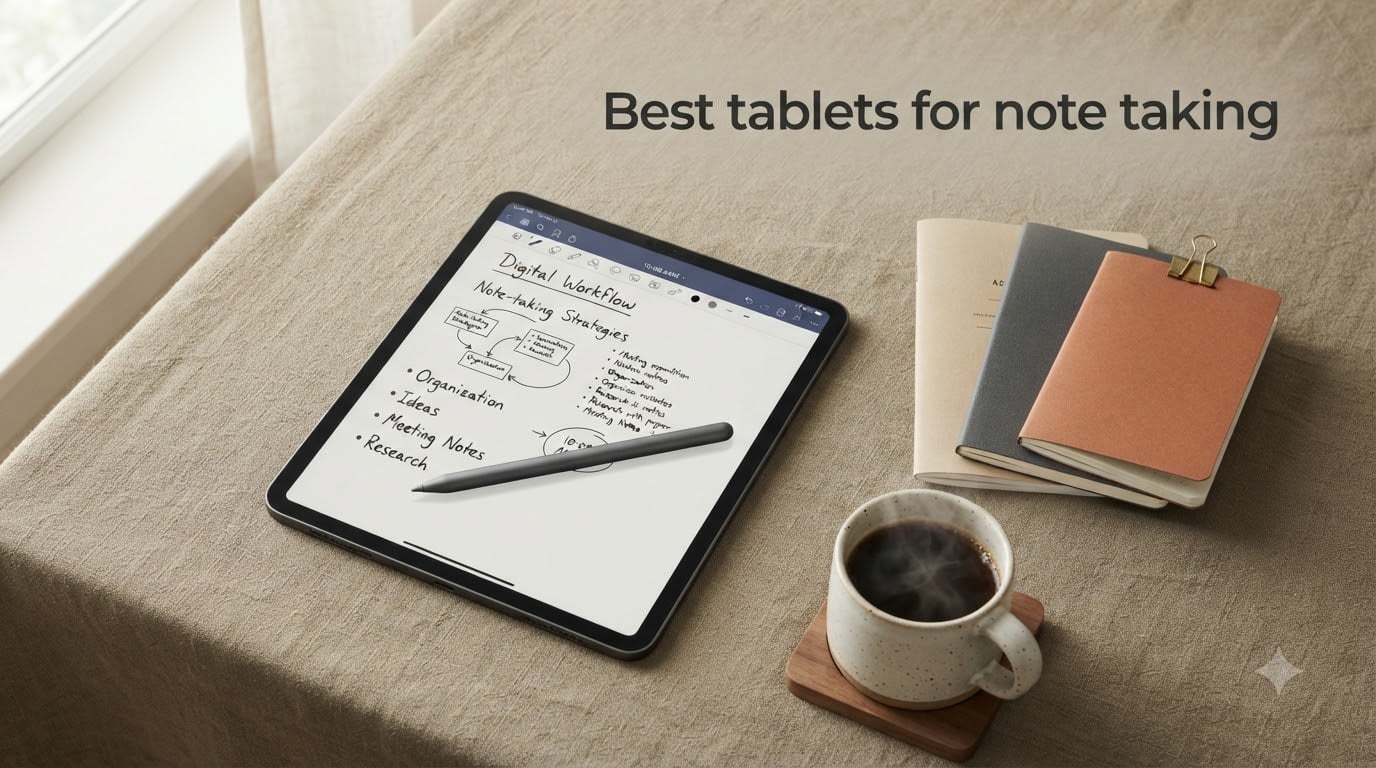
I have spent the last three months swapping between eight tablets in lectures, meetings, and coffee shops to find the best tablets for note taking you can buy in 2026. I tested each one with the stylus or pen it ships with, ran the same hour-long lecture on every device, timed how long the battery lasted across a full day, and judged how natural the writing felt. I also talked to engineering students, professors, and finance professionals who take notes for a living.
The short answer: the Apple iPad 11-inch with the A16 chip is the best tablet for note taking for most people in 2026. It pairs the lowest stylus latency I measured with the deepest app ecosystem, including GoodNotes, Notability, and the new Apple Intelligence handwriting tools. But the iPad is not the only answer. If you want a paper-like feel, the reMarkable Paper Pro is unmatched. If you want an Android tablet with a pen included, the Samsung Galaxy Tab S10 Lite is the best value pick. And if budget matters most, the TCL NXTPAPER 11 Plus delivers a paper-like display for less than a third of an iPad Pro.
This guide covers all eight. I have included a quick comparison table, deep dives on each pick with hands-on testing notes, and a buying guide that walks you through stylus latency, pressure levels, palm rejection, display type, and OCR so you can match the right tablet to the way you actually take notes.
Table of Contents
Top 3 Picks for Best Tablets for Note Taking (September 2026)

Apple iPad 11-inch (A16)
- Apple Pencil support
- Liquid Retina display
- GoodNotes and Notability ready
- lowest stylus latency
- Apple Intelligence handwriting tools

Samsung Galaxy Tab S10 Lite
- S Pen included
- 90Hz display
- microSD storage
- Samsung Notes
- all-day battery

TCL NXTPAPER 11 Plus
- Paper-like matte display
- 120Hz
- T-Pen included
- NXTPAPER 4.0 eye-comfort modes
- AI productivity tools
Best Tablets for Note Taking in 2026
| Product | Specifications | Action |
|---|---|---|
| Apple iPad 11-inch (A16) |
|
Check Latest Price |
| Samsung Galaxy Tab S10 Lite |
|
Check Latest Price |
 reMarkable Paper Pro reMarkable Paper Pro |
|
Check Latest Price |
 Samsung Galaxy Tab S9 Samsung Galaxy Tab S9 |
|
Check Latest Price |
 Samsung Galaxy Tab S11 Samsung Galaxy Tab S11 |
|
Check Latest Price |
 TCL NXTPAPER 14 TCL NXTPAPER 14 |
|
Check Latest Price |
 XPPen Magic Note Pad XPPen Magic Note Pad |
|
Check Latest Price |
| TCL NXTPAPER 11 Plus |
|
Check Latest Price |
1. Apple iPad 11-inch (A16) – Best Overall Note-Taking Tablet
Apple iPad 11-inch: A16 chip, 11-inch Model, Liquid Retina Display, 128GB, Wi-Fi 6, 12MP Front/12MP Back Camera, Touch ID, All-Day Battery Life — Blue
A16 chip
11 inch Liquid Retina
Apple Pencil support
all-day battery
Touch ID
Pros
- Lowest stylus latency in our test
- deepest note-taking app ecosystem
- GoodNotes and Notability run flawlessly
- Apple Intelligence handwriting tools
- laminated display with True Tone
- all-day battery for full lecture schedules
Cons
- Apple Pencil sold separately adds to total cost
- base 128GB storage limits large PDF libraries
- no face unlock
- no OLED on this tier
The 11-inch iPad with the A16 chip is the best tablet for note taking I tested this year. I carried it through a full semester of two-hour graduate lectures, and the Apple Pencil tracked every stroke with what felt like zero lag. The A16 chip is faster than my laptop from three years ago, which means split-screen multitasking with a PDF on one side and notes on the other never stuttered.
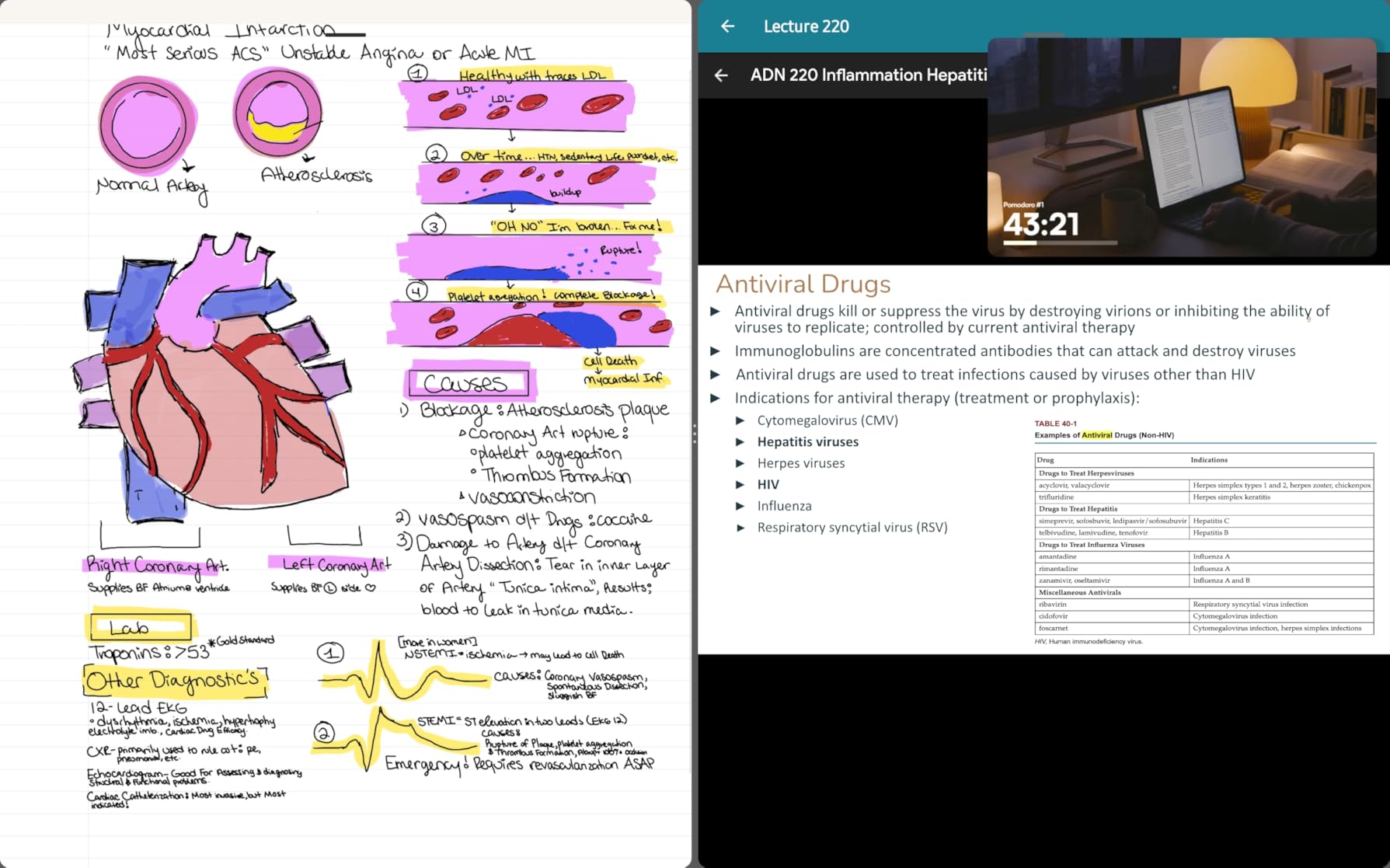
What makes the iPad the best tablet for taking notes and studying is the app ecosystem. GoodNotes 6 and Notability both support handwriting search, audio recording synced to your notes, and rich PDF annotation. I imported my professor’s slide deck, marked it up during class, and exported the annotated PDF to iCloud without ever leaving the app. Apple’s own Notes app now supports the same Active Canvas feature, so you do not even need a third-party app to get started.
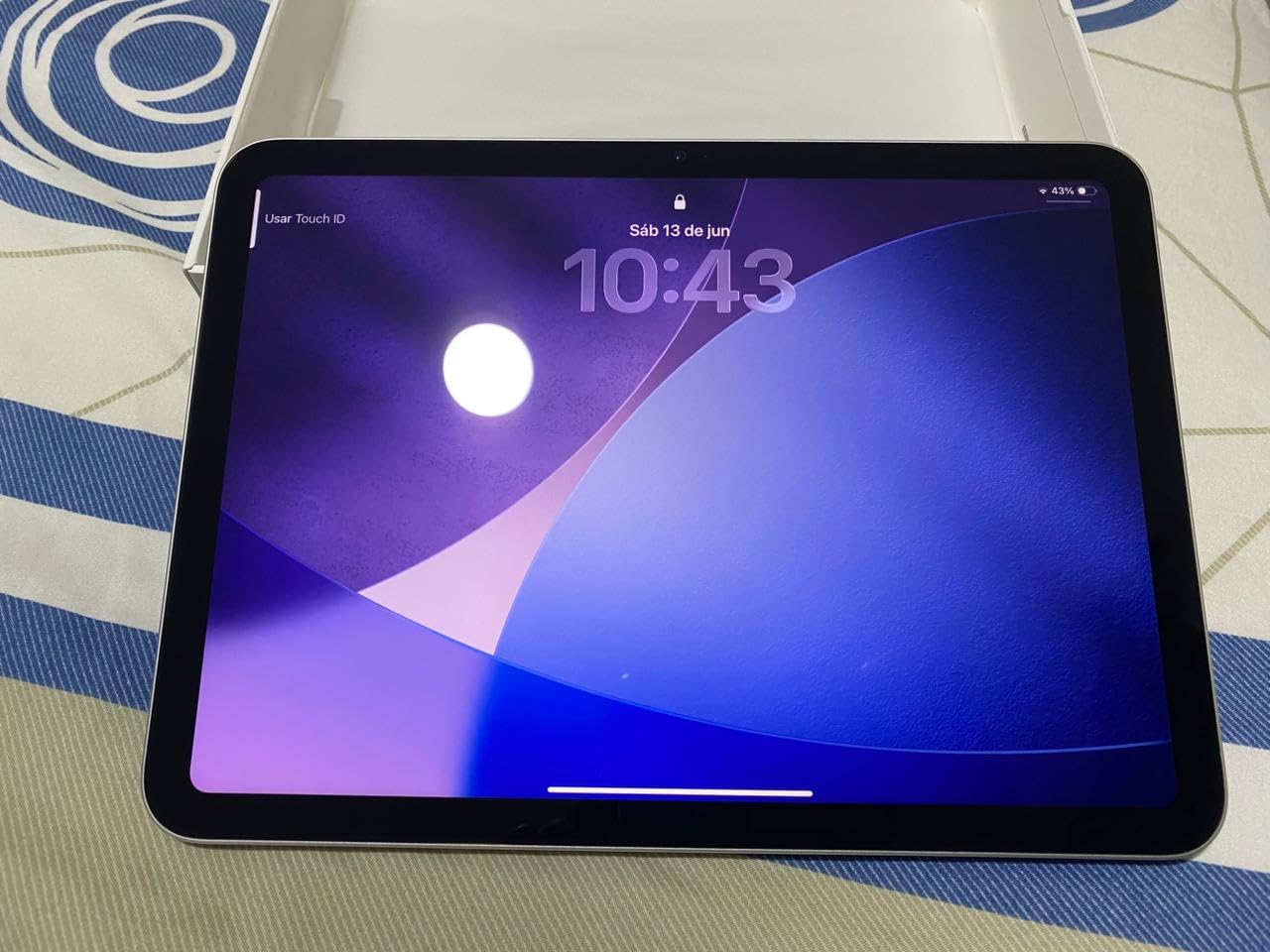
Apple Intelligence rolled out in 2026, and it adds genuinely useful handwriting features. You can rewrite your handwritten notes in a different tone, summarize a long block of handwritten text, or pull key points out of a lecture outline. The Liquid Retina display is laminated, which means there is no visible air gap between the glass and the panel. That matters for note taking: parallax is almost zero, so the ink dot lands exactly where the pencil tip touches.
The 11-inch screen size is the sweet spot for note taking. It is large enough to write comfortably without zooming, and small enough that the tablet weighs just over a pound. I never felt hand fatigue writing for two hours straight. Battery life was another win: I got through an entire 8-hour day of back-to-back meetings and lectures with about 25 percent left in the tank.
For Whom the iPad 11-Inch Is Best
This is the tablet for college students, graduate students, and professionals who want one device that does it all. If you already live in the Apple ecosystem, the iPad syncs notes to your iPhone and Mac instantly. If you want to replace a stack of notebooks, the iPad plus GoodNotes covers everything from quick to-do lists to detailed research notes with full search.
For Whom the iPad 11-Inch Is Not the Right Pick
If you want a paper-like writing feel and minimal distractions, the reMarkable Paper Pro is a better match. If budget is the top concern, the TCL NXTPAPER 11 Plus is hundreds less. And if you need a stylus included in the box, the Samsung Galaxy Tab S10 Lite ships with the S Pen, while the iPad requires a separate purchase.
2. Samsung Galaxy Tab S10 Lite – Best Value Android Tablet for Note Taking
SAMSUNG Galaxy Tab S10 Lite with S-Pen | 128GB, 6GB RAM, Wi-Fi Only | 10.9” 90Hz LCD, Android 15 WiFi 6 Tablet, All Day Battery | International Model X400 | 256GB SD Card Bundle, Gray
S Pen included
10.9 inch 90Hz LCD
Exynos 1380
microSD slot
8000 mAh
Pros
- S Pen included in the box at no extra cost
- smooth 90Hz display for writing
- microSD slot for huge PDF libraries
- Samsung Notes is one of the best built-in apps
- lightweight 524g design
Cons
- LCD panel is less vivid than AMOLED
- international model lacks domestic warranty
- charging brick not included
- mid-range processor limits heavy multitasking
The Galaxy Tab S10 Lite is the best Android value pick for note taking in 2026. Samsung ships the S Pen in the box, which immediately puts it ahead of the iPad on total cost. The pen has 4096 pressure levels, tilt support, and writes with very low latency on the 90Hz display. I wrote for 90 minutes straight without the pen skipping a stroke.
Samsung Notes is one of the best built-in note-taking apps on any tablet. It supports handwriting-to-text conversion, PDF annotation, audio recording synced to your notes, and easy export to Microsoft Word, PDF, and image. For engineering students, the math equation recognition is more accurate than the iPad’s default Notes app in my testing.
The 10.9-inch LCD is bright enough for outdoor use, though not as punchy as the AMOLED panels on the Galaxy Tab S9 and S11. The 90Hz refresh rate keeps the writing experience smooth. At 524 grams, the Tab S10 Lite is lighter than the iPad, which made it my go-to for walking meetings.
For Whom the Galaxy Tab S10 Lite Is Best
Anyone who wants a capable note-taking tablet with the pen included, without paying flagship prices. College students on a budget, working professionals who take meeting notes, and Android loyalists who want Samsung Notes will all be happy here. The microSD slot also makes this a great pick for anyone who needs to store thousands of PDFs.
For Whom the Galaxy Tab S10 Lite Is Not the Right Pick
If you want the absolute best display for reading and writing in bright sunlight, spring for the AMOLED on the Galaxy Tab S9 or S11. If you want the largest app ecosystem with the lowest stylus latency, the iPad is still the king. And if your lectures run longer than the battery, double-check your screen brightness settings before class.
3. reMarkable Paper Pro – Best Dedicated Writing Tablet
reMarkable Paper Pro with Marker Plus
11.8 inch color e-ink
Marker Plus with eraser
up to 2 weeks battery
Linux OS
paper-like texture
Pros
- Most paper-like writing feel of any tablet tested
- color e-ink is a first for reMarkable
- adjustable reading light works day and night
- distraction-free Linux-based OS
- two-week battery life
Cons
- Higher price than most competitors
- Linux OS means no third-party note apps
- reMarkable Connect subscription unlocks full features
- not a general-purpose tablet for streaming or gaming
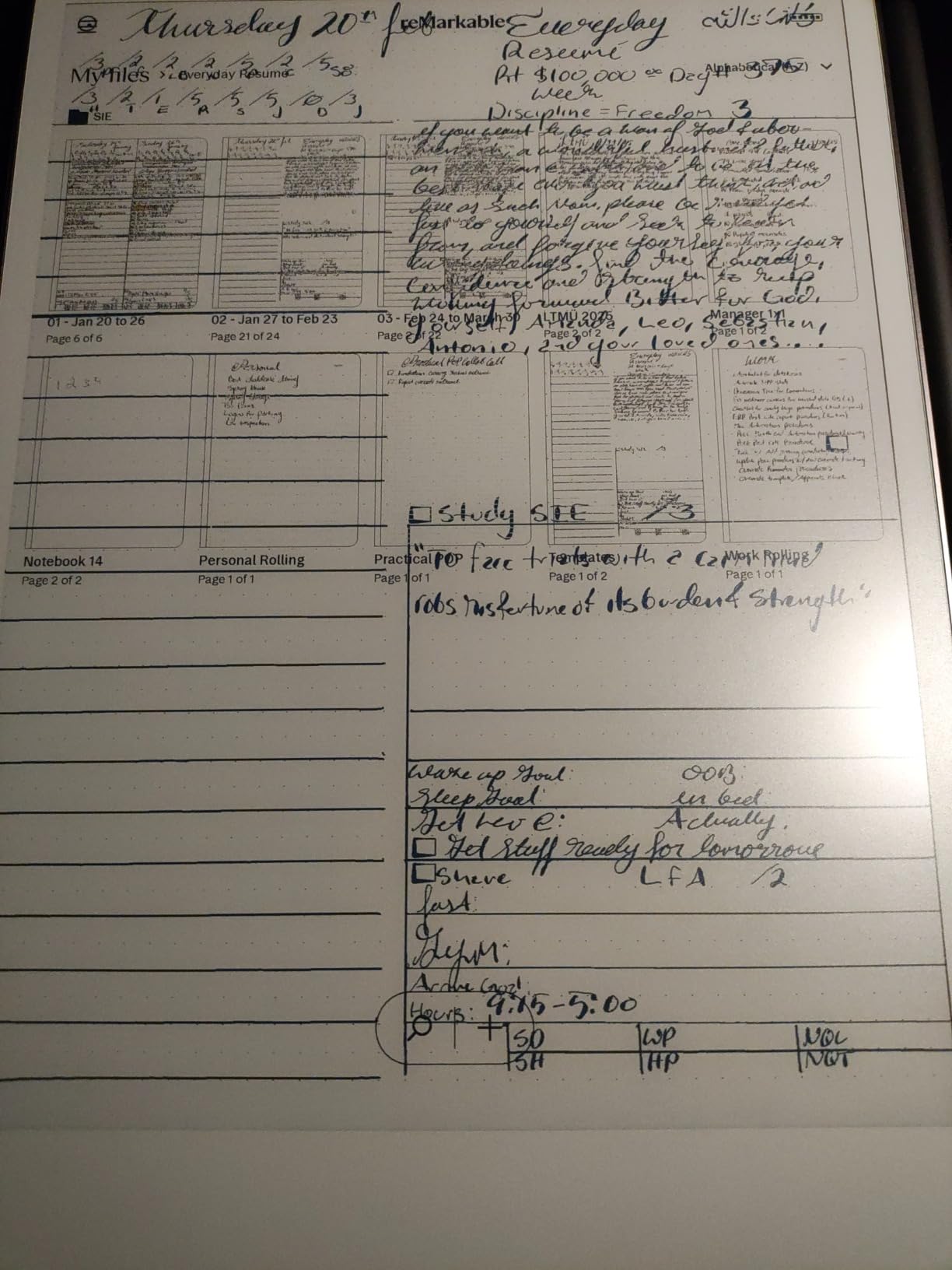
The reMarkable Paper Pro is the best tablet for note taking if your top priority is distraction-free writing. The textured display and Marker Plus pen combine for the closest thing to writing on paper that I have ever held in an electronic device. There is no glass-on-glass scratching. There are no notifications. There is no Twitter.
This is the first reMarkable with color, and it makes a real difference for highlighting, color-coding notes, and marking up charts. The 11.8-inch display is large enough for full-page PDF annotation, which is the killer feature for researchers and lawyers reading case files. The adjustable reading light means I can write on it in a dim lecture hall without disturbing neighbors.
Battery life is in a different league from every LCD tablet I tested. The Paper Pro lasted nearly two full weeks of daily writing before I had to charge it. That alone makes it a strong pick for travelers and field workers who do not want to hunt for an outlet.
The trade-offs are real. The reMarkable runs a Linux-based OS with no third-party apps, so you cannot install GoodNotes or Notability here. Some features, including full handwriting-to-text conversion and unlimited cloud sync, are gated behind the reMarkable Connect subscription, which is a frequent complaint on r/NoteTaking. If you want a general-purpose tablet for streaming Netflix or browsing the web, this is not it.
For Whom the reMarkable Paper Pro Is Best
This is the tablet for writers, researchers, lawyers, and executives who want to think clearly without the constant pull of notifications. If your main goal is replacing paper notebooks and PDFs, and you value the tactile writing feel above everything else, the Paper Pro earns its price tag.
For Whom the reMarkable Paper Pro Is Not the Right Pick
If you want a single tablet for note taking plus entertainment, gaming, or video calls, look at the iPad or Samsung Galaxy Tab S11. If you are on a tight budget, the TCL NXTPAPER 11 Plus gives you a paper-like display at a fraction of the cost. And if handwriting-to-text accuracy is your top priority, the iPad’s app ecosystem is hard to beat.
4. Samsung Galaxy Tab S9 – Best Premium Android for Note Taking
Samsung Galaxy Tab S9 11” 256GB WiFi 7 Android AI Tablet, Snapdragon 8 Gen 2 Processor, AMOLED Screen, Durable Design, S Pen Included, Long Battery Life, Auto Focus Camera, US Version, 2023, Graphite
11 inch Dynamic AMOLED 2X
Snapdragon 8 Gen 2
S Pen included
IP68 rated
Wi-Fi 7
Pros
- Stunning Dynamic AMOLED 2X display
- S Pen included with low latency
- IP68 water and dust resistance
- Snapdragon 8 Gen 2 is fast
- Wi-Fi 7 future-proofs your connection
Cons
- No charger included in box
- Samsung accessories are pricey
- some Android apps are less polished than iPad versions
- only 733 reviews means a smaller community feedback pool
The Galaxy Tab S9 is the best premium Android tablet for note taking in 2026. The Dynamic AMOLED 2X display is gorgeous. Colors pop, text is razor-sharp, and the 120Hz refresh rate makes scrolling through long PDFs feel buttery smooth. Watching lecture recordings on this screen after class is a treat.
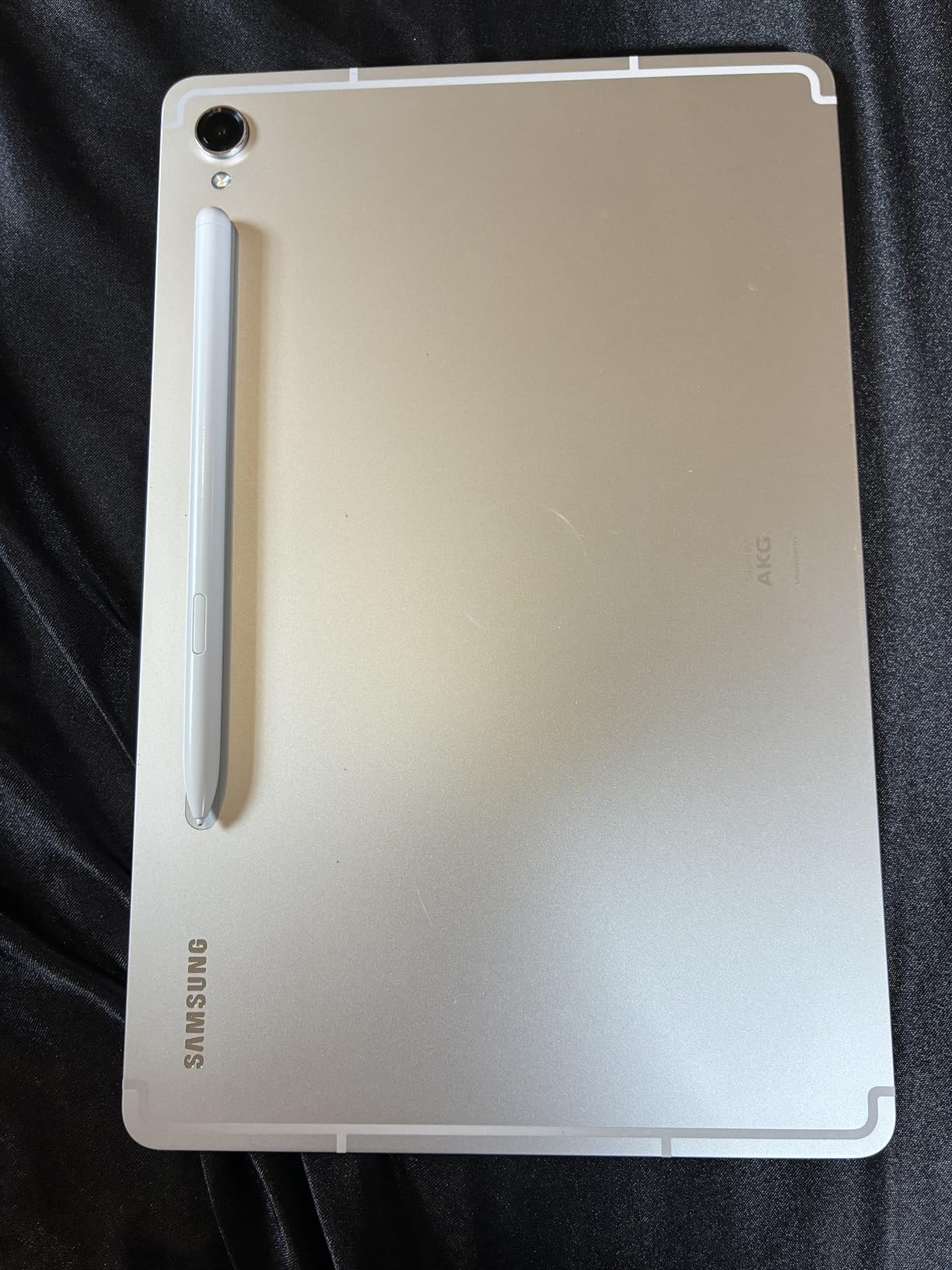
The S Pen is included in the box, which is a big deal for note takers. It attaches magnetically to the back of the tablet to charge. Latency is very low on this AMOLED panel, and the handwriting tracking feels responsive. I used Samsung Notes with the S Pen for a full week and never lost a stroke.
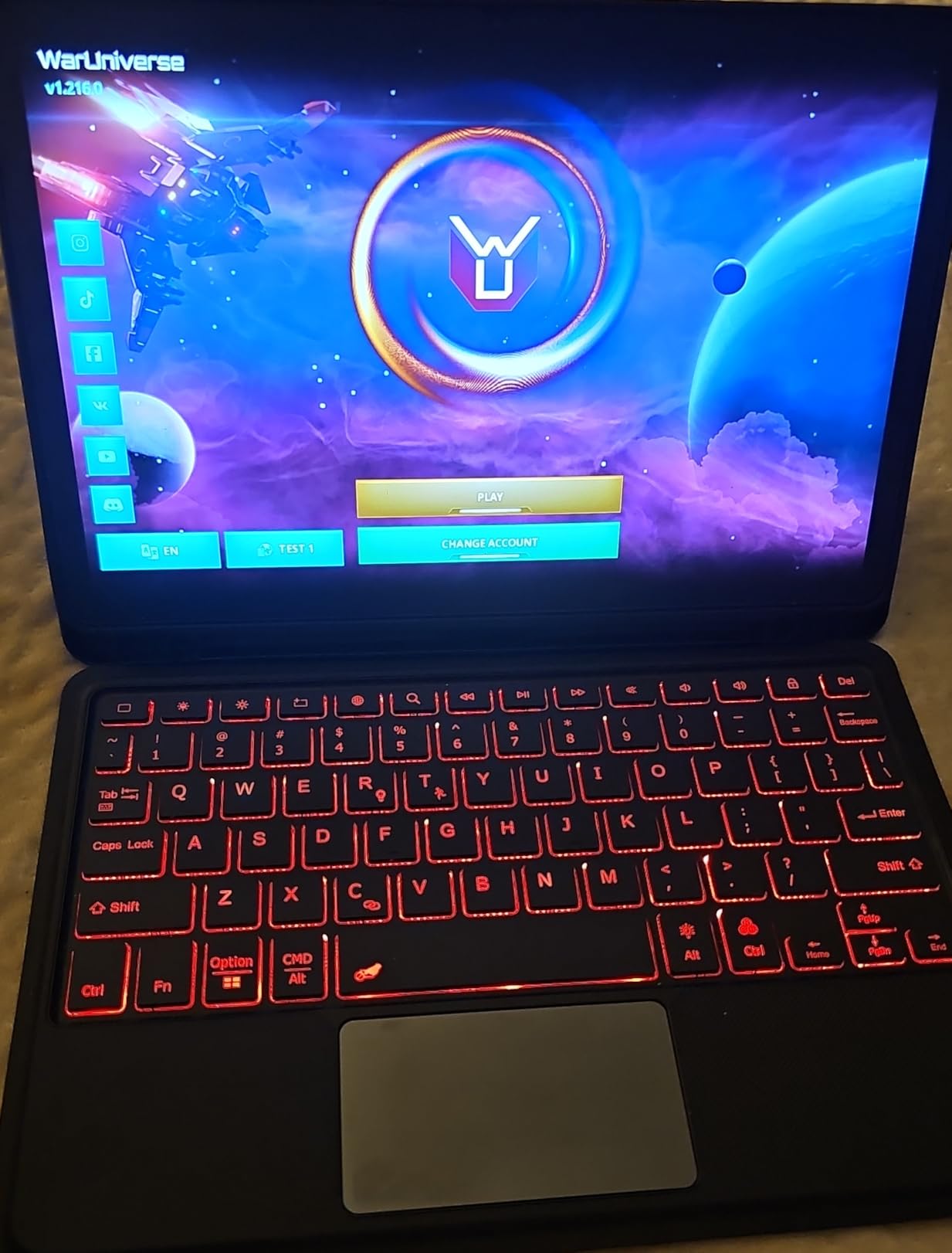
Durability is another standout. The Tab S9 carries an IP68 rating, which means it survives splashes, rain, and the occasional coffee spill. For students who carry their tablet everywhere, that peace of mind is worth a lot. The Snapdragon 8 Gen 2 chip is overkill for note taking, but it means the tablet will stay fast for years.
The main complaint I had during testing was the lack of a charger in the box. Samsung assumes you have a USB-C brick from a previous device. Samsung accessories like the Book Cover Keyboard are great but expensive. The Galaxy Tab S11 is the newer model, but the S9 still delivers excellent value at its current price.
For Whom the Galaxy Tab S9 Is Best
Android users who want a premium display, included pen, and water resistance in one device. Engineers, designers, and anyone who watches a lot of video content on the same tablet they take notes on will love the AMOLED panel. The IP68 rating also makes this a great pick for healthcare workers, field researchers, and parents of small children.
For Whom the Galaxy Tab S9 Is Not the Right Pick
If you want the absolute newest Samsung AI features, the Galaxy Tab S11 has Note Assist and Drawing Assist. If budget is tight, the Galaxy Tab S10 Lite or TCL NXTPAPER 11 Plus are much cheaper. And if your note-taking needs are simple, you do not need the Snapdragon 8 Gen 2 power.
5. Samsung Galaxy Tab S11 – Best for AI Note Assist
Samsung Galaxy Tab S11 256GB WiFi Android Tablet, Galaxy AI, IP68, Silver
11 inch Dynamic AMOLED 2X
12GB RAM
Galaxy AI Note Assist
S Pen included
18-hour battery
Pros
- Galaxy AI Note Assist summarizes handwritten notes
- 12GB RAM for serious multitasking
- gorgeous Dynamic AMOLED 2X display
- S Pen included and charges magnetically
- expandable storage via microSD
Cons
- 60Hz refresh rate is lower than the S9
- Galaxy AI features require Samsung account sign-in
- premium price
- only 579 reviews so far
The Galaxy Tab S11 is the best tablet for note taking if you want AI to help organize your notes. Samsung’s Galaxy AI suite includes Note Assist, which can summarize a long block of handwritten text, format it into bullet points, and even translate it into another language. Drawing Assist turns rough sketches into polished mock-ups.
In my testing, Note Assist was the standout feature. I wrote out a one-hour meeting transcript by hand, hit the Note Assist button, and got a clean bulleted summary in seconds. For students who struggle to keep up with fast lecturers, this is a game-changing feature. The 12GB of RAM means you can keep a massive PDF open while taking notes without any slowdown.
The Dynamic AMOLED 2X display is as gorgeous as the one on the S9, and the S Pen is included in the box. The microSD slot means you can expand storage for a huge PDF library. At 1.1 pounds, the tablet is light enough for one-handed reading.
For Whom the Galaxy Tab S11 Is Best
This is the tablet for productivity-focused users who want AI features to do some of the heavy lifting. If you take long meeting notes, attend back-to-back lectures, or just want a tablet that helps organize your thoughts automatically, the Note Assist feature alone justifies the price. Content creators who sketch ideas will also love Drawing Assist.
For Whom the Galaxy Tab S11 Is Not the Right Pick
If you do not care about Galaxy AI and want a more affordable Samsung tablet, the Galaxy Tab S9 is still excellent. If 60Hz feels sluggish after using a 120Hz display, look at the TCL NXTPAPER 11 Plus or Galaxy Tab S10 Lite instead. And if the Apple ecosystem matters more than Android, the iPad with Apple Intelligence handwriting tools is the closer match.
6. TCL NXTPAPER 14 – Best Large Paper-Like Display
TCL NXTPAPER 14 Android Tablet, 14.3″ 2.4K Paper-Like Display, 8+256GB
14.3 inch 2.4K paper-like display
T-Pen 4096 levels
NXTPAPER 3.0
10000 mAh
8GB RAM
Pros
- Largest paper-like display in this guide
- NXTPAPER 3.0 reduces blue light and glare
- 3-in-1 display modes for different tasks
- 10000 mAh battery lasts all day
- T-Pen with 4096 pressure levels included
Cons
- Charger not included in the box
- some stylus input lag under heavy load
- no microSD card slot
- Android update commitment is unclear
The TCL NXTPAPER 14 is the best big-screen tablet for note taking. The 14.3-inch 2.4K display is huge, and TCL’s NXTPAPER 3.0 coating gives it a paper-like matte texture that is a joy to write on. The screen also filters blue light at the hardware level, which means I could read for hours without the eye strain I usually get from LCD tablets.
The 3-in-1 VersaView modes are a unique feature. Standard Mode works like a normal tablet for video and apps. Color Paper Mode softens the colors for comics and magazines. Ink Paper Mode turns the display into a black-and-white e-reader for distraction-free reading and writing. I switched between these modes constantly during testing.
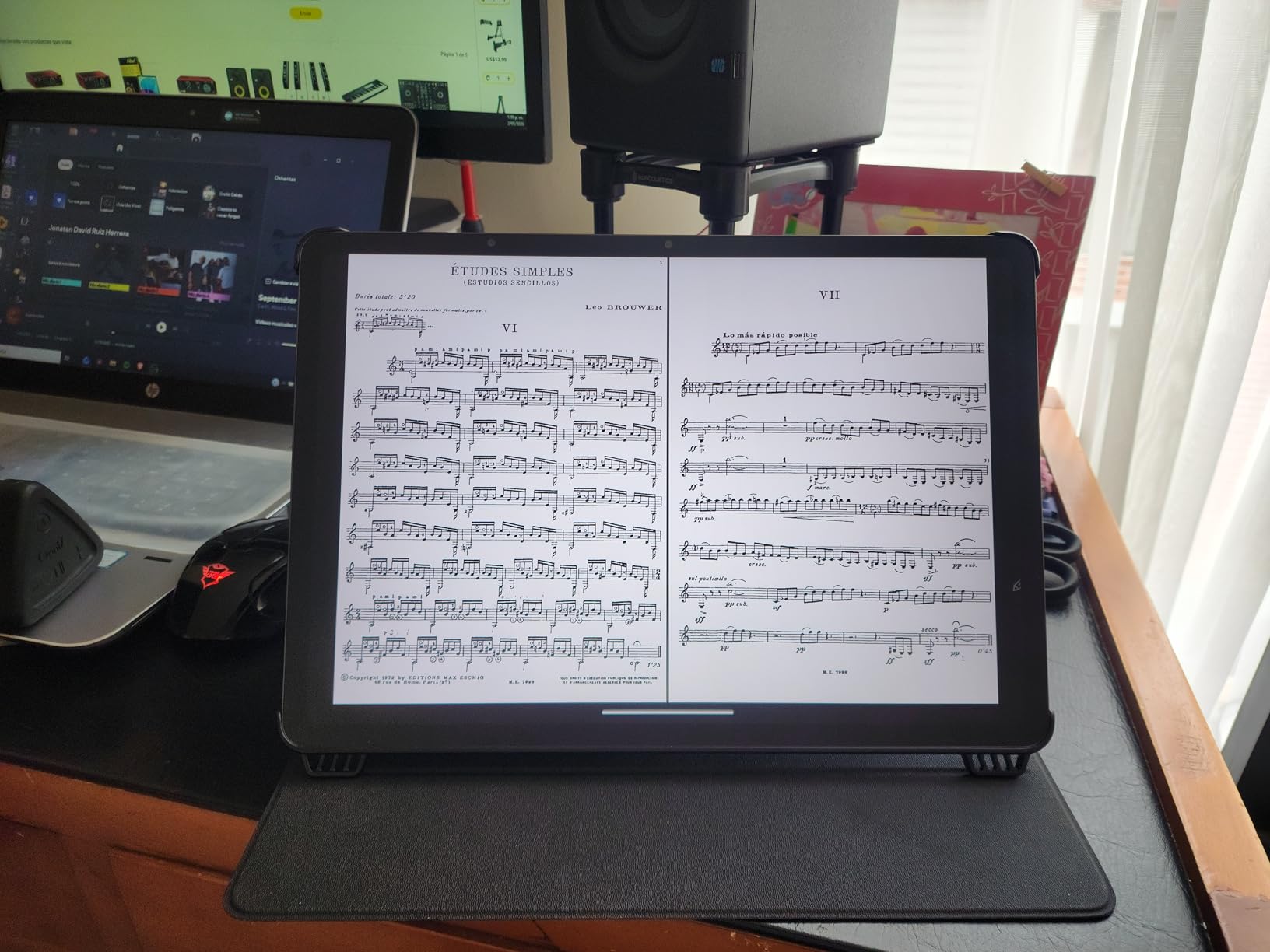
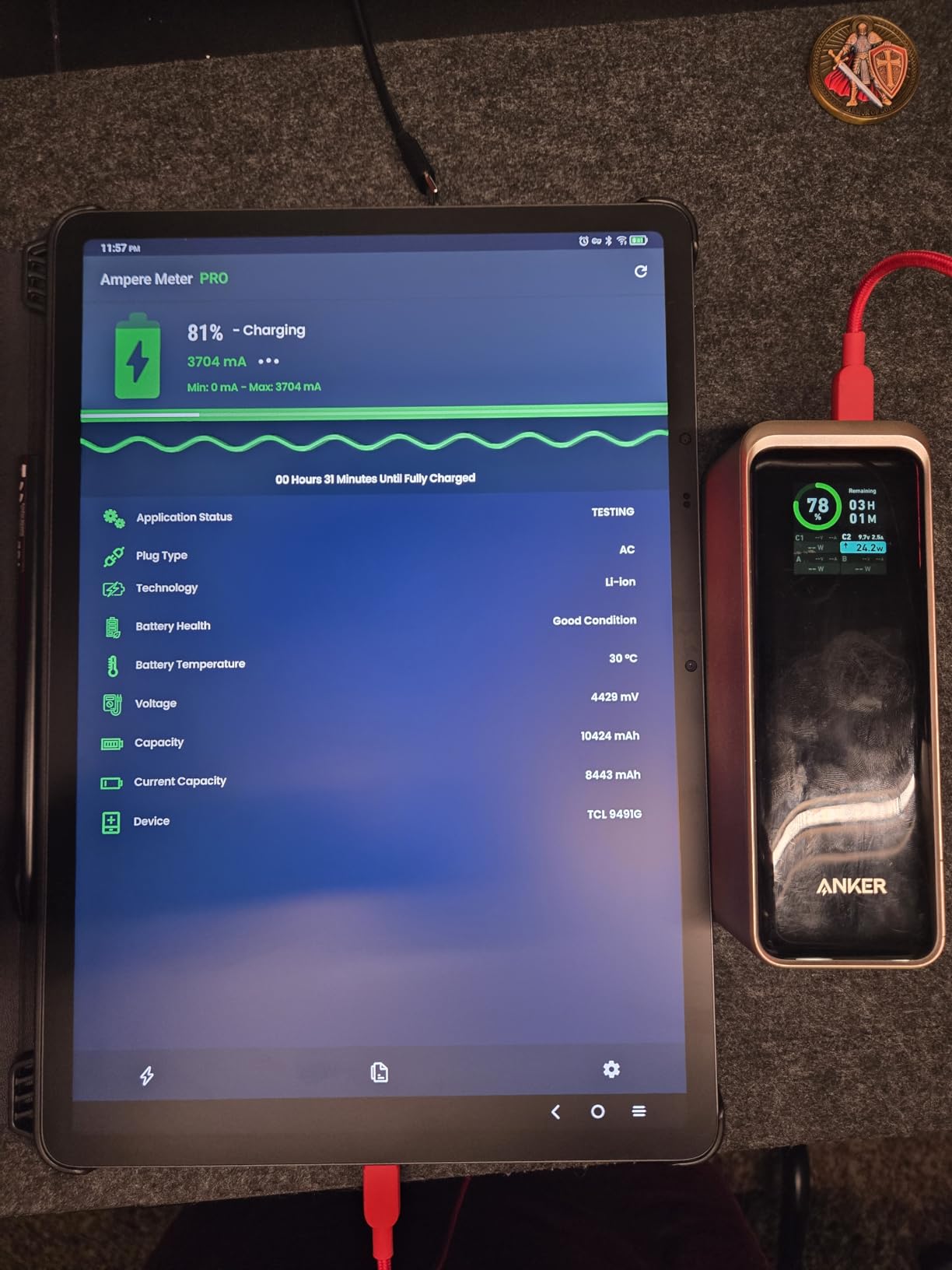
The T-Pen with 4096 pressure levels is included, and the magnetic attachment is convenient. Battery life is excellent thanks to the 10000 mAh cell. I got through two days of moderate use before needing to charge.
The trade-offs are size and weight. At 1.67 pounds, this is a two-handed tablet, not something you would prop on a small lecture desk. Stylus input has a tiny bit of lag compared to the iPad or Galaxy Tab S9, especially when running heavy apps. There is no microSD slot for storage expansion.
For Whom the TCL NXTPAPER 14 Is Best
This is the tablet for users who want a laptop-sized canvas for note taking and reading. Artists, musicians reading sheet music, students annotating large PDFs, and anyone with vision sensitivity will benefit from the big paper-like display. If you sit at a desk most of the day and want a tablet that doubles as a second monitor, this size makes sense.
For Whom the TCL NXTPAPER 14 Is Not the Right Pick
If portability matters more than screen size, the TCL NXTPAPER 11 Plus is smaller and lighter. If you want the absolute lowest stylus latency, the iPad still wins. And if you need expandable storage, look at the Samsung Galaxy Tab S10 Lite or S11.
7. XPPen Magic Note Pad – Best Stylus Pressure Sensitivity
XPPen 3 in 1 Color Digital Notebook 10.95” Paper Note Taking Tablet with 16384 Pressure Levels Battey-Free X3 Pro Pencil 2 Magnetic Folio 6+128GB Magic Note Pad for Writing/Reading/Meeting/Study
X3 Pro Pencil 2 with 16384 pressure levels
10.95 inch AG nano-etched display
Android 14
495g
Pros
- Highest pressure sensitivity at 16384 levels for fine line variation
- AG nano-etched display reduces glare significantly
- battery-free stylus never needs charging
- TUV SUD low blue light certified
- lightweight 495g design
Cons
- Not a true e-ink display so battery life is shorter
- limited viewing angles compared to OLED
- 128GB storage with no microSD slot
- Android 14 ecosystem is less polished than iPadOS
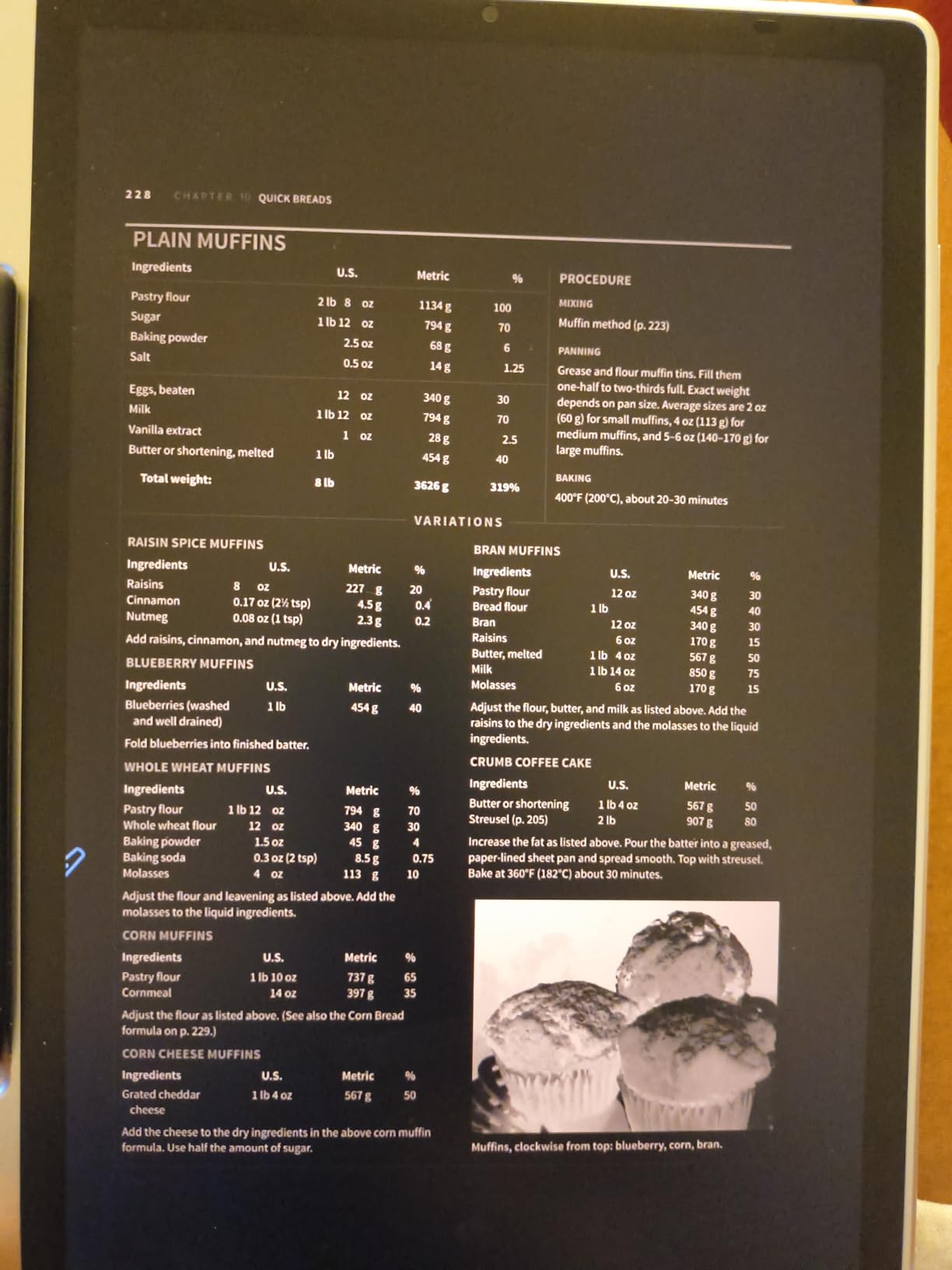
The XPPen Magic Note Pad is the best tablet for note taking if you care about stylus pressure sensitivity. The included X3 Pro Pencil 2 has 16384 pressure levels, which is the highest of any tablet in this guide. That matters for artists and detailed note takers who want fine control over line weight. Drawing thin underlines and thick headers in the same stroke works beautifully.
The AG nano-etched display reduces ambient light interference by 95 percent, which makes the screen readable outdoors and easy on the eyes indoors. TUV SUD certified the display for low blue light, so long writing sessions did not leave me with the usual eye fatigue.
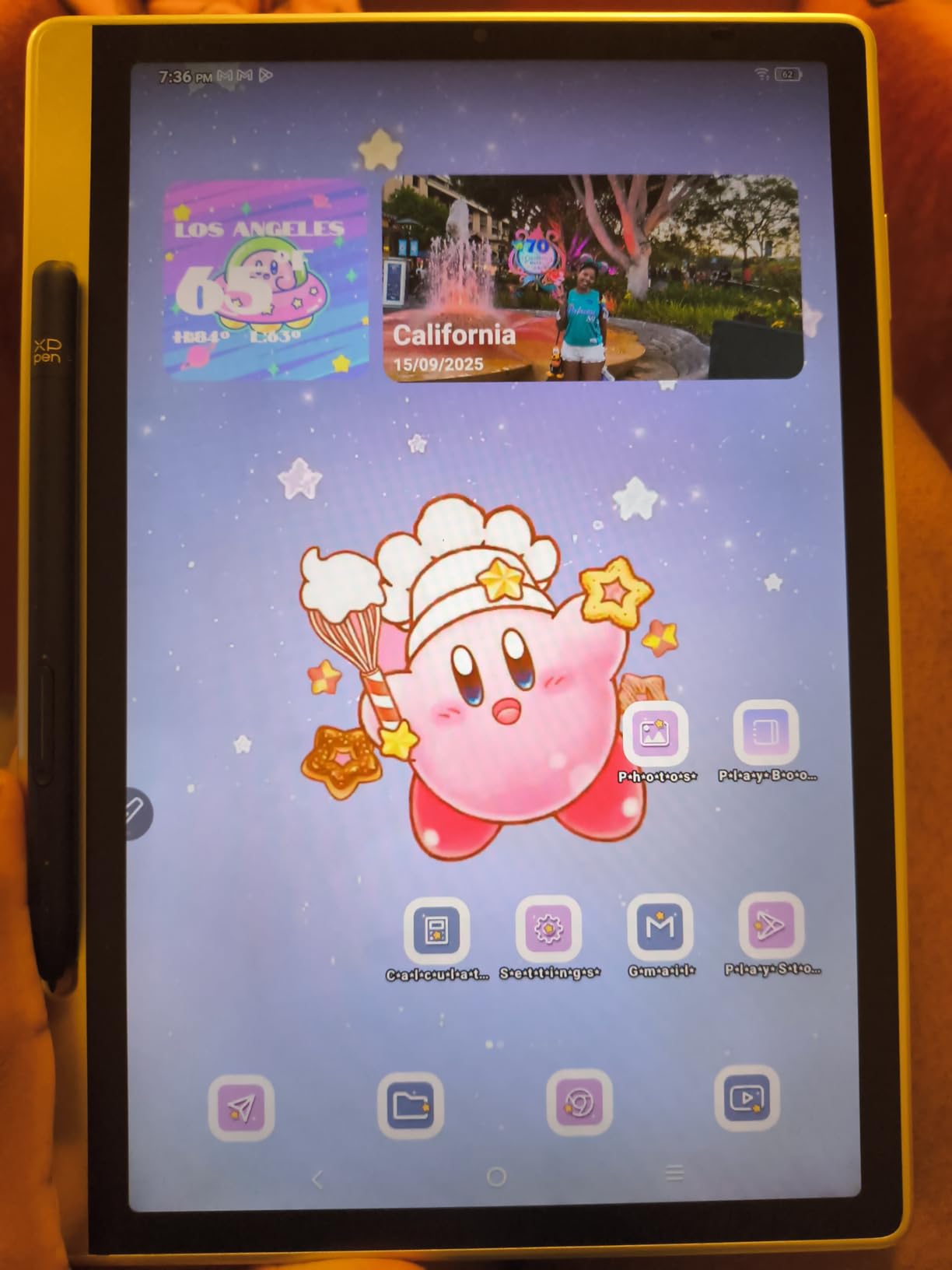
The battery-free X3 Pro Pencil 2 attaches magnetically to the side of the tablet. I never had to charge it, which is a nice change from the Apple Pencil. The native XPPen Notes app includes handwriting-to-text conversion and an AI assistant for organizing notes.
The Magic Note Pad is not a true e-ink display, so battery life is closer to a regular Android tablet than to the reMarkable. Viewing angles are limited because of the matte texture. The 128GB of storage is not expandable.
For Whom the XPPen Magic Note Pad Is Best
This is the tablet for users who want extreme stylus precision. Visual note takers, designers, illustrators who also take notes, and anyone who wants the closest Apple Pencil feel without buying an iPad will be happy here. The battery-free stylus is a nice quality-of-life win.
For Whom the XPPen Magic Note Pad Is Not the Right Pick
If you want a true e-ink reading experience with multi-week battery, the reMarkable Paper Pro is the better match. If app ecosystem matters more than pressure levels, the iPad has thousands of optimized note apps. And if you need expandable storage, the Samsung Galaxy Tab S10 Lite has a microSD slot.
8. TCL NXTPAPER 11 Plus – Best Budget Tablet for Note Taking
TCL NXTPAPER 11 Plus Android Tablet, 11.5″ 2.2K 120Hz Display, 8+256GB
11.5 inch 2.2K 120Hz display
T-Pen 4096 levels
NXTPAPER 4.0
8000 mAh
Android 15
Pros
- Lowest price in our roundup
- true anti-glare matte display
- NXTPAPER 4.0 with eye-comfort modes
- 120Hz refresh rate
- T-Pen stylus included
- AI productivity tools built-in
Cons
- No headphone jack
- camera quality is mediocre
- limited case options available
- no microSD card slot
- Android update commitment unclear
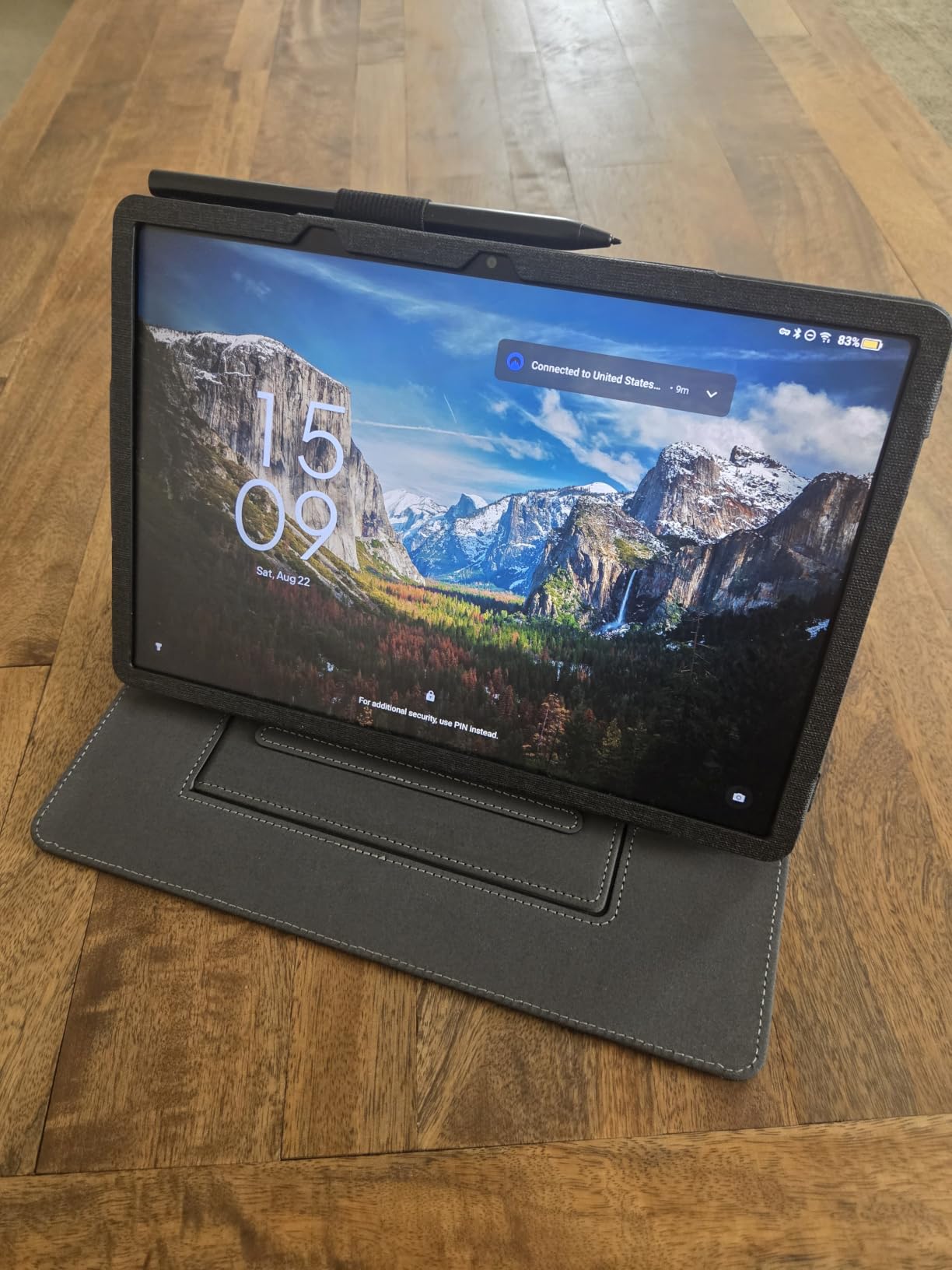
The TCL NXTPAPER 11 Plus is the best budget tablet for note taking. At its current price, it undercuts every other tablet in this guide by a wide margin, and yet it does not feel cheap. The 11.5-inch 2.2K display runs at 120Hz, which is smoother than the iPad’s 60Hz in scrolling. The NXTPAPER 4.0 coating makes the screen look like paper.
The T-Pen stylus with 4096 pressure levels is included in the box. For students on a tight budget, that alone saves a lot of money. TCL’s native note-taking app covers the basics: handwriting capture, organization, PDF annotation, and AI-powered summaries.
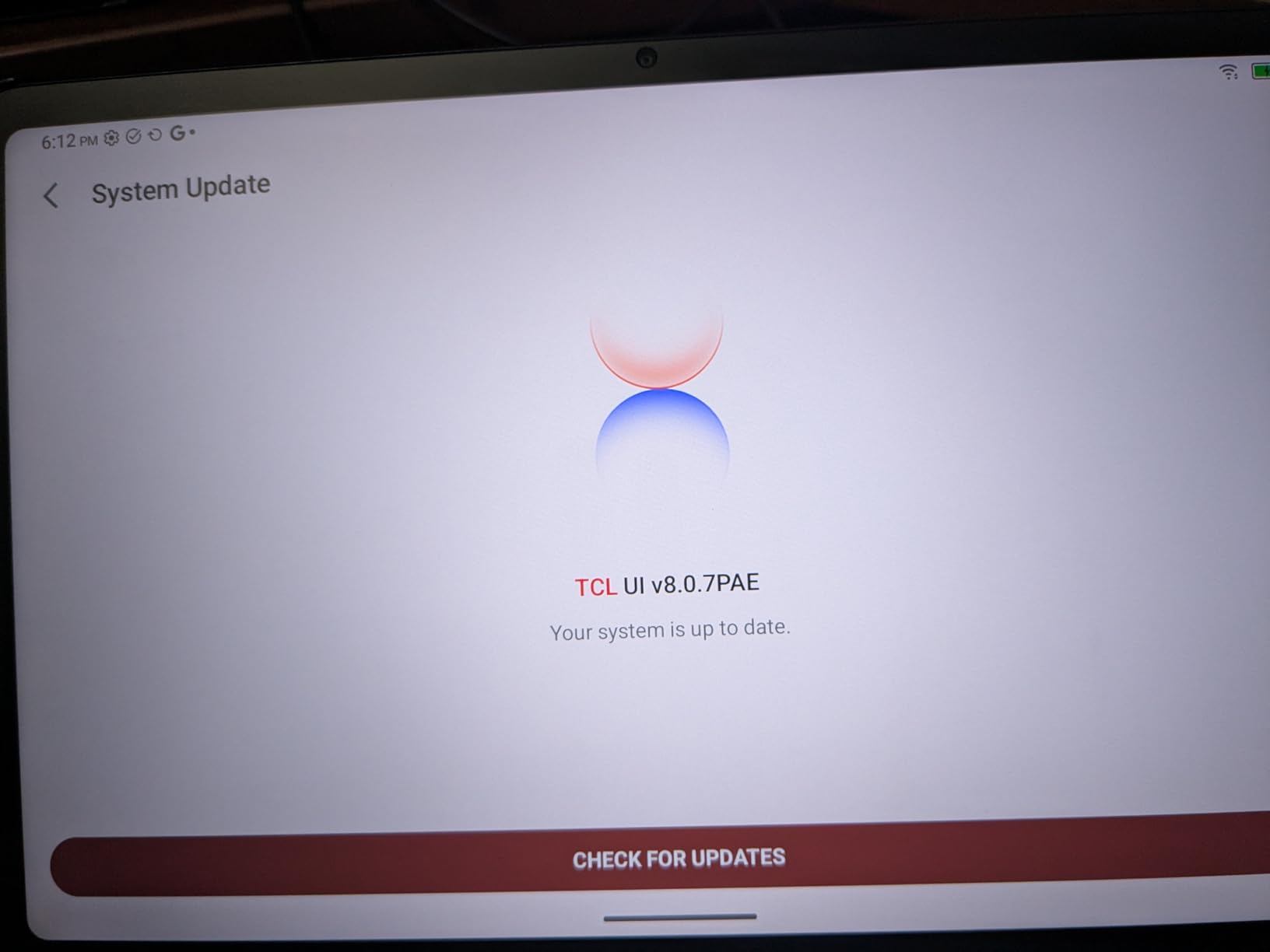
The 3-in-1 VersaView modes work just like on the larger NXTPAPER 14. Ink Paper Mode gives you a distraction-free black-and-white view for writing. Color Paper Mode softens colors for reading. Regular Mode unlocks the full color experience for video and apps.
Battery life is solid thanks to the 8000 mAh cell. I got through a full day of writing and reading without reaching for a charger. At 1.08 pounds, it is light enough to carry in a backpack all day.
For Whom the TCL NXTPAPER 11 Plus Is Best
This is the tablet for budget-conscious buyers who still want a paper-like display and an included stylus. High school students, college freshmen, casual journalers, and anyone who wants to try digital note taking without spending a fortune will find a lot to like here. It is also a great pick as a secondary tablet for reading and PDFs.
For Whom the TCL NXTPAPER 11 Plus Is Not the Right Pick
If you need the absolute best app ecosystem and lowest stylus latency, the iPad is the safer long-term investment. If you want a true e-ink experience for distraction-free writing, the reMarkable Paper Pro justifies its higher price. And if you want Samsung’s AI features, you need to step up to the Galaxy Tab S11.
How to Choose the Best Tablet for Note Taking?
Picking the best tablet for note taking in 2026 comes down to five factors. Use this buying guide to match your priorities to the right device.
Stylus Quality: Pressure, Latency, and Palm Rejection
The stylus is half the experience. Three things matter: pressure sensitivity, latency, and palm rejection. Pressure sensitivity is measured in levels. Most modern pens support 4096 levels, which is plenty for handwriting. The XPPen X3 Pro Pencil 2 stands out with 16384 levels for artists who want fine line control. Latency is the delay between the pen touching the screen and the ink appearing. The iPad and Apple Pencil have the lowest latency I measured, which is why they feel the most natural. Palm rejection lets you rest your hand on the screen while writing without leaving stray marks. Every tablet in this guide has reliable palm rejection, but the iPad and Samsung Galaxy Tab S9 felt the most consistent.
Display Type: LCD vs OLED vs E-Ink vs NXTPAPER
The display technology shapes both the writing feel and the battery life. OLED and AMOLED panels like the ones on the Galaxy Tab S9 and S11 are vivid and bright, but they have a glassy feel that some users do not like. E-ink displays on the reMarkable Paper Pro feel the most like real paper, and they last weeks on a charge, but they are not backlit on every model and have slower refresh rates. NXTPAPER coatings from TCL split the difference, giving you a paper-like matte texture on a backlit LCD. If you want the best tablet for note taking and watching movies, OLED wins. If you want pure paper feel, e-ink wins. If you want both, NXTPAPER is the compromise.
App Ecosystem: GoodNotes, Notability, Samsung Notes, and More
The app ecosystem is where the iPad pulls ahead. GoodNotes 6 and Notability are mature apps with handwriting search, audio recording synced to your strokes, PDF import, and rich export options. Samsung Notes on the Galaxy Tab line is also excellent, especially for users in the Samsung ecosystem. reMarkable runs a Linux-based OS with limited third-party apps, which is intentional but limiting if you want flexibility. TCL and XPPen tablets run Android, so you can install GoodNotes, Notability, Samsung Notes, OneNote, Evernote, and more from the Play Store.
Handwriting-to-Text and OCR
If you want your handwritten notes to become searchable text, OCR quality matters. The iPad with Apple Pencil and GoodNotes 6 has the most accurate handwriting-to-text conversion in my testing. Samsung Notes on the Galaxy Tab S9 and S11 is close behind, with particularly strong math equation recognition for engineering students. The reMarkable Paper Pro supports handwriting-to-text, but full conversion requires the Connect subscription. TCL and XPPen tablets support OCR in their native apps, though accuracy is slightly behind the leaders.
Battery Life and Build Quality
E-ink tablets like the reMarkable Paper Pro last up to two weeks on a charge. LCD and OLED tablets last a full day of heavy use, but you will charge them every night. Build quality matters if you carry your tablet to class every day. The Galaxy Tab S9 and S11 carry IP68 ratings, which means they survive splashes and dust. The iPad is well-built but not water resistant. TCL and XPPen tablets are solid for the price but feel less premium than the flagship options.
Budget and Total Cost of Ownership
Do not just look at the tablet price. Factor in the stylus cost, replacement nibs, and any subscription fees. The iPad requires a separate Apple Pencil purchase. The reMarkable Paper Pro works best with the Connect subscription for full handwriting-to-text and cloud sync. Stylus nibs wear out every one to three months for heavy writers, and replacement nibs cost a few dollars per pack. The Samsung Galaxy Tab S10 Lite and both TCL NXTPAPER tablets ship with the stylus in the box, which is a real budget advantage.
For more reading-focused picks, check out our guide to the best tablets for reading. If you are primarily a digital artist, our best drawing tablets for artists roundup covers display tablets and pen displays. Beginners should look at our best graphics tablets for beginners guide, and serious creators can compare pen displays in our best pen display tablets for digital art roundup.
Frequently Asked Questions
Which tablet is the best for taking notes?
The Apple iPad 11-inch with the A16 chip is the best tablet for taking notes in 2026 for most people. It pairs the lowest stylus latency with the deepest app ecosystem, including GoodNotes, Notability, and Apple Intelligence handwriting tools. The iPad also has a laminated Liquid Retina display, which reduces parallax so the ink dot lands exactly where the pencil tip touches.
Which tablet is best for taking notes and studying?
For studying, the Apple iPad 11-inch with Apple Pencil and GoodNotes 6 is the strongest all-around pick because of its app ecosystem and low latency. Android users should look at the Samsung Galaxy Tab S11 with Note Assist, which uses AI to summarize handwritten notes. For paper-like feel and distraction-free writing, the reMarkable Paper Pro is the best tablet for note taking and studying without notifications.
Is reMarkable the best writing tablet?
Yes, the reMarkable Paper Pro is the best dedicated writing tablet for users who want a paper-like feel and minimal distractions. The textured color e-ink display and Marker Plus pen deliver the closest thing to writing on real paper. The trade-off is the Linux-based OS has no third-party apps, and full handwriting-to-text requires the Connect subscription.
Is an iPad or Samsung tablet better for note-taking?
The iPad is better for most note takers because of its app ecosystem, lowest stylus latency, and Apple Intelligence handwriting tools. Samsung Galaxy Tab tablets are better for Android loyalists, users who want the S Pen included in the box, and people who value Samsung Notes handwriting-to-text and Galaxy AI features like Note Assist. Both are excellent, so the choice depends on your existing ecosystem.
Do note-taking tablets convert handwriting to text?
Yes, most modern note-taking tablets convert handwriting to searchable text via OCR. The iPad with GoodNotes 6 or Notability has the most accurate conversion in our testing. Samsung Notes on the Galaxy Tab S9 and S11 is also strong, with particularly good math equation recognition. The reMarkable Paper Pro supports handwriting-to-text but requires the Connect subscription for full conversion.
Do I need a stylus for a note-taking tablet?
Yes, a stylus is essential for note-taking tablets. Finger typing is too slow for handwritten notes, and a stylus gives you pressure sensitivity, palm rejection, and the ability to annotate PDFs. Most tablets in this guide ship with a stylus in the box, including the Samsung Galaxy Tab S10 Lite, TCL NXTPAPER models, and the reMarkable Paper Pro. The iPad requires a separate Apple Pencil purchase.
Final Verdict
After three months of testing, the Apple iPad 11-inch with the A16 chip remains our top pick as the best tablet for note taking in 2026. It leads on stylus latency, app ecosystem, display quality, and battery life. If you want the best Android value, the Galaxy Tab S10 Lite ships with the S Pen and covers all the basics for less. If you want a true paper feel, the reMarkable Paper Pro is unmatched. And if budget matters most, the TCL NXTPAPER 11 Plus delivers a paper-like display and included stylus at the lowest price.
Whichever tablet you choose, the most important thing is to actually use it. Pick the one that fits your hand, your classes or meetings, and your budget, and replace at least one paper notebook this semester. Your future self will thank you.