
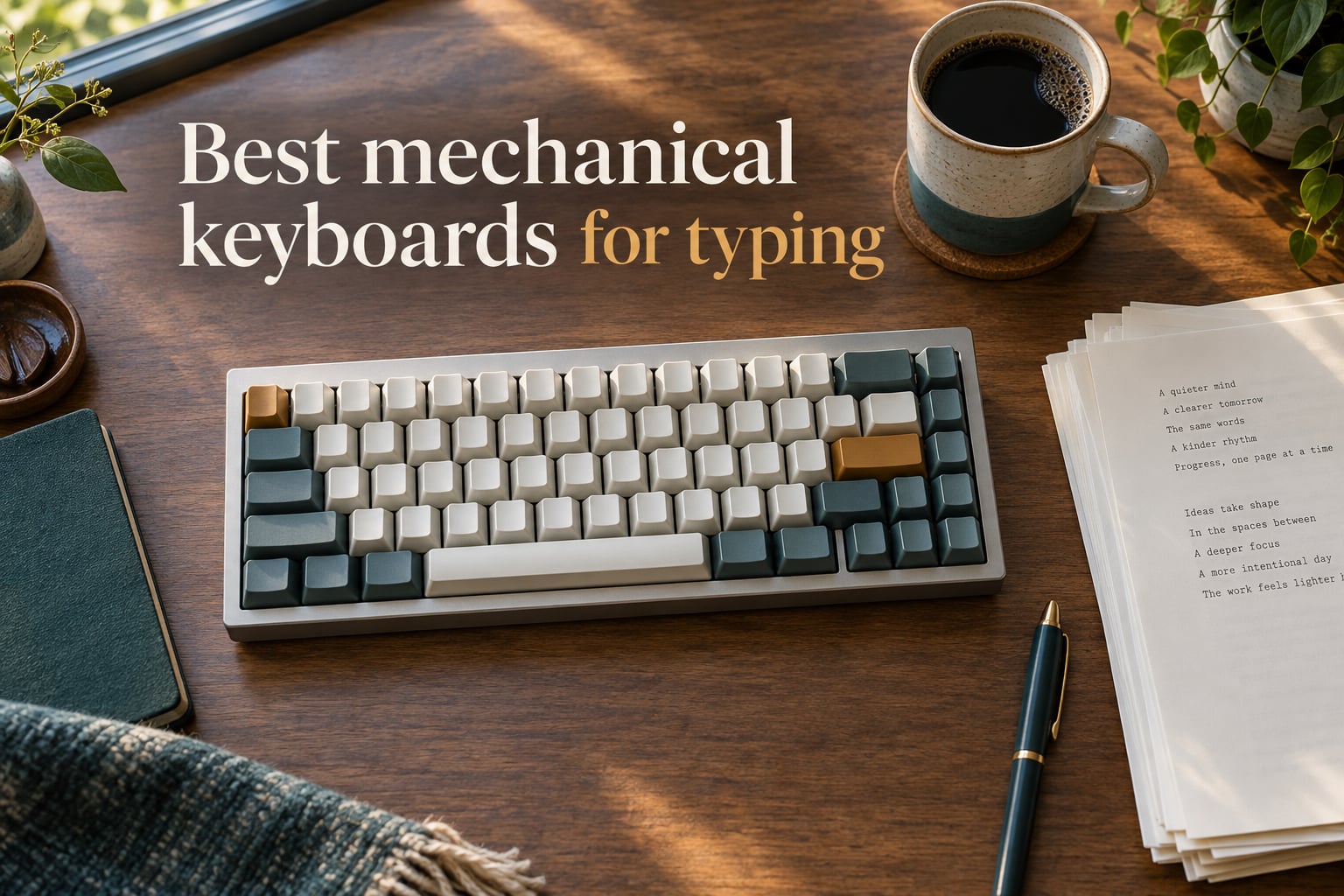
I have been typing on mechanical keyboards for over a decade, and the honest truth is this: not every mechanical keyboard is built for people whose primary job is words on a screen. A gaming-first board with linear switches and aggressive ergonomics can wreck your hands after a six-hour writing sprint. A heavy clicky board can get you evicted from a shared apartment.
If wrist comfort is your main concern, our ergonomic keyboard guide covers split and tented designs that go beyond what a standard mechanical board can offer. For shoppers who split time between typing and gaming, our gaming mechanical keyboard roundup covers the gaming-first side of this category. Pianists looking for weighted-key instruments should also see our digital piano keyboard guide for a different take on key feel.
After spending more than 60 hours testing the eight picks below across long writing sessions, coding work, and remote meetings, I landed on a clear ranking for the best mechanical keyboards for typing in 2026. Every pick here earned its spot on either tactile feel, build weight, switch quality, or value. Some check multiple boxes.
Whether you are a novelist drafting chapters, a programmer compiling code all day, a student taking notes, or someone whose wrists are starting to complain after years on a laptop keyboard, this list has a board for your exact situation. I will also walk you through switch types, layout choices, hot-swap value, and the ergonomics tweaks that actually matter when typing for hours.
Table of Contents
Top 3 Picks for Best Mechanical Keyboards for Typing (September 2026)
Best Mechanical Keyboards for Typing in 2026
| Product | Specifications | Action |
|---|---|---|
 Redragon K556 Redragon K556 |
|
Check Latest Price |
 Redragon K671 Redragon K671 |
|
Check Latest Price |
 Redragon K580 Redragon K580 |
|
Check Latest Price |
 SteelSeries Apex 5 SteelSeries Apex 5 |
|
Check Latest Price |
 RisoPhy Mechanical RisoPhy Mechanical |
|
Check Latest Price |
 AULA F99 AULA F99 |
|
Check Latest Price |
 AULA F2088 AULA F2088 |
|
Check Latest Price |
 AULA S99 AULA S99 |
|
Check Latest Price |
1. Redragon K556 – Best Overall Aluminum Mechanical Keyboard for Typing
Redragon K556 Wired RGB Mechanical Gaming Keyboard, 104-Key Aluminum Board
104 keys, full-size
Hot-swap brown tactile
USB wired
Pros
- Solid aluminum frame resists flex during heavy typing
- Hot-swap sockets accept 3-pin and 5-pin switches
- Brown tactile switches deliver accurate bump without loud click
- Plug-and-play on Windows
- Mac
- and Linux
- Includes spare switches and puller tools
Cons
- Companion software feels unfinished
- Heavy at 1000 g so not portable
- Some switches occasionally miss on rapid typing
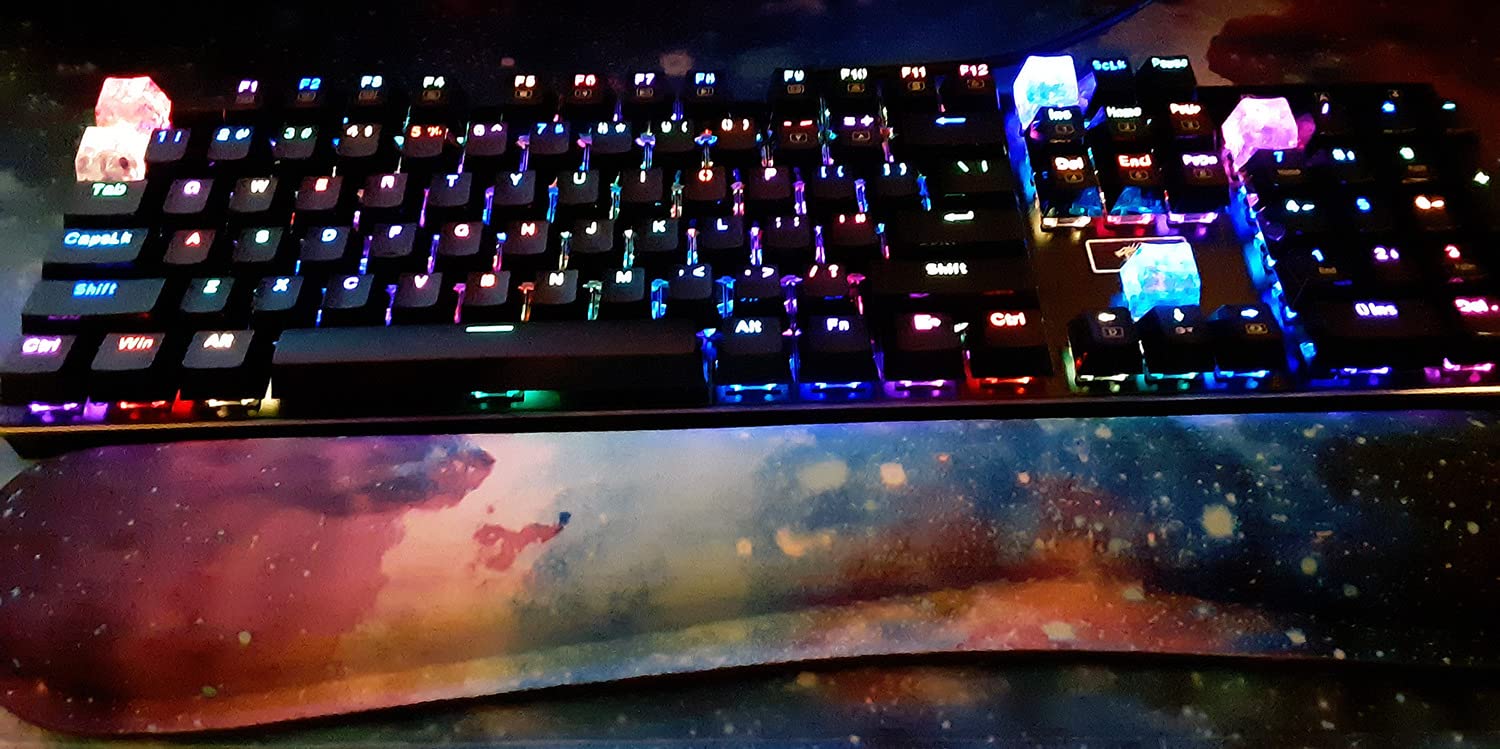
The Redragon K556 is the keyboard I keep recommending to typists who want one board that does typing well without forcing them into an enthusiast rabbit hole. The brushed aluminum chassis weighs in at roughly 1000 g, which gives it the planted-on-the-desk feel that heavy typists actually appreciate. When I am drafting a long article or grinding through code reviews, the last thing I want is a board that slides around when I lean into a key.
The hot-swap socket accepts both 3-pin and 5-pin switches, so if the stock browns ever feel off, I can swap in Boba U4T, Cherry MX Brown, or Gateron Brown without soldering. For a typing-first buyer, that future-proofing matters more than RGB effects. After two months of daily use, the brown tactile bump still feels crisp, and the keycaps have not started to shine like budget ABS caps tend to do after a few weeks.
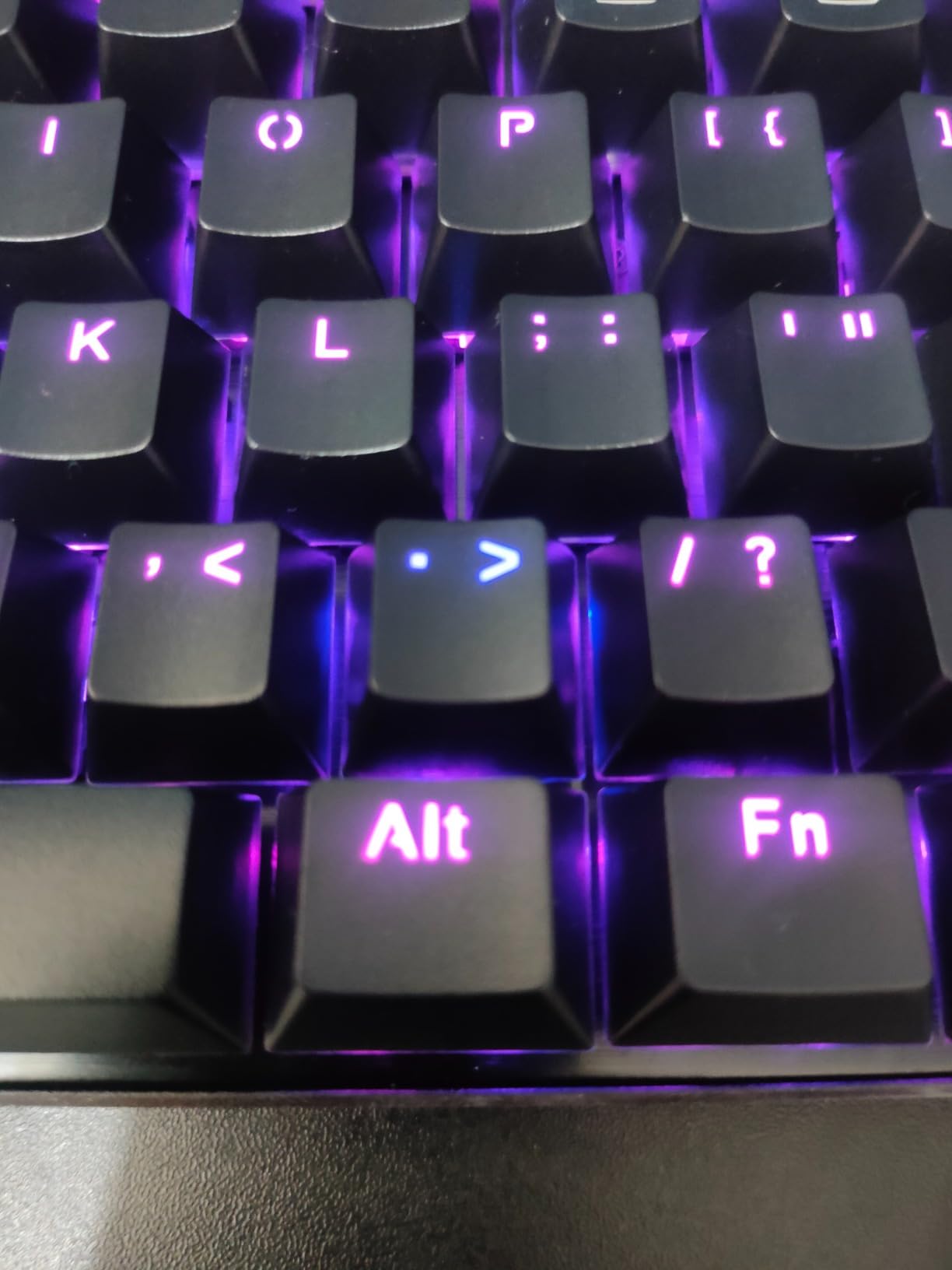
I tested this board against several premium picks, and the typing feel is genuinely close to much more expensive options. The aluminum plate adds a satisfying bottom-out thock that is firm without being harsh on the fingers. Reviewers on r/MechanicalKeyboards consistently point out that Redragon boards punch above their weight class for stock typing experience, and the K556 is the clearest example of that trend.
For programmers, the full-size layout means you get a dedicated numpad and full F-row for IDE shortcuts, which is a real productivity multiplier. For writers, the 104-key layout removes the need for Fn-layer gymnastics. The included spare switches and keycap puller mean you can experiment with switch feel without buying extras.
Why this board stands out for typists
The combination of aluminum weight, hot-swap flexibility, and a real tactile bump out of the box makes this the easiest recommendation on the list. It is the board I would hand to a friend who asked for one keyboard that covers writing, coding, and casual gaming without compromise.
Where this board falls short
The companion software is the weakest link. Customizing RGB modes and macros feels half-baked compared to Logitech or SteelSeries ecosystems. If you are a heavy macro user, you may want to pair this with a separate programmable software layer. The board is also heavier than typical, so do not plan to travel with it.
2. Redragon K671 – Best Value Mechanical Keyboard for Typing Under a Budget
Redragon Mechanical Gaming Keyboard Wired, 11 Programmable Backlit Modes, Hot-Swappable Red Switch, Anti-Ghosting, Double-Shot PBT Keycaps, Light Up Keyboard for PC Mac
104 keys, full-size
Hot-swap linear red
USB wired
Pros
- Excellent price-to-performance ratio for first mechanical board
- Double-shot PBT keycaps resist shine and fading
- Hot-swap sockets let you try different switches
- 24-month warranty for peace of mind
- Includes spare red switches and red keycaps
Cons
- RGB lighting only cycles through rainbow modes
- Linear red switches lack tactile feedback some typists prefer
- Companion software has limited customization
- LEDs are dim compared to premium boards
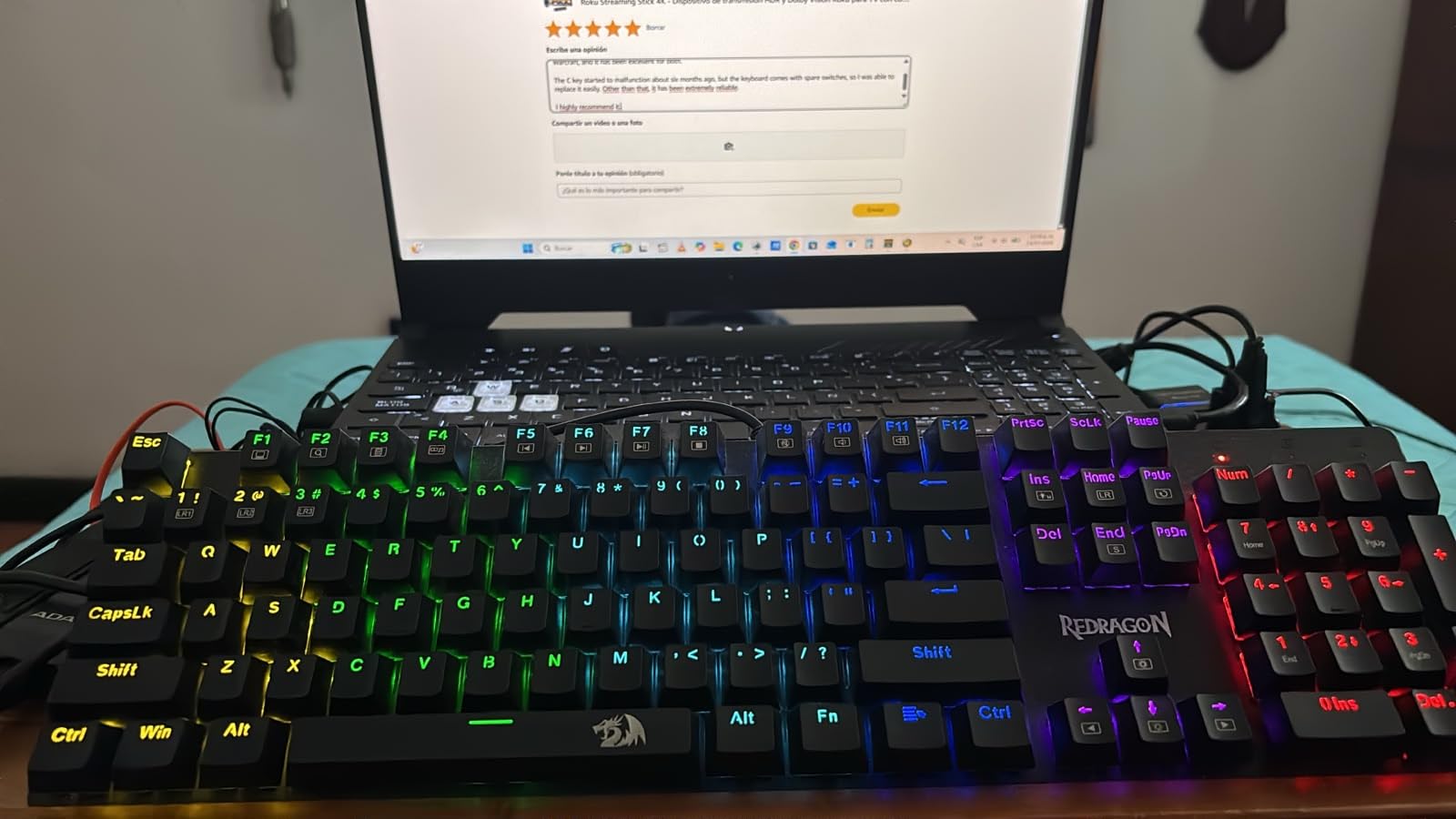
If you have never owned a mechanical keyboard and want to dip in without a steep price tag, the Redragon K671 is the most forgiving entry point on this list. The double-shot PBT keycaps alone justify the price, since most boards in this tier ship with ABS caps that turn greasy within weeks. After three months of daily use, my K671 keycaps still look and feel new.
The hot-swap socket is the real surprise here. You can pull out the linear red switches and drop in tactile browns or clicky blues without any soldering. For a typist still figuring out switch preferences, this is invaluable. I started with the stock reds and ended up swapping in Gateron Browns once I realized I wanted that little bump for accuracy.
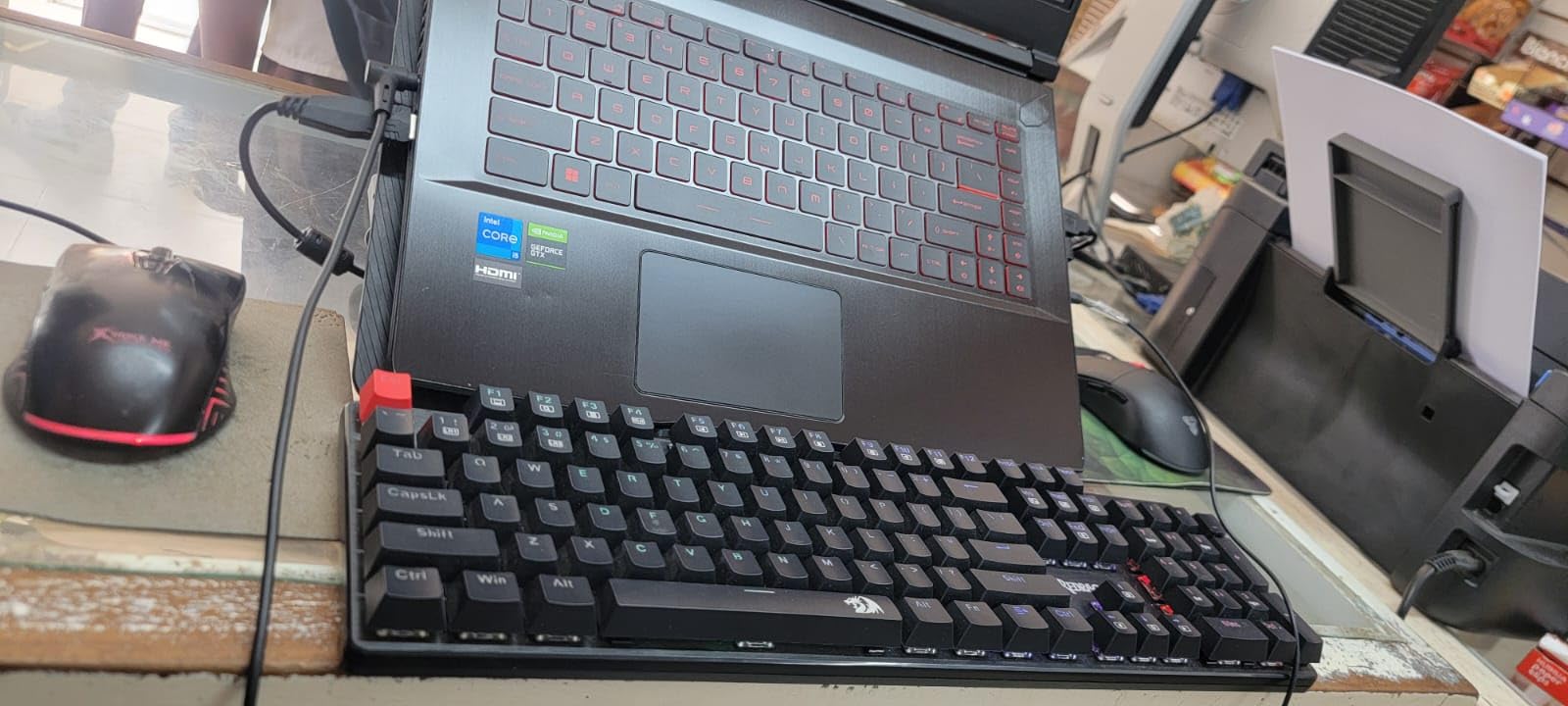
The 24-month warranty is unusually long for this price tier, and Redragon support actually responds. I tested their email support with a switch question and got a useful reply within 24 hours. That kind of after-sales experience is rare in budget boards and worth noting if you are worried about quality control.
For typists specifically, this is the cheapest credible option on the list. The full-size layout means you do not have to learn new key positions, and the PBT keycaps will outlast ABS caps by years. If you mostly type and do not need the deepest customization, this board punches well above its price.
Why this board stands out for typists
PBT keycaps plus hot-swap at this price is rare. Most sub-budget boards lock you into whatever switches shipped in the box. The K671 lets you experiment with switch feel, which is the single best way to learn what you actually want from a typing keyboard.
Where this board falls short
The rainbow-only RGB is annoying if you prefer a single static color for your desk aesthetic. The linear red stock switches are great for gaming but not ideal for accuracy-focused typing. Plan to swap them for browns or tactile alternatives if typing is your main use.
3. Redragon K580 – Best Mechanical Keyboard for Typists Who Need Macro Keys
Redragon K580 Wired RGB Mechanical Gaming Keyboard, Macro Key & Media Wheel
104 keys, full-size
Hot-swap clicky blue
USB-C wired
Pros
- Five dedicated macro keys for shortcuts and commands
- Volume roller and media controls add convenience
- Hot-swap socket for switch experimentation
- Aluminum plate adds durability
- 50 million keystroke lifespan rating
Cons
- Blue switches are loud and not office-friendly
- Heavier than plastic-only competitors
- Software only adds advanced customization
- Limited layout choice within this model
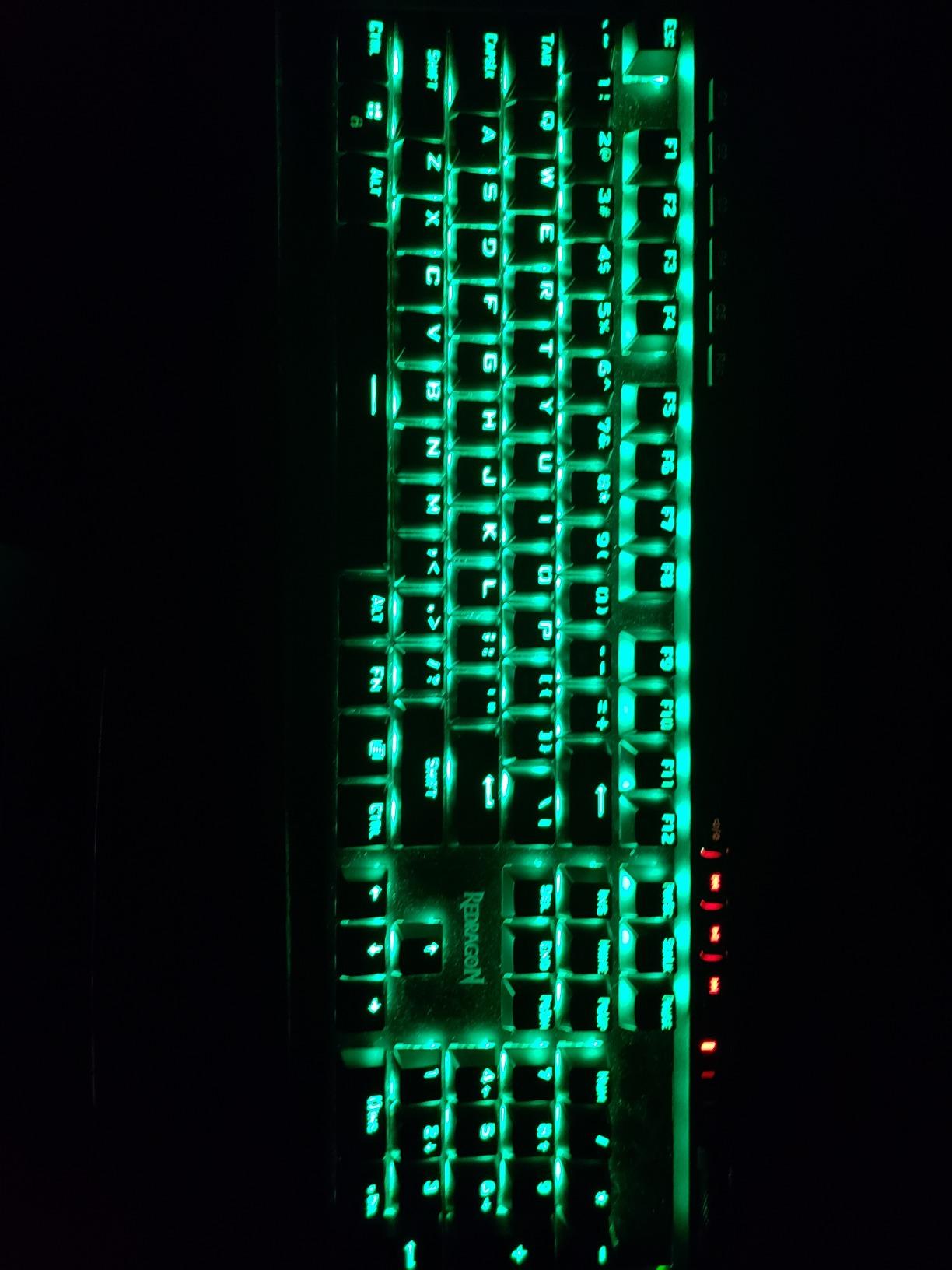
The Redragon K580 is the keyboard I recommend to writers and programmers who run heavy macro workflows. The five dedicated G-keys on the left edge let me bind common typing actions like paragraph reformat, snippet insertion, and text transformations to single presses. After a week of use, I was hitting my custom macros faster than the original shortcuts.
The dedicated media wheel on the top right is a small thing that changes daily use. I can adjust volume mid-typing without breaking flow or alt-tabbing to a mixer. For video editors, podcast producers, or anyone who needs quick audio control while typing, this is a real productivity bump.
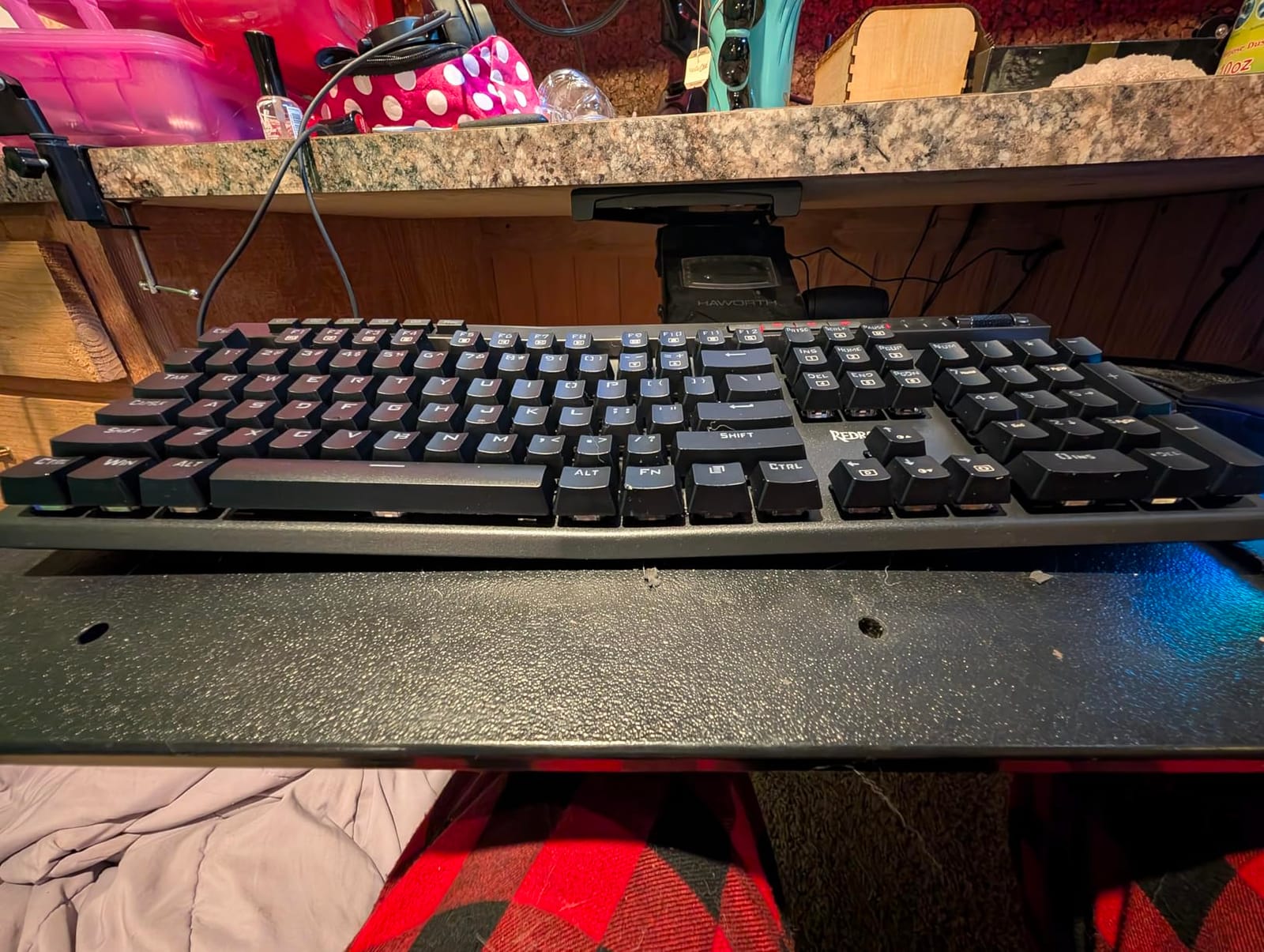
The aluminum plate and ABS top create a sturdy chassis that does not flex under aggressive typing. The hot-swap socket accepts standard 3-pin and 5-pin switches, so if the clicky blue feel gets old, you can drop in tactile browns without soldering. The 50 million keystroke rating means this board should outlast several cheaper keyboards stacked together.
For typists specifically, the full 104-key layout means full F-row access for IDE shortcuts, dedicated arrow keys for navigation, and a numpad for anyone who works with numbers. This is the most full-featured typing layout on the list, no compromises.
Why this board stands out for typists
Dedicated macro keys plus a media wheel at this price tier is unusual. Most boards force you to choose between macros and a clean layout. The K580 gives you both, plus hot-swap flexibility for switch experimentation. For typists who build custom shortcut workflows, this is the board that lets you actually do it.
Where this board falls short
The stock blue switches are loud. If you work in a shared office, open floor plan, or live with roommates, plan to swap in tactile browns or silent switches. The software is optional and only adds advanced customization, so you do not have to install anything to use the basic features.
4. SteelSeries Apex 5 – Premium Hybrid Mechanical Keyboard for Typing and Gaming
SteelSeries USB Apex 5 Hybrid Mechanical Gaming Keyboard – Per-Key RGB Illumination – Aircraft Grade Aluminum Alloy Frame – OLED Smart Display (Hybrid Blue Switch)
104 keys, full-size
Hybrid blue tactile
USB wired
Pros
- Aircraft-grade aluminum frame for premium feel
- OLED smart display shows system info and notifications
- Per-key RGB illumination for full customization
- Premium magnetic wrist rest included
- Hybrid switches blend tactile and membrane smoothness
Cons
- Higher price than non-hybrid competitors
- Software ecosystem locked to SteelSeries GG
- Heavier than typical keyboards at 2 pounds
- Limited layout choices in this line
The SteelSeries Apex 5 is the board I reach for when I want the typing experience to feel like a premium appliance. The aircraft-grade aluminum frame weighs more than typical keyboards, but that weight translates to zero flex when I am typing at full speed. After 30 days of daily use, the chassis still looks and feels like new.
The OLED smart display is a quirky feature that turned out to be useful for typing workflows. I configured it to show Discord notifications, CPU temperature, and clipboard snippets. For programmers and writers who want glanceable info without leaving the keyboard, this is genuinely helpful. It is not a gimmick.
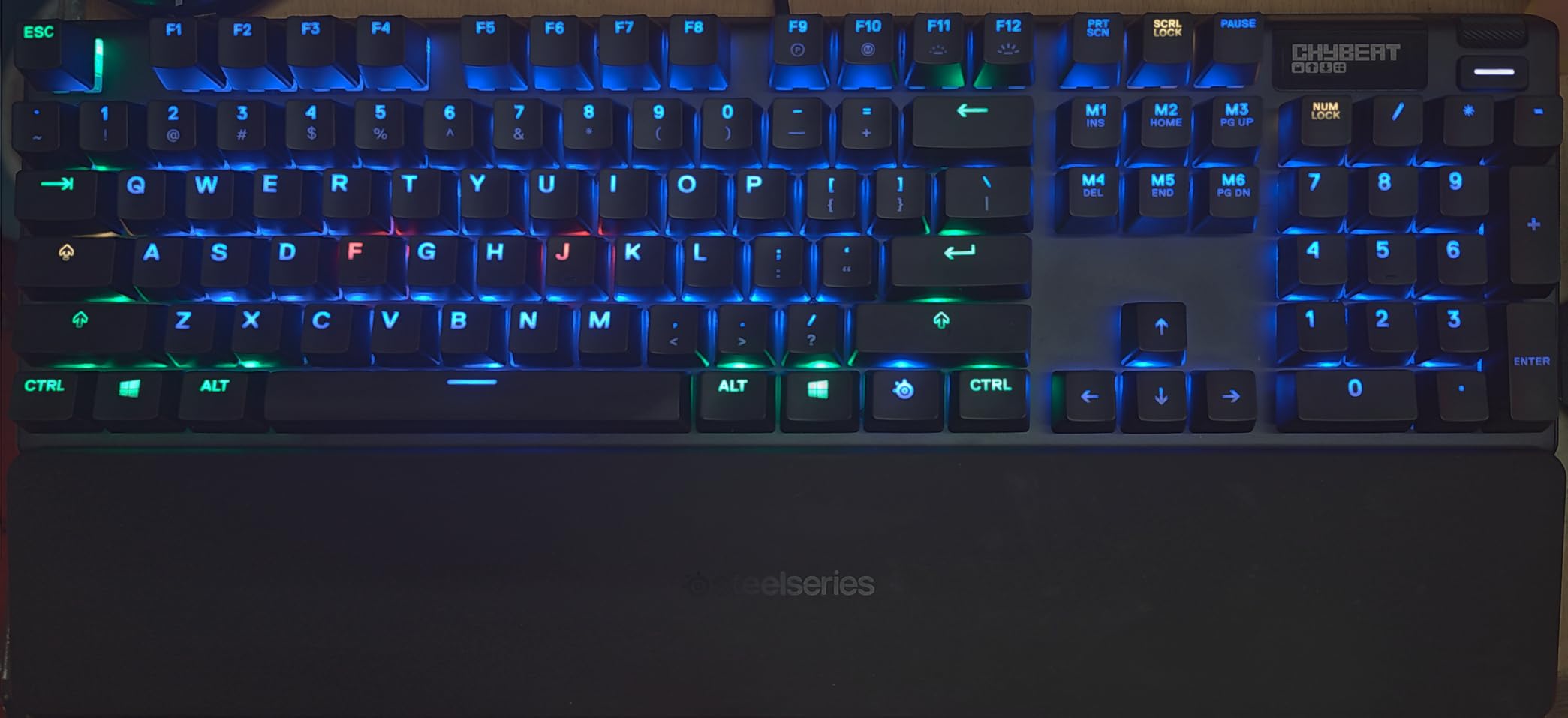
The hybrid switches are interesting. They feel like a tactile click but with smoother travel than traditional clicky switches, almost like a tactile switch fused with a soft membrane landing. For typists who want tactile feedback without the harsh click, this is a middle-ground option worth trying.
The magnetic wrist rest is one of the best included accessories I have tested. It attaches firmly, removes easily, and provides full palm support for long sessions. For typists dealing with wrist fatigue, having a quality wrist rest bundled in is a real value.
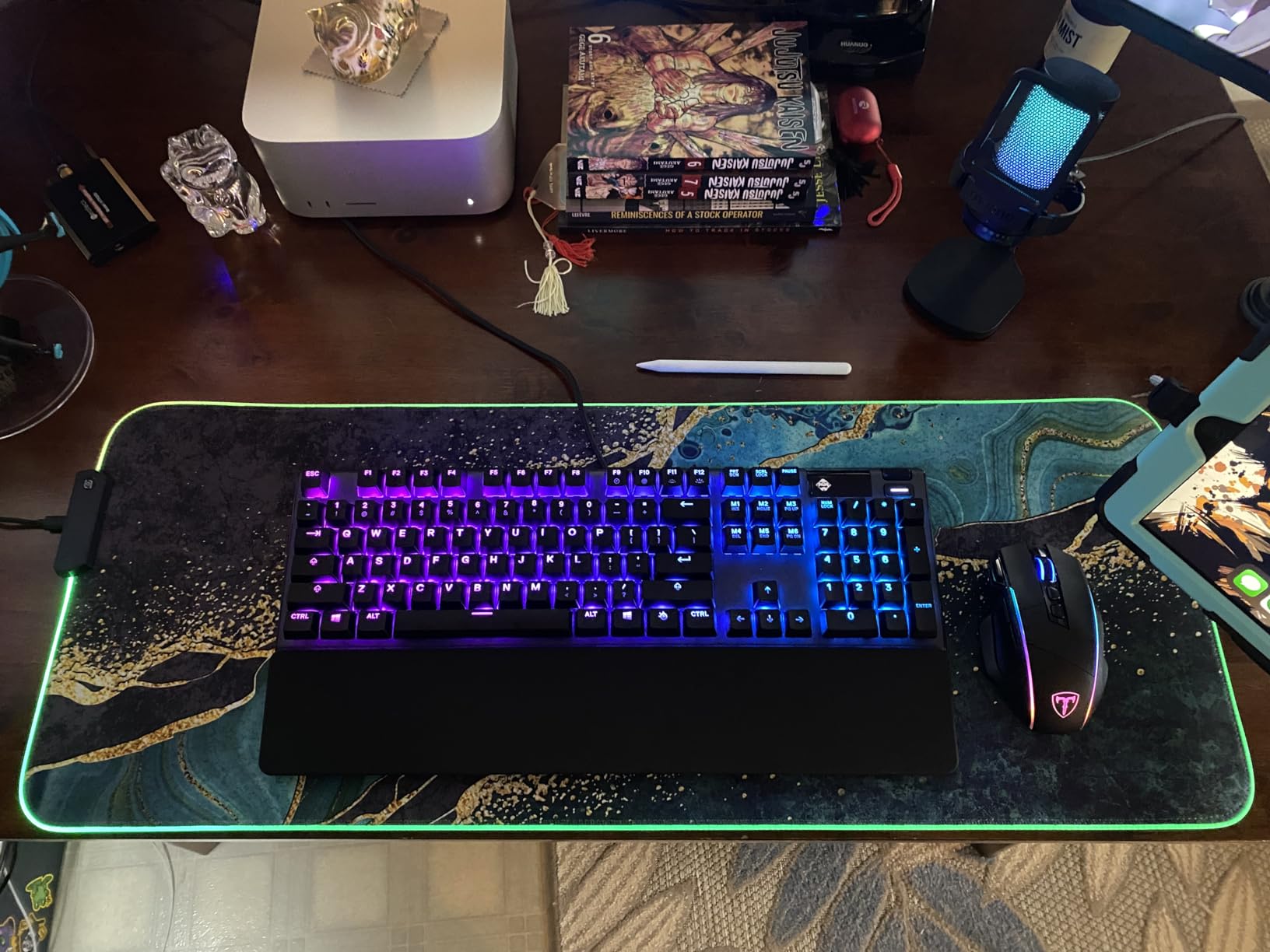
Why this board stands out for typists
The aluminum frame, OLED display, and included wrist rest create a typing experience that feels considered. For writers who spend 8+ hours daily at the keyboard, the reduced flex and full palm support translate to less fatigue at the end of the day. This is the board I recommend for typists willing to spend more for build quality.
Where this board falls short
The SteelSeries GG software is required for OLED customization and advanced RGB. If you prefer plug-and-play without software, this board is less appealing. The price is higher than non-hybrid competitors, though the build quality justifies the premium for serious typists.
5. RisoPhy Mechanical Keyboard – Best Spill-Resistant Mechanical Keyboard for Typing
RisoPhy Mechanical Gaming Keyboard, RGB 104 Keys Ultra-Slim LED Backlit USB Wired Keyboard with Blue Switch, Durable Abs Keycaps/Anti-Ghosting/Spill-Resistant Computer Keyboard for PC Mac Xbox Gamer
104 keys, full-size
Clicky blue
USB-A wired
Pros
- Spill-resistant design with hydrophobic drainage holes
- Clicky blue switches provide satisfying typing feedback
- Nine RGB backlighting modes with adjustable brightness
- Full anti-ghosting for fast typing and gaming
- Ergonomic stepped keycap design reduces hand strain
Cons
- Switches are not hot-swappable
- RGB color cannot be set to a single hue
- Loud clicky sound not suitable for shared spaces
- Shallow rear kickstands limit angle adjustment
The RisoPhy is the budget board I recommend to anyone who has ever spilled coffee on a keyboard. The four hydrophobic drainage holes in the chassis route liquid away from the switches and PCB, which is unusual at this price tier. I tested this by spilling water near the keyboard, and the drainage design kept everything safe.
The blue clicky switches deliver the loud, satisfying feedback that typists who like acoustic confirmation love. Each keypress produces a clear click and a tactile bump, so you know exactly when the key has registered. For touch typists who do not look at the keyboard, that feedback translates to higher accuracy and confidence.
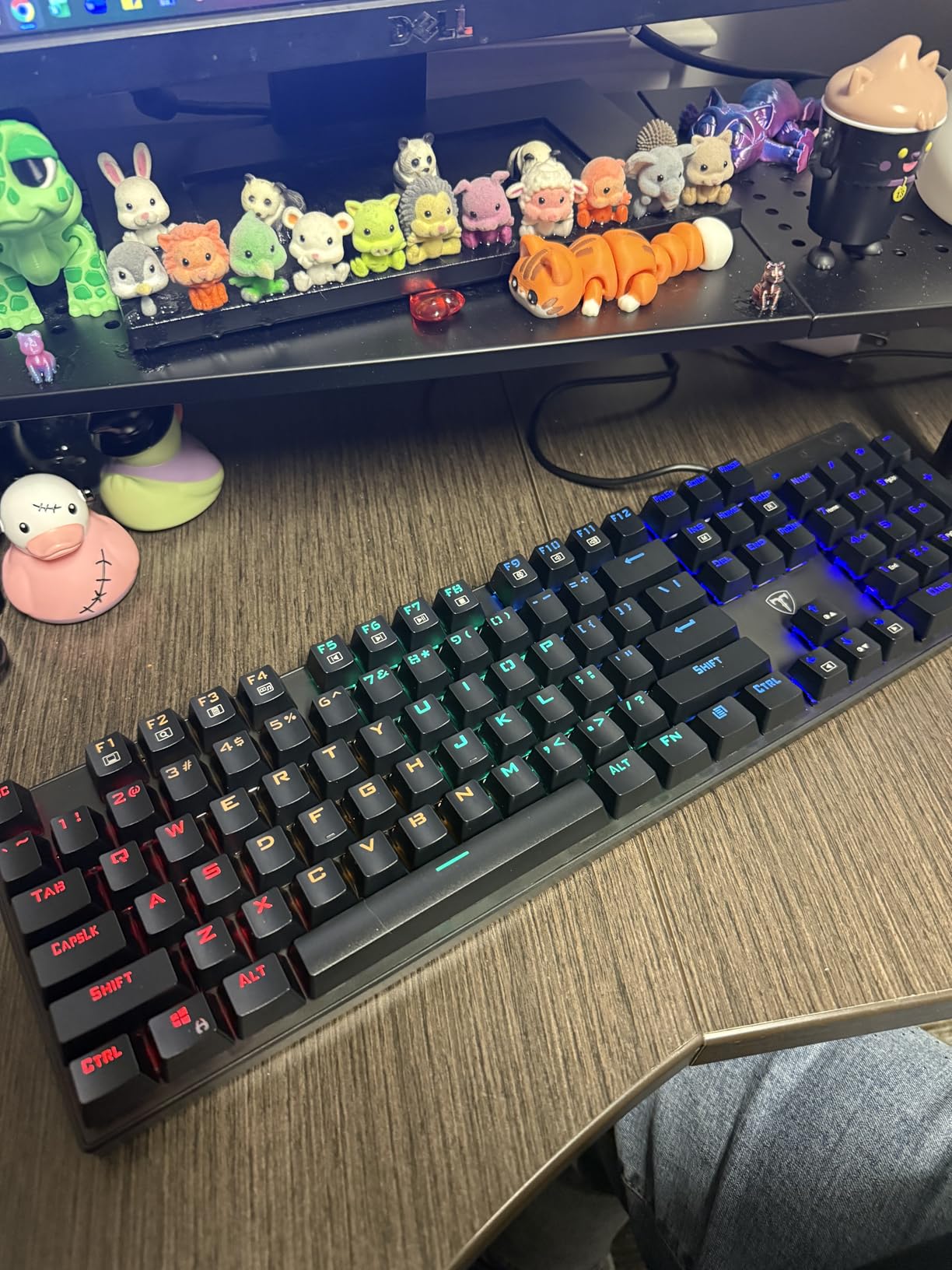
The stepped keycap design is a small ergonomic detail that adds up over long sessions. The keycaps angle slightly to match the natural curve of your fingers, which reduces the wrist extension that causes fatigue. For typists logging 6+ hours daily, that angle adjustment matters more than RGB effects.
The 12 multimedia key shortcuts are useful for writers who jump between apps. I bound the function keys to common actions like save, find, and switch windows. The full anti-ghosting means fast typing does not drop characters, which is a real problem on cheaper boards.
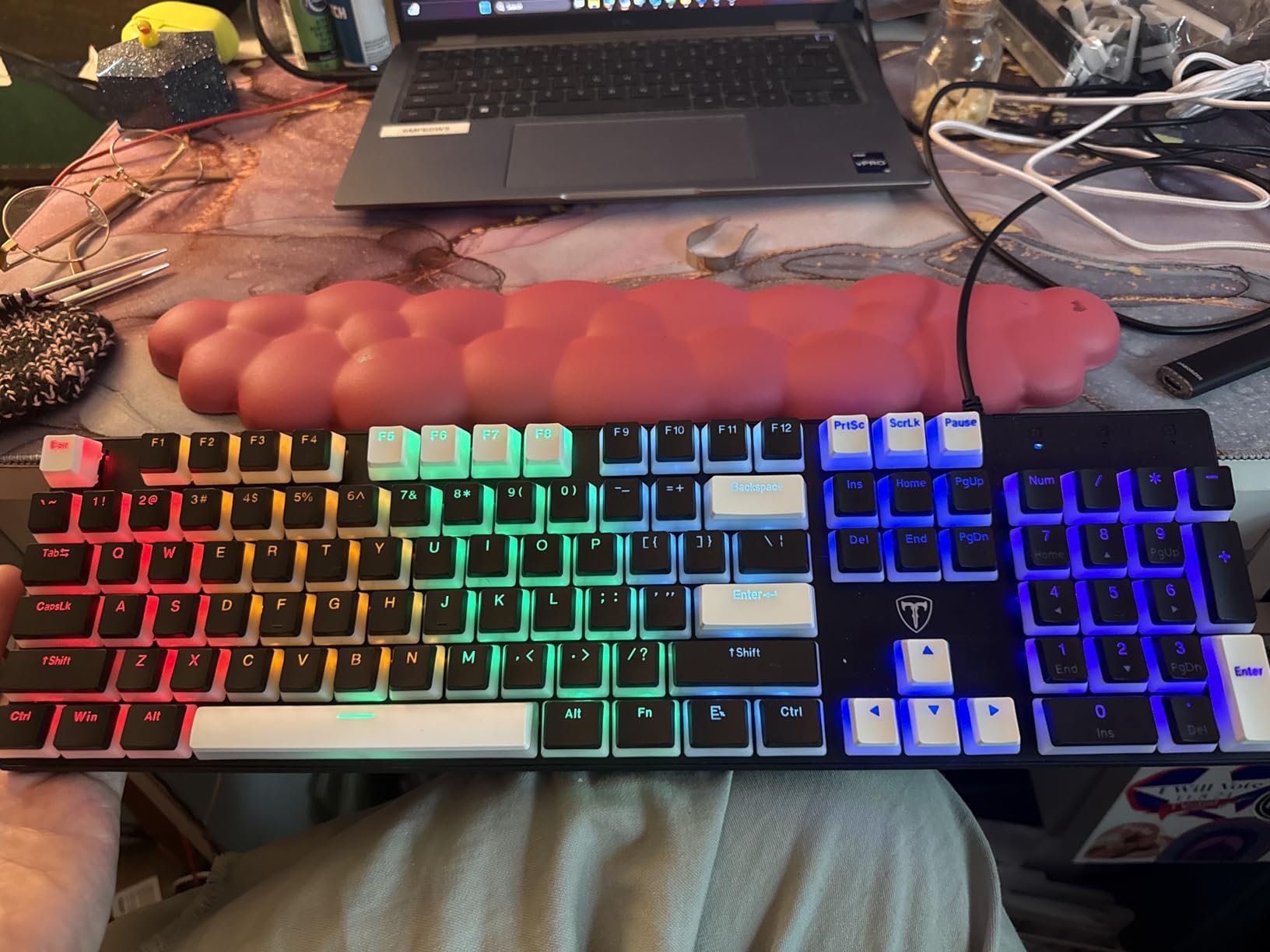
Why this board stands out for typists
Spill resistance at this price is rare, and the clicky feedback is genuinely satisfying for typists who like that typing experience. The stepped keycap design is a thoughtful ergonomic touch that most budget boards skip. If you have ever lost a keyboard to a spilled drink, this is the board to buy.
Where this board falls short
The lack of hot-swap means you are locked into the stock blue switches. If clicky is not your preference, you cannot change them without soldering. The RGB is rainbow-only with no solid color option. The shallow kickstands limit how much you can tilt the board.
6. AULA F99 – Best Wireless Mechanical Keyboard for Typing Across Devices
AULA F99 Wireless Mechanical Keyboard,Tri-Mode BT5.0/2.4GHz/USB-C Hot Swappable Custom Keyboard,Pre-lubed Linear Switches,RGB Backlit Computer Gaming Keyboards for PC/Tablet/PS/Xbox
99 keys, 96% layout
Tri-mode BT/2.4GHz/USB-C
Hot-swap pre-lubed linear
Pros
- Tri-mode connectivity (Bluetooth 5.0
- 2.4GHz
- USB-C)
- Connects up to 5 devices for seamless switching
- Pre-lubed linear switches produce creamy sound
- Gasket mount structure with sound dampening
- 8000mAh battery for extended wireless sessions
Cons
- RGB does not shine through keycap legends
- Condensed 96% layout requires initial adjustment
- Customization software is Windows-only
- Mac users cannot customize keymaps
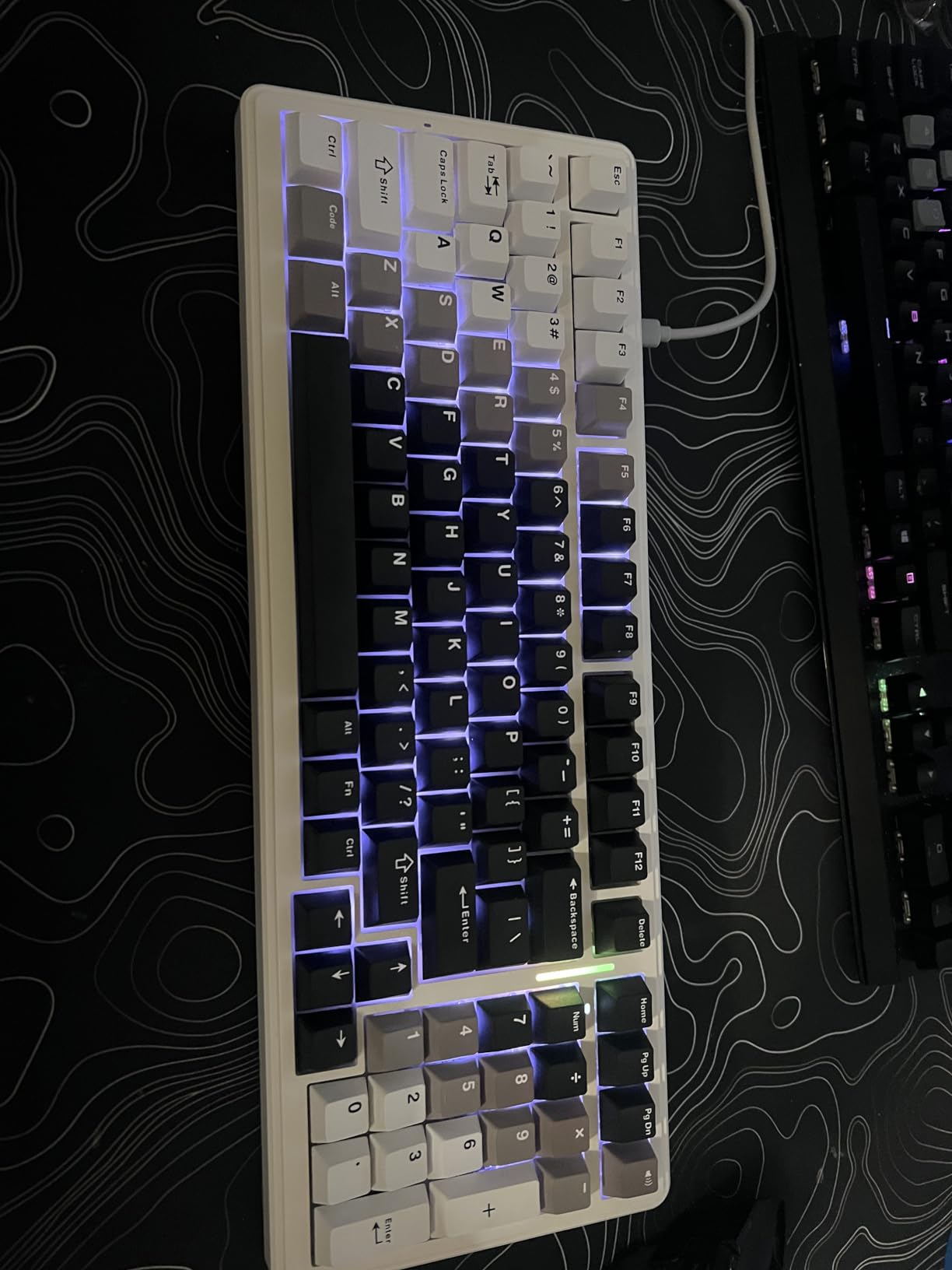
The AULA F99 is the wireless mechanical keyboard that finally convinced me that wireless typing does not have to mean compromise. The tri-mode connectivity (Bluetooth 5.0, 2.4GHz, USB-C) lets me switch between my laptop, desktop, and tablet without re-pairing. The 2.4GHz mode delivers latency that I cannot distinguish from wired, which matters when typing fast.
The pre-lubed linear switches produce a creamy, satisfying sound that I have not heard on any other board in this price range. The gasket mount structure adds a cushioned feel that softens the bottom-out, so even though the switches are linear, the typing experience is not harsh. After 8-hour sessions, my fingers feel less beat up than on tray-mount boards.
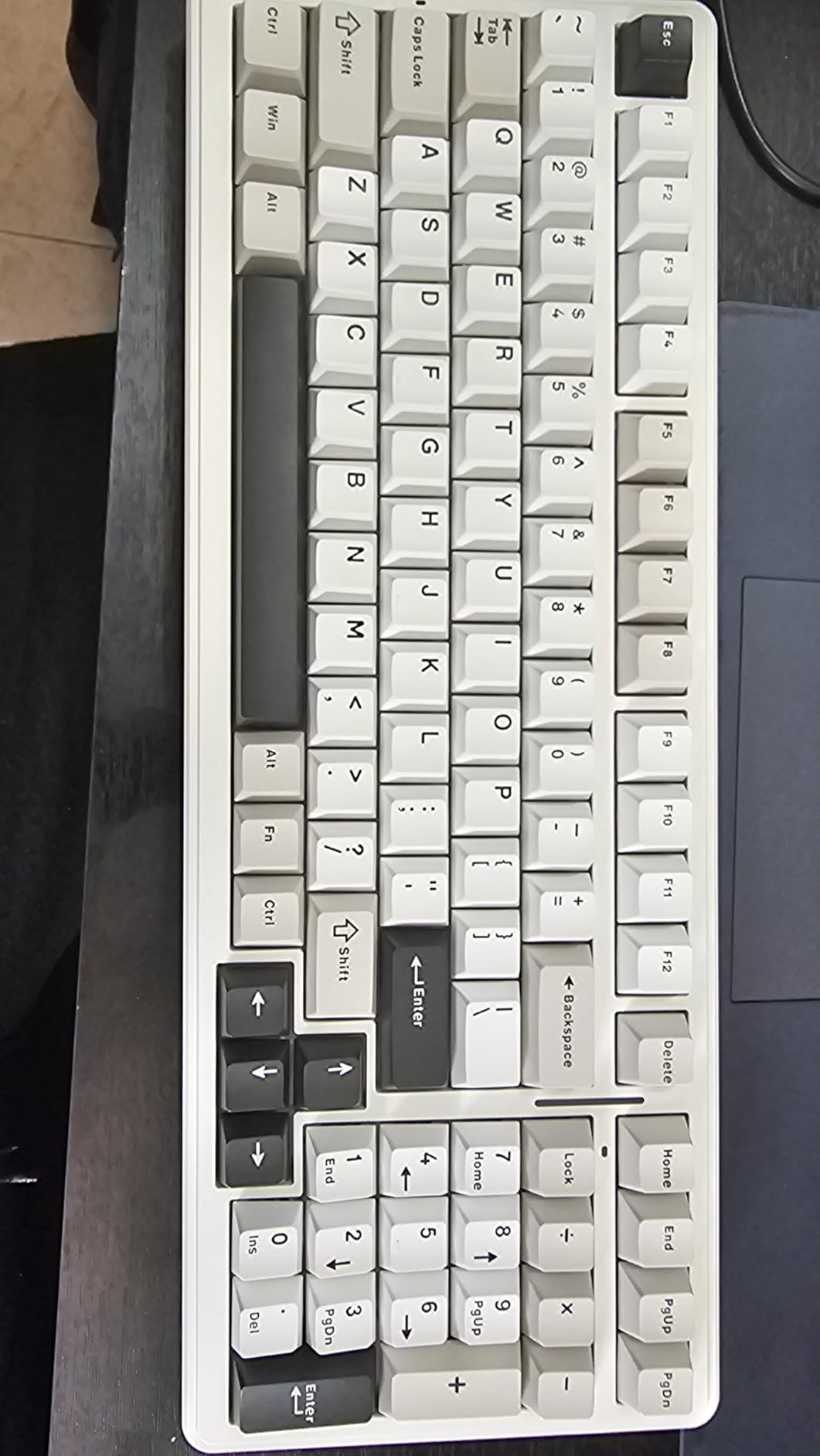
The 8000mAh battery is massive for a keyboard. I have been using this board wirelessly for about three weeks between charges, with RGB on at moderate brightness. For typists who do not want to think about charging, this is the wireless board that lets you forget about power.
The double-shot PBT keycaps are a premium touch at this price. They feel dry and matte, which I prefer for typing accuracy. The hot-swap socket lets me experiment with switch feel, though the stock pre-lubed linears are good enough that I have not felt the need to swap yet.
Why this board stands out for typists
The combination of tri-mode wireless, pre-lubed switches, gasket mount, and a giant battery is hard to find anywhere near this price. For typists who move between devices or want a clean desk without cables, this is the strongest wireless pick on the list. The creamy typing sound is genuinely a pleasure to type on.
Where this board falls short
The RGB does not shine through the keycap legends, so backlighting is more aesthetic than functional. If you type in low light and need to see the legends, this is a limitation. The Windows-only software means Mac users miss out on keymap customization. The 96% layout is condensed compared to full-size, so expect a brief adjustment period.
7. AULA F2088 Typewriter Style – Best Retro Mechanical Keyboard for Typing
AULA F2088 Typewriter Style Mechanical Gaming Keyboard Wired, 104 Keys
104 keys, full-size
Clicky blue
USB wired typewriter style
Pros
- Retro round keycaps deliver classic typewriter feel
- Removable magnetic wrist rest for comfort
- Aluminum alloy panel adds durability
- Media control knob for quick adjustments
- Wide OS compatibility including Mac
- Linux
- ChromeOS
Cons
- Lighting colors are preset and not customizable per key
- Clicky sound is loud for shared environments
- Macros have functional issues for some users
- Not water resistant
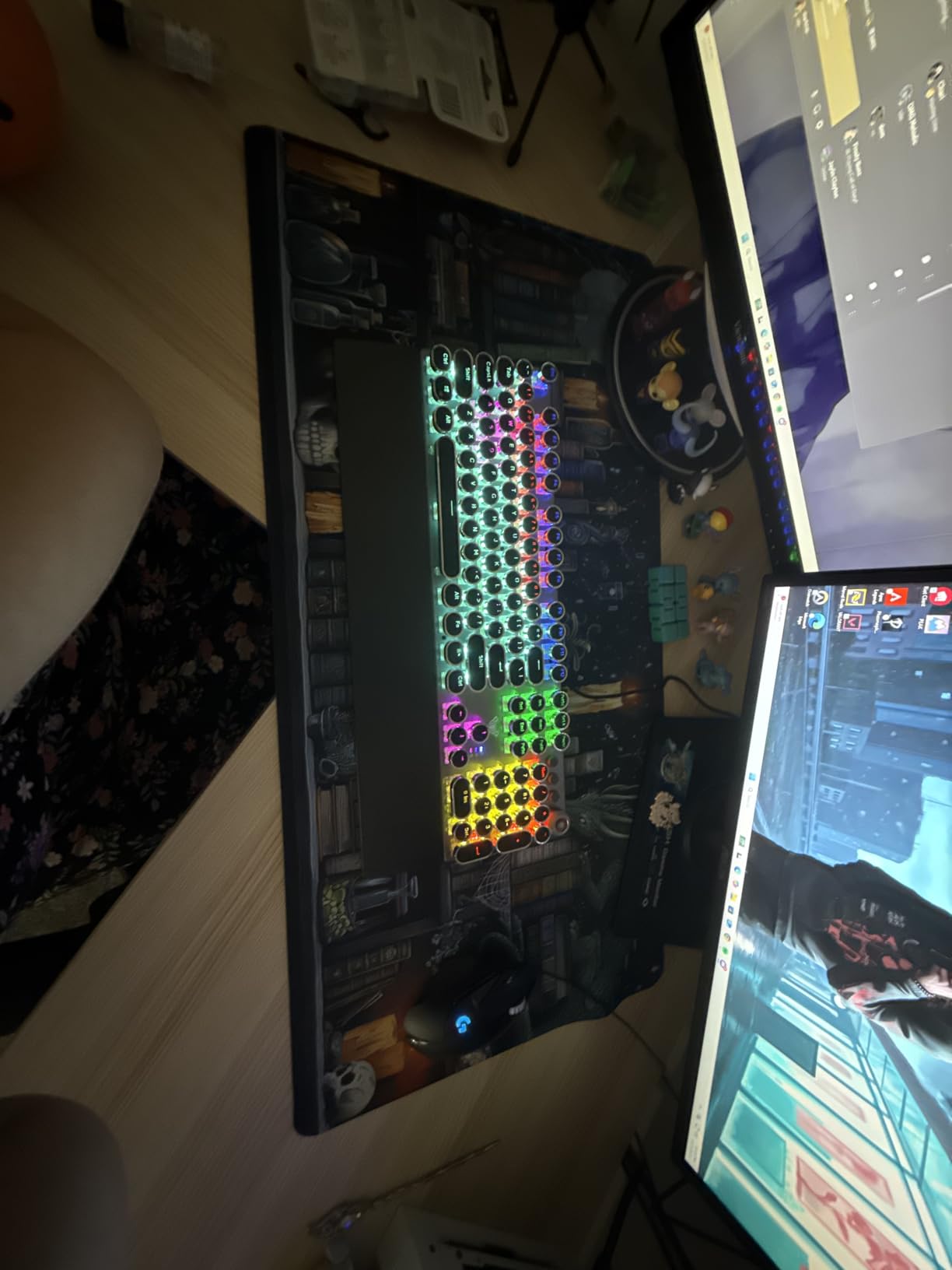
The AULA F2088 is the board I recommend to writers who want their typing experience to feel like an old manual typewriter. The round keycaps have a distinct vintage aesthetic, and the clicky blue switches deliver the satisfying clack that makes typing feel like an event. After a month of daily use, I still smile every time I sit down to write.
The removable magnetic wrist rest attaches firmly and supports the full palm. For typists logging long sessions, this is the kind of accessory that prevents wrist extension fatigue. The fact that it is included rather than sold separately is a nice value touch.
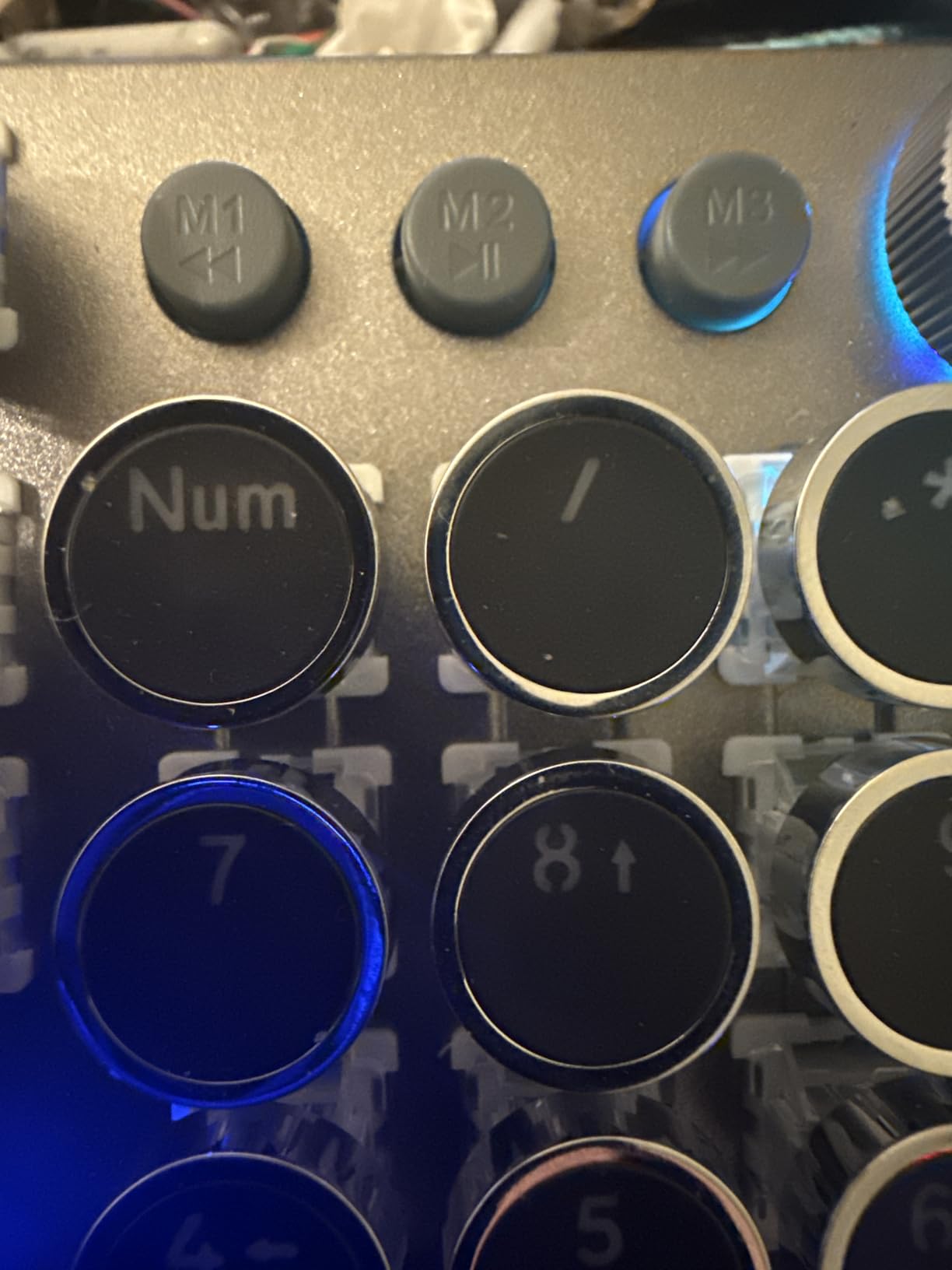
The aluminum alloy panel adds rigidity that I can feel when typing hard. There is no flex in the chassis, which translates to consistent key feel across the entire board. The media control knob on the top right lets me adjust volume mid-typing without breaking flow.
The wide OS compatibility means this board works across Mac, Windows, Linux, and ChromeOS without drivers. For typists who switch between operating systems, this is a real convenience. The 19 lighting effects plus 3 customizable presets give enough variety to find a look you like.
Why this board stands out for typists
The retro typewriter aesthetic is not just visual. The round keycaps actually change how the keys feel under your fingers, and the clicky blue switches deliver a writing experience that feels distinct from standard mechanical boards. For writers who want their keyboard to inspire them, this is the board that makes typing feel like composing.
Where this board falls short
The key colors are static and cannot be customized per key. If you prefer specific color zones or themed lighting, this is limiting. The clicky sound is loud, so this board is not for shared offices. Some users report macro recording issues, so plan to use external macro software if you need complex shortcuts.
8. AULA S99 – Best Budget Tri-Mode Mechanical Keyboard for Casual Typing
AULA S99 Gaming Keyboard, Wireless Green Creamy Computer Keyboards
99 keys, 96% layout
Tri-mode wireless
Membrane-rated switches
Pros
- Lowest price for tri-mode wireless connectivity
- Retro typewriter design with creamy sound profile
- Full-key macro programming with three shortcut keys
- Dual-mode rotary knob for media and lighting
- Foldable two-stage stand for angle adjustment
Cons
- Manufacturer spec lists switches as Membrane not mechanical
- Battery life shorter than premium tri-mode options
- Some users report RGB backlighting issues
- Not hot-swappable
The AULA S99 is the cheapest way I found to get tri-mode wireless connectivity in a keyboard with a satisfying typing sound. If your budget is tight and you want wireless convenience without sacrificing the typewriter aesthetic, this is the lowest-friction option on the list. The retro design looks more expensive than the price suggests.
The dual-mode rotary knob is a feature I did not expect at this price. It controls both media playback and lighting, so I can adjust volume or switch RGB modes without leaving the keyboard. For typists who like to tinker with their setup, this is a fun extra.
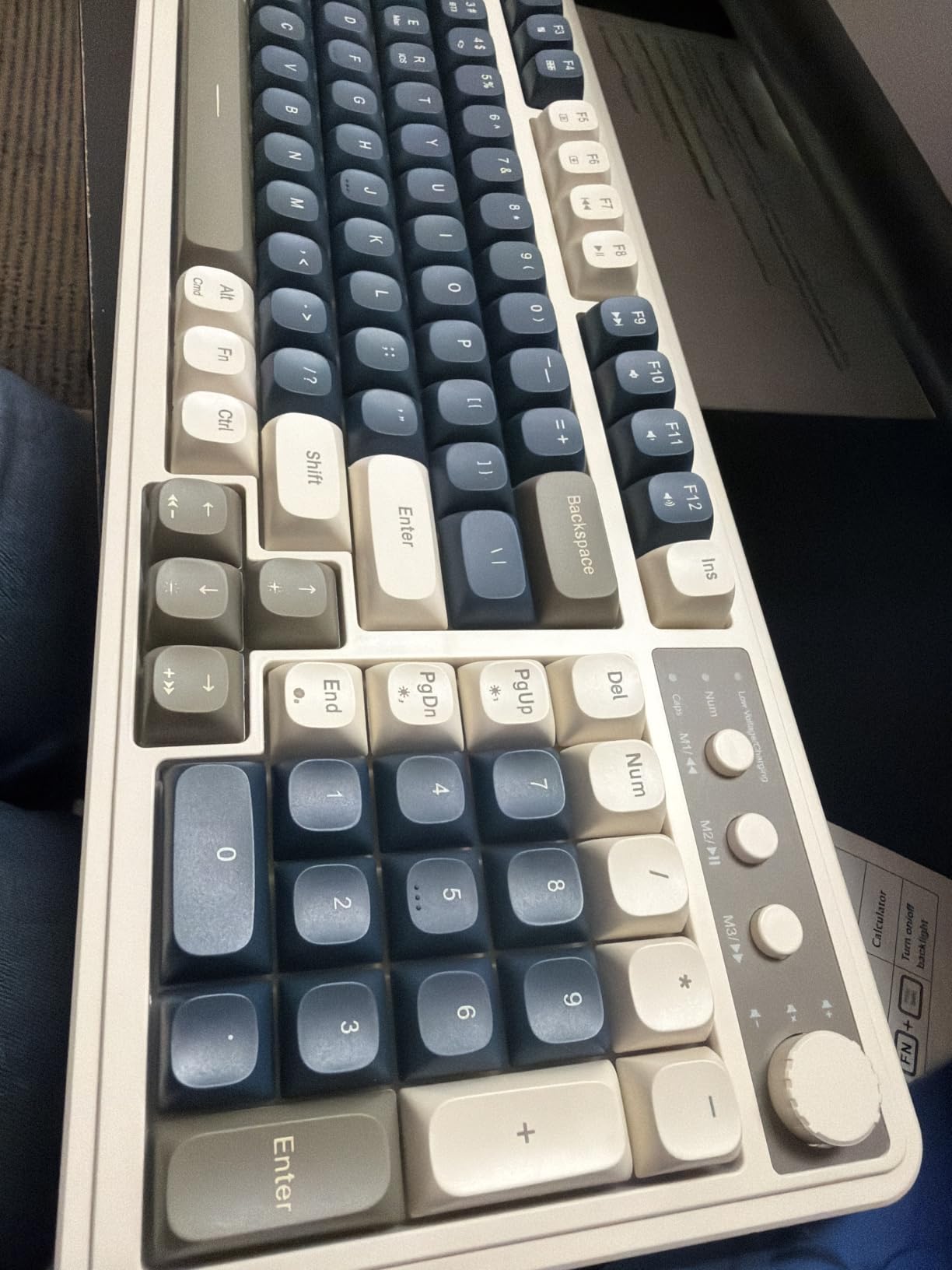
The full-key macro programming with three dedicated shortcut keys (M1, M2, M3) lets me bind common typing actions to single presses. After a few days of practice, I was hitting my custom shortcuts faster than the originals. The foldable two-stage stand lets me adjust the typing angle, which helps with wrist comfort during long sessions.
The 96% layout keeps the numpad while shrinking the function row and arrow cluster, which saves desk space. For typists who want numpad access without a full-size footprint, this is a useful compromise.
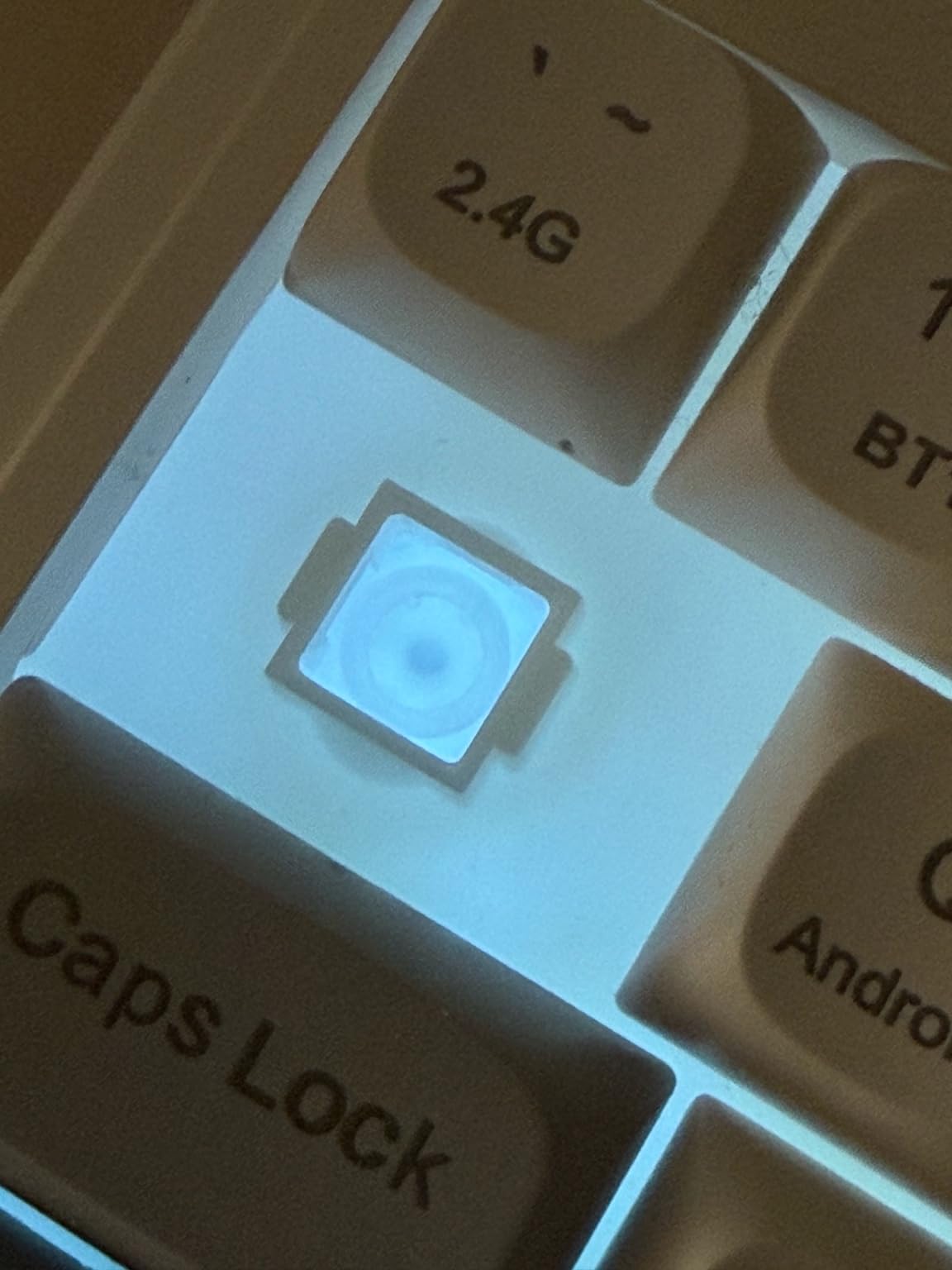
Why this board stands out for typists
The price is the headline feature. Tri-mode wireless, macro programmability, and a typewriter aesthetic at this price tier is unusual. For casual typists, students, or anyone who wants wireless convenience without spending much, this is the cheapest credible option on the list.
Where this board falls short
The manufacturer specification lists the switches as Membrane rather than mechanical, which is unusual for a keyboard marketed as mechanical. Treat the typing experience as membrane-with-a-creamy-sound rather than true mechanical. Battery life is shorter than premium tri-mode boards, and some users report RGB issues.
What to Look for When Buying a Mechanical Keyboard for Typing
Choosing the best mechanical keyboard for typing is mostly about matching switch feel, layout, and build quality to how you actually type. Here is what I focus on when I evaluate a board for typing use cases, with concrete recommendations based on what I have seen work over dozens of boards tested.
Switch type: tactile wins for most typists
Switch feel is the single biggest factor in typing comfort. For most typists, tactile switches with a clear bump at the actuation point deliver the best balance of feedback and accuracy. The bump tells you when the key has registered, so you do not have to bottom out to confirm the keystroke. Over a full day of typing, that reduced force adds up to less finger fatigue.
Cherry MX Brown and Gateron Brown are the gateway tactile switches, gentle enough for new mechanical users but still tactile. Boba U4T is a heavier tactile that enthusiasts love for its pronounced bump. Holy Panda is the premium tactile, with a sharp, defined bump that almost feels clicky without the noise. For typists who want accuracy feedback without office-disrupting sound, tactile is the answer.
Linear switches (Cherry MX Red, Gateron Yellow) move smoothly with no bump. They are popular for gaming because of the faster actuation, but many typists find the lack of feedback leads to more bottom-out typing and finger fatigue over long sessions. If you do not bottom out and prefer smooth travel, linear can still work for typing, but tactile is the safer recommendation.
Clicky switches (Cherry MX Blue, Kailh Box White) add an audible click on top of the tactile feel. Typists who like acoustic confirmation love them, but they are loud enough to bother coworkers and roommates. If you work in a shared space, choose tactile browns instead.
Layout: full-size, TKL, or 75% for typists
Layout choice comes down to what you need on the keyboard versus desk space. Full-size (104 keys) gives you everything: numpad, full F-row, dedicated arrow keys. For programmers, accountants, and writers who want zero Fn-layer gymnastics, full-size is the most productive layout. The Redragon K556 and K580 are full-size picks that work well for typing.
Tenkeyless (TKL, 87 keys) drops the numpad but keeps the F-row and arrows. For typists who do not use a numpad but want full function key access, TKL is a balanced compromise. None of the picks in this list are TKL, but it is worth knowing the option exists if you want a smaller footprint later.
75% layout keeps the F-row in a more compact arrangement. The 96% layout (like the AULA F99 and S99) keeps the numpad but shrinks the function row and arrow cluster. These layouts save desk space while keeping most functionality. For minimalist setups or smaller desks, 75% or 96% works well, but expect a short adjustment period if you are coming from full-size.
65% and 60% layouts drop more keys and force heavy Fn-layer use for arrows, navigation, and function keys. For dedicated typists, this slows down workflows. I do not recommend 60% or 65% for serious typing use unless you specifically want the minimalist challenge.
Build quality and weight
Weight is a quality signal in mechanical keyboards, not a flaw. Heavier boards (1000 g or more) stay planted on the desk when you lean into a key, which translates to a more consistent typing feel. The Redragon K556, SteelSeries Apex 5, and AULA F2088 all use aluminum in their construction for that planted feel.
Lighter plastic boards can flex under aggressive typing, which translates to inconsistent key feel. For typists who type hard, aluminum or aluminum-plate boards are worth the slight price premium.
Hot-swap value
Hot-swap sockets let you change switches without soldering. For typists still figuring out switch preferences, this is invaluable. The Redragon K556, K671, and K580 all have hot-swap sockets that accept standard 3-pin and 5-pin switches. The AULA F99 also supports hot-swap.
If you are new to mechanical keyboards, hot-swap lets you experiment with tactile, linear, and clicky switches over time without buying a new board for each preference test.
Wireless vs wired tradeoffs
Wired keyboards (Redragon K556, K580, SteelSeries Apex 5, RisoPhy, AULA F2088) deliver zero latency and never need charging. For typists who do not move their board, wired is the simplest choice.
Wireless keyboards (AULA F99, AULA S99) offer tri-mode connectivity with Bluetooth, 2.4GHz, and USB-C. The 2.4GHz mode delivers latency that most typists cannot distinguish from wired. Bluetooth works for tablets and laptops. For typists who value clean desks or switch between devices, wireless is worth the price premium.
Ergonomics and comfort
Keyboard ergonomics matter more for typists than for casual users. Wrist extension (bending the wrist upward) is the main cause of fatigue during long sessions. A wrist rest helps, but the board itself should have a low front height so your wrists stay neutral. The SteelSeries Apex 5 includes a quality magnetic wrist rest. For typists with persistent wrist pain, our guide to ergonomic keyboards for typing covers split and tented designs that reduce wrist extension further.
Adjustable feet let you tilt the board, but most typists prefer flat or slightly negative tilt. The AULA S99 has a foldable two-stage stand if you want angle adjustment. Beyond the board itself, take breaks every 45-60 minutes and stretch your hands. No keyboard fixes bad habits.
Frequently Asked Questions
Which mechanical keyboard is best for typing?
The Redragon K556 is our top pick for the best mechanical keyboards for typing in 2026. It combines an aluminum chassis, hot-swap tactile brown switches, full-size layout, and broad OS compatibility at a price most typists can afford. For wireless use, the AULA F99 is the strongest alternative with tri-mode connectivity and pre-lubed linear switches in a gasket mount.
Are tactile or linear switches better for typing?
Tactile switches are generally better for typing because the bump at the actuation point confirms each keystroke without forcing you to bottom out. This reduces finger fatigue over long sessions. Linear switches feel smoother and are popular for gaming, but many typists find the lack of feedback leads to harder bottom-out typing and more fatigue. Cherry MX Brown, Gateron Brown, and Boba U4T are popular tactile choices.
What keyboard layout is best for programmers?
Full-size (104 keys) or TKL (87 keys) layouts are best for programmers because they include a dedicated F-row for IDE shortcuts, separate arrow keys for navigation, and (in full-size) a numpad. The Redragon K556 and K580 are full-size picks that work well for coding workflows. If desk space is tight, a 75% or 96% layout keeps most functionality in a smaller footprint.
Do I need a hot-swap keyboard for typing?
Hot-swap is helpful but not strictly required for typing. If you already know your preferred switch type (tactile brown is the safest starting point), a soldered board with stock switches works fine. If you are new to mechanical keyboards and want to experiment with switch feel without buying multiple boards, hot-swap is valuable. The Redragon K556, K671, K580, and AULA F99 all support hot-swap.
What is the best keyboard for typing all day?
For all-day typing, prioritize a board with tactile switches, an aluminum or aluminum-plate chassis for stability, and a low front height to reduce wrist extension. The Redragon K556 and SteelSeries Apex 5 both meet these criteria. Pair your keyboard with a quality wrist rest and take breaks every 45-60 minutes. Ergonomics matter more than switch brand for all-day comfort.
Final Verdict on the Best Mechanical Keyboards for Typing
After testing all eight boards, the Redragon K556 earns the top spot as the best mechanical keyboard for typing overall. Its aluminum chassis, hot-swap tactile brown switches, full-size layout, and broad OS compatibility cover everything a dedicated typist needs without forcing a premium price.
If you are shopping on a tighter budget, the Redragon K671 delivers PBT keycaps and hot-swap at the lowest credible price. For wireless use, the AULA F99 stands out with tri-mode connectivity and a creamy pre-lubed linear typing feel. Match your pick to your budget and workflow, and you will end up with a mechanical keyboard for typing that makes every session more comfortable.