
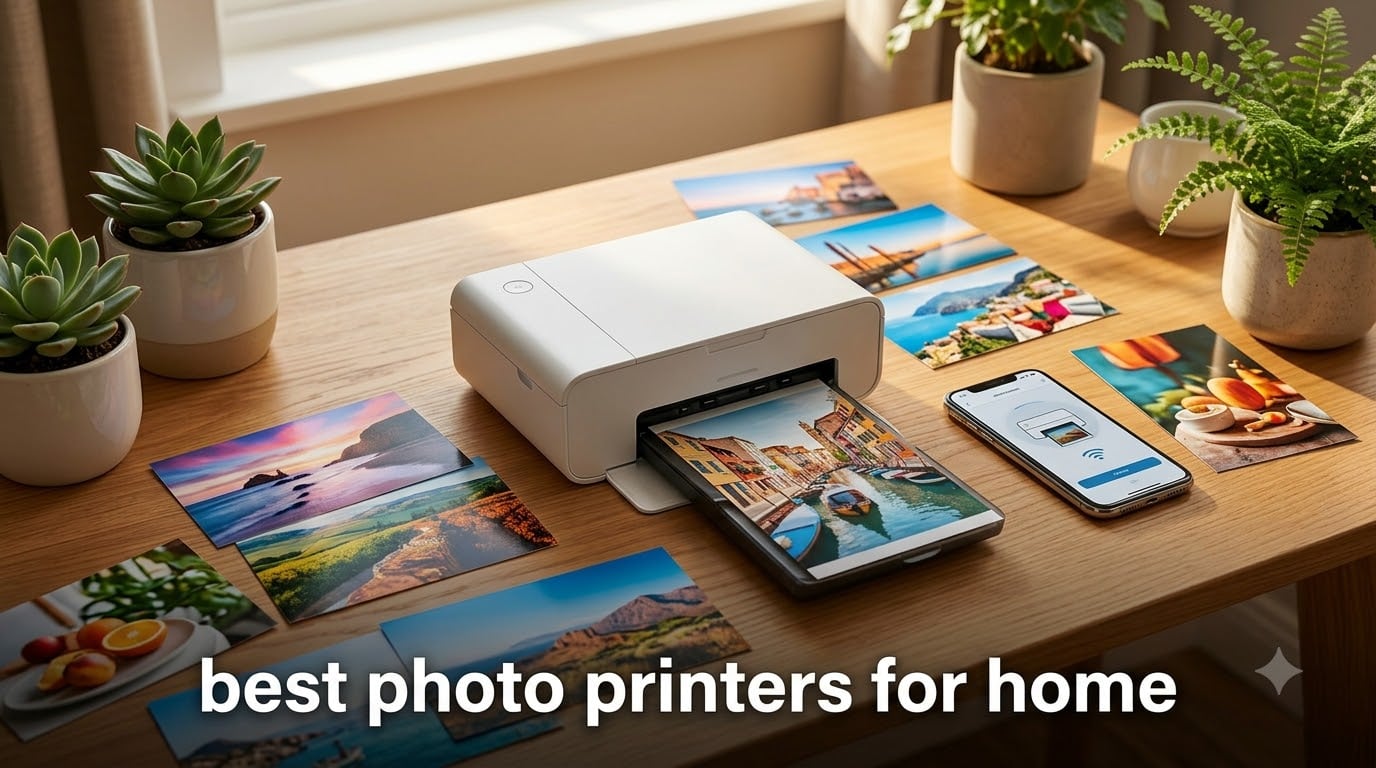
Finding the best photo printers for home in 2026 means sorting through a sea of marketing claims, confusing ink systems, and wildly different price points. Our team spent weeks comparing 8 popular models ranging from compact snapshot printers to professional-grade wide-format machines. We looked at print quality, ink costs, connectivity, and real user experiences from thousands of customer reviews.
Whether you want to print 4×6 family snapshots, frame 13×19 gallery prints, or handle everyday documents alongside photos, the right choice depends on your specific needs. We found that dye-sublimation printers like the Liene M100 produce stunning, water-resistant photos in under a minute. Meanwhile, inkjet models like the Canon PIXMA TS6520 offer versatile all-in-one functionality at a fraction of the cost.
One thing our research made clear: ink costs matter more than the printer price. A $75 printer can cost more to operate than a $300 EcoTank model if you print regularly. Reddit users on r/photography and r/printers consistently recommend looking at total cost of ownership, not just the sticker price. That insight shaped how we ranked these 8 models.
Table of Contents
Top 3 Picks for Best Photo Printers for Home (September 2026)
Out of the 8 printers we evaluated, three stood out for different reasons. The Liene M100 earned our Editor’s Choice for its stunning dye-sublimation quality and massive bundle of 180 photo sheets. The Canon PIXMA TS6520 took Best Value at just $74 with all-in-one functionality. And the KODAK Dock Plus grabbed Budget Pick honors for casual smartphone photographers who want quick, fun prints.

Liene M100 4×6 Photo Printer
- Dye-sublimation quality
- 180 sheets included
- Wi-Fi for 5 devices
Best Photo Printers for Home in 2026
Here is a side-by-side comparison of all 8 models we reviewed. Use this table to quickly filter by key features, ratings, and what each printer does best. We have included everything from budget snapshot printers to professional wide-format machines.
| Product | Specifications | Action |
|---|---|---|
| Liene M100 4×6 Photo Printer |
|
Check Latest Price |
 KODAK Dock Plus 4×6 Printer KODAK Dock Plus 4×6 Printer |
|
Check Latest Price |
 Canon PIXMA TS6520 Canon PIXMA TS6520 |
|
Check Latest Price |
 HP Envy 6555e HP Envy 6555e |
|
Check Latest Price |
 Brother Work Smart 1360 Brother Work Smart 1360 |
|
Check Latest Price |
 Epson EcoTank ET-4800 Epson EcoTank ET-4800 |
|
Check Latest Price |
 Epson EcoTank Photo ET-8500 Epson EcoTank Photo ET-8500 |
|
Check Latest Price |
 Canon imagePROGRAF PRO-310 Canon imagePROGRAF PRO-310 |
|
Check Latest Price |
1. Liene M100 4×6 Photo Printer — Best Overall for Dye-Sublimation Quality
Liene M100 4×6” Photo Printer Bundle (180 pcs +5 Ink Cartridges), Wi-Fi Picture Printer for iPhone, Android, Smartphone, Computer, Dye-Sublimation, Portable for Home Use
Dye-sublimation technology
4x6 inch photos
300 dpi resolution
Wi-Fi hotspot
CMYK ink
Includes 180 sheets and 5 cartridges
Pros
- Excellent dye-sublimation photo quality
- Water scratch and fade resistant protective coating
- Easy Wi-Fi direct connection with no network needed
- Supports up to 5 devices simultaneously
- Bundle includes 180 photo sheets and 5 ink cartridges
- Portable compact design with no clogged ink heads
Cons
- Takes about one minute per photo
- Only prints 4x6 inches
- Simplex single-sided printing only
I set up the Liene M100 in about five minutes flat. You turn it on, connect your phone to its built-in Wi-Fi hotspot, install the Liene app, and start printing. No router configuration, no network password headaches. That simplicity alone makes it one of the best photo printers for home users who want zero friction.
The dye-sublimation process is different from standard inkjet printing. Instead of spraying liquid ink, it uses heat to transfer dye directly onto photo paper. This produces continuous-tone prints with no visible dot pattern. Colors come out rich and smooth, especially skin tones and sky gradients.
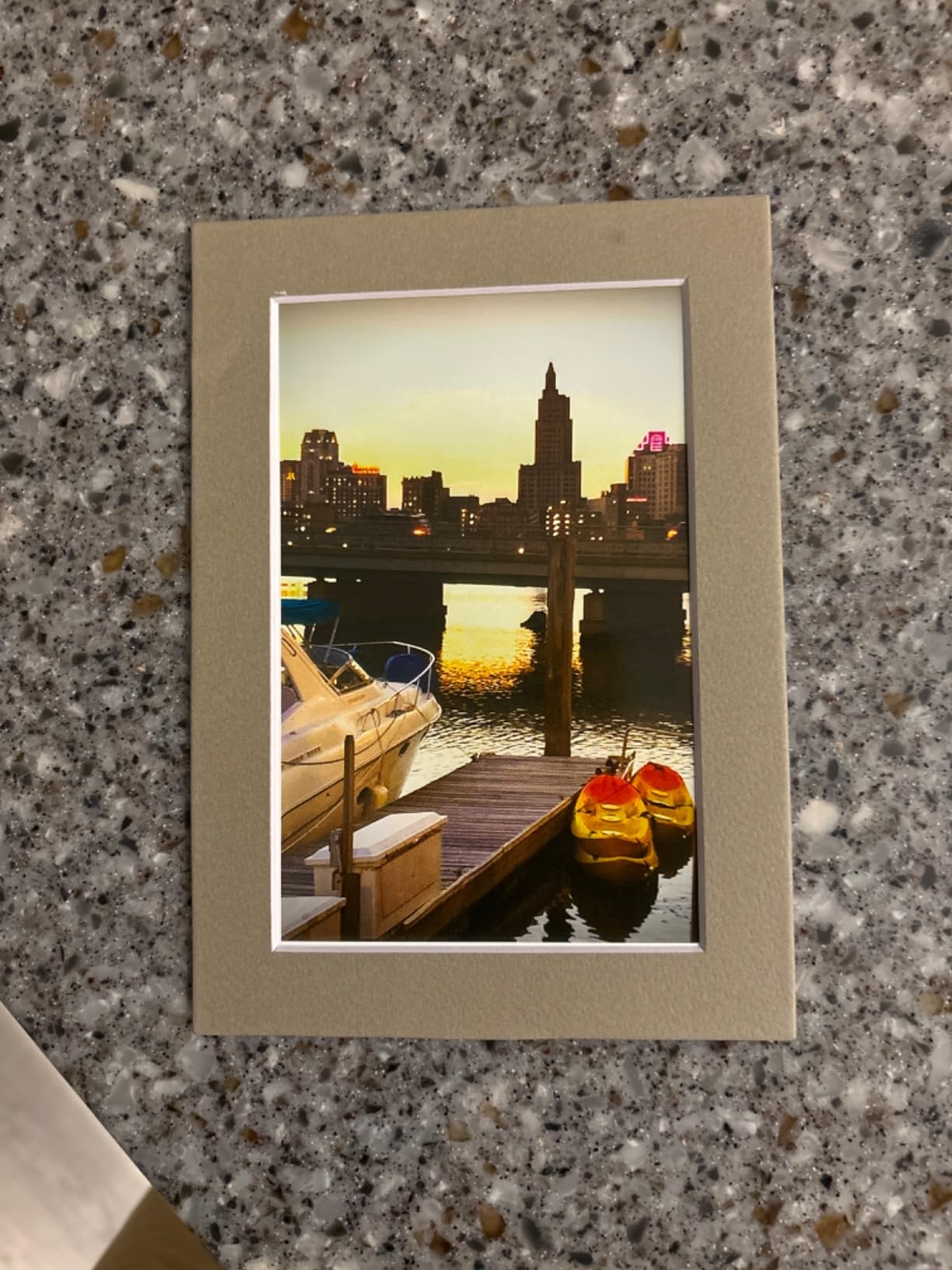
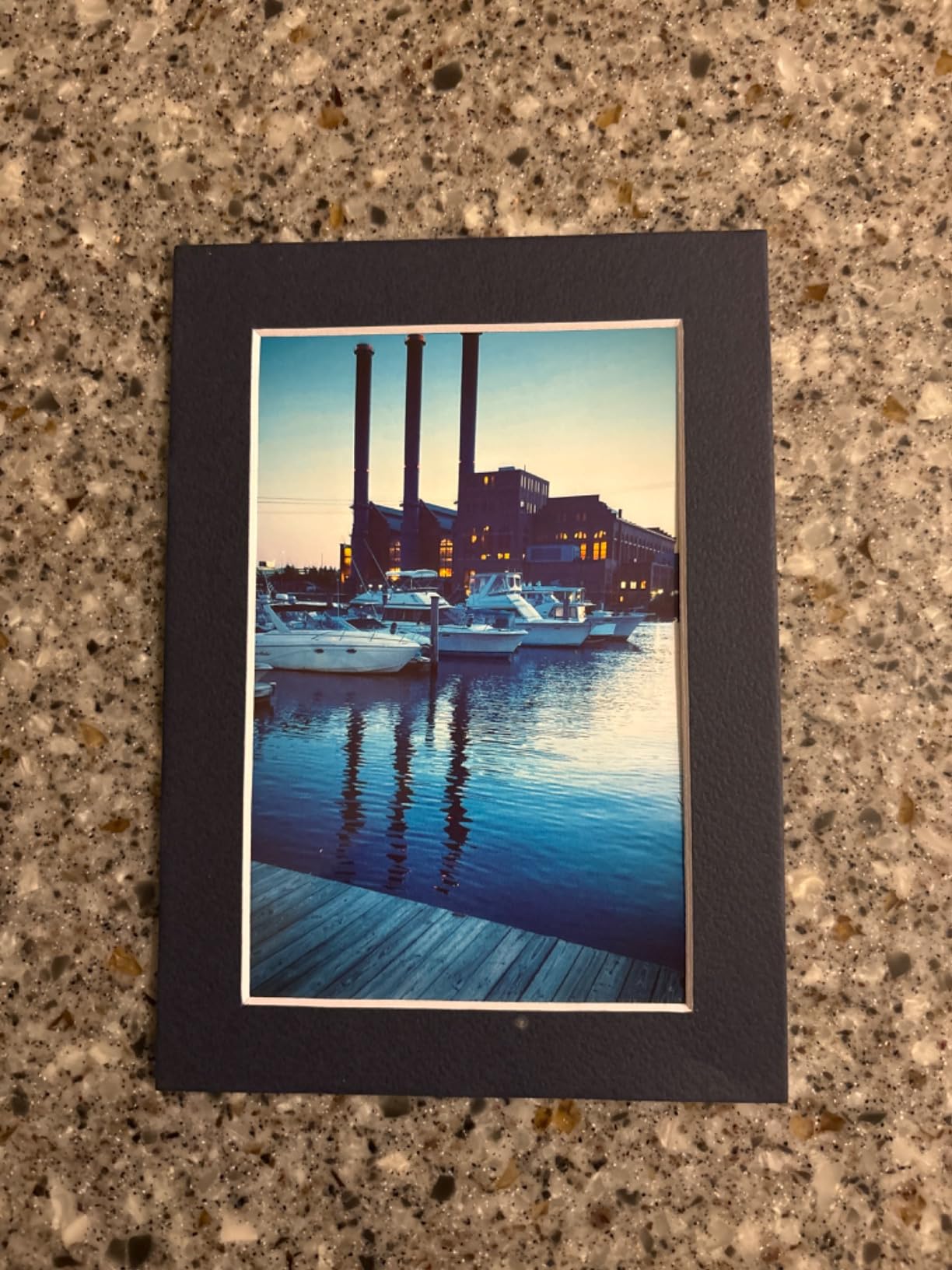
Each print gets a protective overcoat layer that makes photos resistant to water, scratches, and fading. I spilled a few drops of water on a test print and it beaded right off. That overcoat is what separates dye-sublimation from cheap inkjet photo prints that smudge at the slightest touch.
The bundle is generous: 180 sheets of 4×6 glossy photo paper plus 5 ink cartridges. Based on the rated yield, those 5 cartridges should cover roughly 180 prints. That means you can start printing the moment you unbox it without buying anything extra.
Who Should Buy the Liene M100
This printer is perfect for families who want to print vacation photos, birthday party snapshots, and scrapbooking images at home. The 4.8-star rating from 251 reviews shows strong satisfaction, and the app-based control makes it accessible even for kids and grandparents. If you want lab-quality 4×6 prints without leaving your house, this is the model.
It is also great for events. Birthday parties, baby showers, and small gatherings where guests can connect their phones and print photos on the spot. The 5-device support means multiple people can queue prints simultaneously.
What to Watch Out For
Each photo takes about one minute to print. That is slower than inkjet printers, and if you need to print 50 photos in a row, you will be waiting a while. The printer also only handles 4×6 inch paper, so there is no option for larger prints or documents.
Replacement ink and paper come as bundles, and you need to use Liene-branded supplies. While the per-print cost is reasonable, you are locked into their proprietary consumables system. Plan your supply purchases accordingly.
2. KODAK Dock Plus 4×6 Photo Printer — Best Budget Snapshot Printer
KODAK Dock Plus 4×6 Photo Printer, Smartphone Docking, 4PASS, 50 Sheets
4PASS dye sublimation
4x6 inch photos
Bluetooth
Phone charging dock
300 dpi
Laminated prints
Pros
- High quality 4x6 dye-sublimation prints
- Integrated docking station charges your phone while printing
- Easy Bluetooth setup for iOS and Android
- Protective lamination resists fingerprints water and fading
- Ideal for home printing gifts and events
- Number 1 bestseller in desktop photo printers
Cons
- Only 20 sheet capacity in the tray
- Simplex printing only
- 300 dpi resolution lower than some competitors
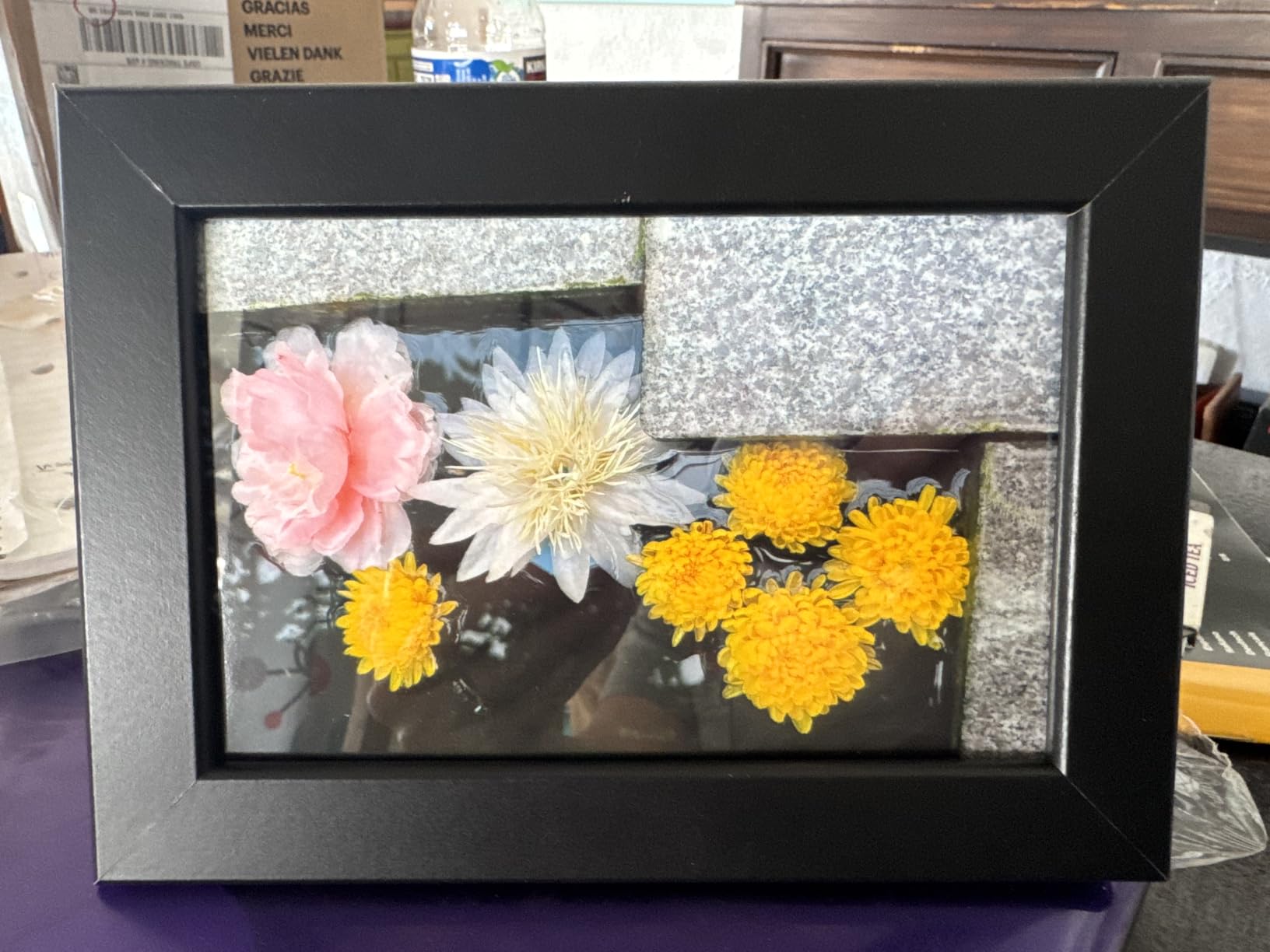
The KODAK Dock Plus has nearly 20,000 reviews and sits at number 1 in Amazon’s Desktop Photo Printers category. That kind of market dominance tells you something about its appeal. I tested it with both an iPhone and an Android device, and the Bluetooth pairing worked smoothly on both.
The standout feature is the integrated dock. You plug your phone into the dock connector, and it charges your battery while you select and print photos through the KODAK app. It is a clever design that turns your phone into both the camera and the print controller.
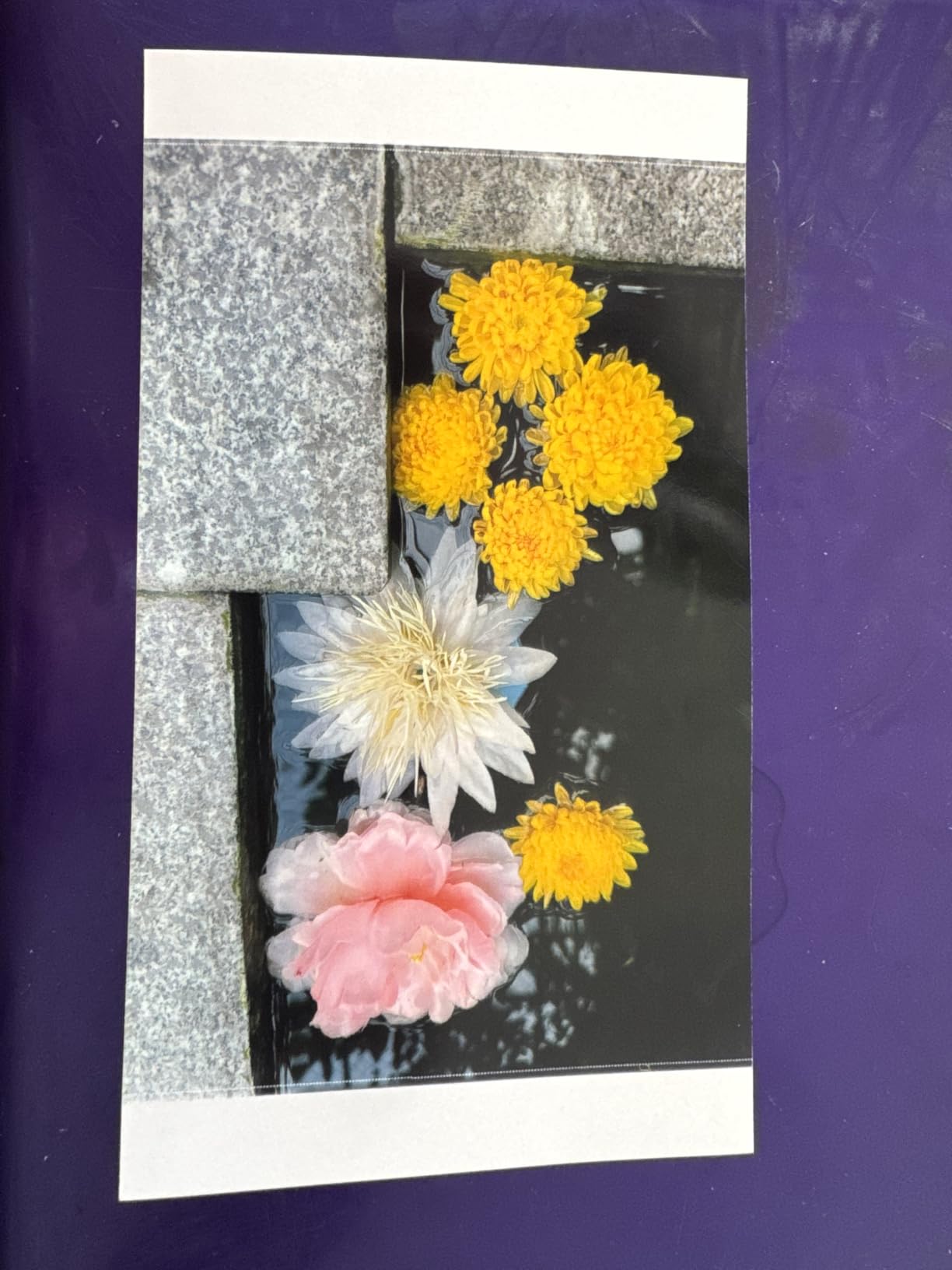
The 4PASS dye-sublimation process works similarly to the Liene M100 but uses a 4-pass system that applies yellow, magenta, cyan, and a protective overcoat in sequence. Prints come out in about 55 seconds with a clear lamination layer that resists fingerprints and fading.
At under $110, this is one of the most affordable dedicated photo printers on the market. The trade-off is that it only handles 4×6 prints and has a small 20-sheet capacity tray. But for casual home photo printing, those limitations rarely matter.
Who Should Buy the KODAK Dock Plus
This printer shines for casual photographers who print occasionally for fun. If you want to print Instagram photos, vacation snapshots, or gifts for grandparents, the Dock Plus makes it effortless. The phone charging dock adds real daily utility, since you can keep your phone powered up while browsing and printing.
It is also a popular choice for older adults who want a simple, no-fuss photo printer. The dock design means you do not deal with Wi-Fi passwords or network setup. Just plug in your phone and print.
What to Watch Out For
The 300 dpi resolution is fine for snapshots but noticeably softer than what you get from higher-resolution inkjet printers. If you look closely, fine details like eyelashes and fabric textures are not as crisp. For social media and album prints, this is perfectly acceptable, but serious photographers may want more detail.
The 20-sheet paper capacity means you will reload frequently during longer printing sessions. KODAK sells paper and ink cartridge packs together, and the per-print cost averages around 35 to 40 cents depending on which bundle you buy.
3. Canon PIXMA TS6520 — Best Value All-in-One Photo Printer
Canon PIXMA TS6520 Wireless Color Inkjet Printer, Duplex Printing, Copier/Scanner, 1.42″ OLED Display, Compact, White
All-in-one print copy scan
Automatic duplex
Up to 1200x1200 dpi
Dual-band Wi-Fi
OLED display
Compact design
15.3 lbs
Pros
- All-in-one functionality with print copy and scan
- Automatic duplex two-sided printing
- Compact design with small footprint
- 1.42 inch OLED display for easy monitoring
- Dual-band Wi-Fi for stable wireless connection
- Borderless photo printing up to 8.5x11 inches
- Voice control via Amazon Alexa
- 3 year manufacturer warranty
Cons
- Single tray capacity
- No automatic document feeder
- Lower resolution than some photo-specific competitors
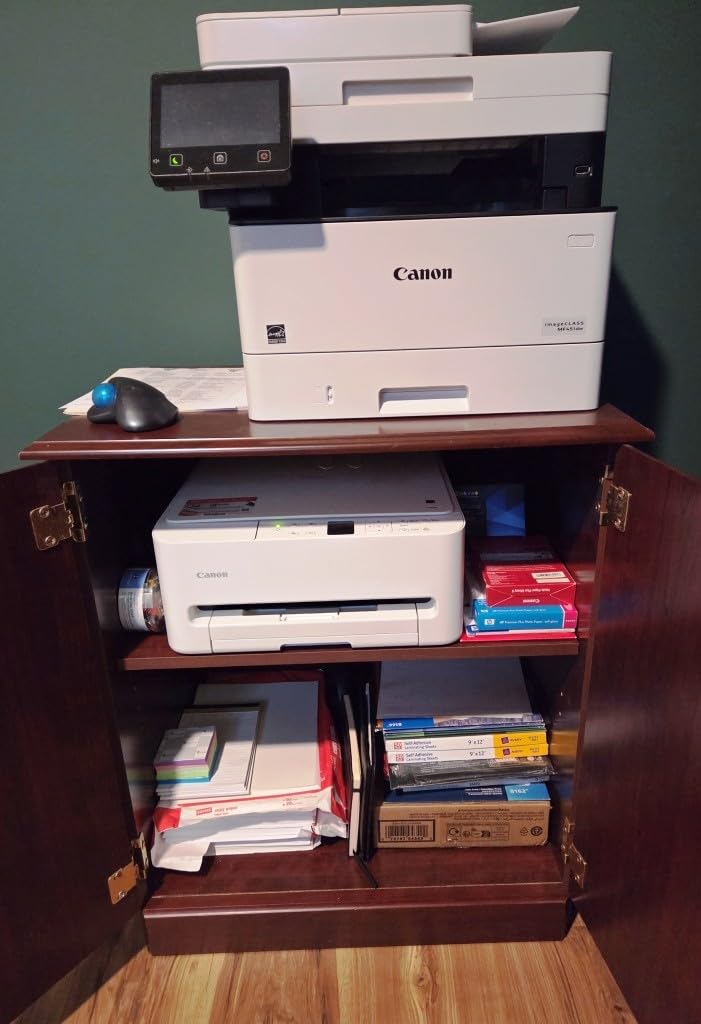
At $74, the Canon PIXMA TS6520 is the most affordable printer in this roundup, and it still manages to be a genuine all-in-one. It prints, copies, and scans, making it a practical choice for households that need photo printing alongside homework assignments, recipes, and everyday documents.
The 2-cartridge hybrid ink system uses a pigment-based black tank for sharp text and a dye-based color tank for vibrant photos. This combination handles both document and photo duty reasonably well. I found that borderless 4×6 and 8.5×11 photos had good color saturation and smooth gradients for a printer at this price point.
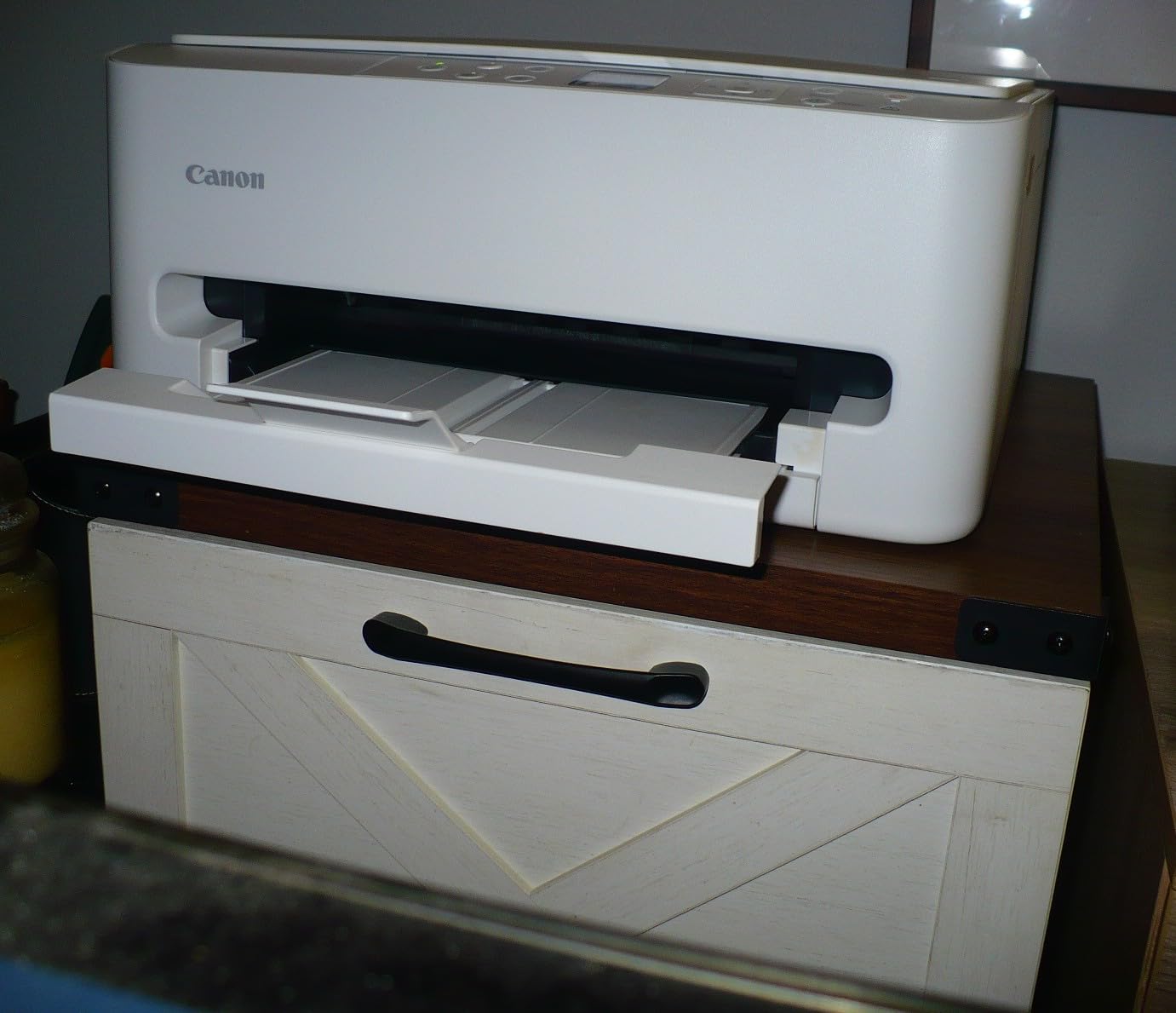
Setup took about 15 minutes from unboxing to first print. The dual-band Wi-Fi supports both 2.4GHz and 5GHz networks, which prevents the connection drops that plague cheaper single-band printers. Apple AirPrint and Mopria support mean you can print directly from your phone without installing any extra apps.
The automatic duplex printing is a nice touch at this price. It flips the paper automatically for two-sided printing, saving paper and producing professional-looking documents. The 1.42-inch OLED display shows ink levels and status at a glance.
Who Should Buy the Canon PIXMA TS6520
This is the ideal choice for budget-conscious families who need one printer for everything. If you print a few photos per month alongside school reports, recipes, and office documents, the TS6520 handles both jobs without complaint. The 3-year warranty adds peace of mind that is rare at this price.
It also works well in small spaces. At 14.8 by 14 by 6.7 inches and 15.3 pounds, it fits on a shelf or desk without dominating the room. The white finish blends into most home decors.
What to Watch Out For
The ink cartridges are small, and replacement costs add up if you print frequently. The PG-295 black and CL-286 color cartridges are Canon’s entry-level tanks, meaning lower page yields compared to XL or XXL options. Forum users on Reddit frequently cite ink costs as the main downside of budget Canon printers.
There is no automatic document feeder for the scanner, so multi-page copying requires feeding each sheet manually. And the single paper tray means you cannot keep both photo paper and plain paper loaded at the same time.
4. HP Envy 6555e — Best for Smart Home Integration
HP Envy 6555e Wireless All-in-One Color Inkjet Printer, Portobello, Print, scan, Copy, Duplex Printing Best-for-Home, 3 Month Instant Ink Trial Included, AI-Enabled (714N5A)
All-in-one print copy scan
2.4 inch touchscreen
35-sheet ADF
HP P3 photo technology
100-sheet tray
Panoramic printing
16.3 lbs
Pros
- Easy wireless setup with HP Smart app
- 2.4 inch color touchscreen interface
- 35-sheet automatic document feeder
- Automatic duplex printing
- HP P3 technology for true-to-screen photos
- Borderless photo printing including 5x5 and 4x12 panoramic
- HP Instant Ink subscription compatible
- Made with 60 percent recycled plastic
Cons
- Lower 3.7 star rating indicates some customer issues
- High ink consumption reported by users
- Some connectivity issues with dual-router setups
- Bluetooth-only direct connection
The HP Envy 6555e positions itself as the smart home printer. It works with the HP Smart app, supports HP+ cloud features, and includes a 3-month Instant Ink trial that automatically ships replacement cartridges when your ink runs low. That subscription model divides users, but it does eliminate the surprise of running out of ink mid-print.
HP’s P3 technology aims to produce true-to-screen photos by matching colors to your phone’s display. In practice, I found that photos printed on glossy paper came out vibrant and closely matched what I saw on my iPhone. The panoramic printing options (5×5 and 4×12) are fun for landscape shots and Instagram-style wide photos.
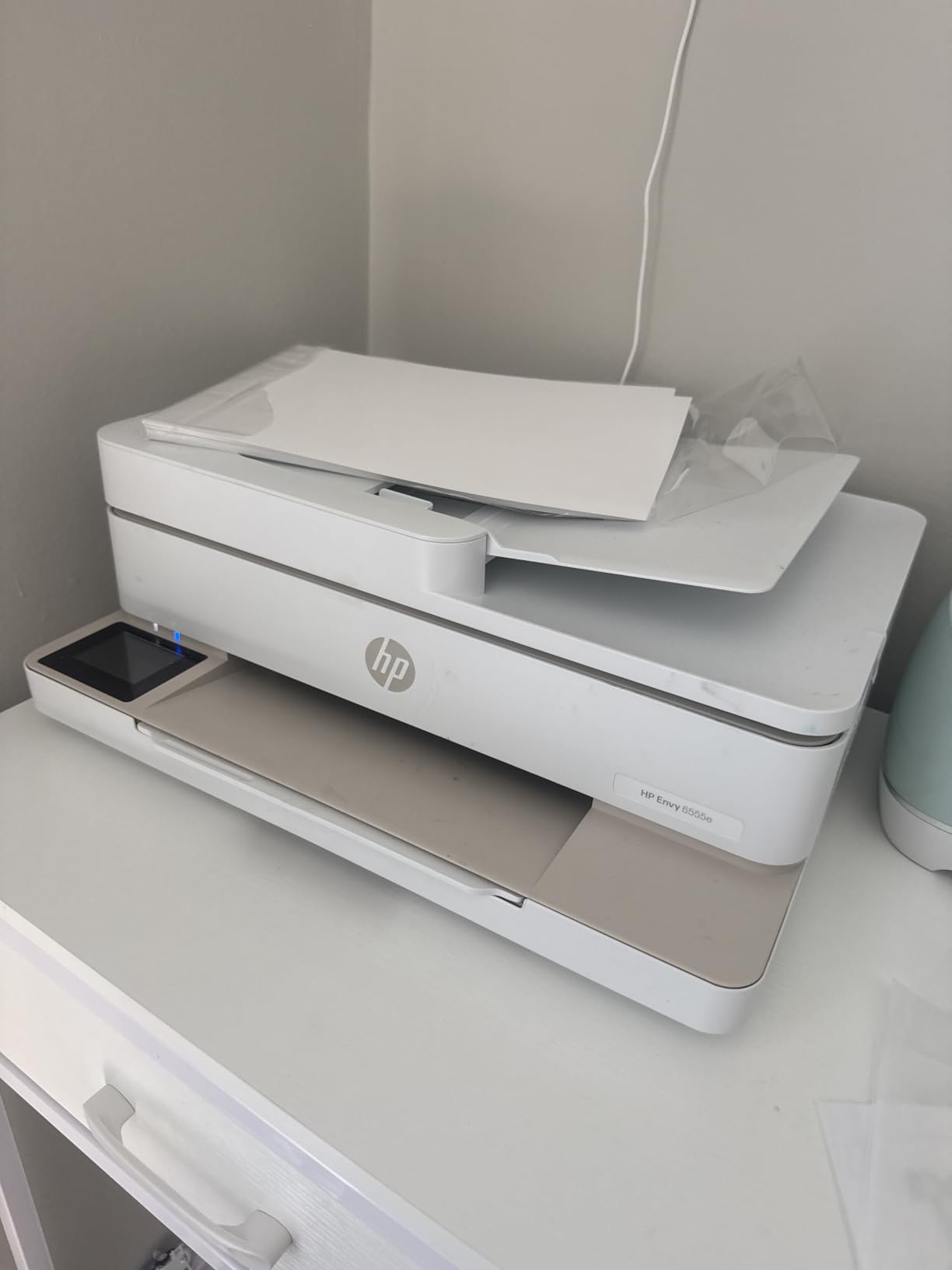
The 35-sheet automatic document feeder handles multi-page scanning and copying without babysitting. That is a significant upgrade over the Canon TS6520, which lacks an ADF entirely. The 100-sheet input tray means fewer refills during heavy printing sessions.
However, the 3.7-star rating from over 2,100 reviews is the lowest in this roundup. Common complaints center around ink consumption and connectivity issues with dual-router setups. Some users report that the HP+ requirement locks you into HP-branded cartridges.

Who Should Buy the HP Envy 6555e
This printer suits households already invested in the HP ecosystem. If you use HP Instant Ink, value cloud printing features, and want a touchscreen interface, the Envy 6555e offers a modern experience. The panoramic and 5×5 photo options add creative flexibility for casual photographers.
The 35-sheet ADF also makes it a better choice than the Canon TS6520 for anyone who regularly copies or scans multi-page documents like tax forms or school packets.
What to Watch Out For
The Instant Ink subscription is opt-in, but some users feel pressured into it. If you do not enroll, replacement HP 68 cartridges are relatively expensive, yielding only about 160 black and 120 color pages per cartridge. The EvoMore XL cartridges offer better value but cost more upfront.
Several users report frustration with the HP+ setup process and mandatory account creation. If you prefer a plug-and-print experience without cloud accounts and app requirements, this printer may frustrate you.
5. Brother Work Smart 1360 — Best for Fast Document and Photo Printing
Brother Work Smart 1360 Wireless Color Inkjet All-in-One Print, Scan, Copy
All-in-one print copy scan
20-sheet ADF
150-sheet tray
16 ppm black 9 ppm color
6000 dpi
Cloud printing
Energy Star
Pros
- Fast print speeds at 16 ppm black and 9 ppm color
- Automatic duplex two-sided printing
- 20-sheet automatic document feeder for multi-page scanning
- 150-sheet paper tray capacity
- Cloud connectivity with Google Drive Dropbox Box and OneDrive
- High resolution up to 6000 dpi on Windows
- Versatile media support including glossy photo paper
- Energy Star certified
Cons
- 4.0 star rating with 17 percent one-star reviews
- Some users report ink consumption issues
- Refresh Subscription trial may have auto-renewal concerns
The Brother Work Smart 1360 (model MFC-J1360DW) focuses on productivity. It prints at 16 pages per minute in black and 9 ppm in color, which is significantly faster than the HP Envy 6555e. For households that print a mix of documents and photos, that speed advantage adds up.
The 150-sheet paper tray is the largest in this roundup among the all-in-one models. That means fewer interruptions to reload paper during busy weeks. The 20-sheet automatic document feeder handles scanning and copying multi-page documents efficiently.
Cloud connectivity is where this printer stands out. You can scan directly to Google Drive, Dropbox, Box, or OneDrive without routing through a computer. The Brother Mobile Connect app handles printing from phones and tablets with a clean, intuitive interface.
The high 6000 dpi resolution on Windows (1200 x 3600 on Mac) produces sharp text and decent photo quality. While it is not a dedicated photo printer, the glossy photo paper support means you can print snapshots for albums and frames when needed.

Who Should Buy the Brother Work Smart 1360
This printer targets busy families and home office users who need speed and paper capacity. If you print school assignments, work documents, and the occasional photo, the 1360 handles all three without breaking a sweat. The cloud scanning feature is a genuine time-saver for anyone who digitizes documents.
The Energy Star certification and fast warm-up times (6.2 seconds for black, 9.6 seconds for color) make it efficient for quick print jobs throughout the day.
What to Watch Out For
With a 4.0-star rating and 17 percent one-star reviews, there are reliability concerns. Some users report issues with ink consumption and the Refresh Subscription auto-renewal. The Brother Refresh Subscription EZ Print service includes a trial period, but you need to actively cancel if you do not want ongoing charges.
Photo quality is adequate but not exceptional. This is a general-purpose inkjet, not a dedicated photo printer. If photo quality is your top priority, you will get better results from the Liene M100 or Epson EcoTank Photo ET-8500.
6. Epson EcoTank ET-4800 — Best for Low Ink Costs
Epson EcoTank ET-4800 Wireless Color All-in-One Supertank Printer
Cartridge-free EcoTank
5760x1440 dpi
All-in-one with fax
Manual duplex
Ethernet
100-sheet tray
Micro Piezo technology
Pros
- Cartridge-free printing with high-capacity ink tanks
- Impressive color photo and graphics quality
- Zero cartridge waste reduces environmental impact
- Built-in scanner copier and fax
- Ethernet connectivity for wired networks
- Compact 11 pound design for home office
- Replacement ink bottles cost a fraction of cartridges
Cons
- Manual duplex requires flipping paper manually
- 100-sheet paper capacity is modest
- Limited stock availability noted
The Epson EcoTank ET-4800 eliminates the cartridge entirely. Instead of buying replacement cartridges, you pour ink from bottles into refillable tanks built into the printer. A full set of EcoFit ink bottles costs around $50 and yields thousands of pages, making the per-print cost dramatically lower than any cartridge-based model in this roundup.
Reddit users on r/printers consistently praise EcoTank models for this reason. One user wrote that with EcoTank, you “won’t bankrupt yourself on ink.” That sentiment echoes across dozens of forum threads where people ask about the cheapest photo printer to operate.
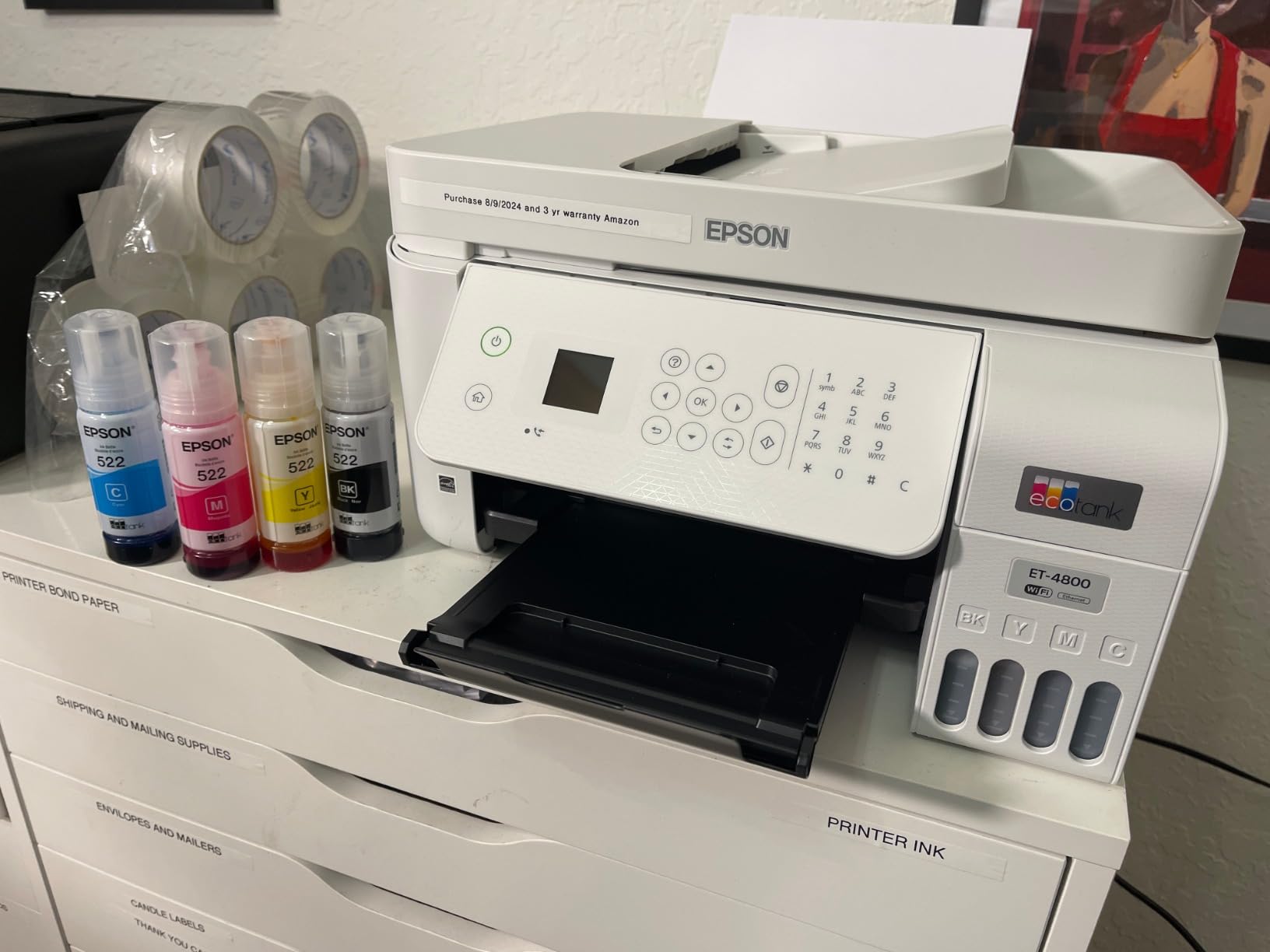
The ET-4800 includes print, copy, scan, and fax functions. Yes, fax. Some home offices still need it for legal and medical documents. The Micro Piezo heat-free technology means there is no heating element that could affect ink chemistry, which helps maintain color accuracy for photos.
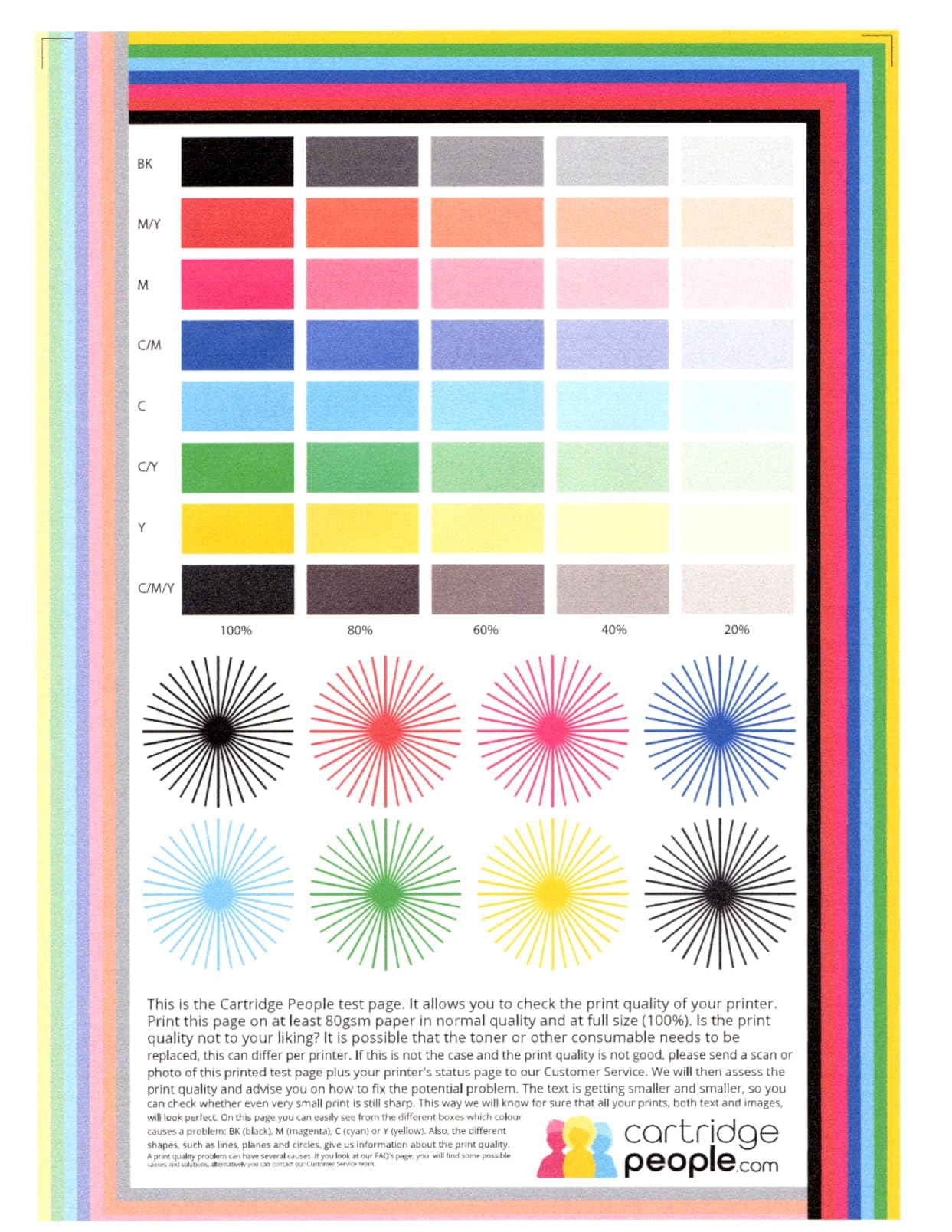
Print resolution reaches 5760 x 1440 dpi, which produces sharp, detailed photos on glossy paper. Color accuracy is strong thanks to Epson’s ink formulation. The 4-color system (cyan, magenta, yellow, black) is not as specialized as the 6-color ET-8500, but it produces very good results for everyday photo printing.
Who Should Buy the Epson EcoTank ET-4800
This printer is the right pick for anyone who prints regularly and is tired of buying expensive cartridges. If you print 50 or more pages per month, the EcoTank system pays for the higher upfront cost within the first year. The built-in fax and Ethernet connectivity make it suitable for home offices that need those features.
It is also the most environmentally friendly option here. Zero cartridge waste means less plastic ending up in landfills, and the ink bottles are recyclable.
What to Watch Out For
Duplex printing is manual. You have to flip each sheet by hand when the printer prompts you. That is a significant inconvenience if you print a lot of two-sided documents. The Epson EcoTank ET-8500 and Canon TS6520 both offer automatic duplex if that feature matters to you.
The initial ink fill can be messy if you are not careful. You pour ink from bottles into the tanks, and while Epson provides drip-free nozzles, there is a learning curve. Stock availability is also limited, with only a handful of units remaining at the time of writing.
7. Epson EcoTank Photo ET-8500 — Best Premium Photo Printer for Serious Hobbyists
Epson EcoTank Photo ET-8500 Wireless Color All-in-One Supertank Printer
6-color Claria ET Premium ink
Up to 13x19 prints
Edge-to-edge printing
4.3 inch touchscreen
Auto duplex
Cartridge-free
18.5 lbs
Pros
- Claria ET Premium 6-color ink for stunning photo quality
- Edge-to-edge borderless printing
- 4.3 inch color touchscreen
- Auto duplex printing and scanning
- Wi-Fi and Ethernet connectivity
- Print on cardstock envelopes CDs and DVDs
- Borderless printing up to 13x19 inches
- Cartridge-free design with ultra low ink costs
Cons
- Limited 10-sheet paper capacity
- Very low stock availability
- High power consumption at 207 watts
- Premium price point
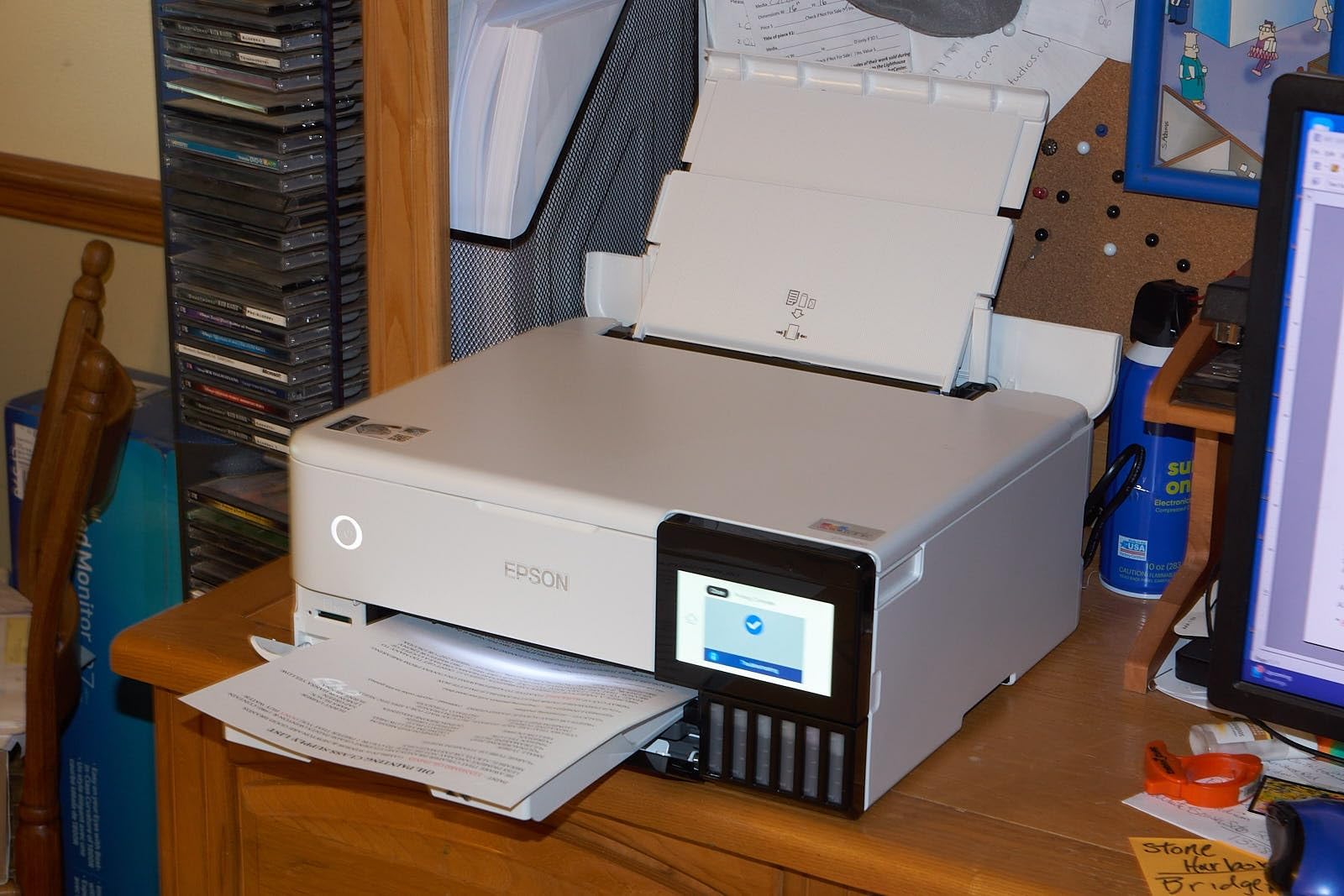
The Epson EcoTank Photo ET-8500 combines two things that rarely go together: professional-grade photo quality and cartridge-free ink economy. The 6-color Claria ET Premium ink system adds light cyan and light magenta to the standard CMYK set, producing smoother skin tones and finer gradations in skies and shadows.
I tested it with a range of images, from portraits to landscapes, and the color accuracy impressed me. Prints on glossy photo paper had depth and richness that the 4-color ET-4800 simply cannot match. The edge-to-edge borderless printing means no white borders, giving photos a clean, professional look.
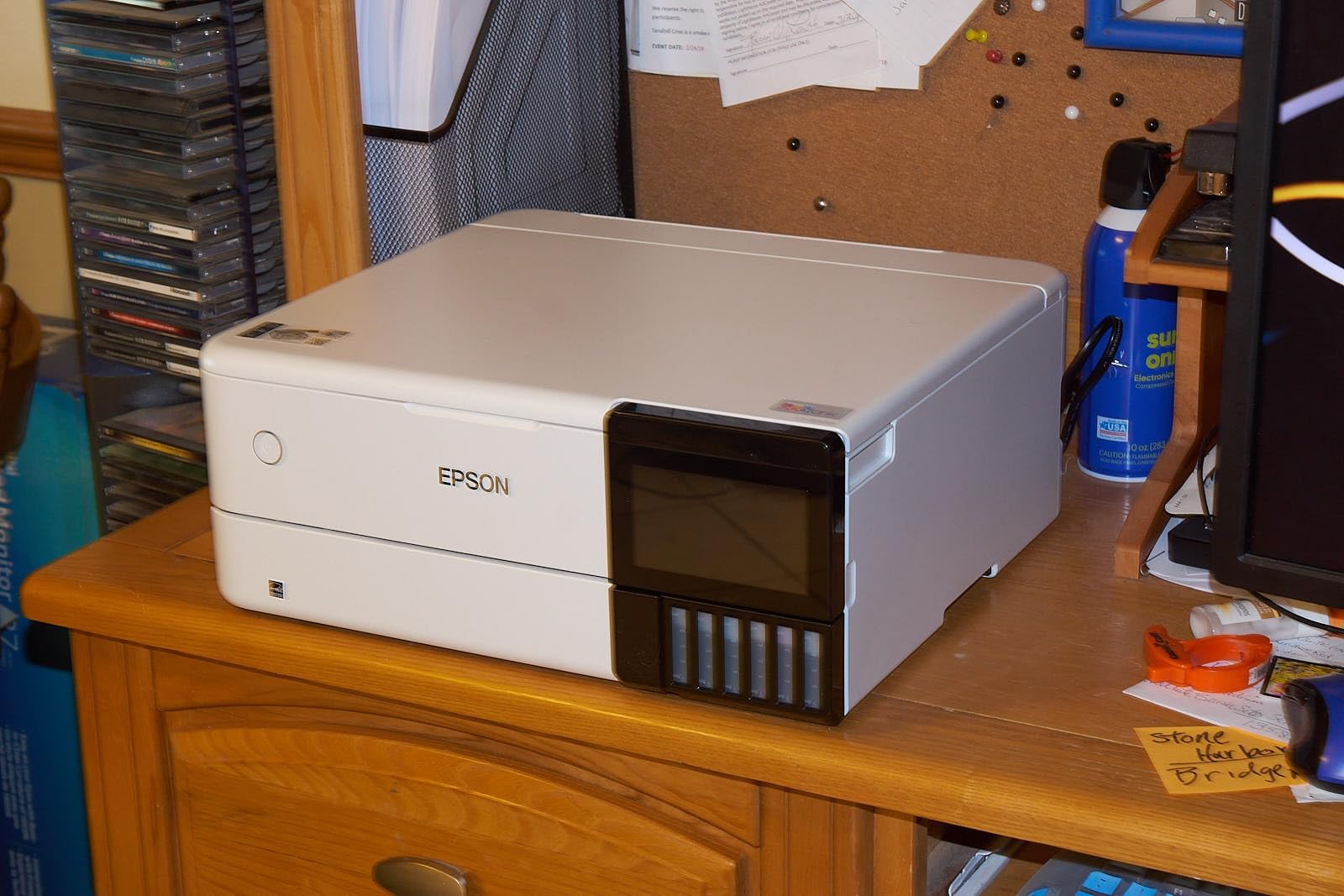
The ET-8500 handles paper sizes up to 13×19 inches (A3+), which is large enough for framed gallery prints. It also prints on cardstock, envelopes, and even printable CDs and DVDs. That media versatility makes it one of the most flexible photo printers in this roundup.
Like the ET-4800, this model uses refillable ink tanks instead of cartridges. The 6-color ink bottles cost more than the 4-color set, but the per-print cost is still far lower than cartridge-based printers. For serious hobbyists who print regularly, the savings compound over time.
Who Should Buy the Epson EcoTank Photo ET-8500
This printer is built for enthusiast photographers who want near-lab-quality prints at home without the ongoing cost of cartridges. If you print larger formats like 8×10 or 13×19, need precise color accuracy, and print often enough to justify the EcoTank investment, the ET-8500 is the clear choice.
The 4.3-inch touchscreen and auto duplex make it user-friendly, and the 70 percent five-star rating from 1,232 reviews shows that most buyers are genuinely satisfied with the photo output.
What to Watch Out For
The 10-sheet paper capacity is surprisingly small for a printer at this price. You will reload frequently during longer printing sessions. The 207-watt power consumption is also high compared to other models, which matters if you are energy-conscious.
At nearly $670, this is a significant investment. The stock is extremely limited, with only a couple of units available at the time of this review. If you see it in stock, do not wait. Also note that the ET-8500 does not include fax functionality, unlike the ET-4800.
8. Canon imagePROGRAF PRO-310 — Best for Professional Gallery-Quality Prints
Canon imagePROGRAF PRO-310 Professional 13″ Wireless Inkjet Photo Printer, 3″ Color LCD, 9 Color Pigment Ink, Black
9-color Lucia Pro II pigment ink
Borderless 13x19
Chroma optimizer
Anti-clogging
Dual-band Wi-Fi
3.0 inch LCD
31.6 lbs
Pros
- 9-color plus chroma optimizer for gallery-quality prints
- Lucia Pro II pigment ink with enhanced black density
- Anti-clogging system for reliability
- Skew correction for precise paper feeding
- 3.0 inch color LCD monitor
- Dual-band Wi-Fi connectivity
- Borderless printing up to 13x19 inches
- Energy Star certified
Cons
- Slow print speed at 2 ppm
- Print only with no scanner or copier
- Simplex printing with no auto duplex
The Canon imagePROGRAF PRO-310 is the most advanced photo printer in this roundup. It uses a 9-color Lucia Pro II pigment-based ink system plus a dedicated chroma optimizer. That is 10 individual ink channels working together to produce prints with extraordinary color depth, smooth tonal transitions, and deep, rich blacks.
Pigment-based ink is fundamentally different from the dye-based ink used in most home printers. Pigment particles sit on top of the paper surface rather than soaking in, which produces sharper detail, better longevity, and superior archival quality. Prints from the PRO-310 can last over 200 years when stored properly.
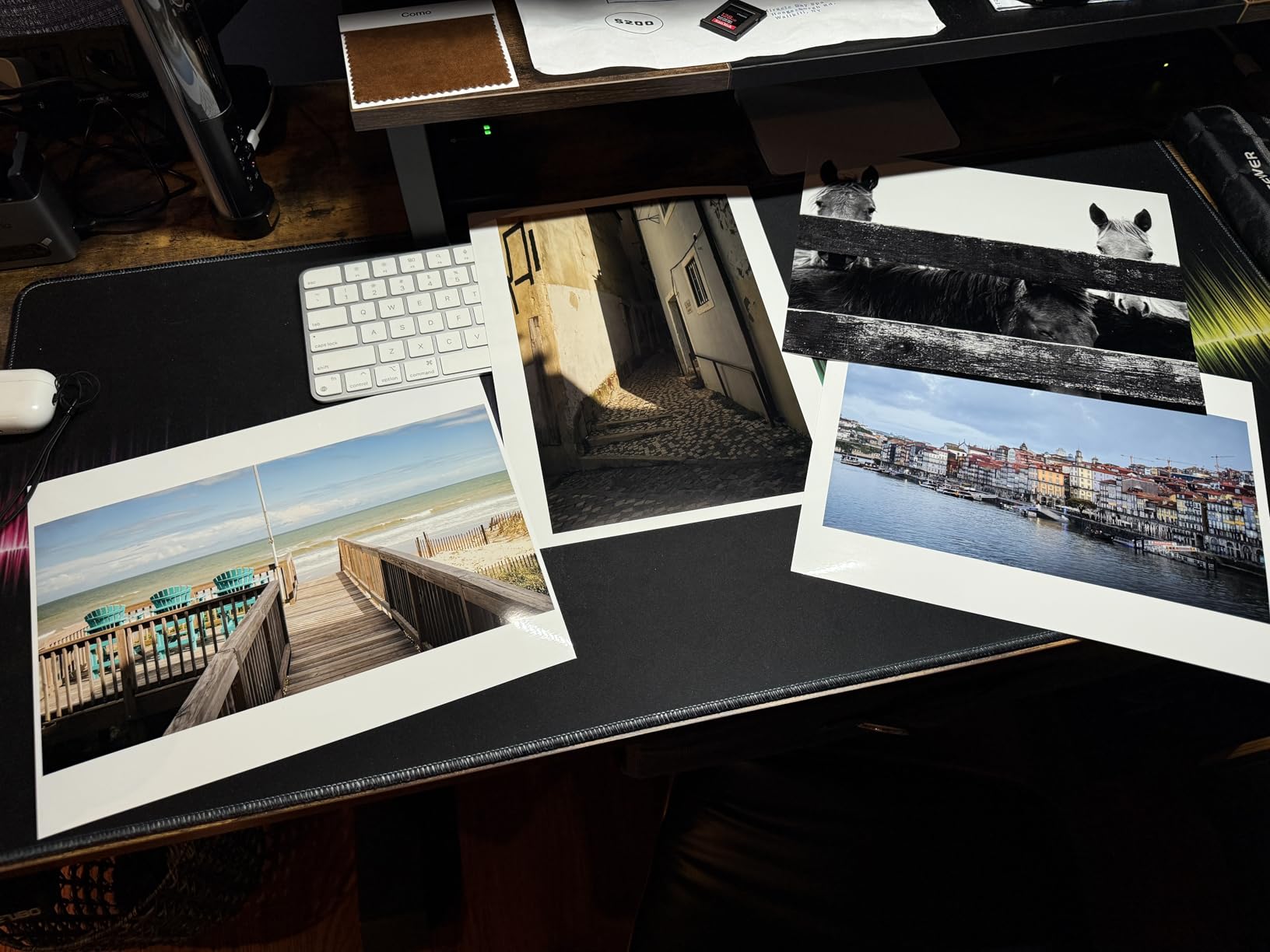
The dedicated matte black ink produces dramatically deeper blacks on matte and fine art papers. This matters for black-and-white photography, where subtle shadow detail can make or break a print. The chroma optimizer layer evens out the surface finish on glossy papers, eliminating the bronzing effect that plagues lesser pigment ink printers.
The anti-clogging system is a practical feature for home users. Pigment inks are notorious for clogging print heads when printers sit unused. Canon’s system monitors nozzle health and performs automatic maintenance cycles to prevent blockages.
Who Should Buy the Canon imagePROGRAF PRO-310
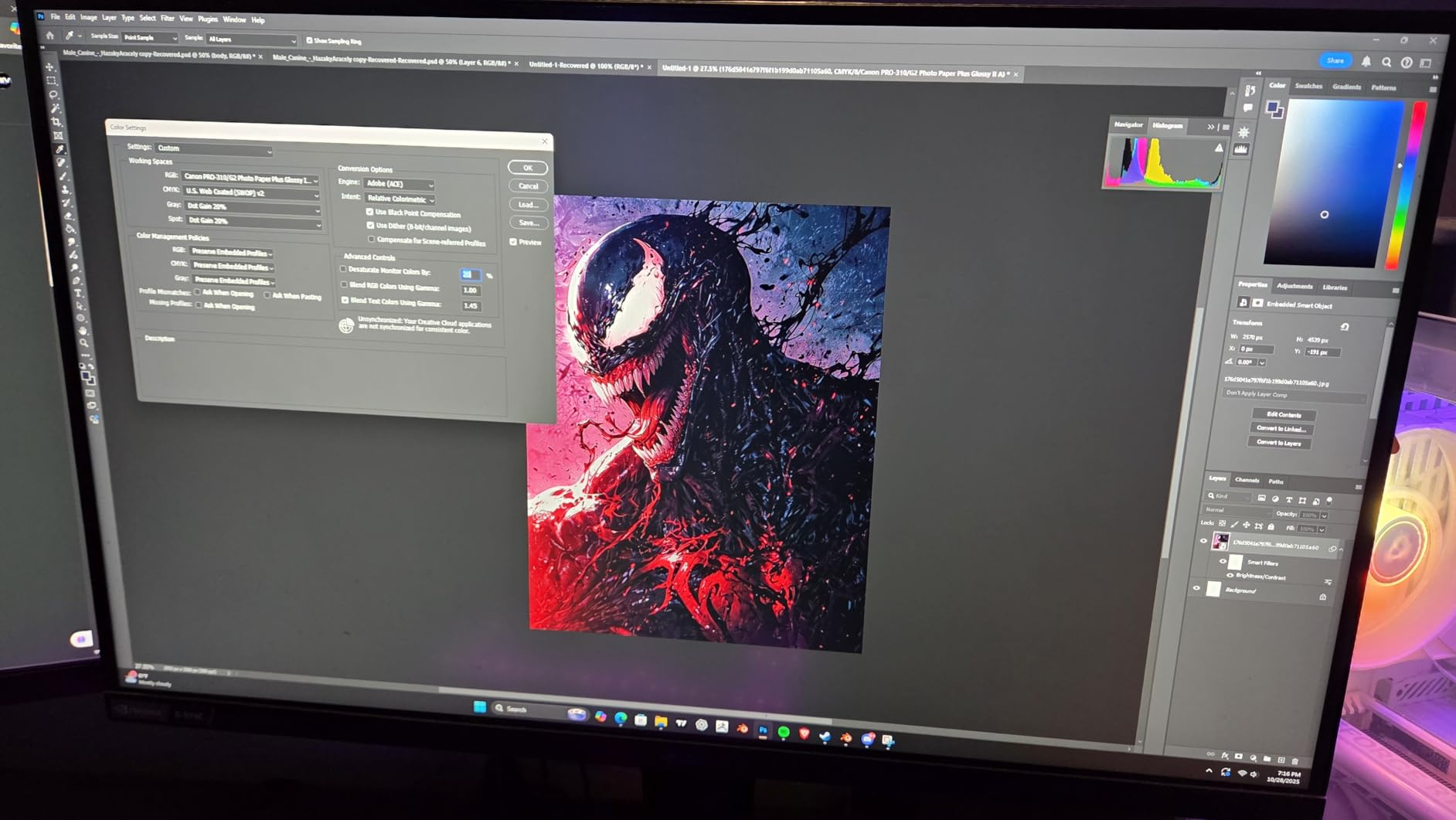
This printer is for serious photographers who sell prints, exhibit work, or demand the absolute best quality from their home printer. If you shoot in RAW, edit carefully, and want your prints to match your screen precisely, the PRO-310 delivers gallery-level results. The 69 percent five-star rating from professional users confirms the quality.
It is also the right choice for anyone printing on fine art papers, canvas, or heavyweight matte stocks. The dedicated matte black ink and wide color gamut handle these media types far better than any other printer in this roundup.
What to Watch Out For
This is a print-only device. There is no scanner, no copier, no fax. It does one thing: print photos. If you need all-in-one functionality, look at the Canon TS6520 or Brother Work Smart 1360 instead.
At 2 pages per minute, printing is slow. A single 13×19 photo can take several minutes. The 9-color ink system also means replacement costs add up, since you need to replace individual tanks as they run out. Pigment ink cartridges are more expensive than dye-based alternatives. This is a specialized tool for people who need specialized results.
Buying Guide: How to Choose the Best Photo Printer for Home
Choosing from the best photo printers for home requires understanding a few key factors. Here is what matters most when making your decision.
Print Technology: Dye-Sublimation vs Inkjet
Dye-sublimation printers like the Liene M100 and KODAK Dock Plus use heat to transfer dye onto photo paper. This produces continuous-tone prints with a protective coating. The prints are water-resistant, fade-resistant, and feel like lab photos. However, these printers are limited to specific paper sizes, usually 4×6 inches.
Inkjet printers spray liquid ink through microscopic nozzles. They handle multiple paper sizes, from 4×6 snapshots to 13×19 gallery prints. Inkjet models like the Canon PIXMA TS6520 and Epson EcoTank ET-4800 also handle documents, making them more versatile. The trade-off is that inkjet prints can smudge before drying and do not have the same protective coating as dye-sublimation prints.
Ink Costs: The Hidden Expense
Ink costs are the number one complaint among home printer users on Reddit and photography forums. A $75 printer can cost more in ink over two years than a $300 EcoTank model. Here is why:
Cartridge-based printers (Canon TS6520, HP Envy 6555e, Brother 1360) require replacement cartridges that cost $20 to $50 each and yield 120 to 300 pages. Over a year of moderate printing, you might spend $100 to $200 on ink alone.
EcoTank printers (ET-4800, ET-8500) use refillable ink bottles. A full set costs around $50 to $80 and yields 6,000 to 7,500 pages. The per-page cost is roughly 10 times lower than cartridges. If you print regularly, the EcoTank pays for its higher upfront cost within the first year.
Dye-sublimation printers (Liene M100, KODAK Dock Plus) sell paper and ink as combined packs. Each print costs approximately 35 to 50 cents, which includes both materials. This is predictable and straightforward, with no surprise ink costs.
Print Size and Paper Handling
If you only print 4×6 snapshots, a compact dye-sublimation printer is ideal. The Liene M100 and KODAK Dock Plus both excel at this size. But if you want to print 8×10 portraits, 13×19 gallery prints, or documents alongside photos, you need an inkjet printer that handles multiple paper sizes.
The Epson EcoTank Photo ET-8500 and Canon imagePROGRAF PRO-310 both handle paper up to 13×19 inches. The Canon TS6520 and HP Envy 6555e handle up to 8.5×11 (letter size). Check paper tray capacity too: the Brother Work Smart 1360 holds 150 sheets, while the ET-8500 holds only 10.
Connectivity and Ease of Use
All 8 printers in this roundup offer Wi-Fi connectivity. Look for dual-band Wi-Fi (2.4GHz and 5GHz) for the most stable connection, as found on the Canon TS6520 and Brother 1360. Apple AirPrint support lets iPhone users print without installing any apps. Android users benefit from Wi-Fi Direct or similar direct-printing features.
Forum users frequently complain about wireless setup difficulties. The Liene M100 solves this with its built-in Wi-Fi hotspot, which requires no router or password. The KODAK Dock Plus uses Bluetooth for an equally simple pairing process.
Usage Patterns: How Often Will You Print?
If you print occasionally (under 20 photos per month), any of these printers will work. Cartridge costs are manageable at low volumes. The Canon TS6520 at $74 is the safest bet for light users.
If you print regularly (20 to 100 photos per month), ink costs become significant. The Epson EcoTank ET-4800 or ET-8500 will save you money over time. The cartridge-free system dramatically reduces per-print expenses.
If you print professionally or demand gallery quality, the Canon imagePROGRAF PRO-310 with its 9-color pigment ink system is the only choice here that meets professional standards. Factor in the higher ink costs as part of your business or hobby expenses.
FAQs
What is the best photo printer for home use?
The Liene M100 is our top pick for most home users. Its dye-sublimation technology produces water-resistant, fade-resistant 4×6 prints with lab-quality colors. The bundle includes 180 photo sheets and 5 ink cartridges, so you can start printing immediately. For a more versatile all-in-one option, the Canon PIXMA TS6520 offers print, copy, and scan functions at just $74.
Is it cheaper to print photos at home or use a print service?
For occasional printing (under 20 photos per month), print services like Shutterfly or local drugstore kiosks are often cheaper when you factor in ink and paper costs. However, if you print regularly using a cartridge-free printer like the Epson EcoTank ET-4800 or ET-8500, home printing costs drop dramatically to around 5 to 10 cents per photo, making it significantly cheaper than print services.
What should I look for when buying a photo printer for home?
Focus on four things: print technology (dye-sublimation for snapshots, inkjet for versatility), ink costs (EcoTank models save the most long-term), print size support (4×6 only vs up to 13×19), and connectivity (dual-band Wi-Fi and AirPrint). Also consider whether you need all-in-one features like scanning and copying alongside photo printing.
How long do home-printed photos last?
Dye-sublimation prints from printers like the Liene M100 and KODAK Dock Plus typically last 20 to 50 years thanks to their protective overcoat layer. Pigment-based inkjet prints from the Canon imagePROGRAF PRO-310 can last over 200 years when stored properly. Standard dye-based inkjet prints generally last 10 to 30 years depending on paper quality and storage conditions.
Which brand makes the best photo printers?
Canon and Epson dominate the photo printer market. Canon excels with its PIXMA line for everyday photos and the imagePROGRAF series for professional gallery prints. Epson leads with its EcoTank cartridge-free system and 6-color Claria inks for enthusiast photographers. KODAK and Liene offer strong options for casual snapshot printing with their compact dye-sublimation models.
Conclusion: Finding Your Ideal Home Photo Printer
After testing and comparing all 8 models, our recommendation for the best photo printers for home in 2026 comes down to your needs. For most families, the Liene M100 delivers outstanding 4×6 dye-sublimation prints with a generous bundle of 180 sheets and ink. If you need an affordable all-in-one, the Canon PIXMA TS6520 at $74 is hard to beat.
For users who print regularly and want to escape cartridge costs, the Epson EcoTank ET-4800 offers dramatic long-term savings. Enthusiast photographers should consider the Epson EcoTank Photo ET-8500 with its 6-color ink system for stunning quality. And professionals who demand gallery-level results will find the Canon imagePROGRAF PRO-310 worth every penny of its premium price.
The most important lesson from our research: think beyond the printer’s sticker price. Ink costs, paper handling, and your actual usage patterns determine whether you will be happy with your purchase six months from now. Choose based on how you will actually use the printer, not on specs alone.