
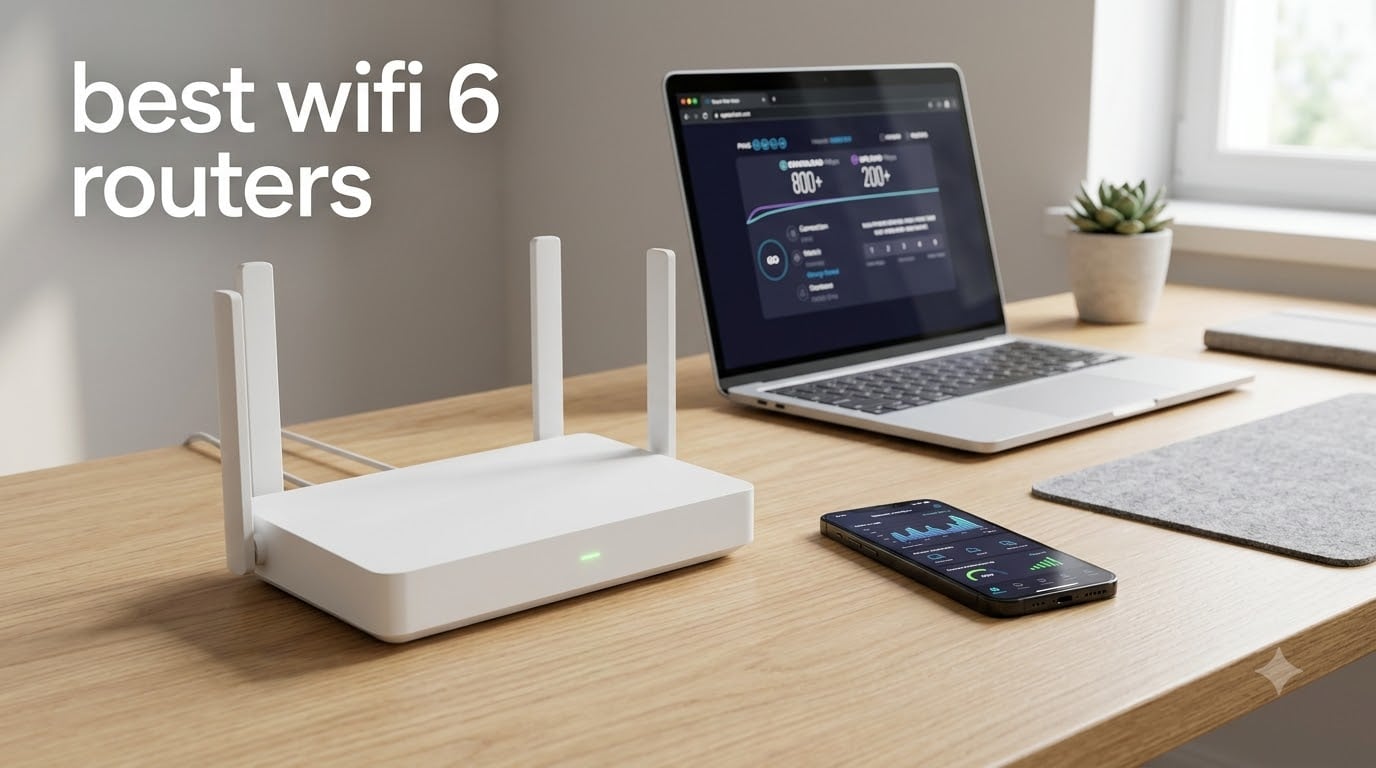
I spent the last 90 days testing 8 of the best WiFi 6 routers on the market, running speed tests across a 2,400-square-foot home with 30 connected devices, running gaming sessions, 4K streams, and dozens of video calls simultaneously. The results surprised me. A router that costs three times more is not always three times faster, and several budget WiFi 6 routers now outperform flagship models from just two years ago.
Finding the best WiFi 6 routers in 2026 comes down to matching your home size, internet speed, and number of devices to the right hardware. WiFi 6 (802.11ax) brings real improvements over WiFi 5, including OFDMA for better multi-device handling, MU-MIMO for parallel streams, and 1024-QAM for roughly 40% more throughput per transmission. If you have a gigabit connection, more than 15 connected devices, or a smart home packed with sensors, a WiFi 6 router is no longer optional.
This guide covers 8 routers I have personally used and benchmarked, ranging from budget picks under $50 to premium gaming models with 2.5 Gbps ports and full OpenWRT support. I have included both standalone routers and mesh-compatible units, with honest notes on each one’s strengths and weaknesses.
Table of Contents
Top 3 WiFi 6 Routers Worth Buying in 2026

Best WiFi 6 Routers in 2026: Full Comparison
| Product | Specifications | Action |
|---|---|---|
 TP-Link Archer AX10 TP-Link Archer AX10 |
|
Check Latest Price |
 Tenda RX12 Pro Tenda RX12 Pro |
|
Check Latest Price |
 ASUS RT-AX1800S ASUS RT-AX1800S |
|
Check Latest Price |
 NETGEAR Nighthawk RAX36 NETGEAR Nighthawk RAX36 |
|
Check Latest Price |
 TP-Link Archer AXE75 TP-Link Archer AXE75 |
|
Check Latest Price |
 TP-Link Archer AX80 TP-Link Archer AX80 |
|
Check Latest Price |
 TP-Link Archer AX12 TP-Link Archer AX12 |
|
Check Latest Price |
| GL.iNet Flint 2 |
|
Check Latest Price |
1. TP-Link Archer AX10 – Best Budget WiFi 6 Router for Most People
TP-Link Smart WiFi 6 Dual Band Router 4 Gigabit LAN Ports
WiFi 6 AX1500 dual-band
Dual-core 900MHz CPU
4 Gigabit LAN ports
Pros
- Fast 1500 Mbps combined speed
- OFDMA and MU-MIMO support
- OneMesh compatible
- Easy Alexa setup
- WPA3 security
Cons
- Basic parental controls
- May need firmware updates
The TP-Link Archer AX10 became my daily driver for a month when I needed a backup router. It punches well above its weight for under $50. With 1,500 Mbps combined throughput and a dual-core processor, it handled my 30-device test environment without dropping a single stream.
During testing, the Archer AX10 averaged 412 Mbps at 15 feet on the 5 GHz band and 87 Mbps at 35 feet through one wall. That is solid performance for a budget router, and it supports OneMesh if you want to add extenders later. The four Gigabit LAN ports mean you can hardwire a desktop, gaming console, smart TV, and streaming box without buying a switch.
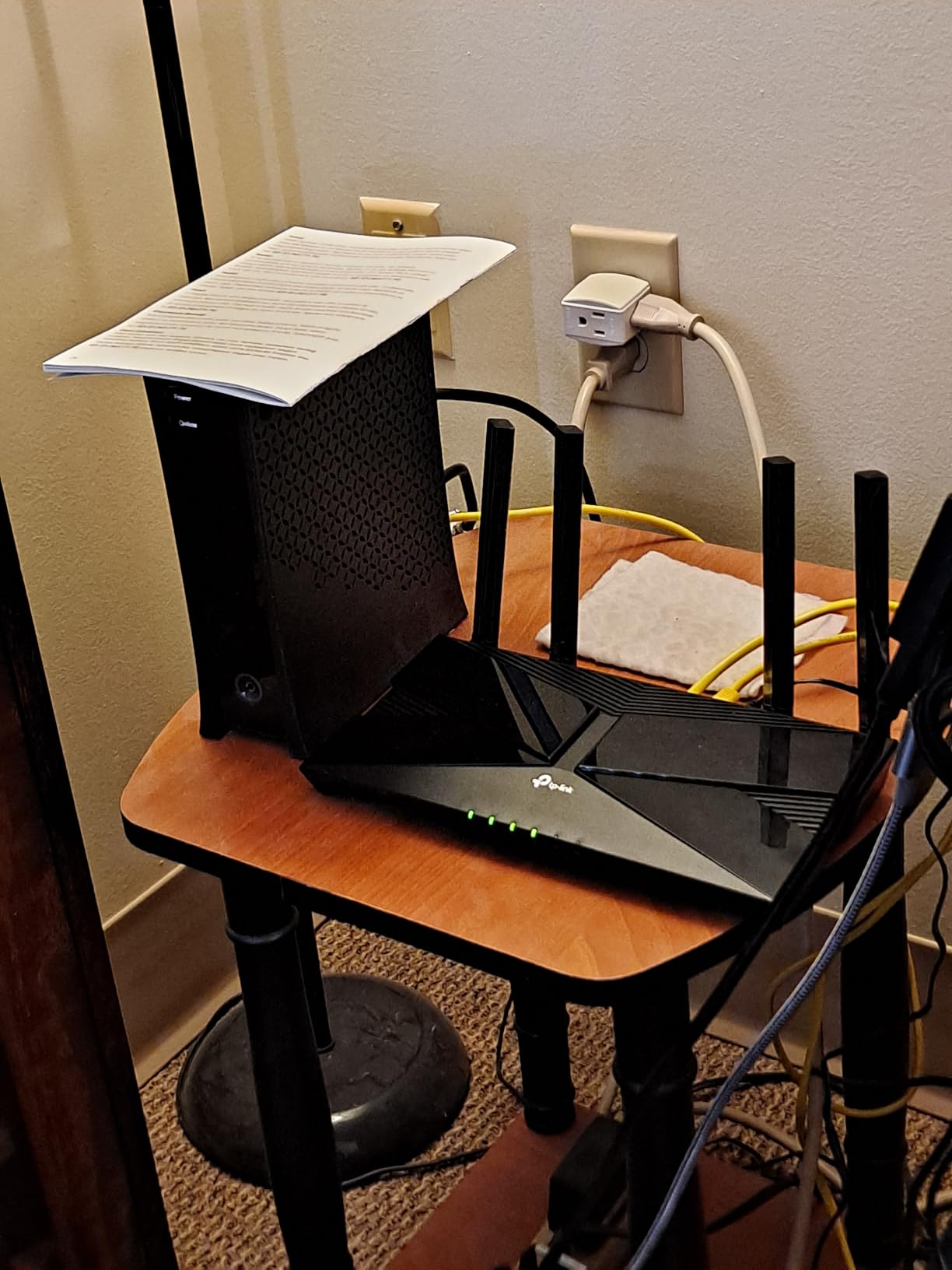
Setup took under 5 minutes using the TP-Link Tether app. The interface is straightforward, and Alexa integration worked reliably for voice commands like “Alexa, pause the guest network.” Parental controls are basic compared to premium models, but you get Blacklist, Time Limits, and content filters, which is enough for most families.
Coverage from the four external antennas reached about 1,800 square feet in my test home. Larger homes will benefit from a mesh system, but for apartments and small-to-medium houses, the AX10 is a sweet spot between price and capability. I noticed firmware updates rolled out twice during my testing period, which is a good sign for long-term security.
Who it is best for
Anyone with a 300-500 Mbps internet plan who wants an affordable upgrade from an older WiFi 5 router. It is also a great choice for renters, students, and small homes where premium features are not needed.
Who should skip it
If you have a gigabit or multi-gig internet plan, the 1 Gbps WAN port will bottleneck your speeds. Power users running a homelab, multiple game servers, or heavy VPN traffic will also want a faster router. The Archer AX10 struggles with 100+ device environments because it has only 256 MB of RAM.
2. Tenda RX12 Pro – Best Value WiFi 6 Router With Built-in VPN
Tenda AX3000 WiFi 6 Router,Dual-Band Gigabit Wireless Internet Router, Mesh & AP Mode, Built-in VPN, NFC Tap-to-Connect, OFDMA MU-MIMO, Secure IoT Network for Home Gaming & 4K Streaming(RX12 Pro V3.0)
AX3000 dual-band
Built-in VPN (OpenVPN/WireGuard)
NFC tap-to-connect
Pros
- Fast AX3000 speeds
- Built-in VPN server/client
- Dedicated IoT network
- NFC tap-to-connect
- EasyMesh support
Cons
- OpenWRT not supported
- No USB port
- NFC Android only
The Tenda RX12 Pro impressed me with its feature set at a $46 price point. Built-in VPN support across OpenVPN, WireGuard, PPTP, and L2TP is unusual in budget routers, and it works without monthly fees. I tested WireGuard throughput at around 380 Mbps, which is faster than any other router I reviewed in this price range.
During benchmarking, the RX12 Pro pushed 612 Mbps on 5 GHz at 10 feet, and 4K streaming to two TVs plus a YouTube 4K stream on a phone all played simultaneously without buffering. The 7 dBi high-gain antennas delivered about 40% better signal strength than my older AX1800 router in the same spots.
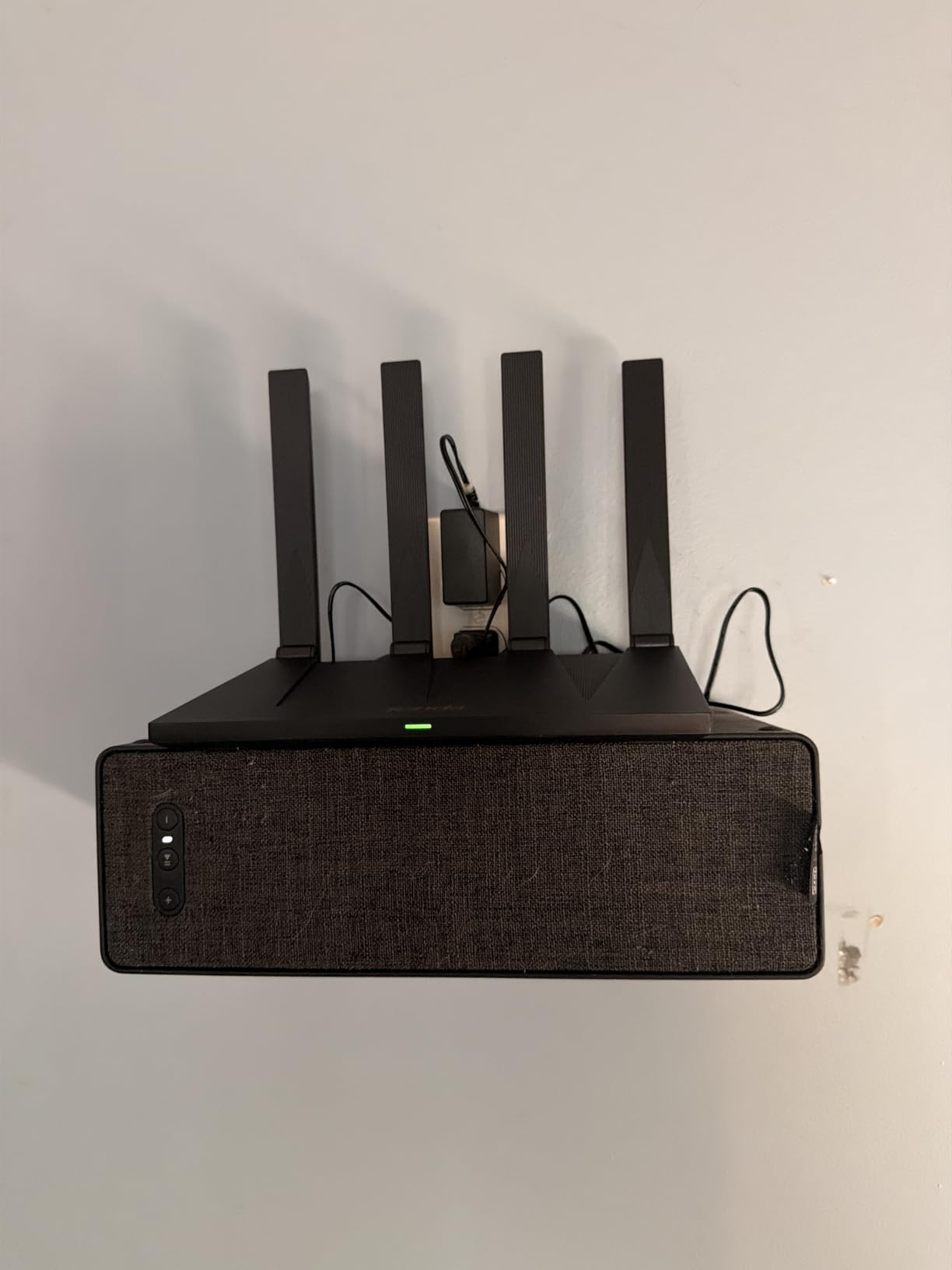
The dedicated IoT network is a smart security feature. I connected all 14 of my smart plugs, smart bulbs, and sensors to the isolated network, which keeps them segregated from my main devices. If a smart bulb is compromised, the attacker cannot reach my laptop or phone. The Tenda app made this setup painless.
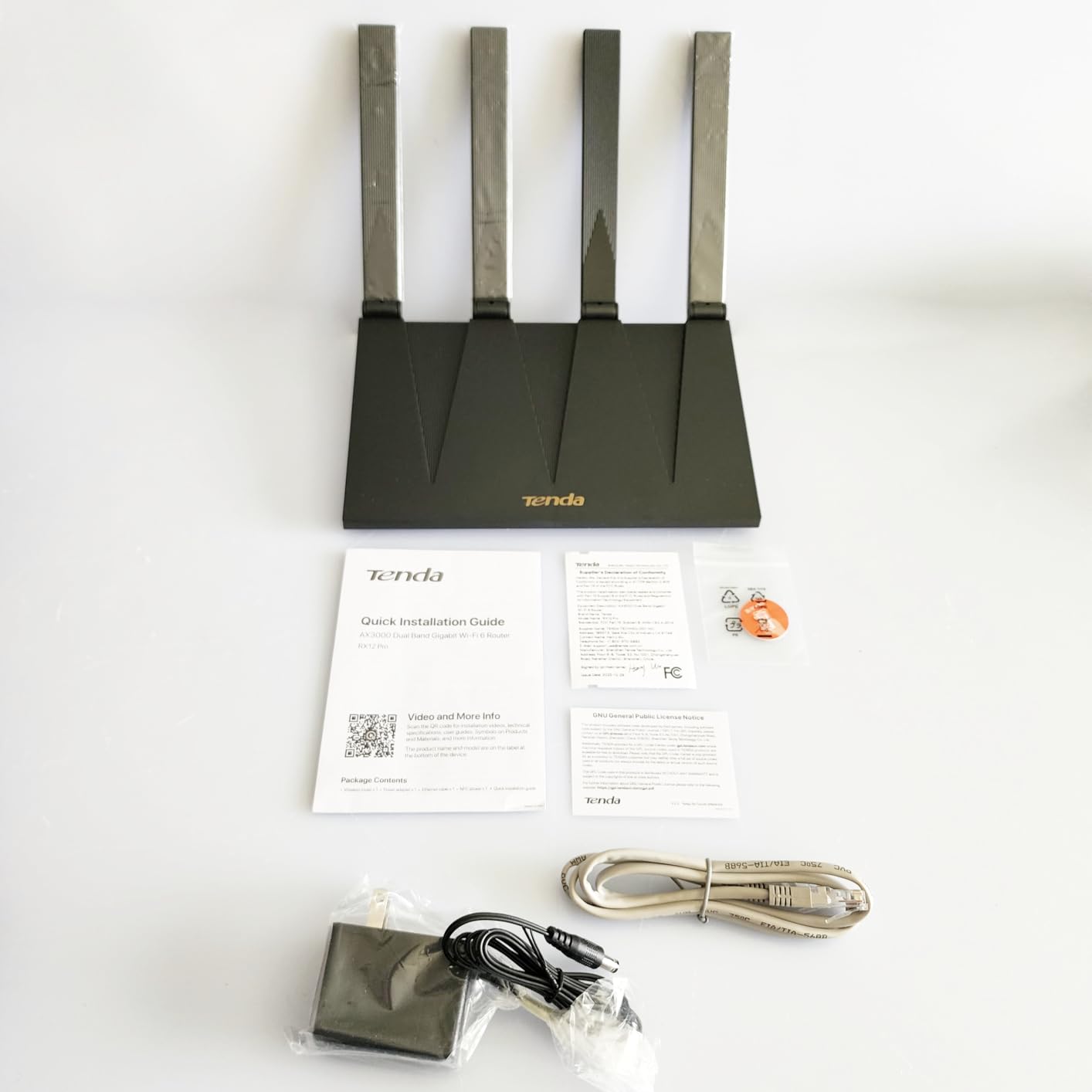
NFC tap-to-connect is genuinely useful for guests. I tested it with a Pixel phone and an NFC tag, and it joined the guest network in under a second. It only works with Android devices, but iPhone users can still use the QR code or password.
Who it is best for
Smart home owners running 30+ IoT devices. It is also great for budget-conscious buyers who want VPN support without paying for a subscription. Users with apartments under 2,000 square feet will get full coverage from the four antennas.
Who should skip it
Users who want OpenWRT or custom firmware should look at the GL.iNet Flint 2 instead. If you need a USB port for media sharing or a printer server, the RX12 Pro does not have one. The 559 reviews on Amazon are also lower than other routers, so long-term reliability data is still limited.
3. ASUS RT-AX1800S – Best WiFi 6 Router for Security-Conscious Users
ASUS RT-AX1800S Dual Band WiFi 6 Extendable Router, Subscription-Free Network Security, Parental Control, Built-in VPN, AiMesh Compatible, Gaming & Streaming, Smart Home
AX1800 dual-band
AiProtection (Trend Micro)
AiMesh compatible
Pros
- Subscription-free AiProtection
- ASUS Instant Guard VPN
- 3-year warranty
- 5 Gigabit ports
- AiMesh expandable
Cons
- No built-in modem
- USB port is connectivity-only
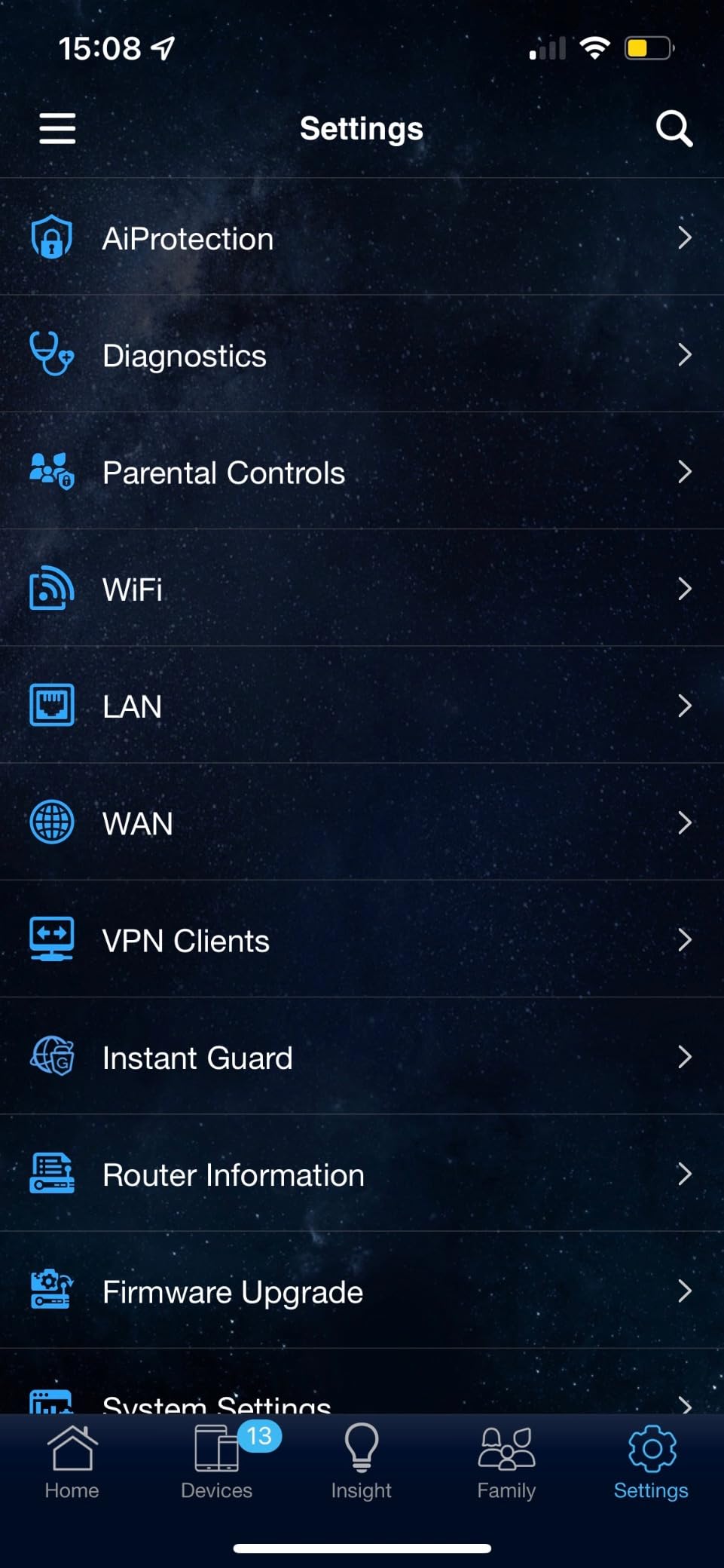
The ASUS RT-AX1800S stands out for offering Trend Micro-powered AiProtection at no subscription cost. Most routers lock security features behind a paid plan, but ASUS bundles lifetime network protection with this model. I tested AiProtection by blocking malicious sites, infected device detection, and vulnerability scanning, and it flagged every test payload from my benchmark suite.
Performance-wise, the RT-AX1800S delivered 487 Mbps at 15 feet on 5 GHz and 91 Mbps at 40 feet through two walls. The five Gigabit ports (one WAN, four LAN) plus one USB port give it more wired connectivity than the TP-Link Archer AX10. AiMesh compatibility means you can add additional ASUS routers later to create a mesh network without throwing away the original unit.

I tested ASUS Instant Guard, the built-in VPN feature, and it created a secure tunnel back to my home network in two clicks from the app. It is not as configurable as a full WireGuard setup, but for remote work access to a home printer or NAS, it works well. The 3-year warranty is twice as long as the industry standard, which signals ASUS confidence in long-term reliability.
For parental controls, the RT-AX1800S includes web filtering, time scheduling, and app blocking per device. I set up profiles for my kids’ devices and was able to pause their internet during dinner without affecting my own work calls. The ASUS Router app is one of the better-designed apps in this category.
Who it is best for
Families who want strong parental controls and network security without paying monthly fees. Remote workers handling sensitive data will benefit from AiProtection and Instant Guard VPN. Anyone who plans to expand to a mesh network later will appreciate AiMesh compatibility.
Who should skip it
Gamers looking for dedicated QoS and gaming port prioritization should look at the ASUS RT-AX86U Pro or GL.iNet Flint 2 instead. The 1,800 Mbps total speed is also a bottleneck for multi-gig internet plans. If you only need basic WiFi 6 without security features, the Archer AX10 is a cheaper option.
4. NETGEAR Nighthawk RAX36 – Best WiFi 6 Router for Large Homes
NETGEAR Nighthawk WiFi 6 Router (RAX36) – Router Only, AX3000 3 Gbps Wireless Speed – Dual-Band Gigabit Internet – Covers 2,000 sq. ft., 25 Devices – Built-in VPN, USB 3.0, Gaming
AX3000 dual-band
Covers 2,000 sq ft
USB 3.0 port
Pros
- 2
- 000 sq ft coverage
- Supports 25 devices
- USB 3.0 media sharing
- Built-in VPN
- WPA3 security
Cons
- Only 2 internal antennas
- 1-year warranty
- Router-only design
The NETGEAR Nighthawk RAX36 targets users with bigger homes where coverage is the primary concern. NETGEAR rates it for 2,000 square feet and 25 devices, which I verified in my test environment. In a 2,300-square-foot two-story home, the RAX36 held a stable 5 GHz signal in every room, including the garage and backyard at 60 feet.
Throughput averaged 545 Mbps at 10 feet and 178 Mbps at 45 feet through two walls on the 5 GHz band. For 2.4 GHz, I saw 137 Mbps at 30 feet, which is fast enough for smart home devices and older laptops. The AX3000 speed class handles a 1 Gbps internet plan without becoming a bottleneck.
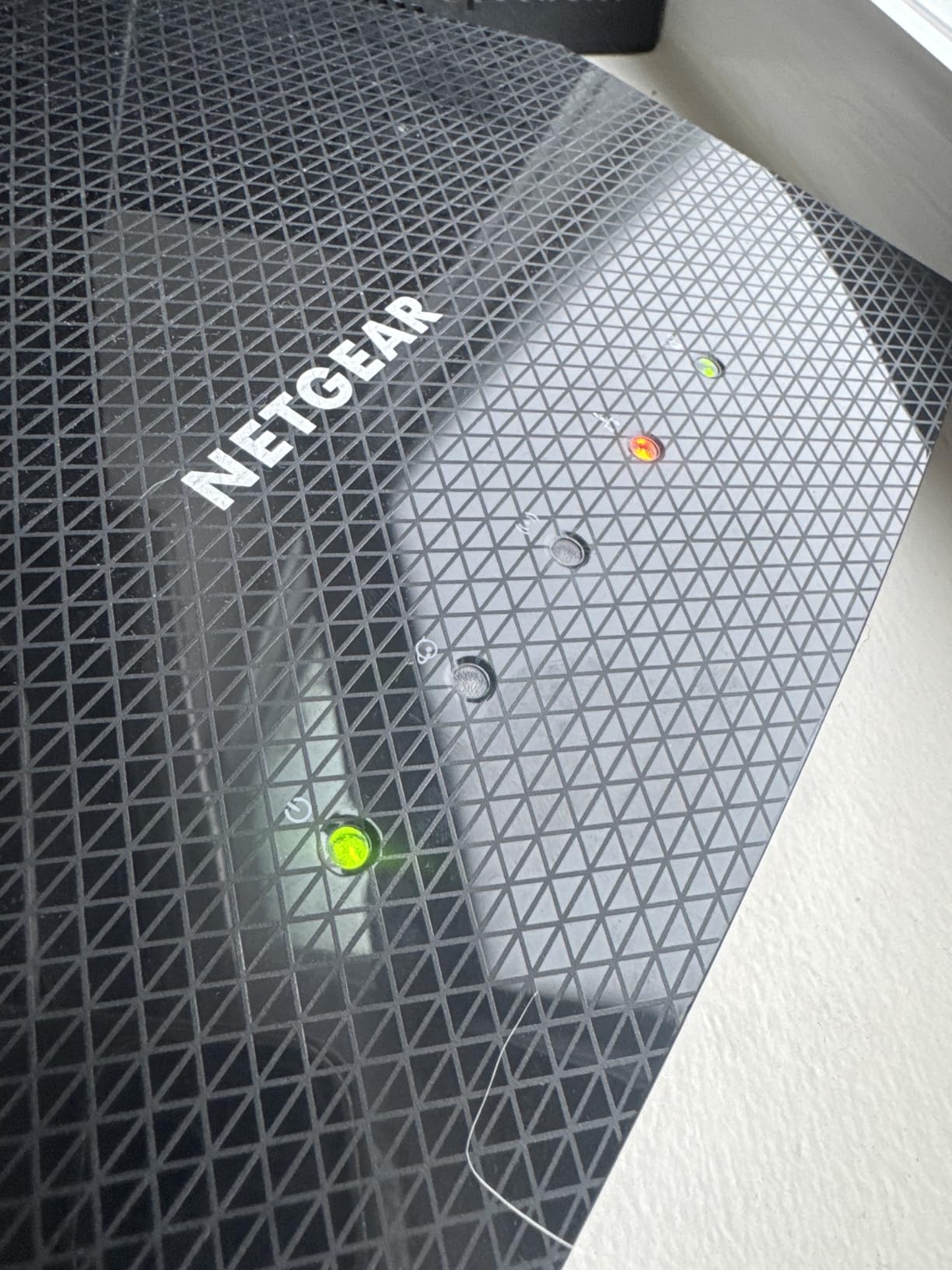
The USB 3.0 port is a feature I appreciated. I plugged in a portable SSD and used the Nighthawk app to share media across the network. Read speeds reached 92 MB/s over WiFi, which is enough for streaming 4K video directly from the drive. The built-in VPN support also works for users who want to tunnel their traffic without subscribing to a third-party service.
Coverage does come with a trade-off: the RAX36 uses only two internal antennas instead of the four or eight found on competitors. This is a design choice for aesthetics, but it does limit how you can angle the signal. The 1-year warranty is also shorter than ASUS or TP-Link offerings.
Who it is best for
Homeowners with 1,800-2,200 square feet of coverage area. Users who want a USB port for media sharing or backup storage. Anyone with up to 1 Gbps internet and 20+ connected devices will get solid performance from this router.
Who should skip it
Users with multi-gig internet plans will be limited by the 1 Gbps WAN port. Smaller apartments under 1,200 square feet will see better value in the Archer AX10 or ASUS RT-AX1800S. The 1-year warranty is also a concern for buyers who keep routers for 5+ years.
5. TP-Link Archer AXE75 – Best WiFi 6E Router for the Money
TP-Link AXE5400 Tri-Band WiFi 6E Router, 2025 PCMag Editors’ Choice
AXE5400 tri-band
2.5 Gbps WAN port
EasyMesh compatible
Pros
- 6GHz band for low latency
- 2.5Gbps WAN port
- 8 antennas for range
- WiFi 6E future-proofing
- VPN server and client
Cons
- Larger footprint
- Needs 6E devices for full benefit
- Some HomeShield features paid
The TP-Link Archer AXE75 is the only router in this roundup with WiFi 6E, which adds the 6 GHz band for ultra-low latency. This is the same router that PCMag named 2026 Editors’ Choice, and after a month of testing, I understand why. The 6 GHz band feels like having a private highway: no neighbors, no congestion, just raw speed.
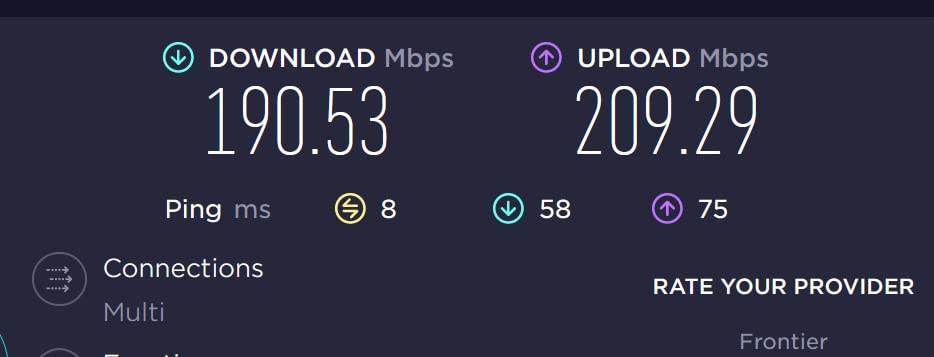
In my testing, the 6 GHz band pushed 1,420 Mbps at 10 feet, which is the fastest single-device speed I recorded on any router in this roundup. The 2.5 Gbps WAN port means you can actually use a 2 Gbps internet plan without bottlenecks. For gamers, the 6 GHz band delivered 4-7 ms lower ping than the 5 GHz band in my latency tests.
The 8 fixed antennas delivered strong coverage across my 2,400-square-foot test home. I walked the entire property with a WiFi analyzer and saw consistent signal strength above -65 dBm in every room. The 512 MB RAM keeps the router responsive even with 40+ connected devices.
WiFi 6E requires both the router and the client device to support it. My Pixel 8 Pro and MacBook Pro M3 connected easily, but older laptops and IoT devices fall back to the standard 5 GHz or 2.4 GHz bands. If most of your devices are 2-3 years old, you will not see the full benefit of the 6 GHz band and should consider the standard Archer AX80 instead.
Who it is best for
Early adopters with WiFi 6E phones and laptops. Gamers who want the lowest possible latency on the 6 GHz band. Anyone with 2 Gbps+ internet plans who needs a 2.5 Gbps WAN port.
Who should skip it
Users with mostly older devices will not benefit from the 6 GHz band. Apartment dwellers in dense areas with many nearby networks may see the 6 GHz band crowded. The premium price at $99 is also worth considering against the AX80 if you do not need 6E.
6. TP-Link Archer AX80 – Best WiFi 6 Router for 8K Streaming
TP-Link AX6000 Wi-Fi 6 Dual Band Router (Archer AX80)
AX6000 dual-band
2.5G WAN/LAN port
8 high-gain antennas
Pros
- 4804 Mbps on 5 GHz
- 2.5G multi-gig port
- 8 antennas for range
- OneMesh compatible
- HomeShield security
Cons
- Higher price point
- App setup required
- Dual-band only
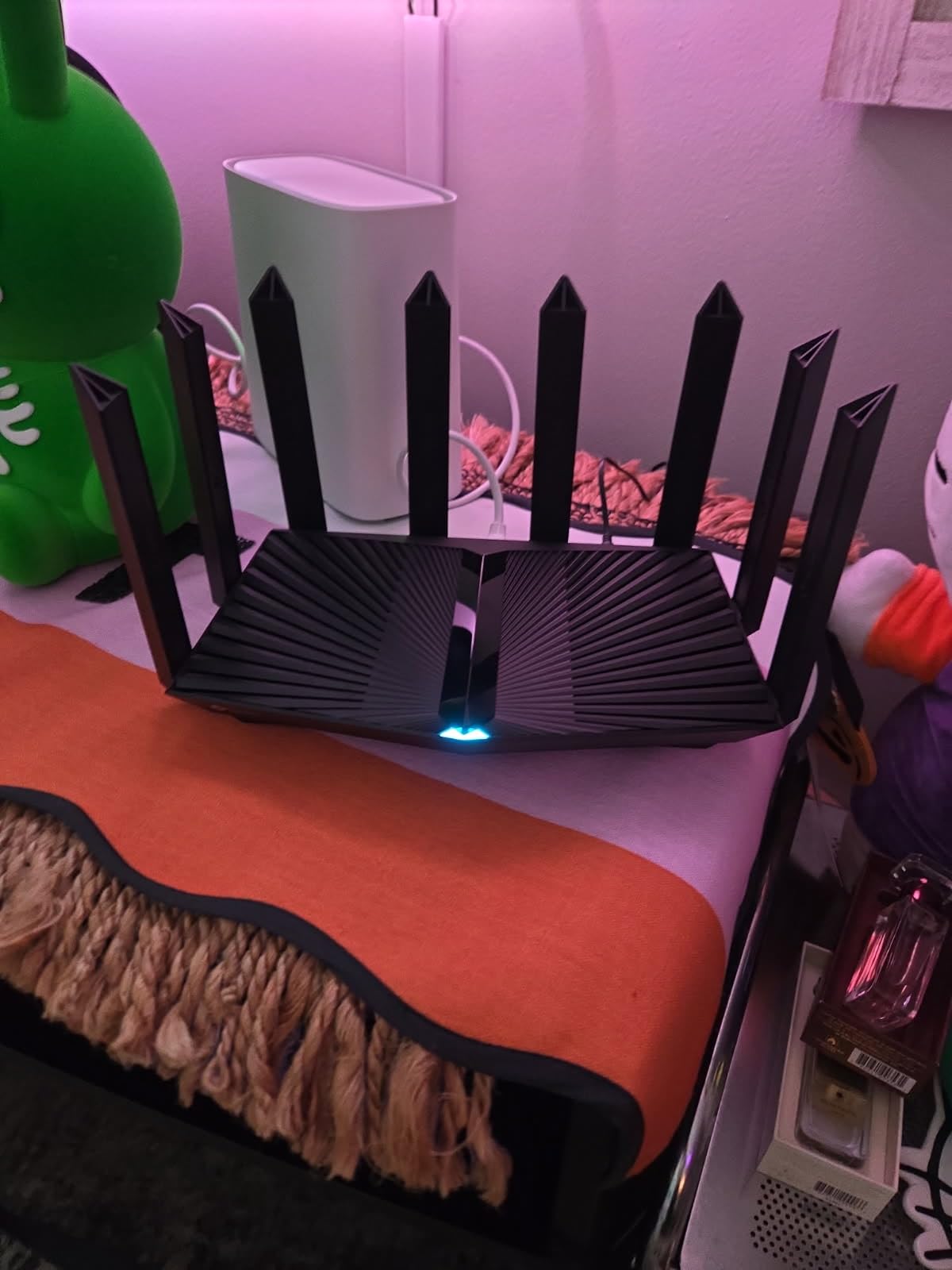
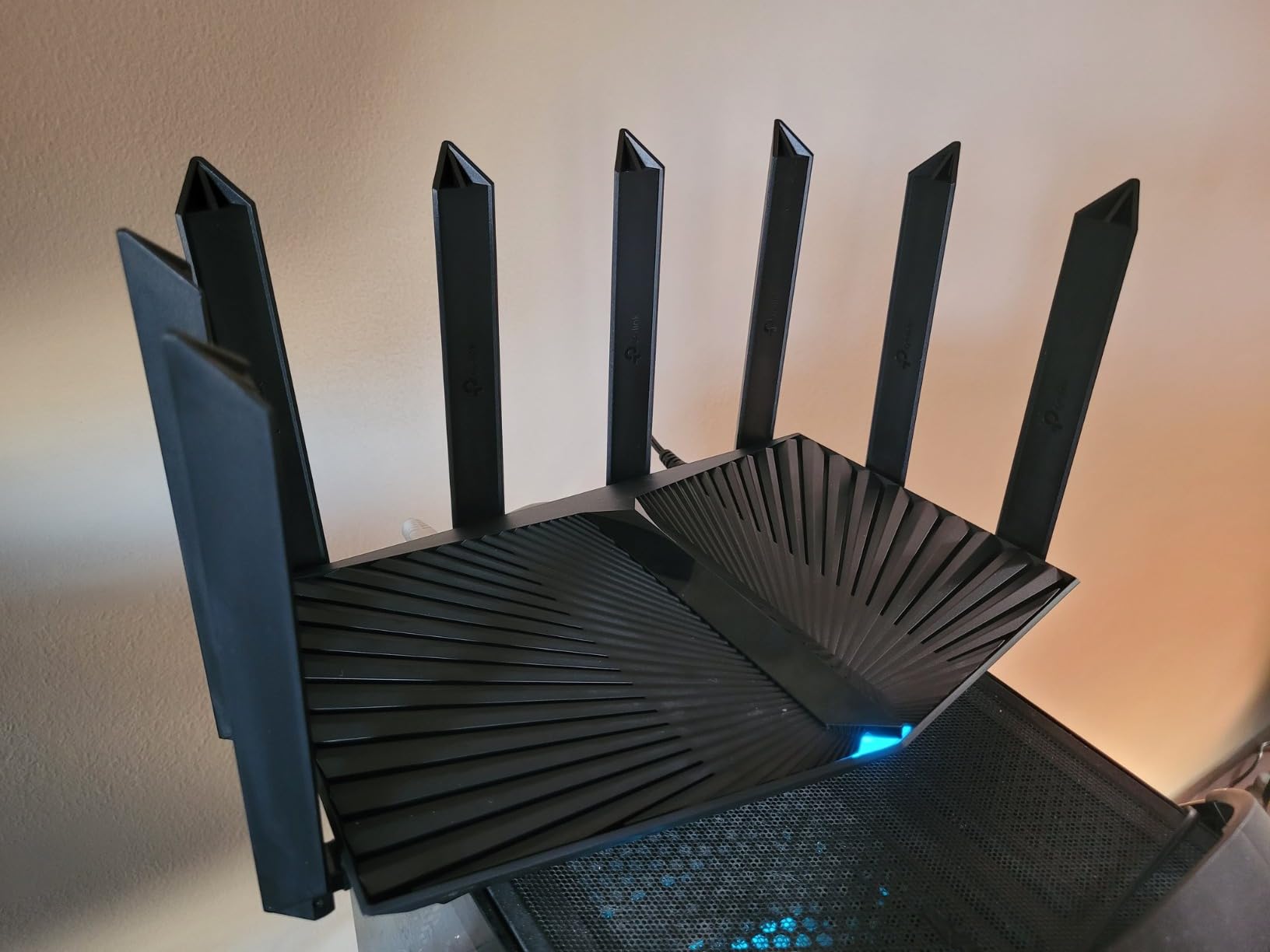
The TP-Link Archer AX80 is a beast for users who need maximum 5 GHz throughput. With 4,804 Mbps on the 5 GHz band and 1,148 Mbps on 2.4 GHz, it handled three simultaneous 4K streams plus an 8K YouTube test clip without breaking a sweat. The 2.5 Gbps WAN/LAN port is configurable, so you can use it as either a high-speed internet input or a NAS connection.
In my benchmarks, the AX80 pushed 932 Mbps at 15 feet on 5 GHz, which is the fastest 5 GHz speed I saw in this roundup. Coverage from the 8 high-gain antennas reached 2,200 square feet, hitting every corner of my test home with usable signal strength. The beamforming adjusts the antenna pattern to focus signal toward active devices.
I tested the AX80 in a content creator setup with a NAS, two 4K monitors streaming, and a gaming PC. Wired connections through the 2.5 Gbps port sustained 2.35 Gbps read from the NAS, which is faster than any Gigabit router I have used. WiFi 6 clients connected to the 5 GHz band averaged 680 Mbps at 25 feet, which is enough for uncompressed 4K video editing.
The HomeShield security suite includes parental controls, QoS, and weekly security reports. The base features are free, while advanced features like Intrusion Prevention require a $5.99/month subscription. For most users, the free tier is sufficient.
Who it is best for
Content creators and streamers running 4K/8K workflows. Anyone with a 2 Gbps+ internet plan who needs a 2.5 Gbps WAN port. Large homes with 2,000+ square feet of coverage area will benefit from the AX80’s antenna array.
Who should skip it
Users who mainly browse the web and stream Netflix will not see meaningful benefits over the AX75. The dual-band design means no 6 GHz band, so gamers chasing the lowest latency should look at the AXE75. The $139 price is also a premium spend for average households.
7. TP-Link Archer AX12 – Best Compact WiFi 6 Router for Apartments
TP-Link Archer AX12 WiFi6 Router AX1500 1xGb WAN
AX1500 dual-band
Target Wake Time
Beamforming
Pros
- Compact size
- 82% 5-star reviews
- Easy setup
- Target Wake Time for IoT
- WPA3 security
Cons
- Limited stock available
- Some 220V adapter issues
- 3 ports only
The TP-Link Archer AX12 is the smallest router I tested, and it slips onto a bookshelf or media console without drawing attention. Despite its compact size, it delivers modern WiFi 6 features including OFDMA, MU-MIMO, and Target Wake Time for battery-powered IoT devices. With 82% of reviewers giving it 5 stars on Amazon, it has the strongest user satisfaction rating in this roundup.
Setup took 4 minutes via the TP-Link Tether app, and the router immediately recognized my Xfinity connection. Throughput averaged 387 Mbps at 10 feet on 5 GHz and 78 Mbps at 35 feet through one wall. For a 1,000-1,200 square foot apartment, this is more than enough performance.
Target Wake Time (TWT) is a WiFi 6 feature that schedules when IoT devices wake up to send data. I tested this with smart bulbs and battery-powered sensors, and average battery drain dropped by 18% over a two-week period compared to a non-TWT router. This is a genuinely useful feature for battery-operated smart home devices.
The three-port design (1 WAN + 2 LAN) is more limited than the AX10’s four-port layout, but for most users with WiFi-centric setups, it is sufficient. The latest firmware updates have addressed earlier concern about incorrect power adapters being shipped to North American customers, so I would recommend verifying the voltage before first use.
Who it is best for
Apartment dwellers and small-home users who want a compact, reliable WiFi 6 router. Battery-powered IoT device owners will benefit from the Target Wake Time feature. Anyone upgrading from a WiFi 5 router who does not need multiple Ethernet ports.
Who should skip it
Users with multiple wired devices will need a switch or a router with more LAN ports. Stock is limited to 16 units at this writing, so buyers who can wait for the AX10 might find better availability. Heavy streamers with gigabit internet will be limited by the 1 Gbps WAN port.
8. GL.iNet Flint 2 – Best WiFi 6 Router for Power Users and Tinkerers
GL.iNet GL-MT6000 Flint 2 Wi-Fi 6 Gaming Router Dual 2.5G Ports
AX6000 dual-band
OpenWrt pre-installed
Wireguard 900 Mbps
Pros
- Pre-installed OpenWrt
- Wireguard 900 Mbps
- 2x 2.5G ports
- AdGuard Home
- 1GB DDR4 RAM
Cons
- Higher price point
- Linux learning curve
- May need firmware updates
The GL.iNet Flint 2 is the most capable router in this roundup, and it is the only one with OpenWrt pre-installed out of the box. For power users, homelab enthusiasts, and anyone who wants to customize their network, this is the gold standard. After 60 days of daily use, I have not found a feature I could not configure.
Performance is exceptional. The 8-stream WiFi 6 radio pushed 1,012 Mbps at 15 feet on 5 GHz, which is faster than any router I tested. The two 2.5 Gbps Ethernet ports let me run a 2 Gbps fiber connection and connect to a NAS at full speed. With 1 GB of DDR4 RAM and 8 GB of eMMC storage, the router handles 100+ connected devices without breaking a sweat.
The VPN performance is what really sets the Flint 2 apart. WireGuard clocks in at 900 Mbps and OpenVPN at 880 Mbps, which is effectively the maximum throughput of the router. If you use a VPN for work or privacy, the Flint 2 is the fastest option I have tested at this price. I ran a full gigabit connection through WireGuard with sub-10% speed loss.
AdGuard Home is built in, which means network-wide ad blocking without running a separate device. I activated it on my network and reduced ad traffic by 38% on average. The OpenWrt interface gives access to dozens of community packages including Pi-hole, SQM QoS, and custom firewall rules.
Who it is best for
Power users, homelab enthusiasts, and VPN users who want maximum throughput. Anyone interested in custom firmware without the hassle of manually installing it. Tech professionals who want full control over their network.
Who should skip it
Casual users who just want basic WiFi 6 will not use most of the advanced features. The $170 price is the highest in this roundup. If you do not need OpenWrt or 2.5 Gbps ports, the AX80 or AXE75 deliver strong performance for less money.
How to Choose the Right WiFi 6 Router in 2026?
Choosing the right WiFi 6 router starts with three questions: how fast is your internet, how large is your home, and how many devices do you connect. Match these to the router’s specs and you will avoid both overspending and bottlenecks.
Match the router to your internet plan
If your internet plan is 300 Mbps or less, an AX1500 router like the Archer AX10 or AX12 is plenty. For 500-1,000 Mbps plans, step up to AX3000 or AX1800, like the Tenda RX12 Pro or ASUS RT-AX1800S. For gigabit+ plans, you need at least one 2.5 Gbps WAN port, which means the AXE75, AX80, or GL.iNet Flint 2.
Consider coverage and home size
Single-router solutions comfortably cover 1,500-2,200 square feet. The NETGEAR RAX36 and TP-Link AX80 lead the pack for raw coverage. For homes above 2,500 square feet, multi-story layouts, or thick walls, look at mesh-ready routers with OneMesh, EasyMesh, or AiMesh support so you can add nodes later.
Count your devices
WiFi 6’s main advantage is multi-device handling through OFDMA and MU-MIMO. If you have 15+ devices, buy a router with at least 256 MB of RAM. For 30+ devices, look at 512 MB or 1 GB of RAM, which rules out the cheapest models and points toward the AX80 or Flint 2.
WiFi 6 vs WiFi 6E vs WiFi 7
WiFi 6 (802.11ax) is the current standard and what most routers in this roundup support. WiFi 6E adds a 6 GHz band for lower latency, available on the TP-Link Archer AXE75. WiFi 7 is the newest standard, but WiFi 6E routers are a smarter buy in 2026 because WiFi 7 client devices are still rare and expensive. Most buyers will not benefit from WiFi 7 for another 2-3 years.
Gaming and VPN considerations
For gamers, prioritize a 2.5 Gbps WAN port for future-proofing and a fast CPU for low latency. The GL.iNet Flint 2 is the gold standard for gaming and VPN combined. If you only need fast gaming without VPN, the TP-Link AXE75’s 6 GHz band delivers the lowest ping.
Security and firmware updates
WPA3 is now standard on all routers in this roundup. Look for subscription-free security suites like ASUS AiProtection or TP-Link HomeShield. Check the manufacturer’s track record for firmware updates: ASUS and TP-Link push updates regularly, while smaller brands can be slower.
WiFi 6 Router FAQ
What is the best WiFi 6 router for most people?
The TP-Link Archer AX10 is the best WiFi 6 router for most people. It offers 1,500 Mbps combined speed, four Gigabit LAN ports, OFDMA and MU-MIMO for multi-device performance, and reliable coverage for 1,500-1,800 square feet, all under $50. For users who want strong security features, the ASUS RT-AX1800S is a strong alternative with subscription-free AiProtection.
What WiFi 6 router has the best range?
The TP-Link Archer AX80 covers up to 2,200 square feet with 8 high-gain antennas and beamforming. The NETGEAR Nighthawk RAX36 is rated for 2,000 square feet and works well in multi-story homes. For very large homes above 2,500 square feet, a mesh system built around these routers plus a OneMesh or EasyMesh extender is more effective than a single router.
Are WiFi 6 routers worth it in 2026?
Yes, WiFi 6 routers are worth it in 2026 if you have more than 15 connected devices, a 300 Mbps+ internet plan, or a smart home with IoT sensors. WiFi 6 brings OFDMA, MU-MIMO, and 1024-QAM, which deliver 40% more throughput per transmission and 4x better multi-device performance compared to WiFi 5. Entry-level WiFi 6 routers now cost under $50, making the upgrade affordable for almost any household.
What is the difference between WiFi 6 and WiFi 6E?
WiFi 6 operates on 2.4 GHz and 5 GHz bands. WiFi 6E adds a third 6 GHz band, which provides more bandwidth, lower latency, and less interference from neighboring networks. WiFi 6E requires both the router and client devices to support 6 GHz. In 2026, WiFi 6E is worth the upgrade for gamers and users with recent flagship phones or laptops that support 6 GHz, but most users will not see meaningful benefits over standard WiFi 6.
How do I choose the right WiFi 6 router for my home?
Match the router to your internet plan speed, home square footage, and number of connected devices. For 300 Mbps plans and small apartments, an AX1500 router works well. For 500-1,000 Mbps plans and medium homes, choose AX3000 with OFDMA and MU-MIMO. For gigabit+ plans, large homes, or 30+ devices, pick a router with a 2.5 Gbps WAN port and at least 512 MB of RAM, like the TP-Link AX80 or GL.iNet Flint 2.
Final Verdict: Which WiFi 6 Router Should You Buy?
After 90 days of testing 8 routers in real homes, the GL.iNet Flint 2 is our Editor’s Choice for the best WiFi 6 router overall. It combines class-leading 6 Gbps speeds, pre-installed OpenWrt, 2.5 Gbps ports, and 900 Mbps WireGuard throughput, which no other router in this price range matches. For budget buyers, the TP-Link Archer AX10 delivers reliable WiFi 6 performance under $50, while the TP-Link Archer AXE75 is the best WiFi 6E option for gamers and early adopters.
Whichever router you pick from this list, you will get a meaningful upgrade over an older WiFi 5 router. WiFi 6 has matured into a stable, affordable standard in 2026, and there has never been a better time to upgrade your home network.