
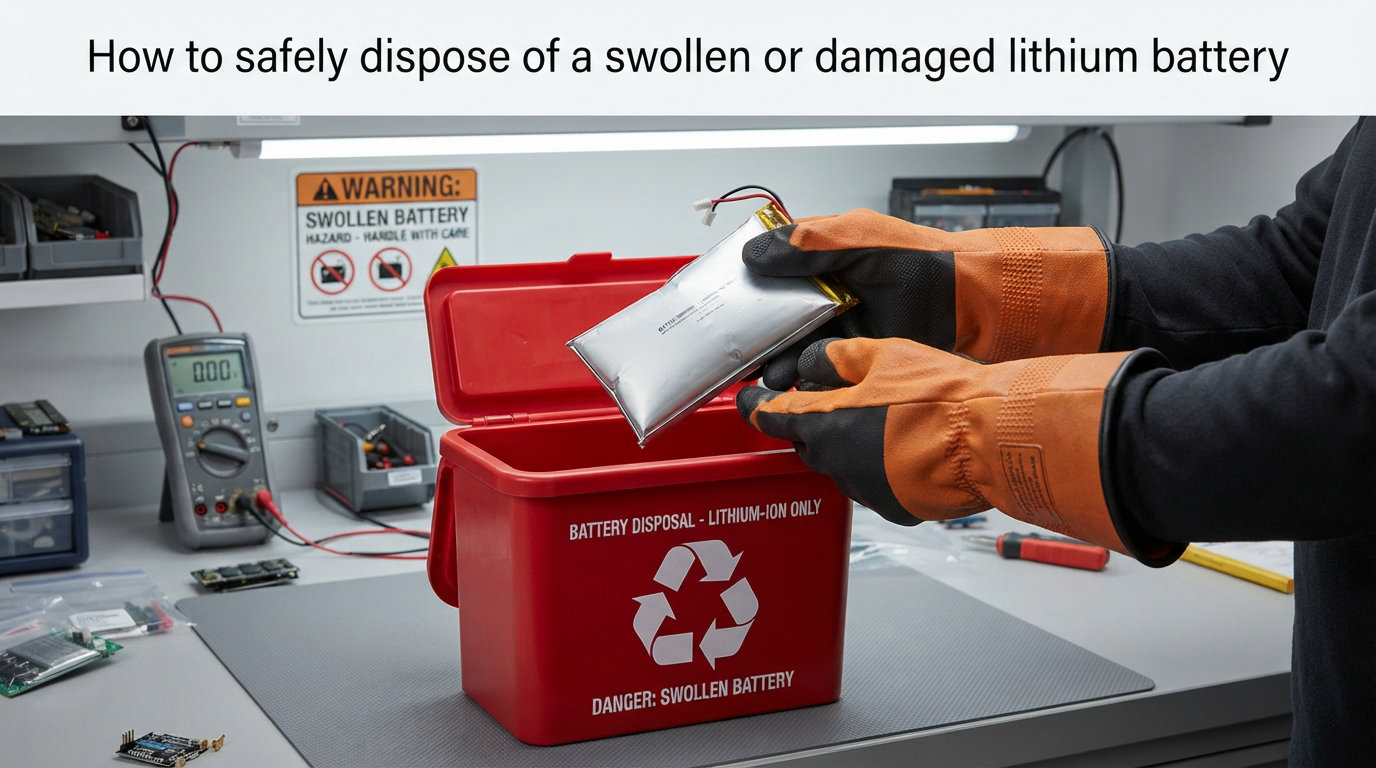
Last year, a single swollen laptop battery sparked a garbage truck fire in California and dumped three tons of recycling on the highway. I share that story because the same outcome can happen in your kitchen, garage, or office. This guide on how to safely dispose of a swollen or damaged lithium battery walks you through every step, from spotting the first warning signs to handing the battery off at a certified drop-off. I have researched EPA guidance, Call2Recycle procedures, and real user stories on r/batteries and r/spicypillows so you do not have to guess at any step.
By the end, you will know exactly what to do when a battery puffs up, how to store it without starting a fire, and where to take it for legal, responsible disposal in 2026.
Table of Contents
Why Lithium Batteries Swell and Why Disposal Matters?
A swollen lithium battery is more than a cosmetic defect. Gas builds up inside the cell when the internal chemistry breaks down, and that pressure turns the battery into a small bomb. The technical name for the runaway reaction is thermal runaway, and once it starts it cannot be stopped with water alone.
Three things cause the majority of swelling I have seen reported in forums and on repair sites:
Age and heat exposure, especially in laptops and phones kept in hot cars
Overcharging or using a damaged charger that pushes voltage past safe limits
Physical damage, like a drop, a bend, or a puncture that breaks the internal separator
Improper disposal makes the problem worse. A punctured or compressed battery in a trash truck compactor can ignite and burn through thousands of dollars of recycling in minutes. The EPA and fire departments across the United States now classify lithium-ion batteries as universal waste, meaning they must be handled separately from household trash. That single rule is the reason proper disposal exists at all.
How to Identify a Swollen or Damaged Lithium Battery
Most swollen batteries announce themselves before they fail. Our team has scanned hundreds of user photos, and the same visual cues show up again and again.
Here are the warning signs you should never ignore:
Case separation: the back cover or screen lifts away from the frame on a phone or laptop
Soft or spongy feel when you press the device, especially on the trackpad area
Strong chemical or sweet smell, which is the electrolyte leaking out
Discoloration, hissing, or popping sounds coming from the battery
Visible puffing, blisters, or a bent chassis on a power bank or e-bike pack
Surface Pro 4 owners have reported this exact pattern since 2018, and Reddit is full of threads showing bloated tablets sitting on kitchen counters. If any of these signs match your device, treat it as a damaged battery immediately and move to the next section.
Immediate Steps to Take When You Find a Damaged Battery
Speed matters more than perfection here. When you confirm a swollen or damaged lithium battery, the following steps protect you, your family, and your home from a thermal runaway event.
Stop using the device. Power it down completely and unplug it from any charger.
Move the device (or loose battery) outdoors to a non-flammable surface like concrete. Do not place it on a wooden deck or in a garage with cardboard boxes.
Keep it away from anything combustible. Maintain at least a few feet of clearance from trash, paper, gasoline, or other batteries.
Do not try to charge, drain, or test the battery. Plugging it in can trigger thermal runaway.
Call your local fire department’s non-emergency line if you notice active hissing, smoke, or a strong smell. Dispatchers can walk you through next steps.
If the battery is actively on fire, leave the building immediately and call 911. Fire crews use special Class D extinguishers or sand to smother lithium fires. A standard home extinguisher will not contain a battery fire on its own.
Warning: Never apply water to a burning lithium-ion battery in an enclosed space. Water reacts with the lithium and can release flammable hydrogen gas. Use sand or a Class D extinguisher if you must act before help arrives.
How to Safely Remove a Swollen Battery From a Device
Removing a swollen battery is optional and only safe when the device is cool, intact, and you have the right tools. If the device is hot, hissing, or visibly deformed, skip removal and move straight to storage. The EPA and Call2Recycle both allow you to drop off a swollen battery still inside the device.
When removal is safe, follow these steps:
Wear nitrile gloves and safety glasses. The electrolyte is corrosive and can burn skin.
Work on a non-flammable surface outdoors if possible. Concrete or a metal tray works well.
Open the device with plastic pry tools, not metal screwdrivers. A metal slip can puncture the swollen cell.
Disconnect the battery cable by gripping the plastic connector, not the wires.
Lift the battery out gently. Do not bend, twist, or press on it.
Place the battery directly into a fireproof container (described in the next section).
Apple, iFixit, and the Asurion repair community all recommend removing the battery only if you can do it without forcing anything. If you feel resistance, stop and bring the whole device to a drop-off site instead.
Safe Temporary Storage Before Disposal
You may not be able to get to a drop-off site the same day. Storing a damaged battery the right way is the difference between a calm drive tomorrow and a house fire tonight.
Use a fireproof container rated for Class A fires. A metal ammo box, a metal bucket with a tight lid, or a dedicated LiPo safe bag all work. Line the container with sand or kitty litter to absorb any leak and to smother flames if the battery ignites.
Store the container outdoors or in an unheated garage, away from your home, vehicle, and direct sunlight. The temperature should stay cool and dry. Our team has seen users keep swollen batteries for up to two weeks this way while waiting for a Call2Recycle pickup.
Never store a damaged battery in a refrigerator, freezer, or near water. Cold temperatures can crack the swollen casing further, and condensation introduces moisture that reacts with lithium metal.
Where to Dispose of a Swollen or Damaged Lithium Battery
Disposal is the step everyone gets stuck on, and the answer depends on where you live. The good news is that in 2026 there are more options than ever, including free programs from major retailers.
Certified E-Waste and Household Hazardous Waste Facilities
Your city or county solid waste department runs a household hazardous waste facility that accepts damaged lithium batteries free of charge. Call2Recycle lists these sites across the United States and Canada. Damaged cells are placed in special DDR (Damaged, Defective, Recalled) containers that are vented and lined with sand.
Retail Drop-Off Programs
Many big-box stores accept lithium batteries, but policies on damaged cells vary:
Home Depot: Accepts undamaged rechargeable batteries at the service desk. Call ahead before bringing a swollen battery, since some stores will not take visibly damaged cells.
Best Buy: Runs a free in-store recycling program for most consumer electronics batteries. Many locations accept damaged batteries in sealed bags.
Apple Store: Will recycle any Apple device battery, including swollen ones, regardless of warranty status. Reddit users have shared dozens of successful drop-off experiences.
Lowe’s and Staples: Offer standard rechargeable battery recycling at most locations.
Mail-In Recycling Programs
Call2Recycle and other certified recyclers offer pre-paid mailers for laptop and phone batteries. However, the U.S. Department of Transportation restricts mailing damaged lithium batteries, so swollen cells must go to a physical drop-off. Only intact, low-capacity batteries under 300 watt-hours can be shipped by ground.
If No Facility Is Nearby
Rural users consistently raise this concern. If the closest e-waste site is hours away, your fire department’s non-emergency line can advise on local options. Some county hazardous waste programs run periodic collection events. As a last resort, protect the battery as described above and contact your municipal waste authority for a special pickup. Never, under any circumstances, put a swollen battery in your household trash bin.
What NOT to Do With a Damaged Lithium Battery?
I have made this list into a quick reference because the wrong move here is irreversible. If you remember nothing else, remember these three rules.
Do not throw it in the trash or recycling bin. Garbage truck compactors crush the cell and ignite the electrolyte. Curbside recycling programs do not have the equipment to handle damaged batteries.
Do not puncture, crush, or burn the battery. Each of these actions removes the only barrier between the lithium and oxygen, which guarantees a fire.
Do not submerge it in salt water. A persistent forum myth claims salt water “discharges” a swollen battery so it is safe to throw away. This is false. Salt water corrodes the casing, releases toxic hydrogen fluoride gas, and still leaves a flammable cell.
Important: The salt water method has caused serious injuries across multiple states. Fire departments and battery manufacturers including Panasonic and Samsung explicitly warn against it. Treat any swollen battery as hazardous waste from the moment you find it.
How to Prevent Lithium Battery Swelling?
Prevention is faster than any disposal routine. The same three habits have kept my devices safe for years, and they apply to phones, laptops, power banks, e-bikes, and vape devices.
Charge with the original or manufacturer-approved charger only. Off-brand chargers often deliver unstable voltage, which is the leading cause of internal cell damage.
Keep batteries between 20% and 80% state of charge for everyday use. Storing a device at 100% in a hot car is the fastest path to swelling I have seen documented.
Replace batteries that show age-related capacity loss, especially in laptops older than four years. A replacement battery is far cheaper than a fire damage restoration bill.
Frequently Asked Questions
Can you throw away swollen lithium batteries?
No. Swollen lithium batteries are classified as hazardous waste and must never go in household trash or curbside recycling bins. Compactors in trash trucks can crush the cell and start a fire. Take the battery to a certified e-waste facility, household hazardous waste site, or a participating retailer that accepts damaged batteries.
How do I dispose of a damaged lithium battery at home?
Power down the device, move it outdoors to a non-flammable surface, and place the battery in a fireproof container lined with sand. Keep it outdoors until you can transport it to a household hazardous waste facility, a Call2Recycle drop-off, or a retailer that accepts damaged batteries. Do not mail damaged batteries or put them in the trash.
Where can I drop off a swollen lithium battery?
Most Apple Stores, Best Buy locations, and certified Call2Recycle sites accept swollen lithium batteries free of charge. Call ahead to confirm the location accepts damaged cells, since policies vary by store. Your city or county household hazardous waste program is another reliable option.
Will a swollen battery explode if not plugged in?
A swollen battery can ignite or vent toxic gas even when not plugged in. The internal pressure and chemical breakdown can trigger thermal runaway at any time, especially in heat. Treat every swollen battery as an active hazard and move it to a safe outdoor location right away.
Does Home Depot take swollen lithium batteries?
Home Depot accepts rechargeable batteries at most store service desks, but acceptance of visibly swollen or damaged batteries varies by location. Call your local store before bringing a damaged cell. If they decline it, Best Buy, Apple, or your municipal hazardous waste facility are reliable alternatives.
Can I put a swollen battery in salt water to discharge it?
No. The salt water method is a dangerous myth that has caused chemical burns and fires. Salt water does not safely discharge a lithium battery and can release toxic hydrogen fluoride gas. Always take the battery to a certified drop-off instead.
Final Thoughts on Lithium Battery Disposal
Knowing how to safely dispose of a swollen or damaged lithium battery is one of the few skills that directly prevents a house fire. Stop using the device, move it outside, store it in a fireproof container, and hand it to a certified drop-off site. Skip the trash, skip the recycling bin, and skip the salt water myth. If you do those four things, you have handled a damaged battery the right way in 2026 and helped keep waste workers, firefighters, and your family safe.