
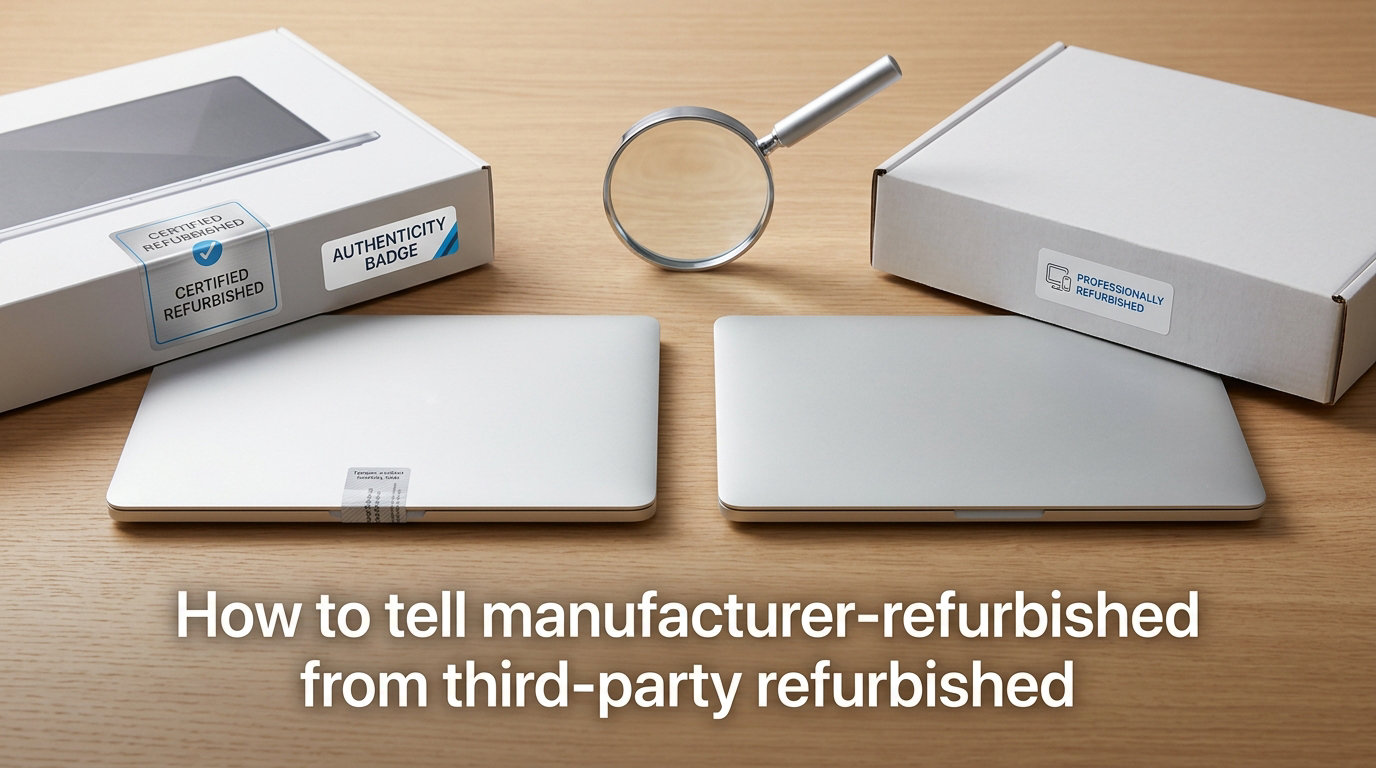
Buying refurbished electronics can save you serious money, sometimes 20 to 50 percent off retail. But not all refurbished products are created equal. The label “refurbished” gets slapped on everything from factory-restored devices with full warranties to items a seller simply wiped down and resold. If you want to know how to tell manufacturer-refurbished from third-party refurbished, you need to look at who did the work, what warranty backs it, and how the listing describes the product.
Our team has spent years researching refurbished electronics markets, comparing factory-restored devices against third-party seller listings across Amazon, eBay, Best Buy, and direct from brands. The confusion around refurbishment types is the number one question we hear from buyers.
This guide breaks down the key differences, gives you a verification checklist you can use on any listing, and highlights the red flags that signal a questionable refurb. By the end, you will be able to confidently identify which type of refurbishment a product received before you spend your money.
Table of Contents
What Does Manufacturer Refurbished Mean?
Manufacturer refurbished means the original company that built the product, like Apple, Dell, Samsung, or Microsoft, took it back and restored it to like-new condition using their own factory process and original parts.
These devices typically come from customer returns, trade-in programs, or items with minor cosmetic defects that never sold. The manufacturer inspects every component, replaces anything faulty with genuine OEM (original equipment manufacturer) parts, runs full diagnostic testing, and installs fresh software.
Apple Certified Refurbished is the gold standard example. Apple replaces the battery and outer shell on every refurbished iPhone, uses genuine parts throughout, puts the device through the same functional testing as a new unit, and ships it in a branded white box with a one-year warranty that matches their new-product coverage.
Other major brands follow similar patterns. Dell, Lenovo, and Samsung all maintain dedicated refurbishment programs where trained technicians use proprietary testing protocols and original components. The result is a product that performs identically to new, just at a lower price.
What Does Third-Party Refurbished Mean?
Third-party refurbished means an independent seller, repair shop, or reseller restored the product rather than the original manufacturer. The quality of this work depends entirely on who did it and what standards they followed.
Some third-party refurbishers are highly professional operations. Companies like Back Market sellers, Decluttr, and certain eBay refurbishers run rigorous testing, replace batteries, use quality replacement parts, and back their products with meaningful warranties. These sellers often specialize in specific product categories and build reputations around consistent quality.
But third-party refurbishment quality varies wildly. One seller might do a thorough job with full diagnostic testing and genuine replacement parts. Another might replace only the most obvious broken component, skip cosmetic repairs, and ship the device in a plain bubble mailer with a vague return policy.
This variability is exactly why knowing how to identify the refurb type matters so much. A third-party refurbished product is not automatically bad. It just requires more scrutiny on your part to evaluate the specific seller, their process, and what protection you get if something goes wrong.
How to Tell Manufacturer-Refurbished from Third-Party Refurbished
The fastest way to distinguish manufacturer refurbished from third-party refurbished is to check five key markers: who performed the refurbishment, the warranty terms, the packaging, the battery replacement policy, and the type of replacement parts used. Here is how they compare side by side.
| Factor | Manufacturer Refurbished | Third-Party Refurbished |
|---|---|---|
| Who refurbishes | The original brand (Apple, Dell, Samsung) | Independent seller or repair shop |
| Replacement parts | Genuine OEM parts only | OEM or aftermarket, varies by seller |
| Warranty | 1 year typical, same as new | 30 to 90 days common, sometimes longer |
| Battery replacement | New battery installed (Apple, most brands) | Varies, often original battery kept if functional |
| Packaging | Branded box, new accessories included | Plain or generic box, accessories may be aftermarket |
| Testing process | Proprietary factory diagnostics | Seller-defined testing, quality varies |
| Price | 15 to 25 percent off retail typically | 25 to 50 percent off retail typical |
Warranty Coverage Is Your Biggest Clue
Warranty length tells you more about refurbishment quality than almost any other single factor. Manufacturer refurbished products almost always include a warranty that matches or closely approximates their new product warranty. Apple offers one year. Dell and Lenovo typically offer one year or more.
Third-party refurbished products tend to offer shorter warranties, often 30, 60, or 90 days. Some established third-party sellers do offer year-long warranties, but this is the exception rather than the rule. If a listing offers no warranty or a return-only policy with no repair guarantee, that is a strong signal the refurbishment was minimal.
Packaging and Accessories Tell a Story
Manufacturer refurbished products ship in branded packaging. Apple Certified Refurbished devices come in a plain white box with the Apple logo, a matching serial number label, and all new accessories. Samsung and Dell follow similar patterns with branded boxes and included charging cables or adapters.
Third-party refurbished products usually arrive in generic brown boxes, poly bags, or padded envelopes. Accessories might be aftermarket replacements rather than originals. This is not necessarily a dealbreaker, but it confirms the product did not go through a factory restoration line.
Battery Health Reveals the Process
For phones, laptops, and tablets, battery condition is a reliable indicator. Apple replaces the battery on every refurbished iPhone and most refurbished MacBooks. Samsung and other manufacturers typically install fresh batteries on factory-refurbished mobile devices too.
Third-party refurbishers often keep the original battery if it still passes a basic health check. You might get a device with 85 or 90 percent battery capacity instead of 100 percent. Some third-party sellers do replace batteries, but you should verify this in the listing or ask directly before buying.
The Refurbishment Process: What Actually Happens
Understanding the actual refurbishment process helps you evaluate whether a product was restored properly or just cleaned up for resale. The processes differ significantly between manufacturer and third-party operations.
The Manufacturer Factory Process
When a manufacturer refurbishes a product, it goes through a structured factory pipeline. The device receives a full diagnostic scan, defective components get replaced with genuine OEM parts, the cosmetic exterior is restored (Apple replaces the entire outer shell), software is freshly installed with the latest updates, and a final functional test confirms everything meets new-product standards.
Some manufacturers follow ISO-certified quality management standards for their refurbishment lines. This means the process is documented, repeatable, and audited for consistency. Every device passes through the same steps regardless of its prior condition.
The Third-Party Process
Third-party refurbishers define their own processes. A reputable seller might follow steps similar to a manufacturer: diagnostic testing, component replacement, data wipe, cosmetic grading, and quality check. A less scrupulous seller might simply verify the device turns on, factory reset it, clean the exterior, and list it for sale.
This is why seller reputation matters so much with third-party refurbished products. The process quality is only as good as the specific seller’s commitment to it.
Refurbished Grades Explained: Fair, Good, Excellent
Refurbished products are graded by cosmetic condition, and understanding these grades helps you set realistic expectations. Most sellers use a three-tier system: Excellent (or Grade A), Good (or Grade B), and Fair (or Grade C).
Excellent or Grade A means the device looks essentially new. There are no visible scratches, dents, or scuffs on the screen or body. Manufacturer refurbished products almost always meet this standard because they replace cosmetic components during restoration.
Good or Grade B means light cosmetic wear. You might see minor scratches on the body or frame, but the screen is typically clean and the device functions perfectly. This is the most common grade for third-party refurbished electronics.
Fair or Grade C means visible cosmetic imperfections. Scratches, dents, or scuffs are noticeable but the device still works. These are usually the cheapest refurbished options and are worth considering if you plan to use a case and do not care about appearance.
One important note: manufacturer refurbished products rarely use a grading system because they restore everything to one consistent standard. If you see grades like Fair or Good, that is usually a sign the product was third-party refurbished.
How to Verify the Refurb Type From a Listing?
Here is the step-by-step process we recommend for verifying whether a product is manufacturer refurbished or third-party refurbished, based on what the listing tells you.
Step 1: Read the condition label carefully. Look for specific phrases like “Apple Certified Refurbished,” “Dell Factory Refurbished,” or “Samsung Certified Re-Newed.” These indicate manufacturer refurbishment. Vague terms like “seller refurbished,” “renewed,” or simply “refurbished” without a brand name usually mean third-party.
Step 2: Check who the seller is. On Amazon, if the product ships from and is sold by Amazon or the brand’s official store, it is more likely manufacturer refurbished. If it is sold by a third-party seller with a generic name, it is probably third-party refurbished. On eBay, check the seller’s business information and whether they are an authorized refurbisher.
Step 3: Examine the warranty terms. A one-year warranty from the manufacturer (Apple, Dell, Samsung) signals factory refurbishment. A 30 to 90 day warranty from the seller or a third-party guarantee program signals third-party refurbishment.
Step 4: Look at the packaging description. Listings for manufacturer refurbished products often mention “branded box” or “original packaging style.” Third-party listings rarely mention packaging at all or specify “bulk packaging” and “generic box.”
Step 5: Ask the seller directly. Send a message asking three questions: Who performed the refurbishment? Is the battery new or original? What is the warranty and who services it? A reputable seller will answer clearly and quickly. Vague or evasive answers are a warning sign.
Step 6: Check the serial number. Once you have the product, look up the serial number on the manufacturer’s website. Apple, Dell, and Samsung all let you verify warranty coverage and purchase date online. If the warranty shows as active through the manufacturer, you have a manufacturer refurbished unit.
Red Flags to Watch For When Buying Refurbished
Knowing what to avoid is just as important as knowing what to look for. These red flags suggest a listing might be misleading about its refurbishment type or quality.
Vague condition descriptions are the top warning sign. If a listing says “refurbished” but does not specify who refurbished it, what was replaced, or what warranty applies, proceed with caution. Legitimate sellers are transparent about their process.
Stock photos only can indicate the seller is hiding cosmetic damage. Real refurbished sellers usually include actual photos of the device showing its true condition. If every image looks like a marketing photo, the product may look different in person.
“As-is” or “no returns” language in a refurbished listing is a major red flag. Any seller confident in their refurbishment process should offer a return window. No returns means the seller is not standing behind their work.
Prices that seem too good to be true usually are. If a current-model iPhone is listed at 60 percent off retail as “refurbished,” something is off. Manufacturer refurbished discounts are typically 15 to 25 percent. Steep discounts often mean the device has hidden problems or is being mislabeled.
Missing or mismatched accessories can signal poor refurbishment quality. If the listing does not mention what accessories are included or ships with obviously non-original chargers and cables, the refurbisher may have cut corners elsewhere too.
No seller reviews or new seller accounts on marketplaces like eBay or Amazon should give you pause. Established refurbishers build track records over time. A brand-new account selling multiple refurbished electronics could be a flipper doing minimal work.
Marketplace Policies Explained: Where to Buy Safely
Different marketplaces have different policies and labeling systems for refurbished products. Understanding these helps you navigate listings more confidently.
Amazon Renewed
Amazon Renewed is Amazon’s refurbished program, but it is almost entirely third-party. Products labeled “Renewed” are inspected and tested by independent sellers, not by the original manufacturer. Amazon requires Renewed sellers to offer a minimum 90-day return or replacement guarantee, which provides some protection.
The key thing to understand is that Amazon Renewed is not the same as manufacturer refurbished. However, some Renewed listings do come from the brand’s own Amazon store. Check the seller name to confirm. If Apple, Samsung, or Dell is the seller, you are getting a manufacturer refurbished product through Amazon.
Apple Certified Refurbished
Apple’s own refurbished store is the most reliable source for manufacturer refurbished Apple products. Every device gets a new battery, new outer shell, genuine Apple parts, full functional testing, and a one-year Apple warranty. You can only buy these directly from Apple’s website.
Community forums consistently rate Apple Certified Refurbished as nearly indistinguishable from new. Users frequently report that devices arrive with zero cosmetic blemishes and full battery health. The main drawback is availability, since stock changes frequently and popular models sell out fast.
Best Buy Refurbished and Geek Squad Certified
Best Buy offers two categories. “Geek Squad Certified Refurbished” products are processed by Best Buy’s own technicians using a defined testing and restoration process. These are technically third-party refurbished, but Best Buy’s process is more standardized than most independent sellers.
Best Buy also sells “Open-Box” products, which are different from refurbished. Open-box items are customer returns that may not have been repaired at all. They are typically tested for functionality but not restored. Always check whether a Best Buy listing says Refurbished or Open-Box before assuming the device was reconditioned.
eBay Refurbished
eBay has a structured refurbished program with four condition grades: Certified Refurbished, Excellent Refurbished, Very Good Refurbished, and Good Refurbished. Certified Refurbished items come with a two-year warranty backed by Allstate, and sellers must meet eBay’s quality standards.
The eBay program is third-party by nature, since eBay does not refurbish products itself. But the grading system and warranty backing make it easier to evaluate quality. Always check the specific grade and the seller’s feedback rating before purchasing.
FAQs
What does manufacturer refurbished mean?
Manufacturer refurbished means the original brand that made the product (like Apple, Dell, or Samsung) restored it to like-new condition using genuine OEM parts, factory diagnostic testing, and fresh software. These products typically come with a one-year warranty matching new-product coverage and ship in branded packaging.
How to spot a fake refurbished listing?
Watch for vague condition descriptions, stock-only photos, no-return policies, prices far below market rate, and missing warranty details. Legitimate refurbishers clearly state who performed the work, what was replaced, and what warranty applies. Always check seller reviews and verify the serial number after purchase.
How to identify refurbished?
Check the listing condition label for terms like Certified Refurbished or Factory Refurbished. Look up the serial number on the manufacturer website to verify warranty status. Examine the packaging (branded versus generic), check battery health in device settings, and review the warranty terms. A one-year manufacturer warranty confirms factory refurbishment.
Is manufacturer refurbished reliable?
Yes, manufacturer refurbished is highly reliable. These products go through the same factory testing as new units, use genuine replacement parts, receive new batteries and cosmetic components, and come with full warranties. Community reviews consistently rate manufacturer refurbished devices as indistinguishable from new in both performance and appearance.
Conclusion: Buy With Confidence
Knowing how to tell manufacturer-refurbished from third-party refurbished comes down to checking five things: who did the work, what warranty backs it, how it is packaged, whether the battery is new, and what parts were used. Manufacturer refurbished products offer the highest reliability with factory-grade restoration, genuine parts, and full warranties. Third-party refurbished can deliver excellent value but requires you to vet the seller carefully.
Use the verification checklist on every listing you consider. Ask questions before buying. Check the serial number after it arrives. Whether you choose manufacturer or third-party refurbished, the goal is the same: getting a reliable device at a fair price without surprises. Take the extra few minutes to verify what you are actually getting, and your refurbished purchase will be one you can feel good about.