
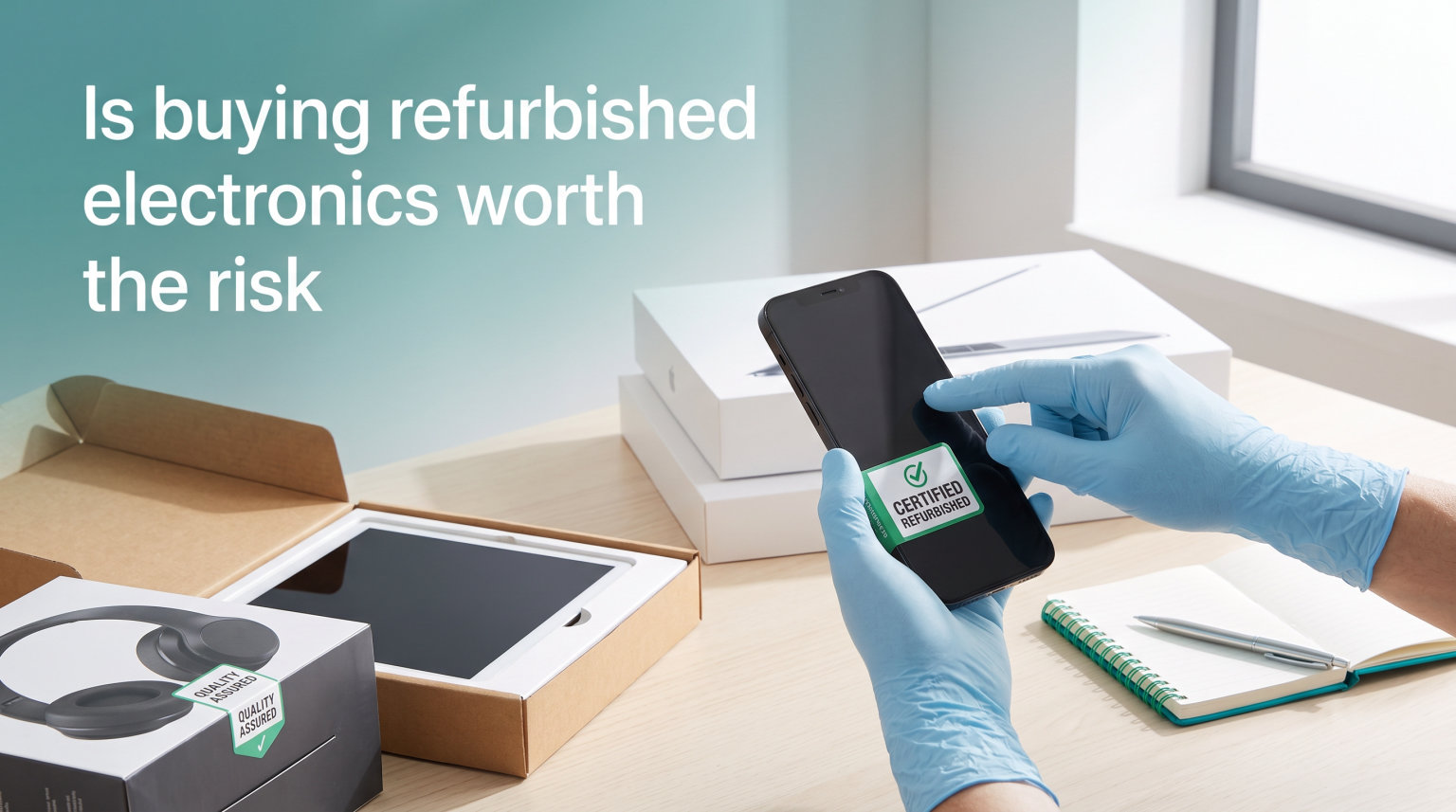
Yes, buying refurbished electronics is worth the risk for most buyers when you stick to certified sellers and verified marketplaces. I have bought refurbished phones, laptops, and cameras for years and saved hundreds of dollars each time without a single hardware failure. You can save 30-50% compared to new prices while getting a fully tested device backed by a warranty. The real risks come from unknown sellers and hidden battery wear, both of which are easy to avoid with the right checklist.
In this guide, I will walk you through what “refurbished” really means, how it differs from used and new, and the exact steps I use to evaluate every refurbished purchase. By the end, you will have a clear framework for deciding whether buying refurbished electronics makes sense for your situation.
Table of Contents
What Does “Refurbished” Actually Mean?
Refurbished electronics are previously owned devices that have been professionally inspected, repaired if needed, tested for full functionality, and restored to near-new condition. The work is done either by the original manufacturer or by a certified third-party refurbisher before the device is resold.
Most refurbished devices enter the market because a customer returned them within a return window. Some are trade-ins, some had minor defects that were repaired, and others are open-box items that were never used. In every case, the device goes through diagnostic testing, and any failing component gets replaced with OEM parts (original manufacturer parts) before it is cleaned and repackaged.
This process is what separates refurbished from used. Used items are sold as-is, with no guarantees about their condition or performance. Refurbished items, when done properly, come with a warranty and a documented inspection process.
Refurbished vs Renewed vs Certified
You will see three terms floating around: refurbished, renewed, and certified. They are similar but not identical. Manufacturer refurbished (also called factory refurbished) means the original maker handled the process. Certified refurbished usually means a trusted third party completed the work to a defined standard. Renewed is the term Amazon uses for its refurbished marketplace, where third-party sellers grade the condition and back it with an Amazon-managed warranty.
Refurbished vs Used vs New: How They Compare
The price, warranty, and risk profile all change depending on which category you buy. Here is how the three stack up.
New devices are factory-sealed and come with the full manufacturer warranty, typically one year. They cost the most and have the lowest risk of any defect. You also get the latest hardware revisions.
Refurbished devices cost 30-50% less than new on average. They come with a warranty (90 days to one year in most cases) and have been inspected by a professional. The cosmetic condition ranges from “like new” to visible minor wear, depending on the grade.
Used devices are the cheapest option but carry the highest risk. They are sold as-is, with no warranty, no inspection, and no guarantee the previous owner wiped personal data. You can get a great deal, but you also inherit someone else’s problem.
Where Open-Box Fits
Open-box items are sometimes grouped with refurbished, but they are a separate category. These are new devices that were returned with the packaging opened. They have never been used but cannot legally be sold as new. They often carry the full manufacturer warranty and sell for 10-20% off retail, making them a sweet spot if you can find the exact configuration you want.
The Real Advantages of Buying Refurbished Electronics
The price savings get most of the attention, but they are only part of the story. After buying refurbished electronics for over a decade, I have come to value three other advantages just as much.
1. Manufacturer-grade inspection. When you buy refurbished directly from Apple, Dell, Samsung, or other major brands, the device goes through the same testing process the factory uses on new units. Apple famously replaces the outer shell and battery on every certified iPhone, so the device you receive is functionally indistinguishable from new.
2. Real warranty protection. A common myth is that refurbished means no warranty. The opposite is true for certified programs. Apple offers a one-year warranty on refurbished products, Amazon Renewed offers a 90-day guarantee, and Back Market offers a 12-month warranty on most devices. You get meaningful protection, not the zero-coverage risk of a private used sale.
3. Lower environmental impact. Buying refurbished extends the life of a device that already exists, which keeps it out of the e-waste stream. The UN estimates that 62 million tons of e-waste were generated globally in 2026, and only about 22% was recycled. Choosing refurbished is one of the easiest ways a regular consumer can reduce that footprint.
The Real Risks (and How to Reduce Them)
Buying refurbished electronics is not risk-free. I would not pretend otherwise. Here are the five risks I weigh before every purchase, and the steps I take to manage each one.
Shorter warranties. A refurbished warranty is usually 90 days to one year, compared to one to two years for new. The fix: prioritize sellers that offer at least 90 days, and consider using a credit card that extends manufacturer warranties by an extra year.
Unknown usage history. You do not know how the previous owner treated the device. The fix: buy from sellers that perform full diagnostics and replace batteries if cycle counts exceed 500. For laptops and phones, ask for the battery cycle count before finalizing the purchase.
Hidden battery degradation. This is the single biggest hidden risk in refurbished electronics. A phone or laptop can look perfect but have a battery that holds 70% of its original capacity. The fix: confirm the seller tests battery health and replaces any battery below 80% capacity. Apple, Back Market, and Amazon Renewed all do this on most listings.
Lower cosmetic grade than expected. Sellers use terms like “Grade A,” “Grade B,” and “excellent” inconsistently. The fix: read the listing’s specific condition description, not just the grade label. Look for mention of “no visible scratches” or “like new” with photos when possible.
Seller reliability varies widely. Some third-party refurbishers are excellent. Others cut corners. The fix: stick to sellers with verified reviews, clear return policies, and ideally a physical return address. Avoid marketplace sellers with little history or no reviews.
Across the risks, the pattern is consistent: the danger is not in refurbished devices themselves, but in low-quality refurbishers. Buy from a certified seller, and the risk drops to roughly the same level as buying new.
What to Check Before Buying Refurbished Electronics?
This is the checklist I run through before every refurbished purchase. It takes about five minutes and has saved me from two bad purchases over the years.
1. Verify the refurbisher. Manufacturer-direct refurbishment is the gold standard. Apple, Samsung, Dell, HP, and Microsoft all run official refurbished stores. Third-party platforms like Back Market and Amazon Renewed curate reputable sellers. Avoid buying refurbished from random eBay or Craigslist sellers.
2. Confirm the warranty length. Look for at least a 90-day warranty covering parts and labor. Some manufacturers offer one year. Read the fine print for exclusions on accessories and batteries.
3. Check the return window. A 30-day return policy is the minimum I accept. This gives you time to test the device thoroughly and return it if anything is off. Back Market, Amazon Renewed, and Apple all offer 30 days or more.
4. Ask about battery health. For laptops, phones, and tablets, ask for the battery cycle count. A cycle count under 500 on a MacBook or iPhone usually means good battery life remains. For third-party sellers, confirm they replace batteries above a stated cycle count threshold.
5. Verify the serial number and IMEI. Before purchase, ask the seller for the serial number. Check it against the manufacturer’s database to confirm the device is registered and not reported stolen. For phones, run an IMEI check on a free service like Swappa or CheckCoverage.
6. Inspect cosmetic grading. “Grade A” or “like new” should mean no visible scratches at arm’s length. “Grade B” allows light scratches. “Grade C” allows cosmetic wear but full functionality. Match the grade to your expectations and price.
7. Confirm OEM parts and original accessories. Some refurbishers cut costs by using third-party batteries or chargers. Manufacturer certified programs always use OEM parts. For third-party sellers, this is a key differentiator.
Following these seven steps will catch almost every potential issue before you commit.
What to Buy Refurbished (and What to Avoid)
Buying refurbished electronics is generally a safe bet for devices where the internal components are modular and the manufacturer has a strong refurbishment program. Here is where I would and would not buy refurbished.
Safe to buy refurbished: Smartphones (especially iPhones and Pixels), laptops (MacBooks, ThinkPads, Dell XPS), tablets (iPads, Galaxy Tabs), mirrorless cameras, headphones, and game consoles. These categories have mature refurbishment programs and standardized parts.
Avoid buying refurbished: Budget accessories under $30 (the savings are minimal and quality varies), devices with sealed batteries that the manufacturer does not replace (most wireless earbuds), and safety-critical electronics (smoke detectors, medical devices). Also be cautious with very old devices where replacement parts may be hard to find.
Where to Buy: Trusted Sellers Compared
Once you have decided to buy refurbished, choosing the right seller matters more than any other factor. These are the five platforms I trust most.
Apple Certified Refurbished. Best for iPhones, iPads, and Macs. One-year warranty, new outer shell and battery, official packaging. Often sells out of popular configs quickly.
Amazon Renewed. Best for variety. Every device is backed by the Amazon Renewed Guarantee, with a 90-day window to return for any reason. Sells everything from phones to laptops to kitchen gadgets.
Back Market. Best for European shoppers and dedicated refurbishment. Standard 12-month warranty, free returns within 30 days, and a tiered grading system that makes condition clear.
Best Buy Geek Squad Refurbished. Best for in-person returns. You can return to any US store, which removes the shipping hassle. The selection is smaller than Amazon or Back Market.
Manufacturer outlets (Dell, HP, Samsung, Lenovo). Best for Windows laptops and Android phones. Direct from the source, with the same warranty as new products in many cases.
Frequently Asked Questions
How long do refurbished electronics last?
A properly refurbished device from a certified seller should last as long as a new one. The components that typically fail first (batteries, charging ports) are usually replaced during refurbishment. With normal use, a refurbished laptop or phone should deliver 3-5 years of reliable service, matching the lifespan of a new device in the same category.
Is factory refurbished as good as new?
Factory refurbished is functionally as good as new in most cases. Apple, Samsung, and Dell all replace the outer shell and battery on certified devices, so the parts you touch and rely on are new. The only meaningful difference is the slightly shorter warranty and the original packaging may be generic instead of retail.
What are the downsides of refurbished electronics?
The main downsides are shorter warranties (90 days to one year instead of one to two), potential cosmetic wear, and reduced ability to choose exact configurations. You also have less recourse if a defect appears late, so buying from sellers with strong return policies is essential. The price savings of 30-50% usually offset these trade-offs for most buyers.
Which is the most trusted refurbished site?
For specific brands, Apple Certified Refurbished is the most trusted for Apple products, and Dell, HP, and Samsung outlets are the most trusted for their own laptops. For a wider selection, Amazon Renewed and Back Market are both highly trusted, with standardized grading, strong warranties, and easy returns. Avoid independent sellers with no track record.
Are Geek Squad refurbished items good?
Geek Squad refurbished items from Best Buy are solid, with the advantage of easy in-store returns. The selection is smaller than Amazon Renewed or Back Market, but the inventory is generally well-tested and backed by Best Buy’s return policy. They are a good choice when you want to handle the device in person before committing.
Is buying refurbished better for the environment?
Yes, buying refurbished electronics is significantly better for the environment. Refurbishing a device saves roughly 80% of the carbon emissions associated with manufacturing a new one, and it keeps the device out of the e-waste stream for several more years. If environmental impact is a priority, refurbished is one of the highest-impact purchases you can make.
Final Verdict: Is Buying Refurbished Electronics Worth the Risk?
Yes, buying refurbished electronics is worth the risk for most buyers, especially when you stick to certified sellers and verified marketplaces. The savings of 30-50% are real, the warranty protection is real, and the environmental benefit is real.
Start with the seven-step checklist above, focus on the trusted sellers I listed, and you will almost certainly end up with a device that performs like new at a fraction of the price. For your next laptop, phone, or tablet, give refurbished a serious look before paying full retail.