
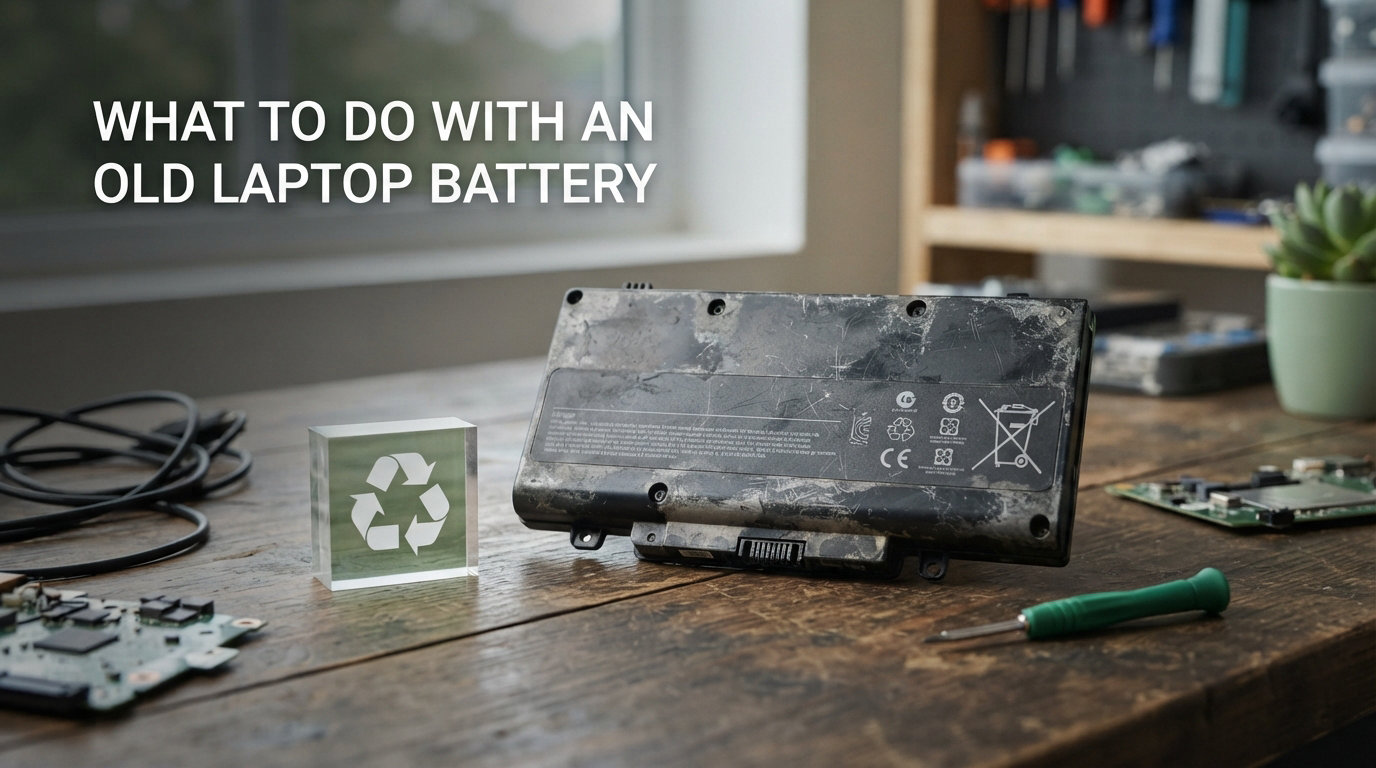
If you have ever stared at a dead laptop battery and wondered what to do with an old laptop battery, you are asking the right question. Tossing it in the trash is not just a bad idea, it is dangerous, illegal in many places, and a serious fire risk.
Our team has spent weeks researching recycling programs, retailer drop-off policies, and DIY reuse projects to put together a clear, safety-first guide. Whether you want to recycle, repurpose, or safely store your aging battery, this article walks you through every option.
The short answer: never throw a laptop battery in regular trash or curbside recycling. Instead, drop it off at a retailer like Best Buy, Home Depot, or Staples, use the Call2Recycle program, mail it back to the manufacturer, or carefully repurpose it for a DIY project if you have the skills.
Below, we cover why this matters, how to spot a dangerous swollen battery, where to recycle near you, and creative ways to give an old battery a second life.
Table of Contents
Why You Cannot Throw a Laptop Battery in the Trash?
Most modern laptop batteries are lithium-ion or lithium-polymer cells, and these are classified as household hazardous waste. When crushed, punctured, or heated inside a garbage truck or landfill, they can ignite and burn at extreme temperatures that firefighters struggle to extinguish.
The laptop battery fire hazard is real and well documented. Sanitation workers, recycling facility staff, and landfill operators have reported fires started by lithium batteries that were tossed in regular bins. A single damaged cell can flare up days or even weeks later.
There is also an environmental cost. Lithium-ion batteries contain cobalt, nickel, copper, and lithium, all of which can leach into soil and groundwater when a battery breaks down in a landfill. These metals are toxic to wildlife and humans in high concentrations.
Recycling flips that problem on its head. A recycled battery yields valuable materials that can be recovered and reused, reducing the need for new mining. According to industry data, recycling lithium-ion batteries can recover up to 95% of their key metals, which makes a real dent in the environmental footprint of new electronics.
It is also the law in many areas. As of 2026, dozens of US states and many countries prohibit disposing of rechargeable batteries in regular household trash. Violations can carry fines, and more importantly, they put people at risk.
The bottom line is simple: if you are asking what to do with an old laptop battery, the very first rule is to keep it out of your garbage can.
Signs Your Old Laptop Battery Is Damaged or Swollen
Before you store, transport, or recycle a battery, you need to know whether it is safe to handle. A degraded battery is one thing, but a damaged one is an active hazard.
Here are five warning signs that a laptop battery needs careful, urgent handling:
Swelling or puffing. The case bulges, the trackpad lifts, or the laptop chassis separates. Enthusiasts on forums like r/spicypillools call these “spicy pillows,” and they are treated as emergencies.
Unusual heat. A battery that feels hot to the touch while idle or charging is failing internally.
Chemical or sweet smell. A leaking electrolyte often gives off a sweet, solvent-like odor.
Discoloration or corrosion. White, green, or rust-colored buildup around the contacts signals leakage.
Rapid drain or sudden shutdowns. The battery drops from 40% to zero in minutes, or the laptop dies without warning.
If you notice any of these signs, especially swelling, treat the battery as a fire risk. Do not continue using it, do not charge it, and move it away from flammable materials immediately.
A swollen battery should go straight to a hazardous waste facility or a retailer drop-off that accepts damaged units, not into long-term storage at home.
How to Safely Store an Old Laptop Battery Before Recycling
Not everyone can race to a recycling center the same day a battery dies. If you need to hold onto a battery for a few days or weeks, safe storage matters.
Follow these steps to store an old laptop battery without creating a fire risk:
Discharge to around 40-50%. Lithium-ion cells are most stable at partial charge. A fully charged battery stores more energy and poses a higher fire risk.
Tape the terminals. Cover the metal contacts with non-conductive tape such as electrical, Kapton, or packing tape. This prevents accidental short circuits if the battery touches metal objects.
Place it in its original packaging or a plastic container. Avoid metal bins or loose storage where coins, keys, or other batteries could bridge the contacts.
Keep it cool and dry. Store the battery between roughly 59 and 77 degrees Fahrenheit, away from direct sunlight, heaters, and damp areas.
Do not stack batteries. Keep each battery separate to prevent contact between terminals.
Aim to drop the battery off for recycling within 30 days whenever possible. Long-term storage of degraded batteries increases the chance of swelling or leakage over time.
Never store a battery in a car, garage in summer heat, or near water heaters and furnaces. High temperatures accelerate chemical breakdown inside the cells.
Where to Recycle an Old Laptop Battery Near You?
The most common and reliable answer to what to do with an old laptop battery is recycling through a verified drop-off point. The good news is that you probably live near several free options.
Here are the major US retailers and programs that accept laptop batteries for recycling:
Best Buy. Most stores have an in-lobby recycling kiosk that accepts rechargeable batteries, including laptop batteries, at no charge. There is usually a limit of three items per visit.
Home Depot. Yes, Home Depot takes old laptop batteries through the Call2Recycle program. Drop boxes are located near the entrance or customer service desk at most locations.
Lowe’s. Similar to Home Depot, Lowe’s hosts Call2Recycle drop boxes that accept rechargeable batteries free of charge.
Staples. Staples offers free electronics recycling, including rechargeable batteries, through its in-store program.
Batteries Plus. A specialty retailer that accepts a wide range of battery types, including laptop batteries. Some locations also test and rebuild packs.
Beyond retailers, look into local hazardous waste or e-waste facilities run by your city or county. Many hold monthly collection events where you can drop off batteries, paint, electronics, and other household hazardous materials together.
The Call2Recycle program is the largest rechargeable battery recycling network in North America. You can use the locator at call2recycle.org to find the nearest drop-off site by entering your ZIP code. Most participating locations accept laptop batteries at no cost to you.
If you live in a rural area without a nearby drop-off, mail-in recycling is a viable option. Call2Recycle offers boxed mail-back kits, and services like Battery Networks and Redwood Materials accept shipped batteries for responsible processing. Some manufacturers also provide prepaid return labels, which we cover next.
Manufacturer Recycling Programs
If you bought your laptop from a major brand, the manufacturer may take the old battery back for free or even pay you for it. These take-back programs are an underrated option.
Here is a quick look at the major manufacturer programs:
Dell. Dell Reconnect partners with Goodwill for free drop-off recycling of Dell branded equipment and batteries. Dell also offers mail-back options for customers without a nearby partner.
HP. HP’s Planet Partners program provides free recycling for HP batteries and hardware, often with a prepaid shipping label you can print at home.
Apple. Apple accepts old Apple batteries and devices at any Apple Store or through its trade-in and recycling mail program. Some devices qualify for store credit.
Lenovo. Lenovo offers free battery recycling in many regions, including prepaid shipping for business customers and consumer drop-off partnerships.
Manufacturer programs are especially convenient because they accept their own batteries without question. Some, like Apple, also offer trade-in credit if the battery or laptop still has functional value.
Before you mail anything, check the manufacturer’s website for current shipping rules. Lithium battery shipping has strict packaging requirements, and the brand will usually send you the correct materials.
Creative Ways to Repurpose an Old Laptop Battery
If you are asking what to do with an old laptop battery besides recycling, repurposing is a real option, especially for makers and hobbyists. A typical laptop battery pack contains several individual 18650 lithium-ion cells, and many of them still hold a usable charge even after the pack as a whole no longer powers the laptop.
Here are seven popular reuse projects that the DIY community has documented extensively:
Build a DIY power bank. Salvaged 18650 cells can be wired into a custom USB power bank with a charging circuit and a battery management board.
Power LED light strips. Several cells wired together make a reliable backup for 12V LED lighting during outages or camping trips.
Emergency backup power supply. Combine cells with an inverter to run small devices like routers or phones during a blackout.
Solar charger integration. Pair salvaged cells with a small solar panel to build an off-grid charging station.
Robotics and RC projects. The 18650 form factor is a favorite for Arduino, Raspberry Pi, and remote-control builds.
Portable speaker power. Replace dead factory batteries in Bluetooth speakers with tested salvaged cells.
Donate cells to makerspaces. Local hackerspaces and STEM programs often welcome tested cells for student projects.
A critical warning: cell harvesting requires real skill. You must test each cell’s voltage, internal resistance, and capacity before reuse, and never mix cells of different ages or brands in the same pack. A faulty cell can short, overheat, and catch fire.
If you have never handled a soldering iron or built a battery management circuit, recycling is the safer choice. DIY repurposing is best left to people comfortable with electronics safety.
Also, never crack open a swollen battery to harvest cells. A swollen pack is a failure waiting to happen, and the cells inside are not safe to reuse under any circumstances.
Protect Your Data Before You Dispose of the Battery or Laptop
The battery itself does not store your personal files, but most people replace a battery at the same time they retire the whole laptop. That makes data security a real concern that often gets skipped in disposal guides.
Before you hand off the laptop or battery for recycling, follow this quick checklist:
Back up your data. Copy files to an external drive or cloud storage before doing anything else.
Sign out of accounts. Log out of email, browsers, password managers, and software licenses.
Remove or wipe the storage drive. Physically removing the SSD or hard drive is the most secure option. Otherwise, perform a full factory reset with disk overwrite.
Unlink software licenses. Deactivate Adobe, Microsoft, and other paid licenses so you can reuse them on a new machine.
Once the data is secure, you can drop off the laptop and battery together at most electronics recyclers. This protects both your privacy and the environment in one trip.
FAQs
What should I do with an old laptop battery?
Take it to a recycling drop-off at a retailer like Best Buy, Home Depot, Lowe’s, or Staples, use the Call2Recycle program, or mail it back through the manufacturer’s take-back program. Never throw a laptop battery in the regular trash, because lithium-ion cells are a fire hazard and can leak toxic materials.
How to use old laptop battery for other things?
Working cells inside an old laptop battery can be repurposed into a DIY power bank, LED light backup, emergency power supply, solar charger, or robotics project. This requires testing each cell for voltage and capacity and using a proper battery management circuit. If you are not comfortable with electronics, recycling is safer.
Does Home Depot take old laptop batteries?
Yes. Home Depot participates in the Call2Recycle program and most stores have a drop box near the entrance or customer service desk that accepts rechargeable laptop batteries free of charge. Lowe’s and Best Buy offer similar programs.
Is it safe to keep an old laptop battery?
It is safe for short-term storage if the battery is not swollen, leaking, or hot. Discharge it to around 40-50%, tape the terminals with non-conductive tape, store it in a cool dry place away from metal objects, and drop it off for recycling within about 30 days. A swollen or damaged battery should be treated as a fire hazard and recycled immediately.
Can you throw a laptop battery in the trash?
No. Throwing a laptop battery in the trash is dangerous and illegal in many states and countries. Lithium-ion batteries can ignite in garbage trucks and landfills, and they leak toxic metals like cobalt and nickel into the environment. Always recycle laptop batteries through a retailer drop-off, manufacturer program, or hazardous waste facility.
Conclusion: Your Next Steps for an Old Laptop Battery
Knowing what to do with an old laptop battery comes down to three simple choices: store it safely, recycle it through a verified program, or repurpose it if you have the technical skills.
Never throw a laptop battery in the trash. Tape the terminals, keep it cool and dry, and get it to a Best Buy, Home Depot, Call2Recycle drop-off, manufacturer mail-back program, or local hazardous waste facility as soon as you can.
If you handle the battery correctly, you protect sanitation workers, prevent fires, keep toxic metals out of the environment, and help recover valuable materials for future electronics. That is a small effort with a big payoff.