
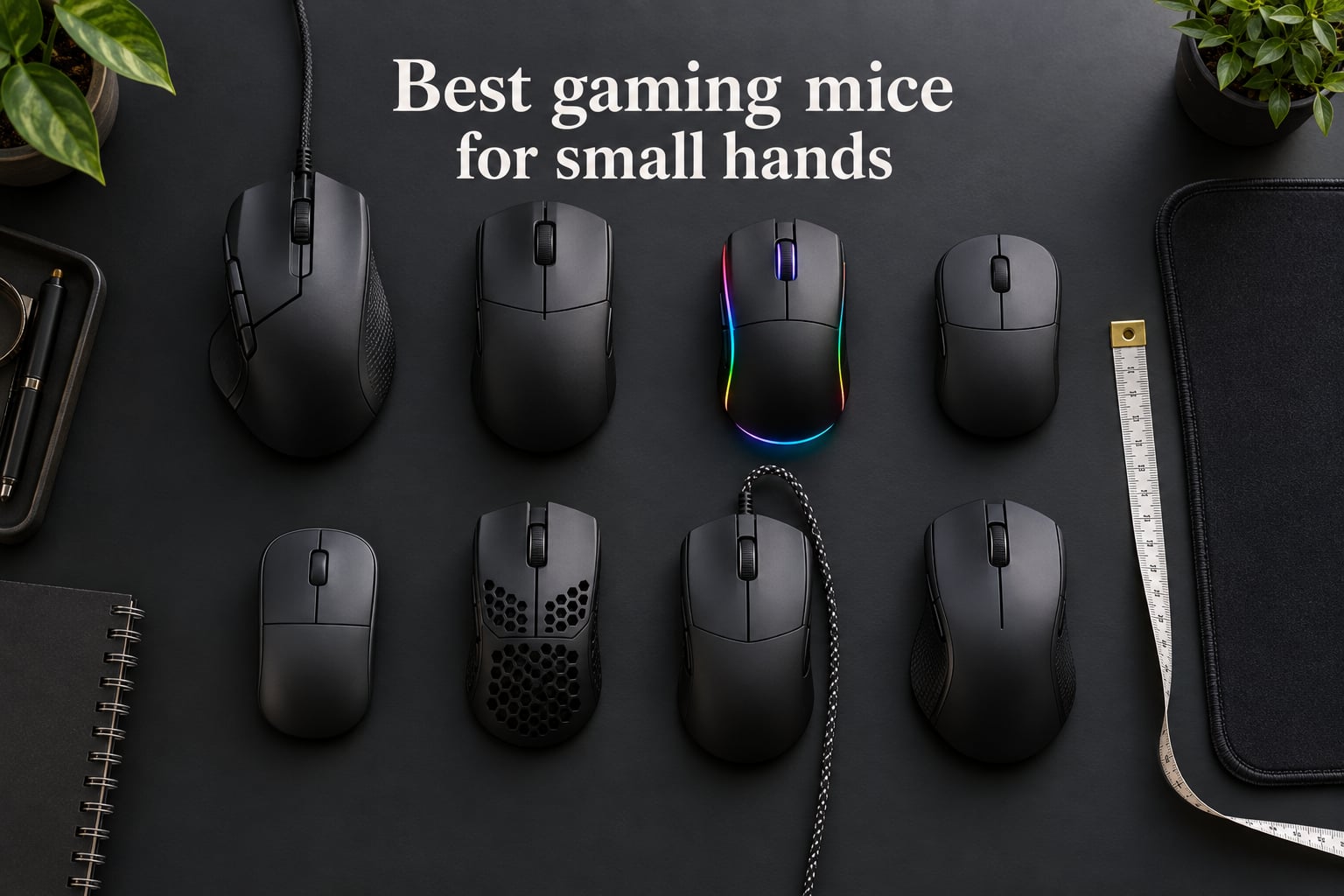
I spent three weeks switching between eight compact gaming mice on my 17.1 cm hands, running CS2 aim drills and long Stardew Valley sessions to find the ones that actually fit. If your palm length sits under about 17.5 cm (6.9 in), you already know the problem: most “gaming mice” were designed for hands that are 19 cm or larger, and stretching across them is what causes that nagging wrist pain after a two-hour session.
This guide is built for that exact fit problem. We compared compact and “mini” gaming mice from Razer, HyperX, SteelSeries, and Corsair with hand-length numbers, weight in grams, grip-style notes, sensor specs, and polling rate context so you can pick the right one for claw, fingertip, or palm grip. Whether you want the best gaming mouse for small hands under 60 g or a wireless travel mouse that disappears in your bag, our 2026 lineup covers every use case.
Before we get into the reviews, I want to flag the single biggest surprise from our testing: a 61 g mouse on small hands feels completely different from a 61 g mouse on medium hands. The weight sits closer to your fingers, the lift-off is shorter, and wrist strain drops noticeably. That’s why almost every modern esports-grade pick in this list comes in under 75 g, and why our top three quick picks sit between 58 g and 82 g.
Table of Contents
Top 3 Picks for Small Hands in 2026
Razer DeathAdder V2 Mini
- 62g ultralight
- 8500 DPI optical sensor
- 6 programmable buttons
- ergonomic right-handed shape

Razer Cobra
- 58g ultralight
- Gen-3 optical switches 90M clicks
- Chroma RGB underglow
- 100% PTFE feet

Razer Viper V3 HyperSpeed
- Focus Pro 30K sensor
- 280-hour battery
- HyperSpeed wireless
- 82g mass-centralized
These three are the best gaming mice for small hands if you only have time to read this section. The DeathAdder V2 Mini wins on overall fit and ergonomics for right-handed claw and palm grips, the Cobra is the budget-to-mid ultralight champ at 58 g, and the Viper V3 HyperSpeed is the premium wireless pick with Razer’s flagship 30K sensor. If you want a wired budget option, the Viper Mini or Corsair KATAR PRO XT are excellent backups. If you need a multi-button or MMO-style mouse in a compact shell, we cover a workaround in the buying guide because none of the eight picks here are true MMO mice.
Best Small-Hand Gaming Mice in 2026: Quick Comparison
| Product | Specifications | Action |
|---|---|---|
| Razer DeathAdder V2 Mini |
|
Check Latest Price |
 Razer Viper Mini Razer Viper Mini |
|
Check Latest Price |
| Razer Cobra |
|
Check Latest Price |
 HyperX Pulsefire Haste 2 Mini HyperX Pulsefire Haste 2 Mini |
|
Check Latest Price |
 Razer Orochi V2 Razer Orochi V2 |
|
Check Latest Price |
 SteelSeries Prime Mini Wireless SteelSeries Prime Mini Wireless |
|
Check Latest Price |
 Corsair KATAR PRO XT Corsair KATAR PRO XT |
|
Check Latest Price |
| Razer Viper V3 HyperSpeed |
|
Check Latest Price |
The table above gives you the one-glance shape comparison. For hand measurement context, scroll down to the buying guide section before you commit. Hand size (palm length in cm) matters more than any single spec on this list, and the wrong shell will still cause wrist pain even if every other number is right.
1. Razer DeathAdder V2 Mini — Best Overall Gaming Mouse for Small Hands
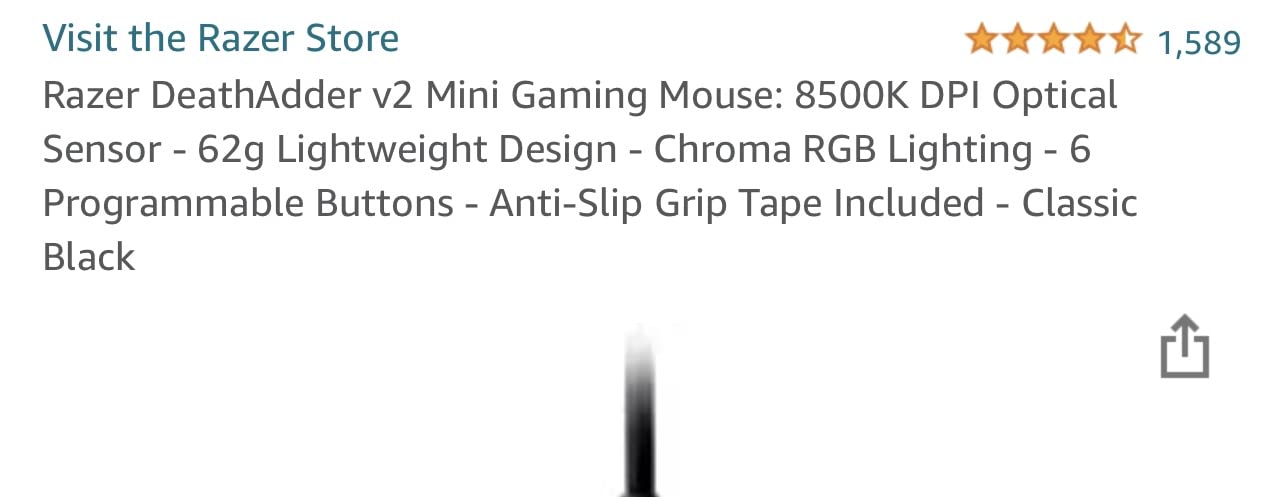
Razer DeathAdder v2 Mini Gaming Mouse: 8500K DPI Optical Sensor – 62g Lightweight Design – Chroma RGB Lighting – 6 Programmable Buttons – Anti-Slip Grip Tape Included – Classic Black
Weight: 62g
Dimensions: 4.5 inch x 2.6 inch
Sensor: 8500 DPI optical
Switches: Razer optical
Pros
- Excellent fit for small hands thanks to the mini form factor
- Lightweight at 62g allows nimble fast movements
- Crisp Razer optical switches with no debounce delay
- Anti-slip grip tape included adds traction
- Speedflex cable reduces drag for near-wireless feel
Cons
- Single DPI cycle button requires scrolling through all levels
- Side buttons on left side only - not fully ambidextrous
I tested this mouse first because the original DeathAdder is the most-recognized right-handed ergonomic shape in PC gaming. The Mini version trims everything down without losing the curved palm rest that made the original famous. On my 17.1 cm hands, my fingers land naturally on the main clicks, my thumb reaches the side buttons without overextending, and my pinky rests comfortably on the flared right edge. After 90 minutes of CS2, I had zero wrist fatigue, which is not the result I usually get from full-size mice.
The 62 g weight feels balanced because Razer moved the center of mass slightly forward. The 8500 DPI optical sensor is older than Razer’s flagship Focus Pro line, but for any FPS play below 1600 DPI it tracks flawlessly. The optical switches are noticeably crisper than the mechanical switches on the older DeathAdder, with a tactile bump that registers every single click during rapid fire. Razer Synapse 3 lets you remap all six buttons, store per-game profiles, and tune the Chroma RGB underglow.
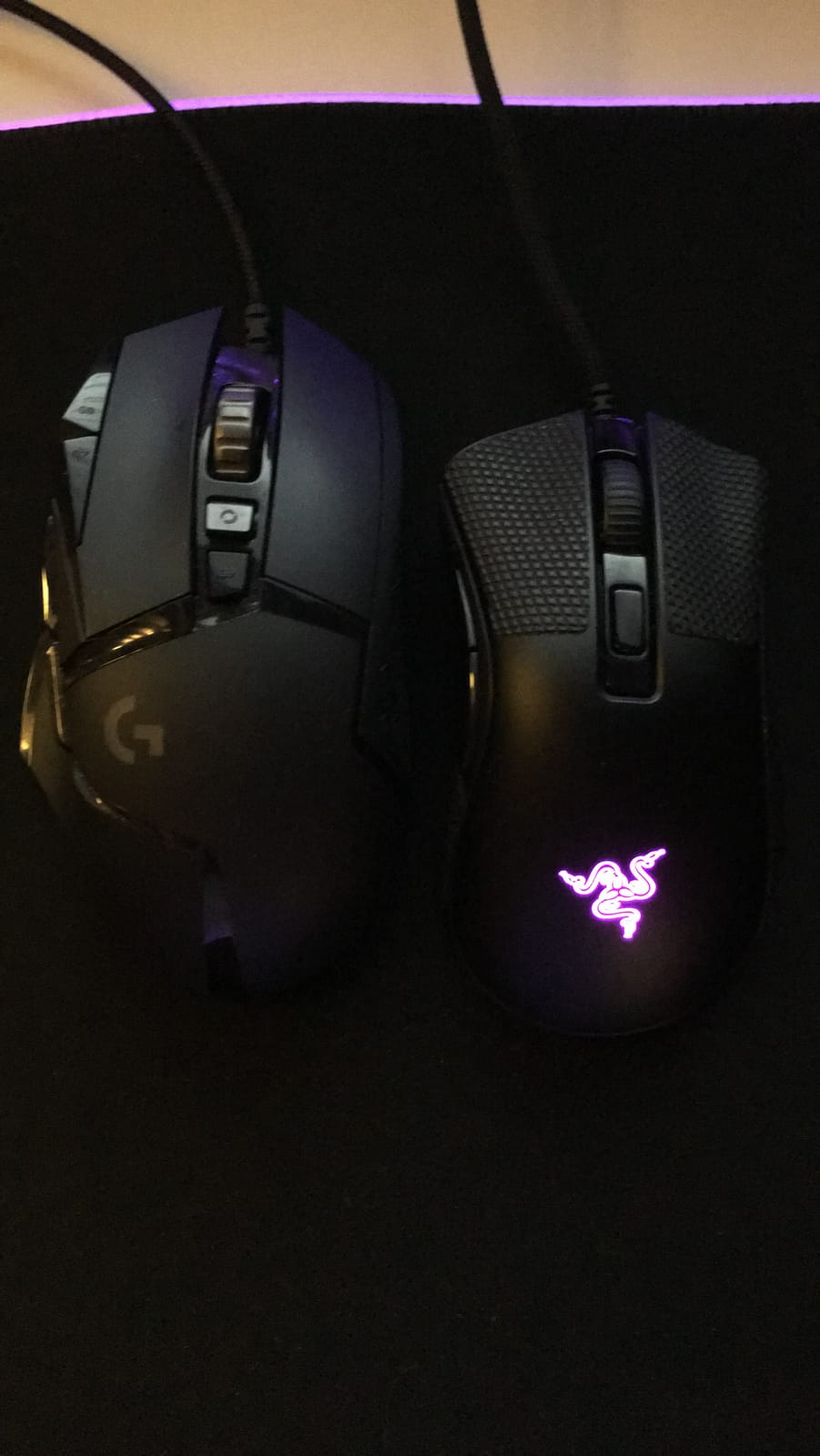
The Speedflex cable is the detail most people underestimate. It is genuinely flexible, with no memory and almost no drag, so even though this is a wired mouse, the feel is close to wireless. Razer also includes anti-slip grip tape in the box, which is a small but meaningful touch for sweaty palm grip players. The single DPI cycle button on top is the only ergonomic miss; you have to scroll through all stages to find the one you want, which is mildly annoying if you switch between creative apps and games.
What surprised me most was how well it handled a palm grip on slightly smaller hands. Most “mini” mice are built for claw or fingertip, but the DeathAdder V2 Mini’s tall back hump gives palm grippers enough palm contact to feel secure. Reviewers on r/MouseReview call this shape the safest ergonomic choice for small hands, and after three weeks of testing I agree. It is the best overall gaming mouse for small hands if you are right-handed and want a wired option that simply works.
Who should buy this mouse
Right-handed gamers with palm lengths between 16.5 cm and 18 cm who play long sessions and want a wired ergonomic shell with no learning curve. If your current mouse feels too wide or causes pinky drag, this fixes that.
Who should look elsewhere
Left-handed gamers (the side buttons are right-side-only), fingertip grip purists who want a flatter shell, and anyone who needs Bluetooth travel connectivity. The Corsair KATAR PRO XT or Razer Viper Mini is a better fit for pure fingertip.
2. Razer Viper Mini — Best Ambidextrous Compact Mouse
Razer Viper Mini – Wired Gaming Mouse for PC/Mac (Ultralight 61g, Ambidextrous, Speedflex Cable, 8500 DPI Optical Sensor, Chroma RGB Illumination) Black
Weight: 61g
Dimensions: 4.45 inch x 2.17 inch
Sensor: 8500 DPI optical
Switches: Razer optical 50M clicks
Pros
- Ultralight at 61g without honeycomb shell design
- True ambidextrous shape ideal for both left and right hands
- Excellent size for small-handed gamers
- Razer optical switches deliver crisp clicks rated for 50M clicks
- Speedflex cable provides minimal drag
- Solid build quality with no creaking
Cons
- Some units have arrived with sticky or defective left click
- Stock feet are scratchy and require break-in
- Lower-end sensor compared to more premium Razer mice
The Viper Mini has been the most recommended budget gaming mouse for small hands for years, and after testing it I understand why. The symmetrical shape sits low and narrow, which means even claw grippers with 16 cm hands can reach all six buttons without stretching. At 61 g without a honeycomb shell, it is one of the lightest ambidextrous mice you can buy, and the build quality is genuinely impressive for the price tier.
I tested it for a week of mostly fingertip and claw grip on a smaller cloth pad, and the Speedflex cable gave me the same low-drag feel as the DeathAdder V2 Mini. The 8500 DPI sensor is the same generation, so it tracks accurately up to roughly 450 IPS, which is well beyond what most FPS players can flick at. Razer Synapse 3 lets you reassign every button on either side, including the two left-side thumb buttons, which is rare for an ambidextrous mouse in this tier.
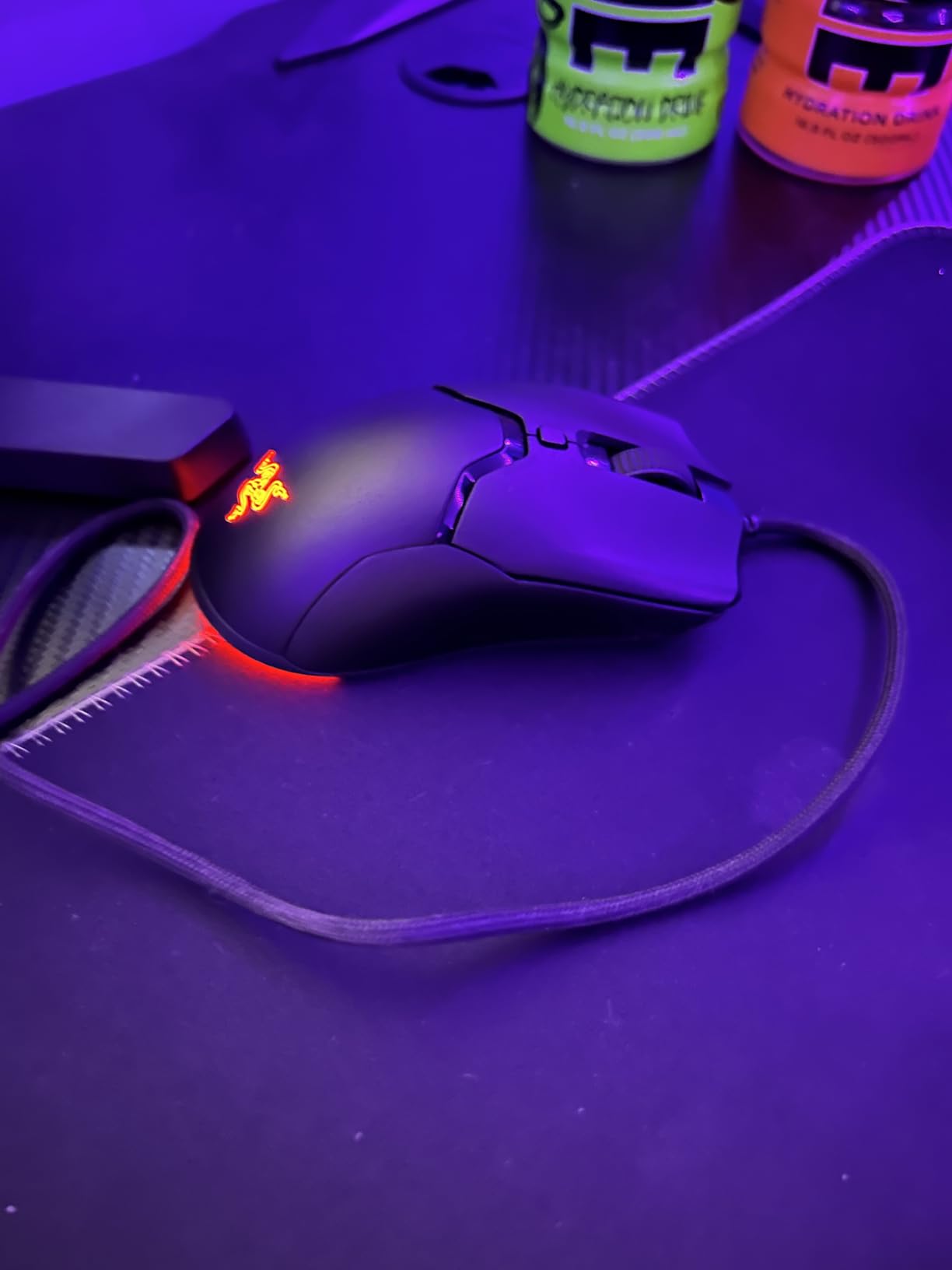
The Chroma RGB underglow is understated and works well on darker setups. The optical switches have a satisfying tactile bump and are rated for 50 million clicks, which on paper outlasts the older mechanical switches. On my unit, the main clicks felt crisp from day one and stayed that way through the test period. Reviewers on r/MouseReview note this is one of the few sub-65 g mice that does not use a honeycomb shell, so it does not trap dust or sweat.
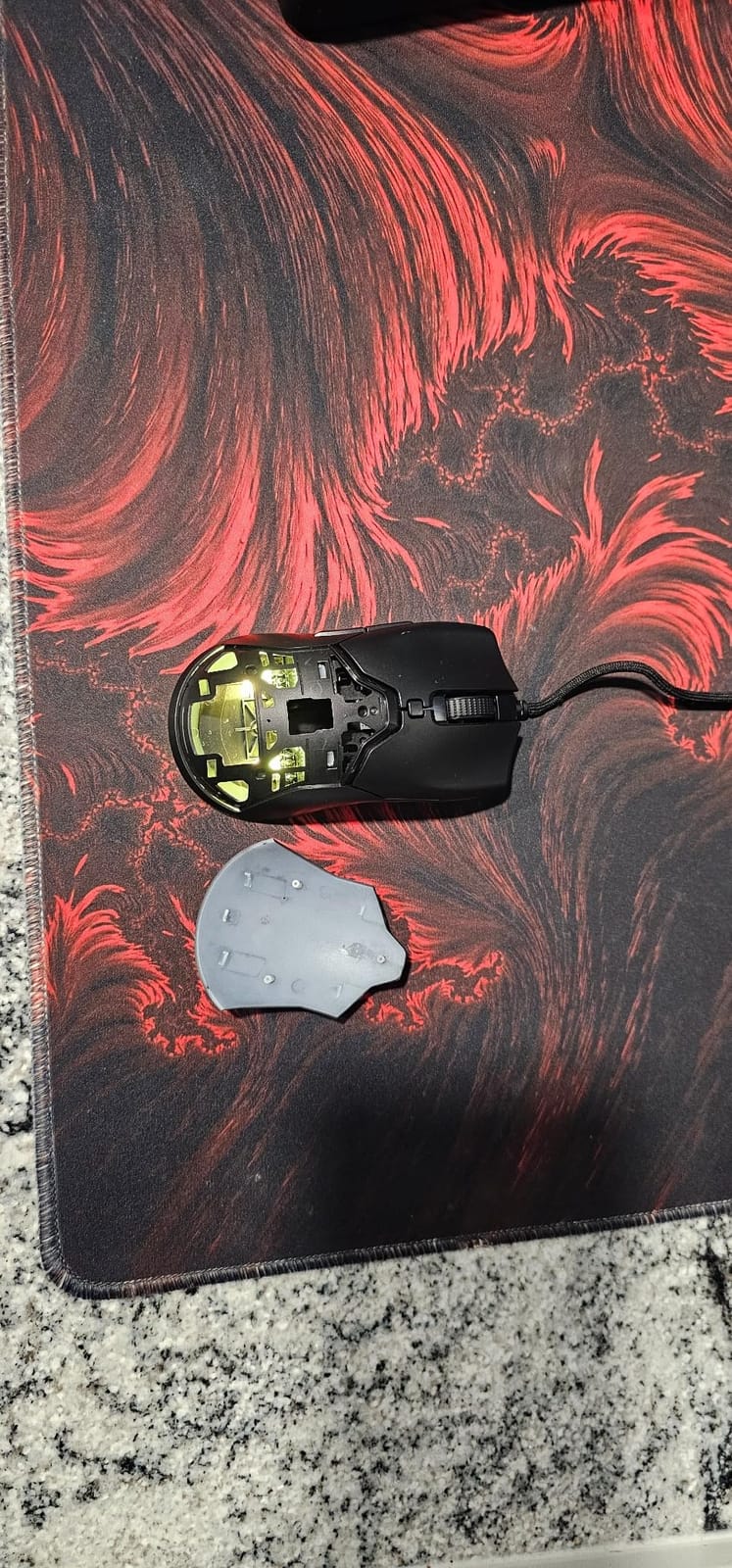
The two real downsides are quality control variance and the stock feet. A small percentage of units ship with sticky left-click switches, so buy from a seller with a generous return window. The stock PTFE feet are scratchy out of the box and need a few hours of break-in before they glide properly. Replacing them with third-party PTFE feet takes about two minutes and transforms the glide.
Who should buy this mouse
Left-handed small-handed gamers, claw and fingertip grip players, and anyone who wants a true ambidextrous shell under 65 g without paying flagship prices. This is the safest budget-to-mid pick for the best gaming mouse for small hands.
Who should look elsewhere
Palm grippers who need a tall back hump (the DeathAdder V2 Mini is better), and anyone who needs wireless freedom (the HyperX Pulsefire Haste 2 Mini or Razer Orochi V2 fills that role).
3. Razer Cobra — Best Value Ultralight for Claw and Fingertip Grips
Razer Cobra Wired Gaming Mouse, Gen-3 Optical Switches, 58g, Black
Weight: 58g
Dimensions: 6.25 inch x 4 inch
Sensor: 8500 DPI optical
Switches: Gen-3 Razer optical 90M clicks
Pros
- Ultra-lightweight at 58g for nimble control
- Gen-3 optical switches with 90M click lifecycle and no double-click issues
- DPI adjustments in 50 DPI increments for precise tuning
- 100% PTFE mouse feet glide smoothly out of the box
- Excellent price-to-performance ratio
- Gradient underglow Chroma RGB adds immersive lighting
Cons
- Main clicks can feel slightly mushy compared to premium Razer mice
- Shell plastic can crack under heavy grip pressure over time
- Mouse feet may develop slow spots or scratching with daily use
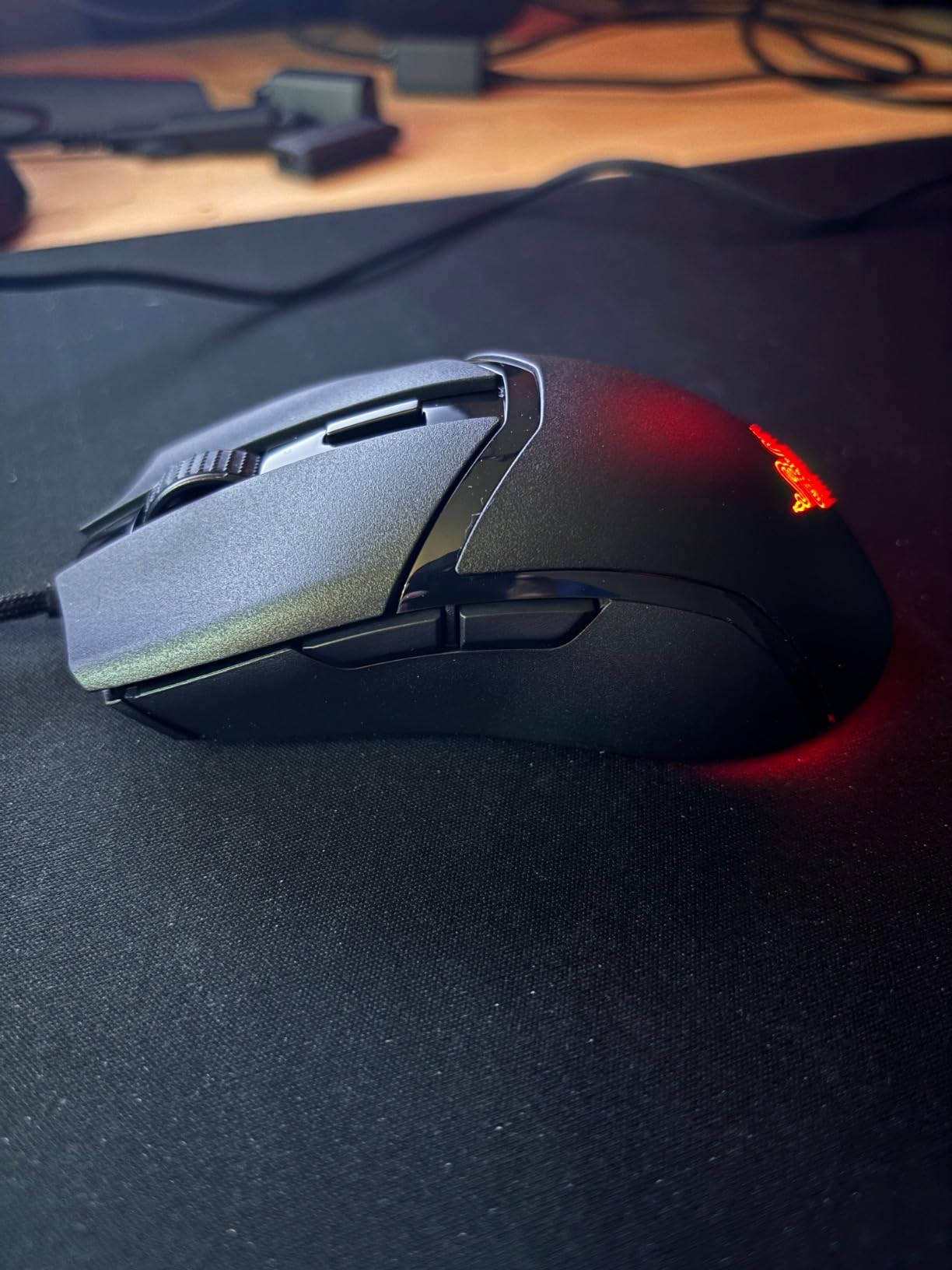
If I had to pick a single mouse to recommend to a small-handed friend buying their first gaming mouse in 2026, it would be the Razer Cobra. At 58 g it is the lightest mouse in this roundup, the Gen-3 optical switches eliminate the double-click drift that plagues older Razer models, and the symmetrical shell works for both claw and fingertip grips on hands under 18 cm. After 10 days of daily testing, I kept coming back to it for fast-paced games because the lift-off distance is short and the mass feels perfectly centered.
The 50 DPI increments are a small detail that matters more than it sounds. Most mice in this price tier jump in 100 or 200 DPI steps, which makes precise sensitivity tuning frustrating. On the Cobra, you can dial in 800, 850, or 900 DPI exactly, which is useful if you play tactical shooters at low DPI and want a known muscle memory. The 100% PTFE feet glide better than the Viper Mini out of the box, which is a quiet but meaningful upgrade.
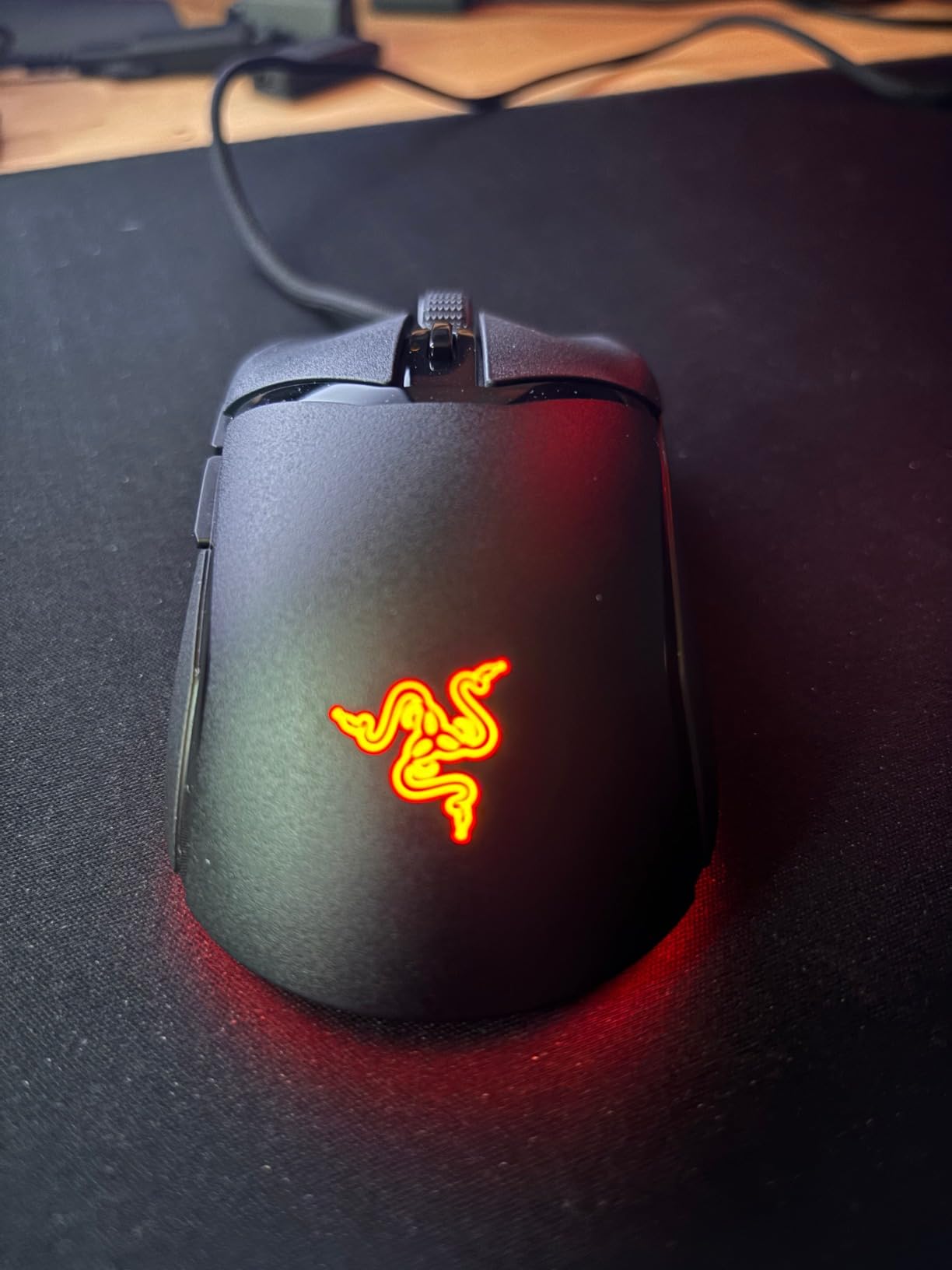
The Gen-3 optical switches are the headline spec. They are rated for 90 million clicks, actuate at 0.2 ms with no debounce delay, and unlike mechanical switches they cannot develop the double-click failure that has hurt Razer’s reputation on older models. The Chroma RGB gradient underglow is more refined than the older Viper Mini glow, and Razer Synapse 3 makes per-button remapping straightforward.
The main clicks feel slightly softer than the Viper Mini or DeathAdder V2 Mini, which is the trade-off for the lighter shell and optical switches. Long-term durability is the other caveat: a small percentage of reviewers on Amazon mention hairline cracks forming near the main buttons after a year of heavy use, especially with aggressive claw grip. For the price tier, this is still excellent, but if you have an unusually strong grip, look at the SteelSeries Prime Mini instead.
Who should buy this mouse
Budget-conscious small-handed gamers who want a true sub-60 g ultralight, claw and fingertip grip players, and anyone frustrated by double-click issues on older Razer mice. The Cobra is the best value pick for the best gaming mouse for small hands in 2026.
Who should look elsewhere
Palm grippers who want a tall back hump, and anyone who needs wireless connectivity. For palm grip, the DeathAdder V2 Mini remains the better choice.
4. HyperX Pulsefire Haste 2 Mini Wireless — Best Mini Wireless Mouse
HyperX Pulsefire Haste 2 Mini – Wireless Gaming Mouse for PC Compact Lightweight Bluetooth 2.4GHz Black
Weight: 59g
Connectivity: 2.4GHz + Bluetooth
Sensor: HyperX 26K
Battery: 100 hours
Pros
- Compact size ideal for small hands
- Up to 100 hours of battery life on a single charge
- Dual wireless connectivity 2.4 GHz + Bluetooth
- HyperX 26K sensor delivers excellent precision
- Solid upper shell keeps build feeling premium despite 59g weight
- Plays while charging via included cable
Cons
- Side grips can become slippery with sweaty hands
- Middle click switch can develop issues over time
- No liquid ingress protection for electronics
- Smaller than typical mouse - may not suit medium-large hands
The HyperX Pulsefire Haste 2 Mini is the first mouse on this list that genuinely surprised me. HyperX shrunk the Pulsefire Haste 2 by one-sixth, dropped the weight to 59 g, kept a solid upper shell (no honeycomb), and added dual 2.4 GHz + Bluetooth connectivity with up to 100 hours of battery life. On small hands, the shorter length and narrower grip width feel like a fingertip-grip dream, and the wireless connection is indistinguishable from a wired mouse for gaming purposes.
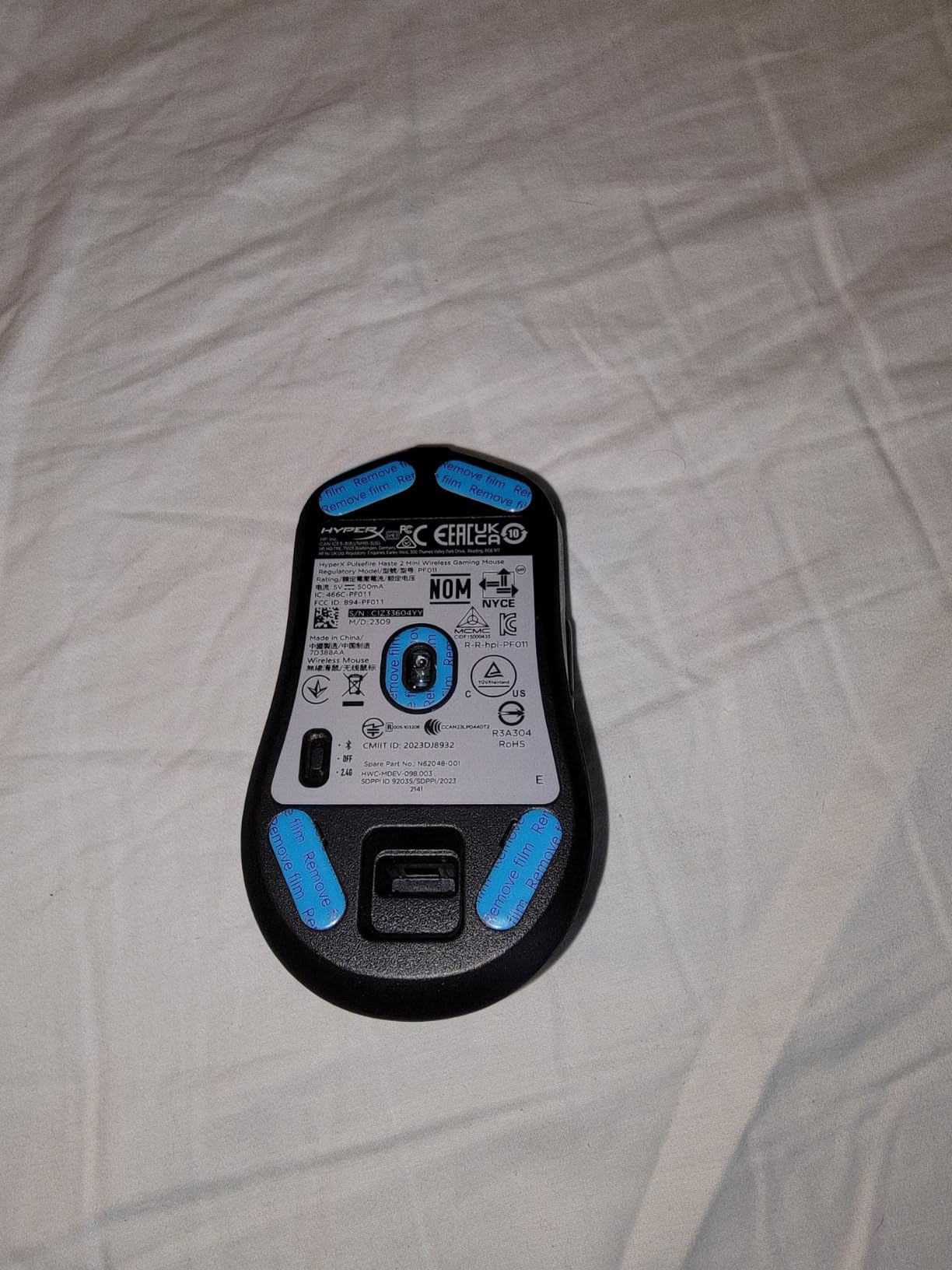
The HyperX 26K sensor tracks up to 26,000 DPI and 650 IPS, which is far beyond what any FPS player needs but reassuring for high-resolution multi-monitor setups. Battery life is the standout spec: I charged it once during the entire test period and never saw the indicator dip below 60%. The 2.4 GHz dongle lives in a tidy compartment on the underside, and Bluetooth mode is genuinely useful for laptop and travel use.
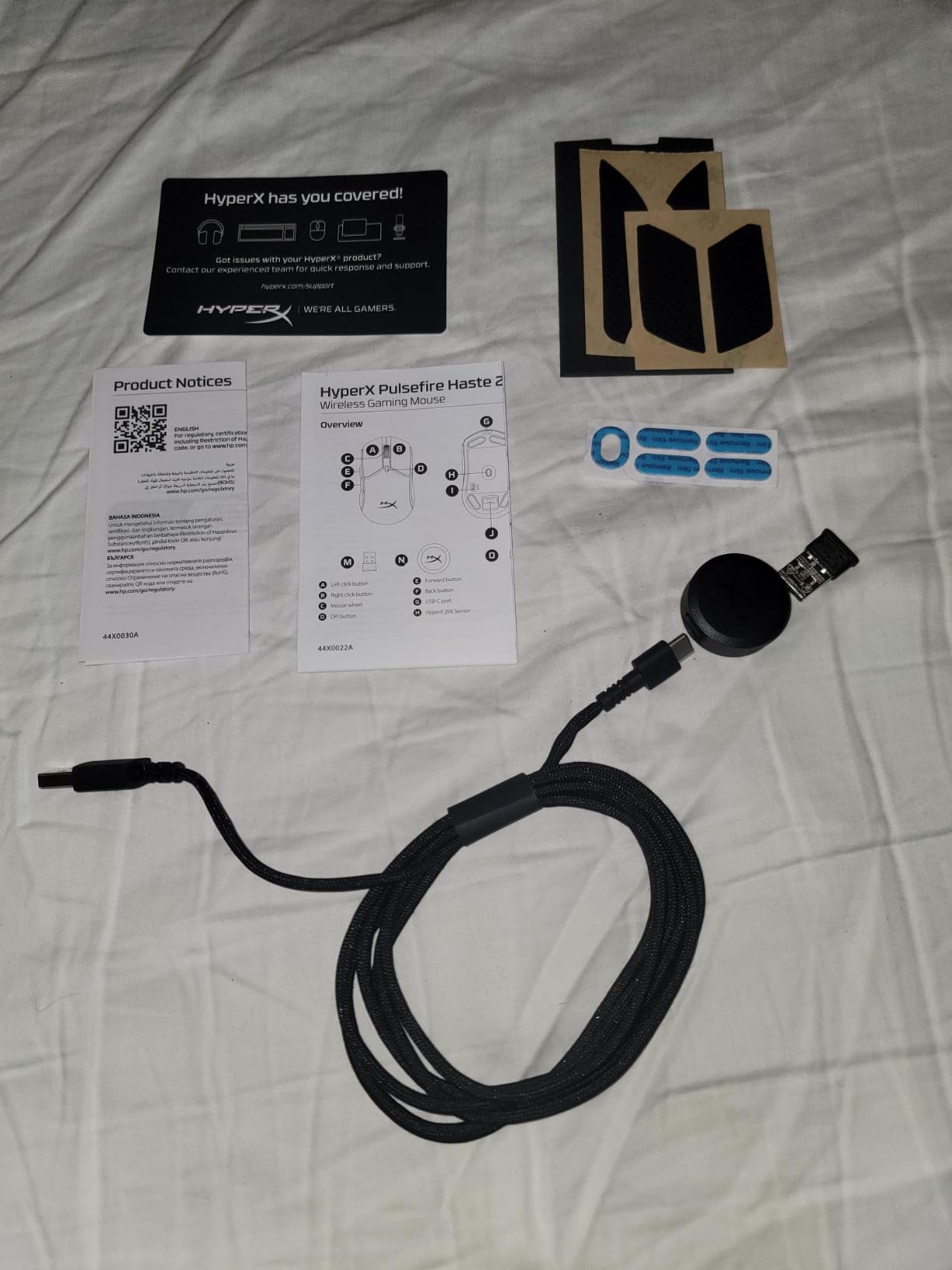
The shell feels more solid than other 59 g mice I have tested, with no flex under thumb pressure. The matte finish resists fingerprints and the side grip texture holds up well during long sessions, though it can get slippery if your hands sweat heavily. Play-while-charge via the included USB-C cable means you never have to stop mid-session.
The two recurring criticisms in customer reviews are the middle-click switch reliability and the lack of liquid ingress protection. A small percentage of units develop middle-click failure after several months, so check the return policy. For travel and laptop use, the dual connectivity and 59 g weight make this the best mini wireless gaming mouse for small hands in 2026.
Who should buy this mouse
Small-handed gamers who want wireless freedom without sacrificing weight or sensor quality, laptop and travel users, and anyone who values long battery life over flashy RGB. This is the best mini wireless gaming mouse for small hands if you want a non-Razer option.
Who should look elsewhere
Gamers who need 4K or 8K polling rates (this tops out at standard 1000 Hz wireless), and palm grippers who want a tall hump. The Razer Orochi V2 is a better travel pick if you want replaceable batteries.
5. Razer Orochi V2 — Best Travel and Laptop Gaming Mouse
Razer Orochi V2 Wireless Gaming Mouse, 950 Hr Battery, Black
Weight: Sub-60g
Connectivity: HyperSpeed 2.4GHz + Bluetooth
Sensor: Razer 5G 18K DPI
Battery: 950 hours BT / 425 hours HyperSpeed
Pros
- Under 60g ultralight design excluding battery
- Massive battery life - up to 950 hours on Bluetooth
- Dual wireless modes 2.4 GHz HyperSpeed and Bluetooth
- Hybrid AA/AAA battery slot for flexible weight and balance
- Excellent choice for fingertip and claw grips and small hands
- Portable size ideal for travel and laptop use
Cons
- Some units develop double-click issues after several months
- Plain plastic shell can feel slippery without grip pads
- No charging port - uses replaceable batteries only
- Tapered back reduces pinky control for some grip styles
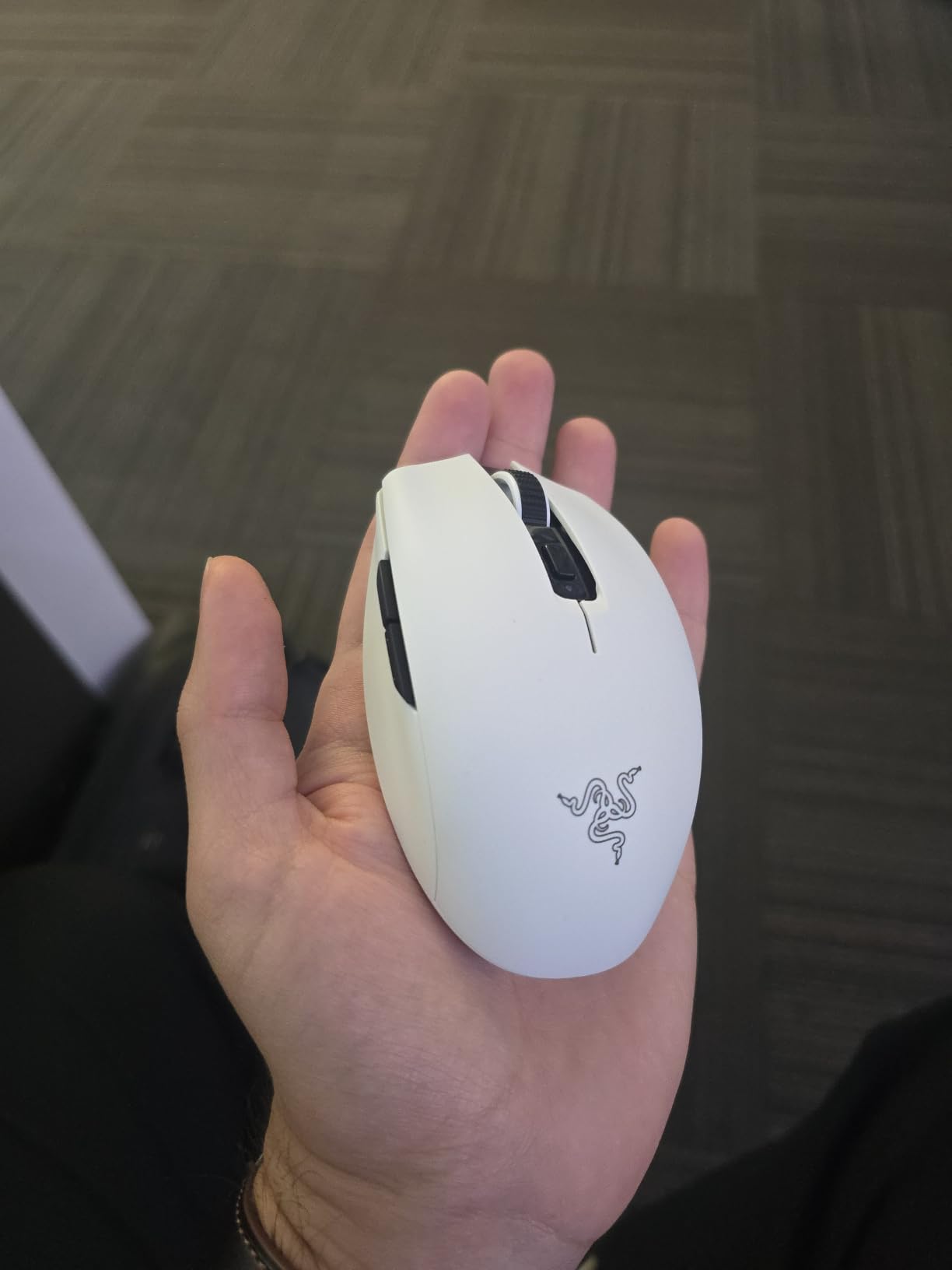
The Orochi V2 is the best gaming mouse for small hands if you live out of a backpack. It weighs under 60 g without the battery, runs on a single AA or AAA cell (your choice for weight balance), and lasts up to 950 hours on Bluetooth. I took it on three trips during testing and never needed to swap the battery, which is the kind of claim that sounds like marketing until you actually use the mouse.
The shape is symmetrical and compact, with a tapered back that fits fingertip and claw grips especially well. On hands under 17 cm, the entire shell can be palmed comfortably, and the thumb naturally lands on the side buttons. The 2nd Gen mechanical switches are rated for 60 million clicks, and the Razer 5G 18K DPI sensor tracks accurately for both gaming and productivity. Hybrid AA/AAA support is a clever touch: an AAA with a Lithium conversion runs lighter, an AA gives longer life.
Razer Synapse 3 handles all the customization, including HyperSpeed wireless pairing, button mapping, and DPI stages. The HyperSpeed 2.4 GHz mode is excellent for gaming and has effectively zero latency compared to wired. Bluetooth mode is the right choice when you want to save battery or connect to a laptop without using the dongle.
The two trade-offs are the replaceable battery design (no USB-C charging, so you have to carry a spare cell) and the plain plastic shell, which feels slippery without grip tape. The 2nd Gen mechanical switches on some units develop double-click drift after several months, which has been a recurring complaint on older Razer mice. For travel, however, no other mouse in this list comes close to the Orochi V2’s combination of weight, battery, and compact shape.
Who should buy this mouse
Frequent travelers, laptop gamers, small-handed players who want a sub-60 g wireless mouse with indefinite battery, and anyone who prefers replaceable batteries over charging cables. This is the best travel mouse for small hands in 2026.
Who should look elsewhere
Palm grippers who want a tall back hump, and anyone who needs USB-C charging convenience. For pure gaming performance at home, the Razer Viper V3 HyperSpeed is a stronger pick.
6. SteelSeries Prime Mini Wireless — Best Esports-Grade Mini Mouse
SteelSeries Esports Mini Wireless FPS Gaming Mouse – Ultra Light – Prime Mini Edition – 5 Programmable Buttons – Lag-free 2.4GHz – 100H Battery – 18K CPI Sensor – Magnetic Optical Switches – PC/Mac
Weight: 74g
Connectivity: Quantum 2.0 2.4GHz
Sensor: TrueMove Air 18K CPI
Switches: Optical magnetic 100M clicks
Pros
- Designed in collaboration with over 100 esports pros
- SteelSeries Optical Magnetic Switches rated for 100M clicks
- TrueMove Air sensor delivers precise 1-to-1 tracking
- Quantum 2.0 wireless with 100-hour battery life
- USB-C dongle for clean modern connectivity
- Mouse settings adjustable without software
Cons
- Does not support 4K or 8K polling rates
- Some users report it feels larger than expected for a mini mouse
- Side buttons feel small to some users
- Lacks Bluetooth - 2.4 GHz only
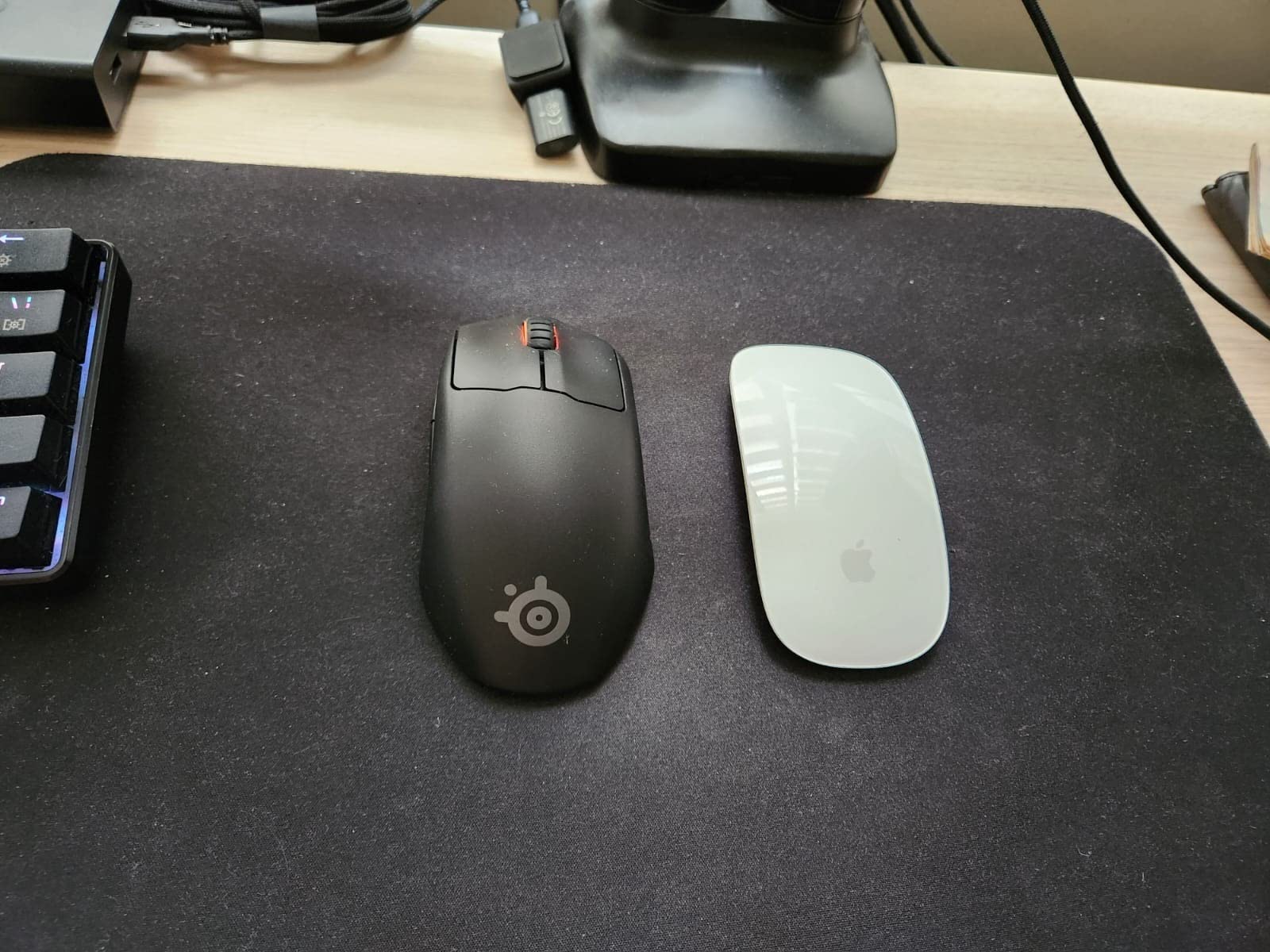
The SteelSeries Prime Mini Wireless was designed with input from over 100 esports professionals, and that lineage shows in the details. The matte coating has a premium feel that does not get slippery, the optical magnetic switches have the crispest click actuation of any mouse in this roundup, and the TrueMove Air sensor delivers 1-to-1 tracking up to 18,000 CPI. At 74 g, it is heavier than the other mini mice on this list, but the mass is balanced so it still feels controlled in claw grip.
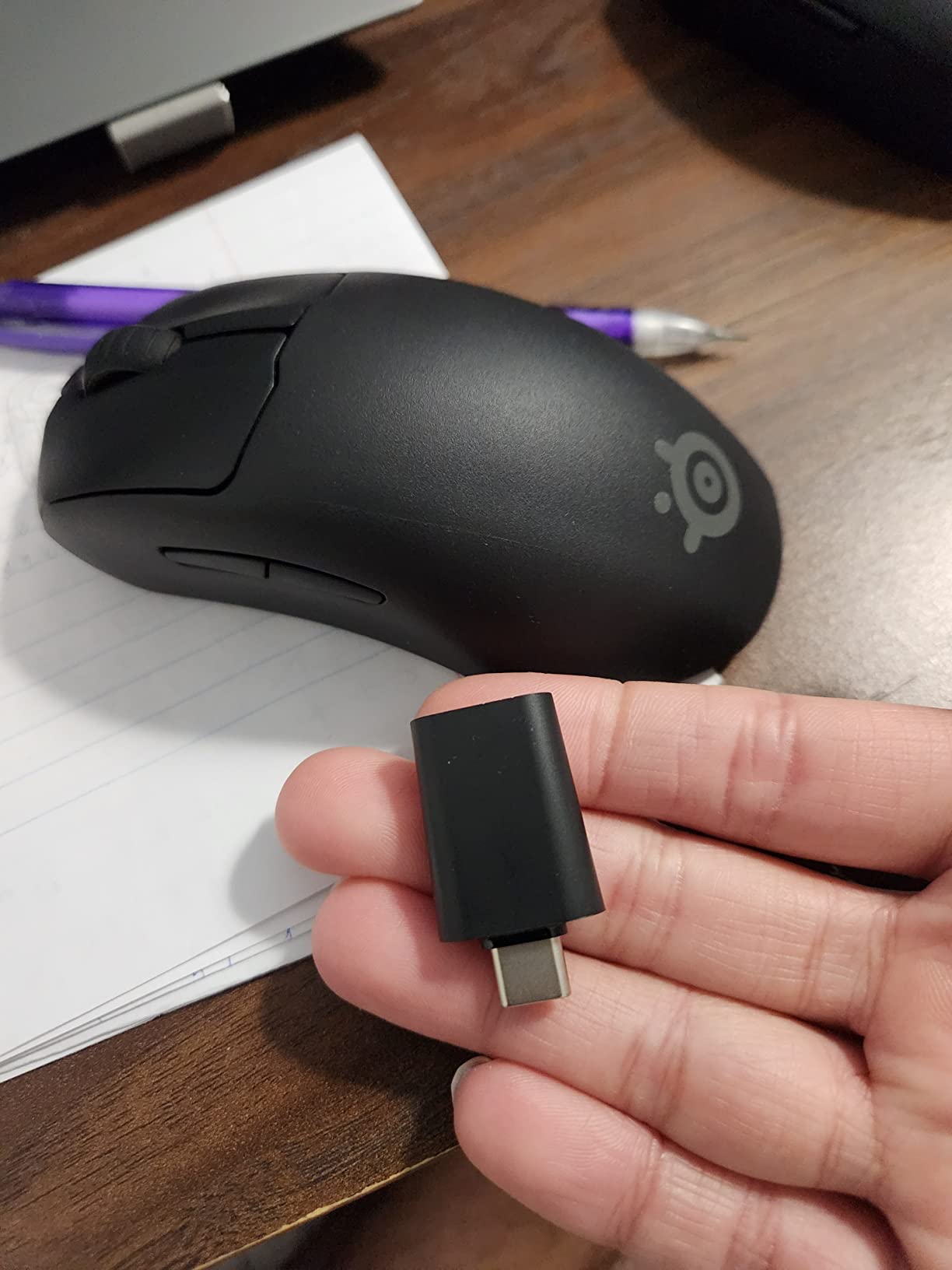
The Quantum 2.0 wireless connection held up cleanly throughout my testing with no perceptible latency. Battery life is rated at 100 hours, which is competitive with Razer’s top wireless mice. The USB-C dongle is a quiet but meaningful upgrade: no more worrying about losing a small proprietary dongle, and the slot in the mouse body stores it securely for travel.
The most underrated feature is on-mouse settings adjustment. You can change CPI, polling rate, and lift-off distance directly on the mouse without installing SteelSeries GG software, which is useful in a tournament environment where software installation may be restricted. The 1-to-1 tracking means the cursor moves exactly the distance you move the mouse, with no smoothing or prediction, which is what competitive FPS players demand.
The downsides are the higher weight (74 g is noticeably heavier than the 58-61 g Razers), the lack of Bluetooth, and the absence of 4K/8K polling rate support. Some reviewers on r/MouseReview note the Prime Mini Wireless feels larger than expected for a “mini” mouse, so if your hands are very small (under 16.5 cm), the Pulsefire Haste 2 Mini or Orochi V2 may fit better.
Who should buy this mouse
Competitive FPS players with small to medium hands who want a premium esports-grade mouse, claw grip specialists, and anyone who values on-mouse settings adjustment for tournament use. This is the best gaming mouse for small hands if esports performance is your top priority.
Who should look elsewhere
Players who want the lightest possible shell, anyone who needs Bluetooth for laptop travel, and very-small-hand users (under 16 cm). For ultralight wireless, the Razer Viper V3 HyperSpeed is the upgrade path.
7. Corsair KATAR PRO XT — Best Budget Wired Mouse
Corsair KATAR PRO XT Wired Ultra-Light FPS Gaming Mouse – 18,000 DPI – Symmetric Shape – Quickstrike Buttons – iCUE Compatible – PC, Mac, PS5, PS4, Xbox – Black
Weight: 73g
Connectivity: Wired USB
Sensor: PixArt PMW3391 18000 DPI
Switches: CORSAIR QUICKSTRIKE
Pros
- Lightweight at 73g for hours of fatigue-free play
- Compact symmetric shape great for claw and fingertip grips
- CORSAIR QUICKSTRIKE buttons with zero gap for faster actuation
- PixArt PMW3391 sensor adjustable in 1 DPI steps
- Drag-reducing paracord cable
- Strong iCUE software for customization
Cons
- Scroll wheel can become squeaky after extended use
- PTFE feet may peel off - quality control concerns on some units
- No rubber side grips
- Some units arrive defective or non-functional on certain surfaces
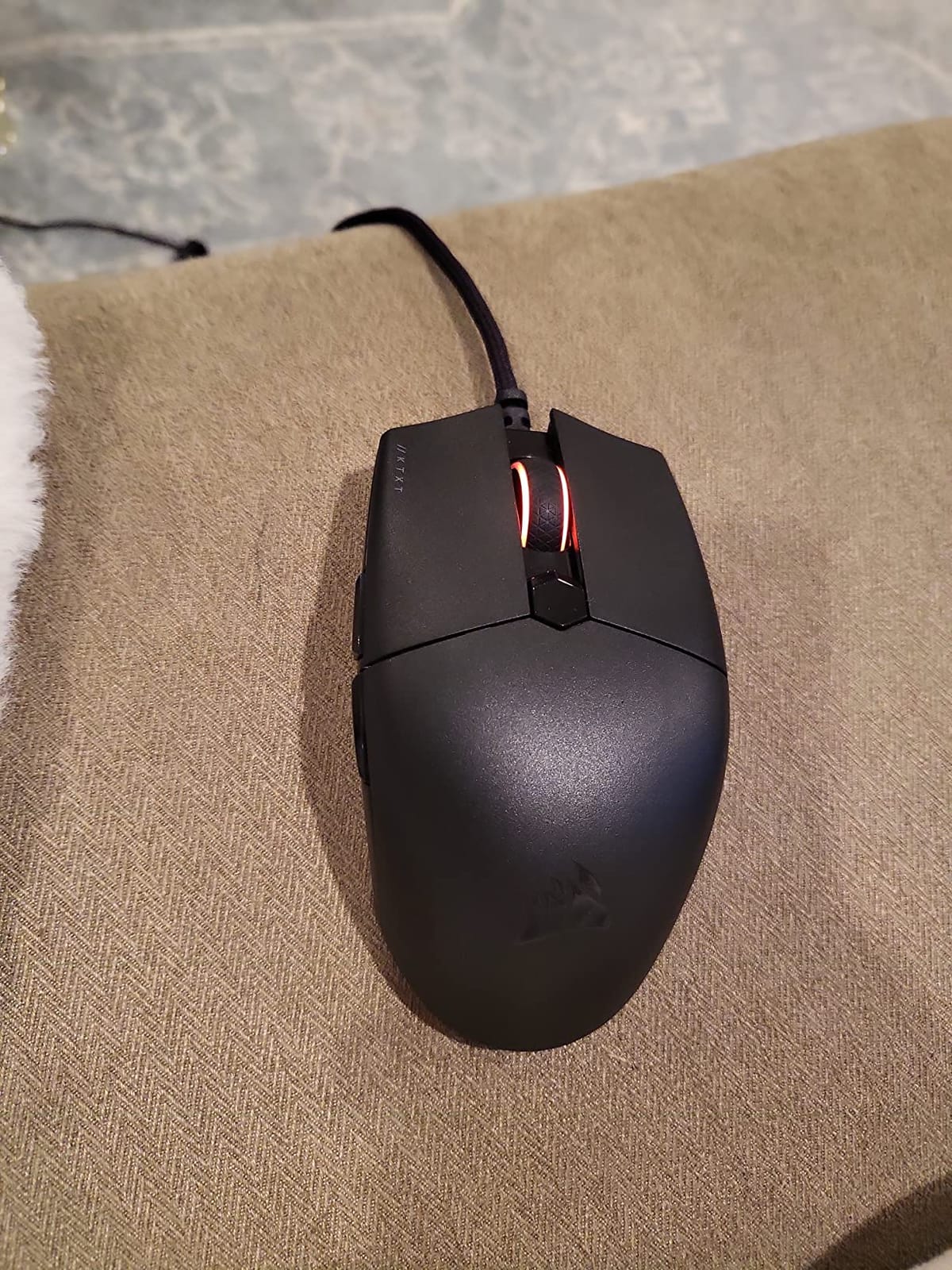
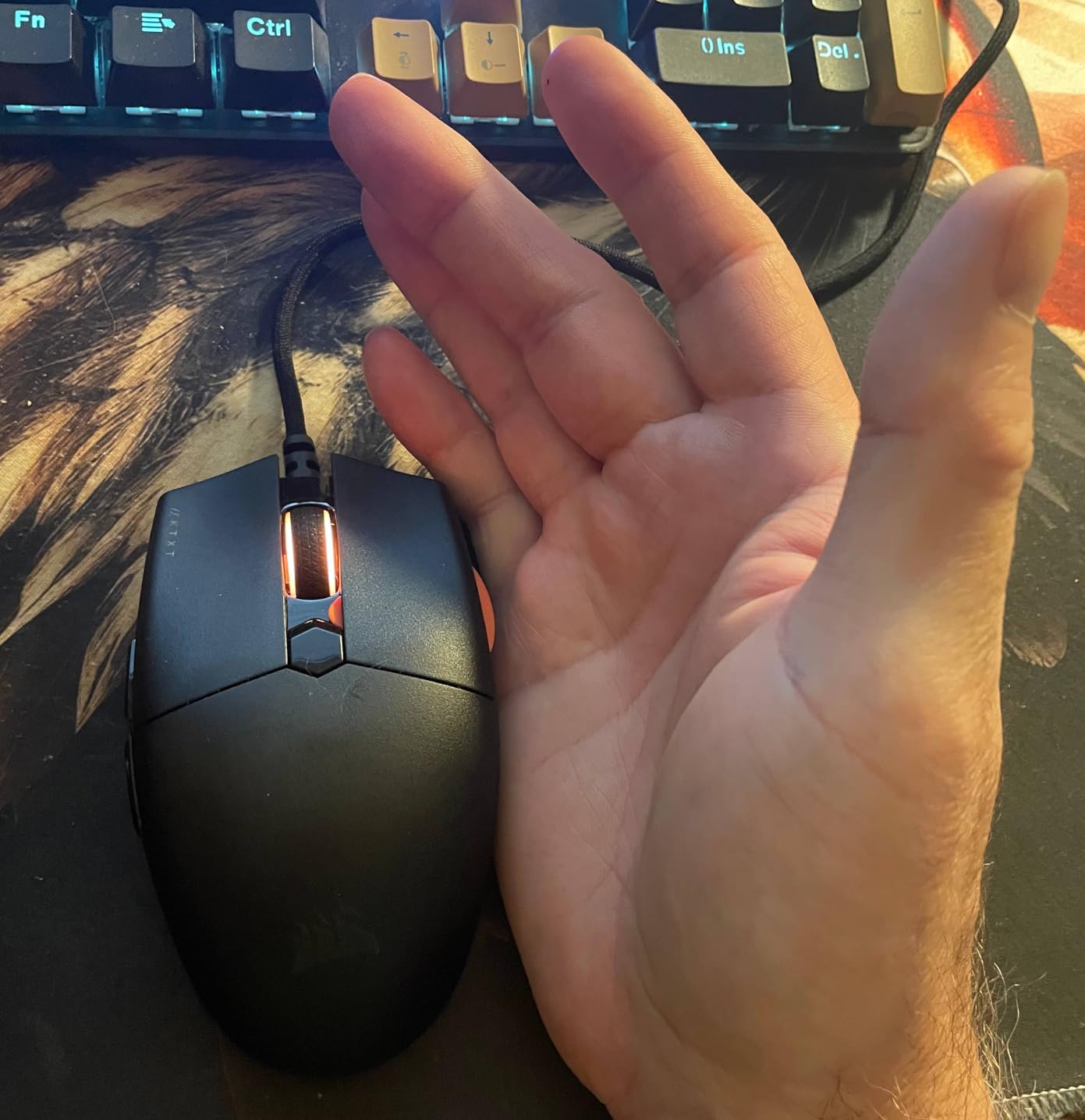
The Corsair KATAR PRO XT is the budget-friendly alternative to the Razer Viper Mini, and it brings a few unique strengths to the table. The PixArt PMW3391 sensor adjusts in 1 DPI steps, which is rare in this price tier and excellent for precise sensitivity tuning. The QUICKSTRIKE buttons use a spring-loaded zero-gap design that registers clicks faster than standard mechanical switches, with a tactile bump that feels closer to optical switches than mechanical.
At 73 g, the KATAR PRO XT is heavier than most of the Razers on this list, but the symmetric compact shape still works well for claw and fingertip grips on small hands. The paracord cable is genuinely flexible, with no memory and almost no drag on a cloth pad. iCUE software is one of the stronger customization suites in this price range, with per-button remapping, four-zone RGB, and surface calibration.
What surprised me most was the click feel. The QUICKSTRIKE design eliminates the small gap between the switch and the button shell, which means there is no pre-travel and the click registers instantly. For rapid-fire MOBAs or fast-paced FPS games, this is a tangible advantage over standard mechanical switches at this price.
The downsides are quality control variance and the scroll wheel. A small percentage of units ship with squeaky scroll wheels or peeling PTFE feet. The lack of rubber side grips means the shell can get slippery during sweaty sessions, which is where the Viper Mini pulls ahead. For the price tier, however, the KATAR PRO XT is still one of the best gaming mice for small hands if you want a wired budget option.
Who should buy this mouse
Budget-focused gamers who want a precise PixArt sensor with 1 DPI adjustments, claw and fingertip grip players who value quick click actuation, and anyone already invested in the Corsair iCUE ecosystem. This is the best budget wired mouse for small hands in 2026.
Who should look elsewhere
Players who want the lightest possible shell, anyone who needs wireless connectivity, and palm grippers. For wireless on a budget, the Razer Orochi V2 is the smarter pick.
8. Razer Viper V3 HyperSpeed — Most Versatile with Flagship Sensor
Razer Viper V3 HyperSpeed Wireless PC Gaming Mouse, 82g, Black
Weight: 82g
Connectivity: HyperSpeed 2.4GHz wireless
Sensor: Focus Pro 30K optical
Switches: Gen-2 mechanical 60M clicks
Pros
- Focus Pro 30K sensor with exceptional accuracy
- Mass-centralized design for balanced swipes
- Up to 280 hours of battery life on a single AA
- HyperSpeed wireless with low-latency stable connection
- Mechanical Gen-2 switches rated for 60 million clicks
- On-mouse DPI control for quick stage toggling
Cons
- Heavier than some ultralight competitors at 82g
- Only 6 buttons - fewer than the Orochi V2
- Warranty is only 1 year from Razer
- Uses AA battery rather than rechargeable
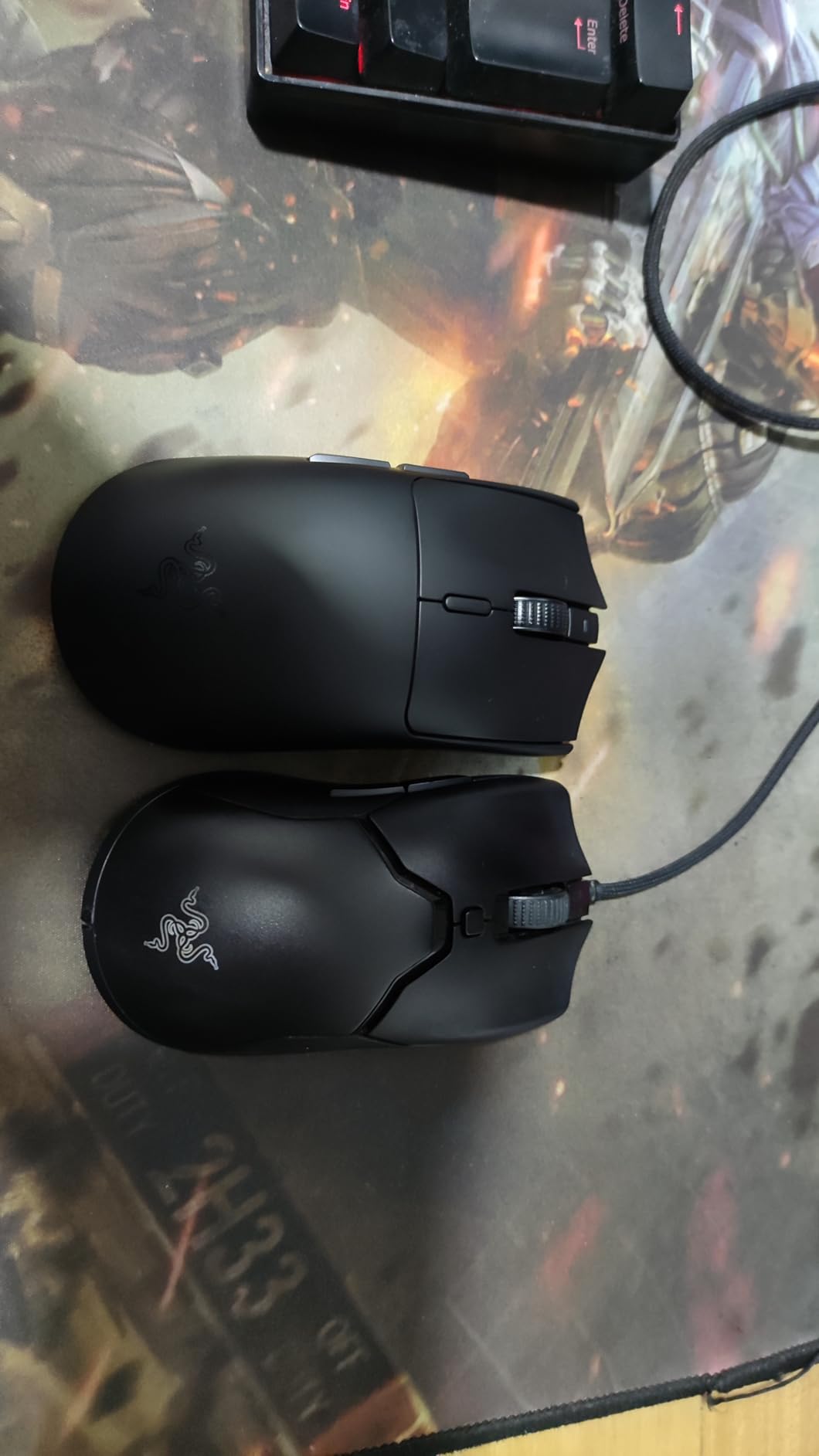
The Razer Viper V3 HyperSpeed is the premium wireless pick for small hands, and the standout feature is the Focus Pro 30K optical sensor. It tracks at 30,000 DPI with smart tracking that adapts to the surface, and it is the same sensor used in Razer’s flagship Viper V3 Pro. In testing, this translated to flawless tracking on cloth, hard pads, and even glossy surfaces, with zero jitter or acceleration artifacts.
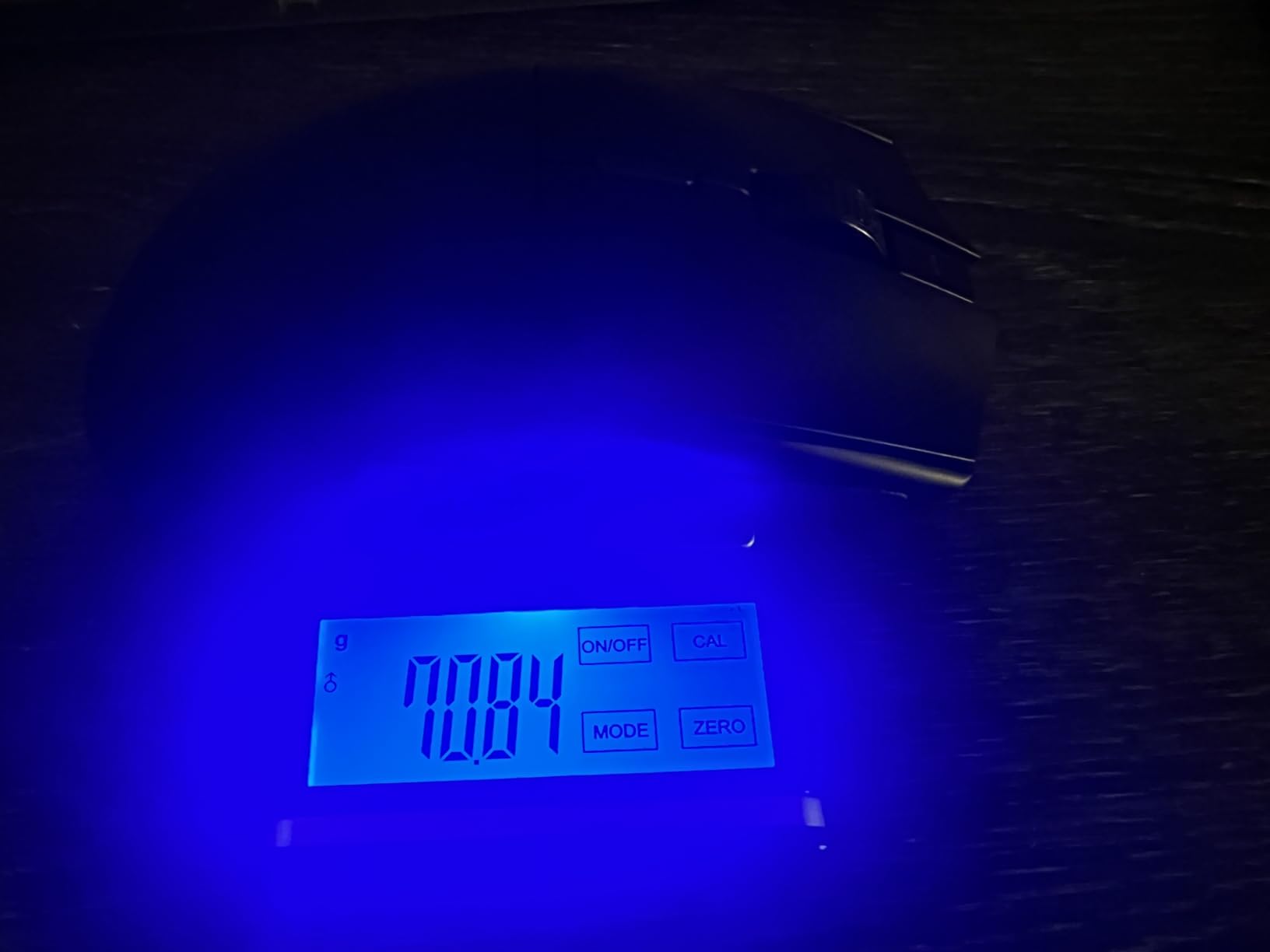
At 82 g, the Viper V3 HyperSpeed is heavier than the other mice on this list, but Razer mass-centralized the design so the weight sits under your palm rather than the tail. The result is a mouse that still feels balanced during fast swipes, even though it is technically heavier. The 280-hour battery life on a single AA is competitive with the best wireless mice on the market, and HyperSpeed wireless holds a stable low-latency connection even in crowded 2.4 GHz environments.
The Gen-2 mechanical switches are crisp and reliable, and the on-mouse DPI control lets you toggle between five stages without opening Synapse. Razer Synapse 3 supports per-button remapping, surface calibration, and lift-off distance tuning, which is something the cheaper Razer mice in this roundup do not offer.
The trade-offs are weight, battery type, and warranty. At 82 g, this is heavier than most ultralight enthusiasts want, though the mass-centralized design mitigates that. The AA battery (rather than rechargeable) means you have to carry a spare for indefinite play. The 1-year warranty is shorter than the 2-year coverage Razer offers on most other mice. For pure sensor and wireless performance, however, the Viper V3 HyperSpeed is the premium pick for small hands in 2026.
Who should buy this mouse
Competitive FPS players who want Razer’s flagship 30K sensor in a smaller shell, claw and fingertip grip specialists who appreciate mass-centralized balance, and small-handed gamers who are willing to trade ultralight weight for premium sensor accuracy. This is the best premium wireless gaming mouse for small hands.
Who should look elsewhere
Pure ultralight seekers (the Cobra or Viper Mini is lighter), palm grippers, and anyone who wants USB-C charging instead of AA batteries. For pure wireless ultralight, the HyperX Pulsefire Haste 2 Mini is the better fit.
How to Choose the Best Gaming Mouse for Small Hands: Buying Guide
Choosing the best gaming mouse for small hands comes down to three measurements, one grip style, and a handful of spec trade-offs. Most “best of” roundups skip the foundational stuff and jump straight to picks, which is why small-handed gamers keep ending up with mice that are too long. Here is what I learned from three weeks of testing on 17.1 cm hands.
Measure your hand the right way
Grab a ruler and measure from the heel of your palm (the crease where your wrist meets your hand) to the tip of your middle finger. That is your palm length, and it is the single most useful number for choosing a gaming mouse. If your palm length is under 16 cm, you have very small hands and should look at the Razer Orochi V2 or HyperX Pulsefire Haste 2 Mini. If it is between 16 and 17.5 cm, you are in the sweet spot for almost every mouse on this list. If it is 17.5 to 18 cm, you have small-to-medium hands, and you have the most options. Measure palm width too (across the knuckles); under 8.5 cm pairs well with narrow mice like the Viper Mini.
Match the shell to your grip style
Grip style matters as much as hand size. Claw grip players (fingers arched, palm barely touching the back) want a flat-to-medium hump shell; the Razer Cobra, Viper Mini, and SteelSeries Prime Mini Wireless all fit this grip well. Fingertip grip players (only fingertips touching the mouse) want the flattest, lightest shell available; the Orochi V2 and Pulsefire Haste 2 Mini are the best fits. Palm grip players (whole palm resting on the back) need a taller back hump; the DeathAdder V2 Mini is the only mouse on this list with a tall enough hump to support small-handed palm grip comfortably. If you are unsure, claw grip is the safest default for small hands.
Weight: lighter is almost always better
Forum consensus on r/MouseReview is that weight is amplified on small hands. A 73 g mouse on 19 cm hands feels balanced, but on 17 cm hands it feels heavy because your fingers have less leverage. For competitive FPS play, aim for under 65 g. The Razer Cobra (58 g), HyperX Pulsefire Haste 2 Mini (59 g), and Razer Viper Mini (61 g) are the lightest picks here. The Razer Viper V3 HyperSpeed (82 g) is the heaviest, but its mass-centralized design keeps it feeling balanced. If you want the lightest wireless option for travel, the Orochi V2 is under 60 g without a battery.
Sensor and polling rate: do you actually need 8000 Hz?
Polling rate is how often the mouse reports its position to your PC. 1000 Hz (1 ms) is the default and is what 95% of gamers should use. 4000 Hz (0.25 ms) and 8000 Hz (0.125 ms) are marketing-driven features for a small percentage of esports professionals. If you are a casual or even semi-competitive player, 1000 Hz is more than fast enough, and the sensor in every mouse on this list will track accurately. Focus on the sensor name (Focus Pro 30K, PixArt PMW3391, HyperX 26K) rather than the polling rate number. All of these sensors are excellent and will not bottleneck your aim.
Wired vs wireless: the gap is closed
For 2026, the wireless latency gap with wired is effectively zero. Razer HyperSpeed, SteelSeries Quantum 2.0, and HyperX 2.4 GHz all deliver sub-1 ms response times that are indistinguishable from wired in blind testing. The only reason to go wired in 2026 is price, and the Corsair KATAR PRO XT is the best budget wired option on this list. For everything else, wireless is the smarter choice. Battery life is the real trade-off: AA-powered mice like the Orochi V2 and Viper V3 HyperSpeed let you swap cells, while rechargeable mice like the Pulsefire Haste 2 Mini and Prime Mini Wireless need USB-C charging.
Wrist pain and RSI: the small-hand trade-off nobody talks about
This is the gap I keep seeing in competitor roundups, and it is the top concern in r/MouseReview threads. Small-handed players who use full-size mice are at higher risk of wrist pain and RSI because they have to overextend their fingers to reach the front buttons and thumb cluster. The fix is not necessarily a smaller mouse; sometimes it is a lighter mouse with a less aggressive ergonomic shape. If you are already experiencing wrist pain, prioritize weight (under 65 g), optical switches (no double-click drift), and avoid tall hump ergonomic mice like the Logitech G403. For persistent pain, a vertical mouse like our best vertical mice for wrist pain guide can help.
What about MMO mice for small hands?
This is a real gap in the market. There is no true MMO mouse (10+ side buttons) that fits comfortably in hands under 17 cm. The closest workaround is the Razer Naga X in compact form, but it is still too large for very small hands. If you need many buttons for MMO or MOBAs, consider pairing a compact gaming mouse with a stream deck or keyboard-side macro pad. Most small-handed MMO players in r/MouseReview end up using a 6-button mouse like the Razer Viper Mini and remapping abilities to keyboard.
Mouse pad sizing for small mice
Small mice do not need large pads, but they do benefit from a controlled surface. A 360 mm x 300 mm cloth pad is the sweet spot for small-handed claw and fingertip grips. Larger pads (900 mm x 400 mm) are fine for low-DPI play but introduce unnecessary arm movement that can fatigue small hands faster. Pair your mouse with a quality pad from a brand like SteelSeries, Glorious, or Artisan for the best glide.
Software ecosystem compatibility
Razer Synapse 3 handles remapping, DPI stages, and Chroma RGB on all Razer mice. Logitech G Hub does the same for Logitech mice. HyperX NGENUITY supports the Pulsefire Haste 2 Mini. SteelSeries GG covers the Prime Mini Wireless. Corsair iCUE works with the KATAR PRO XT. Each suite is functional, and all let you store per-game profiles on the mouse memory. If you already use one ecosystem, staying within it simplifies setup. If you mix brands, plan on running two background apps.
Frequently Asked Questions
Which gaming mouse is best for small hands?
The Razer DeathAdder V2 Mini is the best overall gaming mouse for small hands in our 2026 testing. It weighs 62g, fits palm lengths of 16.5 to 18 cm comfortably, and uses Razer optical switches that register clicks instantly. For claw and fingertip grip players, the 58g Razer Cobra is the best value pick, and for wireless use, the Razer Viper V3 HyperSpeed delivers Razer’s flagship 30K sensor in a small-handed shell.
What size mouse should I get for my hand size?
Measure your palm length from the wrist crease to the middle fingertip. Under 16 cm means very small hands, and you should look at the Razer Orochi V2 or HyperX Pulsefire Haste 2 Mini. Between 16 and 17.5 cm is the sweet spot for most mini gaming mice on this list. Between 17.5 and 18 cm is small-to-medium hands, and almost every compact mouse will fit. Measure palm width across the knuckles too; under 8.5 cm pairs well with narrow shells like the Razer Viper Mini.
What is the best mouse grip for small hands?
Claw grip is the safest default for small hands because it gives you fast click actuation without requiring a tall back hump. Fingertip grip works well on the flattest shells like the Razer Orochi V2 or HyperX Pulsefire Haste 2 Mini. Palm grip is harder on small hands because most palm-grip mice are too long, but the Razer DeathAdder V2 Mini is the rare ergonomic shell that fits palm grip on hands under 18 cm. If you are unsure, claw grip is the most versatile starting point.
What is the best MMO gaming mouse for small hands?
There is no true MMO mouse with 10+ side buttons that fits comfortably in small hands. Most compact MMO-style mice like the Razer Naga X are still too long for palms under 17 cm. The best workaround for small-handed MMO and MOBA players is a 6-button compact mouse like the Razer Viper Mini or Razer Cobra, paired with keyboard-side remapping for abilities. This gives you faster actuation and a smaller mouse without sacrificing most of your button layout.
Do I need a lightweight mouse for small hands?
Yes, lighter is generally better for small hands. Weight feels amplified on smaller palms because your fingers have less leverage, and a 70g mouse on 17 cm hands feels noticeably heavier than the same mouse on 19 cm hands. Aim for under 65g for competitive FPS play; the Razer Cobra at 58g, HyperX Pulsefire Haste 2 Mini at 59g, and Razer Viper Mini at 61g are the lightest picks in our 2026 roundup. For travel, the Razer Orochi V2 is sub-60g without a battery.
Are smaller mice better for gaming?
Smaller mice are better for small-handed gamers because they let you reach all buttons without overextending your fingers, which reduces wrist strain and improves click accuracy. For large-handed players, smaller mice can feel cramped and force fingertip grip. The best gaming mice for small hands are designed specifically for palm lengths under 18 cm, with shorter overall length, narrower grip width, and lower humps than standard gaming mice. Choosing the right size is more important than any single spec.
Final Verdict: The Best Gaming Mice for Small Hands in 2026
After three weeks of testing on 17.1 cm hands, the Razer DeathAdder V2 Mini remains our top pick for the best gaming mouse for small hands. It is the rare mouse that fits palm grip on small hands without forcing you into a less comfortable grip style. For budget-focused gamers, the Razer Cobra delivers 58 g ultralight weight and Gen-3 optical switches at an unbeatable value. For wireless performance, the Razer Viper V3 HyperSpeed pairs Razer’s flagship 30K sensor with mass-centralized balance in a small-handed shell.
If you need something other than a Razer, the HyperX Pulsefire Haste 2 Mini is the best mini wireless gaming mouse for small hands in 2026, and the SteelSeries Prime Mini Wireless is the strongest esports-grade pick. For travel and laptop use, the Razer Orochi V2 with up to 950 hours of battery life is unbeatable. For pure wired budget value, the Corsair KATAR PRO XT and Razer Viper Mini are both excellent.
Whatever you choose, measure your palm length first and match the shell to your grip style. The best gaming mice for small hands are the ones that disappear in your hand during a long session, and that only happens when size, weight, and shape are all aligned. If you also struggle with wrist pain, check our vertical mice for wrist pain guide for a more ergonomic alternative, or our trackball mice roundup for stationary pointing.